


After being a second-class citizen for years, the Chromebook app experience is finally getting some attention. And by “Chromebook app”, I mean a web extension. When browsing for extensions, like these five I recently recommended, look for new badges in the Google Chrome Web Store to help you decide if you trust the extension developer.
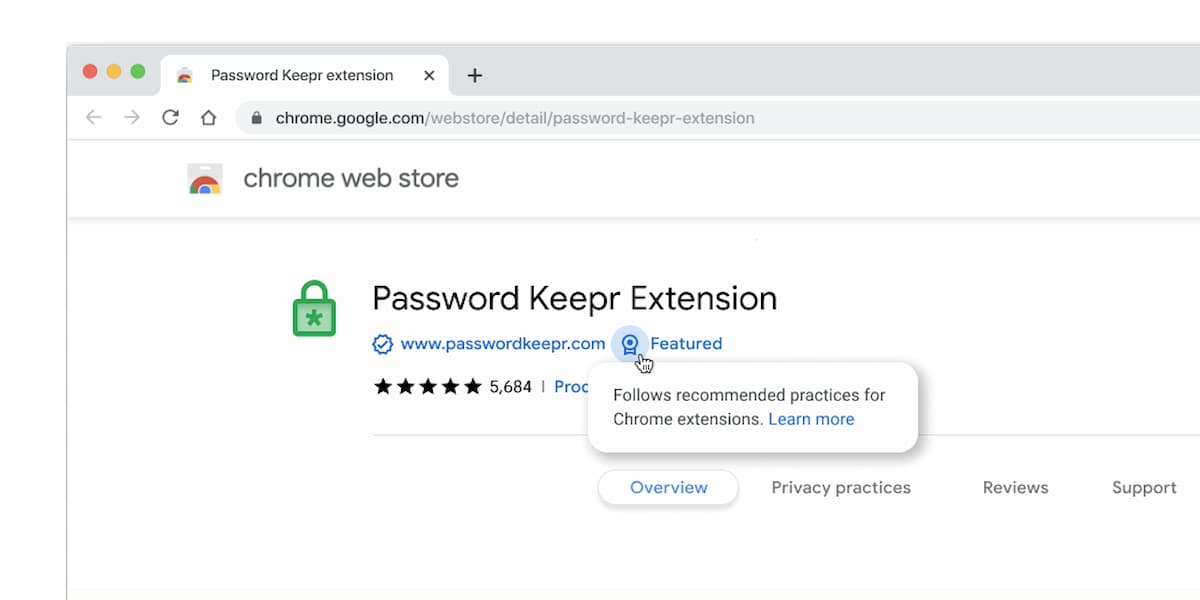
Google implemented the new badges this week, “to make it easy for users to find great extensions while recognizing the publishers who create them.” You’ll still have to dig around and search for extensions. So this doesn’t help overall discoverability. However, thanks to the new Featured and Established Publisher badges, you see who Google trusts in this market.
Two new badges in the Google Chrome Web Store
Both badges are curated and awarded manually by the Chrome web team. For now, this isn’t an algorithmic process. I expect that will change in the future as Google tries to automate anything it can.
There are two requirements to earn a Featured badge in the Google Chrome Web Store.
The extension must adhere to Google’s pre-defined best practices and respect user privacy. The latter is a key one for me and probably many of you too. Second, the store listing page has to be detailed and clear. I’ve seen quite a few pages in the Chrome Web Store that fall down in this area over the past decade.
Earning the Established Publisher badge has different criteria.
The first is verification of the publisher’s identity and the second is a “consistent positive track record with Google services and compliance with the Developer Program Policy.” That’s exactly what’s needed to rid the store of sort of wild west / anything-goes experience.
While Progressive Web Apps (PWAs), Android apps and Linux desktop software have helped fill the “app gap” for Chromebook users, web extensions are still handy.
Often they just add little nuggets of functionality to Google Chrome, but that doesn’t make them any less useful than a full-blown app. When you just need a bit more than the browser provides natively, web extensions fit the bill. It’s nice to see Google pay a little more attention to the store where you can find them.
