


I’m still rocking my 2018 Acer Chromebook Spin 13 and today it received the Chrome OS 104 software update on the Dev Channel. I know Google is working on a feature called Journeys, so I decided to take a look. It’s not yet fully functional, however, I can see the value of Chrome Journeys on a Chromebook. Or in the Chrome browser on any device, for that matter.
What are Chrome Journeys?
If you missed the February announcement introducing Journeys, here’s a recap. Essentially, Google is trying to improve the usability and value of your search history.
Currently, if I wanted to find some search results from prior searches, I’d have to go to the History option of the Chrome browser or manually check my search history. This isn’t a well-integrated experience. Even then, Google provides search history results in chronological order. That’s not useful if you’ve searched over time for related things on the web. Journeys replicate and coordinate related search history.
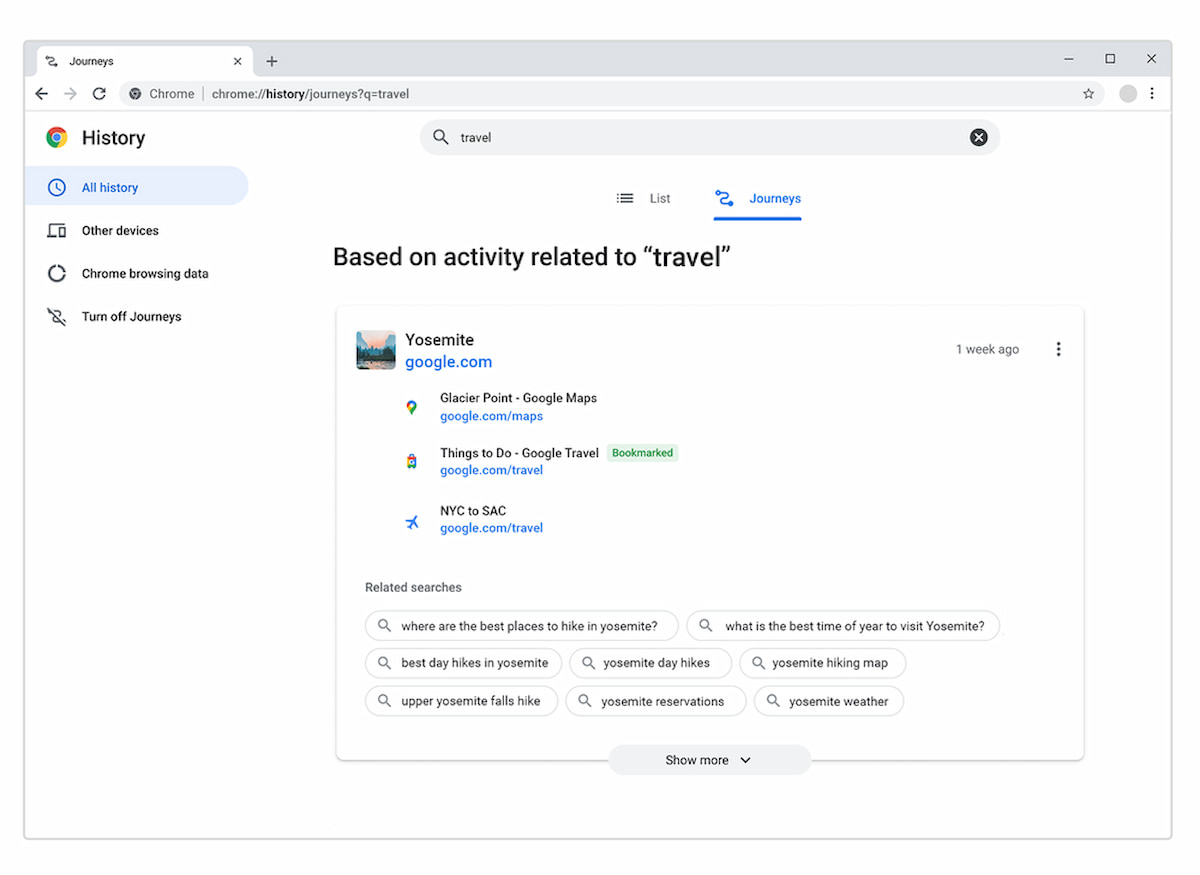
Here’s how Google describes it:
When you type a related word into your search bar and click on “Resume your research” or visit the Chrome History Journeys page, you see a list of relevant sites you visited and can quickly pick up where you left off, whether it was earlier today or weeks ago. Journeys will even take into account how much you’ve interacted with a site to put the most relevant information front and center, while also bringing you helpful suggestions on related searches you may want to try next.
How do Chrome Journeys on a Chromebook work?
You can certainly use Chrome Journeys on a Chromebook by viewing your history, as shown in the image above. I find it more useful and integrated to combine the Chrome OS Side Panel with Chrome Journeys, however.
Here’s how this looks based on some searches I did today when browsing for motorcycle parts:
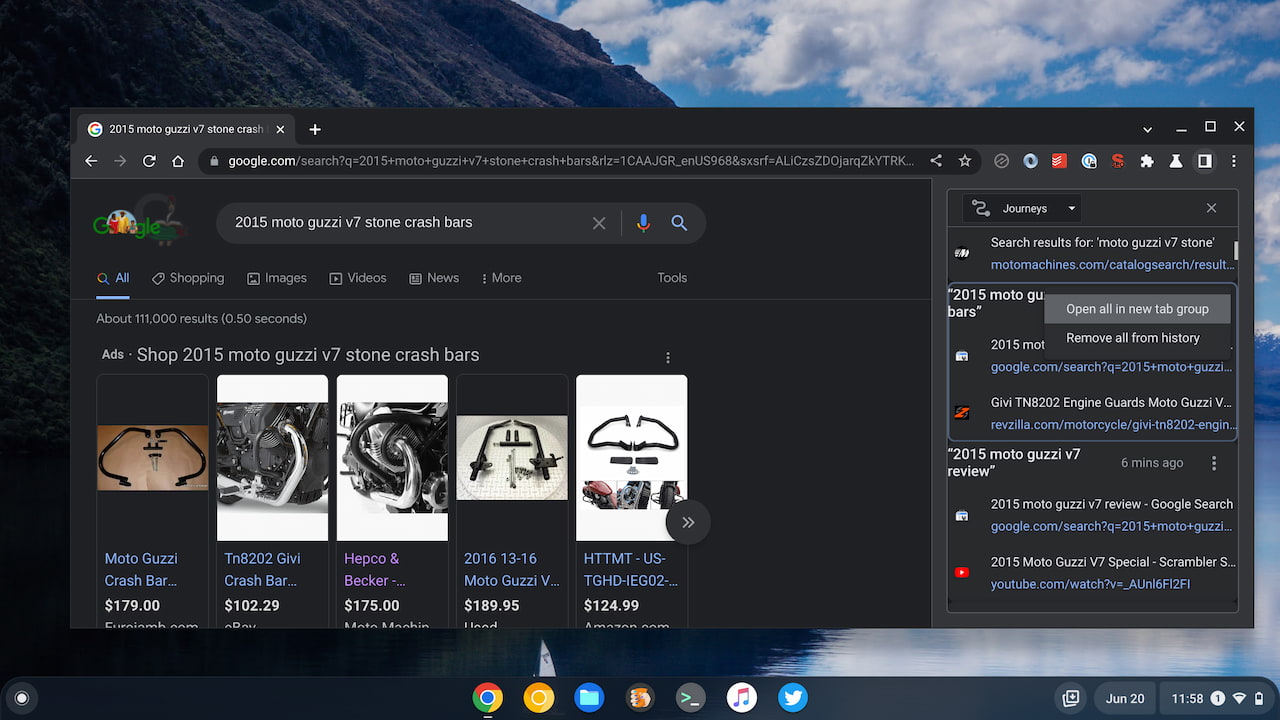
The left side of my Chromebook display shows the typical Google search web page so I can use it as I normally would. I’ve also opened up the side panel on my Chromebook; there’s an icon to do this just next to the browser’s three-dot menu button. By default, the side panel opens up my Reading List; I’ve clicked the side panel drop-down here to show my Chrome Journeys on Chrome OS.
In Journeys, I can scroll up or down to see any of my searches related to the used bike I bought this weekend: A 2015 Moto Guzzi V7. Technically, I take journeys on my bike, so the obligatory bike photo is sort of related. ?

I did quite a bit of research on this bike before purchasing it. And I know there is some key information in the search results of that research in my Chrome browser history. But I have no idea what day, time, or even device I used, during all of those searches.
That’s where the benefits of Chrome Journeys on a Chromebook really shine. Whatever you’re searching for, Google will intelligently group these experiences, making them easier to find and use in the future. And you can continue your Journeys with a little help from Google too.
How to try this feature in Chrome OS
If you want to try Chrome Journeys on a Chromebook now, you can find them in your browser History. Just click the three-dot menu button in Chrome or Chrome OS and then click the History option at the top of the list. That will provide the full-screen Journeys view:
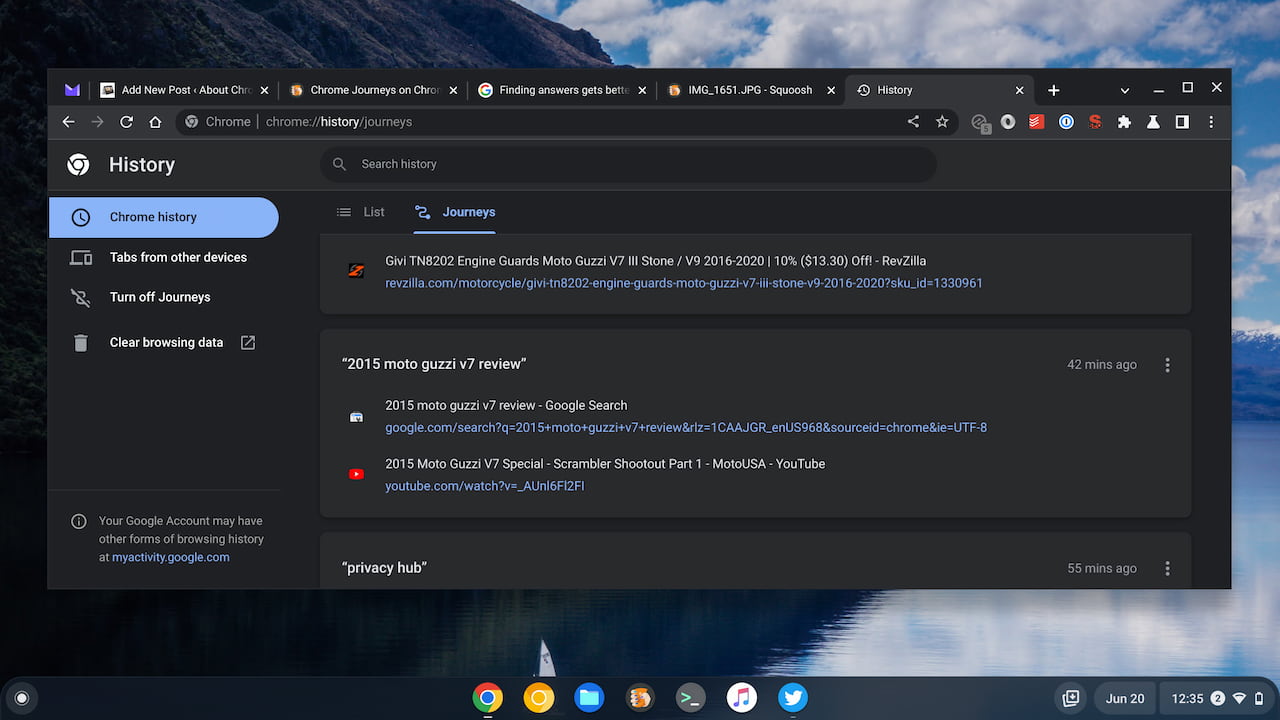
Technically, it will first show the List view, which is the old, chronological list of your search result history. Switch from List to Journeys above the results for the grouped search results. By the way, the three-dot menu options to the right of each of your Chrome Journeys do allow you to open all of the listed pages in a tab group.
If you have the Chrome side panel enabled, you might see Journeys as an option under Reading List and Bookmarks. That’s what I use, however, the “open all in new tab group” option isn’t working in my side panel.
Note that I have several Chrome and Chrome OS experimental flags enabled for this to work. Navigate to chrome://flags and search for “Journeys” as well as “side panel” if you want to replicate my experience. Keep in mind that I’m using Chrome OS 104, so I may have more flags available than you do.
Eventually, these flags will be enabled by default and everyone will be able to use Chrome Journeys on a Chromebook.
