


Chromebooks have come a long way since their early days as simple web-browsing tools. Today, ChromeOS devices are becoming an increasingly viable option for gaming enthusiasts, offering a range of experiences from casual time-killers to more immersive, high-performance titles.
With features like Android app compatibility and cloud gaming services, these lightweight machines are now serious contenders in the gaming space.
One of the first things users notice is how well Chromebooks handle interactive games. Titles that don’t require complex controls or powerful hardware run smoothly, providing an engaging experience.
Checking out all your high-performing MMORPG, live gaming streams and even some high-graphic online slots is just a delight on this device as interactive games that might need quality graphics and live chat work well in the background, even if you are multitasking. The integration of touchscreens on many models enhances the gameplay for these apps, making it feel almost native.
For puzzle or strategy game fans, the experience is seamless. Since these genres often rely more on brainpower than graphic prowess, Chromebooks provide an ideal platform.
The lightweight design means you can play these games anywhere, and cloud synchronisation ensures you don’t lose progress. Whether tackling a turn-based strategy game or solving puzzles, the performance holds up, and there’s little worry about frame rate drops or lag.
Of course, for those who enjoy more action-oriented games, the options have expanded. Cloud gaming services like NVIDIA GeForce Now and Xbox Cloud Gaming bridge the hardware gap, allowing Chromebooks to run AAA titles that would otherwise be too demanding.
This streaming capability means you get console-level quality without needing the latest graphics card. The keyboard and mouse controls work well for many titles, though external controllers are an option for those who prefer a console-like experience.
For more complex, graphics-intensive apps, ChromeOS can still deliver. Gaming engines have improved their optimisation for Android apps, and many titles now support the platform natively. Open-world adventures or fast-paced racers might not run at the highest settings, but the experience remains enjoyable.
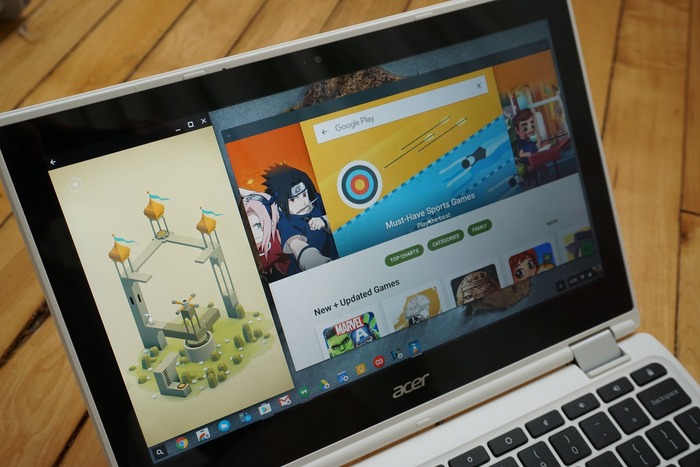
Additionally, the ability to switch between desktop and tablet modes provides flexibility. Many games support touchscreen controls, while others benefit from a traditional keyboard-and-mouse setup.
Multiplayer gaming is another area where ChromeOS shines. Thanks to the system’s lightweight OS and stable network performance, connecting with others online is hassle-free. Whether you’re engaging in competitive matches or cooperative quests, you’ll find the experience responsive.
Social features, like in-game chat or live streams, run in the background without overwhelming the system. This makes multitasking smoother and keeps you connected without slowing down gameplay.
Finally, it’s worth noting that the future of gaming on ChromeOS looks even brighter. Google’s continued investment in the platform, combined with partnerships with major gaming services, ensures a growing ecosystem. As more developers optimise their titles for this environment, we can expect better performance and an expanding library of games to choose from.
ChromeOS might not yet be the ultimate gaming platform, but it’s closing the gap rapidly. The versatility it offers makes it an appealing choice. For anyone looking to balance productivity with play or just relax with a quick game between tasks, Chromebooks have become a surprisingly robust option.
