


The d3dx9_26.dll file is an essential component of Microsoft’s DirectX suite that supports gaming and graphics applications on Windows systems. Users who run Windows on alternative platforms may also encounter these errors. When this file goes missing or becomes corrupted, users experience errors that prevent games and graphics-intensive software from launching properly.
d3dx9_26.dll download errors commonly occur across different Windows versions. While Windows gaming requires specific hardware and drivers, understanding how to resolve these issues helps restore normal functionality without requiring advanced technical knowledge.
This file belongs to DirectX 9.0c, still required by many older games and applications.
How To Fix d3dx9_26.dll Download Errors?
Follow these solutions in order, starting with the simplest approaches. Avoid downloading DLL files from unofficial websites, as they pose significant security risks.
Restart Your Computer
If you haven’t restarted your device yet, do so now. The issue might be temporary, and a simple restart often resolves it across different platforms.

Boot Windows in Safe Mode
When d3dx9_26.dll download errors prevent Windows from starting normally, boot into Safe Mode before following subsequent steps. Chrome OS uses recovery mode for system restoration, though the concept differs from Windows Safe Mode.
Install DirectX End-User Runtime (June 2010)
Microsoft’s DirectX End-User Runtime package contains d3dx9_26.dll and other necessary files. Download this package directly from Microsoft’s official website and run the installer.

Extract the DLL File Manually
If installing the complete package doesn’t work, extract the required file manually. Download the DirectX package and use file extraction software to open it.
Locate d3dx9_26.dll within the extracted files. Copy this file to the directory specified in your error message, typically C:\Windows\System32 for 64-bit systems.
Check Your Game Installation Media
Older games often include specific DirectX versions on their installation discs. Check your physical game media or digital download files for a DirectX installer that may work better.
Reinstall the Affected Program
Remove the problematic software completely using Windows Settings. Download a fresh copy from the official source and reinstall it following the setup wizard.
Restore the DLL from DirectX Package
When standard installation fails, use the expand command in Command Prompt to extract individual files. This advanced method requires administrator privileges.
Update Graphics Drivers
Outdated video drivers sometimes cause DirectX complications. Visit your graphics card manufacturer’s website—NVIDIA, AMD, or Intel—and download the latest drivers.
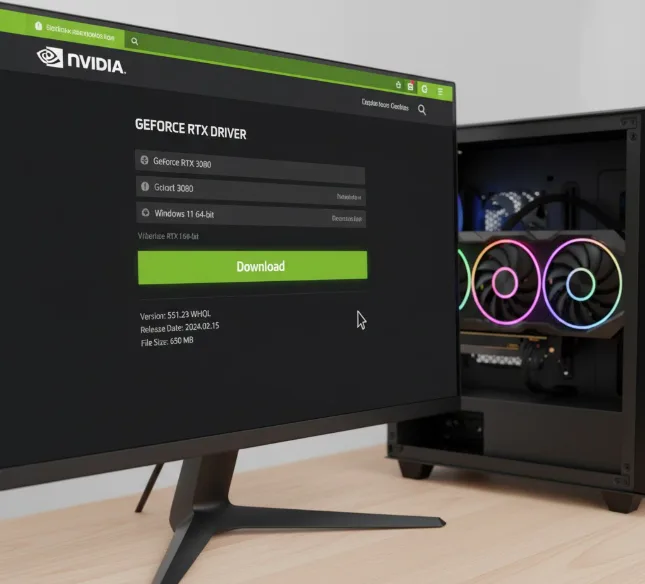
While updating drivers isn’t the primary solution for d3dx9_26.dll download errors, it can resolve underlying compatibility issues.
What Causes d3dx9_26.dll Download Errors?
d3dx9_26.dll download errors typically stem from missing or corrupted DirectX files. These issues frequently occur when launching games or graphics-intensive applications that depend on older DirectX 9 components.
Incomplete software installations, malware infections, or accidental file deletion can corrupt this DLL. Windows updates sometimes remove legacy DirectX files that older applications still require.
Common error messages include “The program can’t start because d3dx9_26.dll is missing” and “d3dx9_26.dll not found.”
FAQs
Is downloading d3dx9_26.dll from DLL download sites safe?
No, downloading individual DLL files from third-party websites poses security risks including malware, viruses, and system instability. Always obtain DirectX components from Microsoft’s official website.
Which DirectX version contains d3dx9_26.dll?
The d3dx9_26.dll file comes from DirectX 9.0c. Install the DirectX End-User Runtime (June 2010) package to obtain this file and all related components.
Can I fix d3dx9_26.dll download errors on Windows 11?
Yes, d3dx9_26.dll download errors occur on Windows 11 despite DirectX 12 being the current version. Install the DirectX 9.0c runtime to resolve compatibility issues with older games.
Do I need both 32-bit and 64-bit versions of d3dx9_26.dll?
If you run 32-bit applications on 64-bit Windows, you need both versions. The 64-bit version goes in System32, while the 32-bit version belongs in SysWOW64.
Will reinstalling Windows fix d3dx9_26.dll download errors?
Reinstalling Windows will remove d3dx9_26.dll download errors, but it’s unnecessarily drastic. Installing the DirectX End-User Runtime package resolves the issue without data loss or system reinstallation.
