


AI-generated content is everywhere now. Whether you’re a student submitting an essay, a teacher reviewing assignments, a journalist fact-checking sources, or a professional reviewing documents, the question of “did a human actually write this?” has become surprisingly relevant — and surprisingly hard to answer.
For Chromebook users in particular, the tools you reach for tend to be lightweight, browser-based, and cloud-first.
That’s exactly the kind of environment where a well-designed AI detection tool can shine — no heavy installs, no compatibility headaches, just a tab and a purpose.
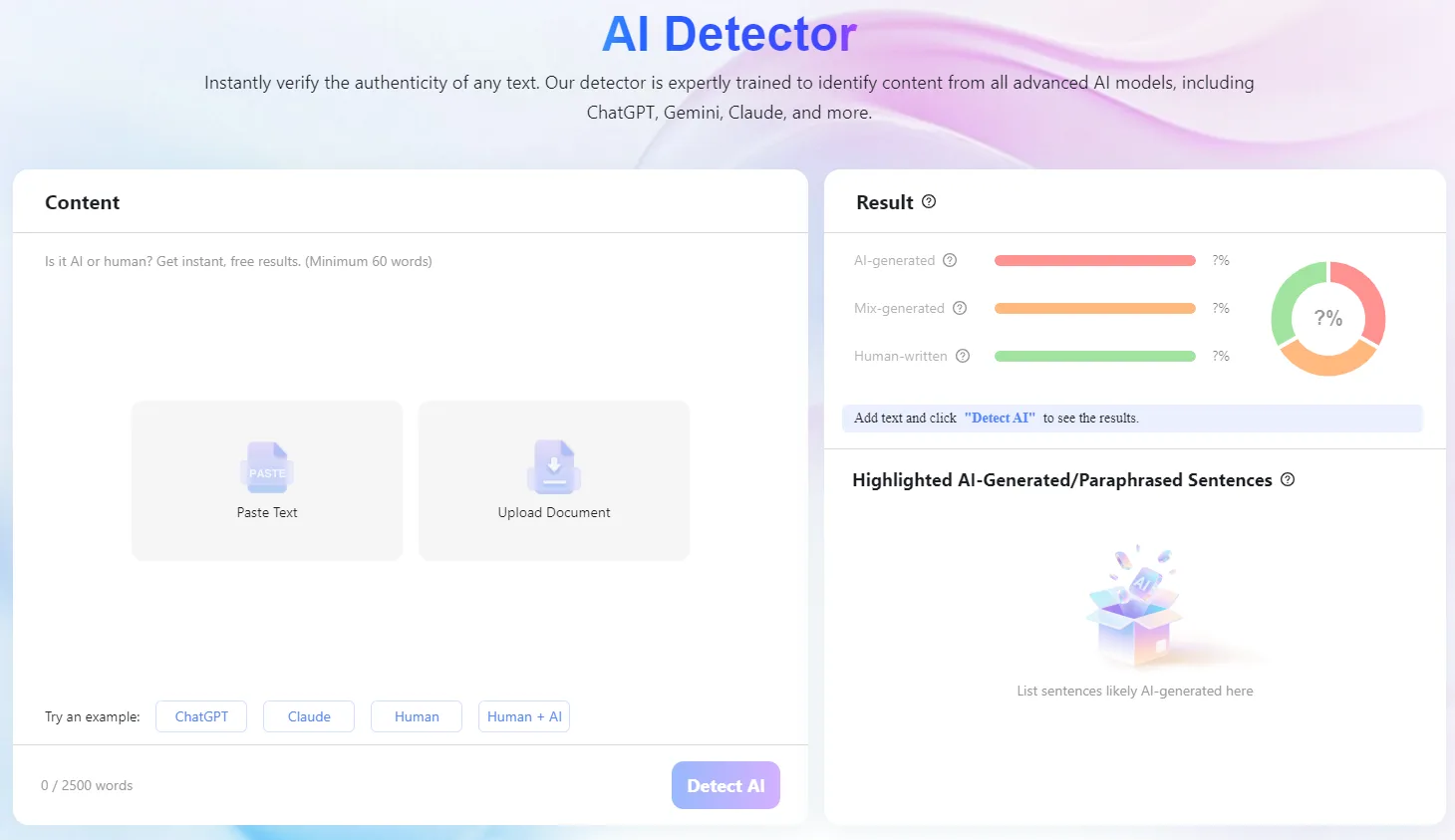
One tool that’s been getting attention lately is Lynote a platform built around AI content detection (and a few other tricks). Let’s take a closer look at what it actually does, and whether it’s worth bookmarking.
The Core Problem: AI Writing Has Gotten Really Good
Not long ago, AI-generated text had tells. Awkward phrasing, repetitive sentence structure, an almost uncanny evenness of tone. Trained readers could spot it.
That’s no longer reliably true.
Models like GPT-5, Gemini, Claude, and LLaMA have become sophisticated enough that their output often reads as natural and fluent as something a skilled human writer would produce. And that’s before you factor in “AI humanizer” tools — software specifically designed to rewrite AI-generated text to make it pass as human-written.
This creates a real challenge for anyone who needs to verify the origin of a piece of writing. A basic keyword-based checker isn’t going to cut it anymore.
What Lynote.ai’s AI Detector Actually Does?
Lynote’s AI detection tool is built to address the current landscape, not the one from two years ago.
Broad model coverage. The detector is trained to recognize output from today’s major AI systems — GPT-5, Gemini, Claude, LLaMA, and others.
This matters because different models have different stylistic fingerprints, and a detector optimized for one may miss another entirely.
It catches humanized content, too. This is probably the most technically interesting part. Lynote doesn’t just flag raw AI output — it’s designed to identify content that’s been processed through AI rewriting or “humanization” tools.
These tools are increasingly common, and catching their output requires understanding the underlying patterns that survive even after synonym-swapping and structural changes.
High reported accuracy. Lynote claims 99% accuracy. That’s a bold number, and worth treating with the usual skepticism — no detector is perfect, and context always matters.
But independent testing from users in academic and professional settings suggests the tool performs well above average, particularly on longer-form content where patterns are easier to analyze.
Multilingual support. AI-generated content isn’t an English-only phenomenon. Lynote supports detection across multiple languages, including Spanish, French, Portuguese, German, and more — making it more useful for international users, multilingual classrooms, and global publishing workflows.
Why This Matters for Chromebook Users Specifically?
Chromebooks have always been built around the idea that most of what you need lives in the browser. That makes web-based tools like Lynote a natural fit — there’s nothing to install, no compatibility issues with Chrome OS, and it works on any device with a browser.
For students using Chromebooks in school (which is a lot of students), having access to an AI detector is increasingly practical.
Many schools are developing AI use policies, and students who want to verify their own work — or understand what detection looks like — benefit from access to reliable tools.
For educators and content reviewers, a browser-based tool that works without any setup overhead is genuinely convenient. You can run a check in seconds, without switching devices or environments.
A Note on the “Other Side” of the Coin
Lynote also offers an AI humanizer feature — a tool that rewrites AI-generated content to read more naturally. It’s worth being transparent about this: the existence of humanizer tools is part of why AI detection is a moving target.
Lynote’s humanizer supports context-aware rewriting (rather than basic word substitution), works across 80+ languages, and is compatible with output from major AI platforms.
Whether you view that feature as useful or ethically gray probably depends on your context — it has legitimate uses in localization, accessibility, and drafting assistance, but it’s also the kind of tool that can be misused. That’s a conversation worth having, and Lynote isn’t the only company offering it.
What’s notable is that their detector is apparently built with awareness of humanizer-style outputs — meaning the two tools exist in a kind of informed tension with each other.
What It Doesn’t Replace?
A few caveats worth keeping in mind:
AI detection is probabilistic, not definitive. Even a 99% accurate tool will produce false positives and false negatives, especially on short text samples or highly technical writing. No tool should be used as the sole basis for serious decisions — academic discipline, content rejection, or anything with real stakes.
Detection tools are also in a constant arms race with generation tools. The landscape will keep evolving, and any tool’s accuracy today may look different a year from now.
That said, having a well-designed, multilingual, humanization-aware detector available in your browser is genuinely more useful than not having one. For Chromebook users who want to stay on top of this space, Lynote.ai is a reasonable place to start.
Lynote.ai is available at Lynote. The AI detector feature is their flagship offering, with multilingual support and coverage of major AI models including GPT-5, Gemini, Claude, and LLaMA.
