


If you’re looking for scanning software for Linux, this guide will help you find the right option. Whether you need everyday document scanning, OCR text recognition, PDF management, or book and photo digitization, the Linux platform already offers a mature and diverse scanning ecosystem.
In this article, we’ve rounded up 10 Linux-compatible scanning applications, including open-source tools, professional scanning software, and solutions with OCR and document management features.
Some focus on simplicity and lightweight performance, while others are designed for professional image processing and enterprise document archiving.
In the following sections, we’ll explore the key features, pros and cons, and best use cases for each Linux scanning software option to help you choose the solution that best fits your workflow.
1. SANE
SANE is one of the most important open-source scanning frameworks on Linux. It provides a standardized interface for scanners from different brands, which is why many Linux scanning applications are built on top of the SANE backend.
It offers broad device compatibility and supports features such as multi-page scanning, automatic document feeders (ADF), and color correction.
Its biggest strengths are stability, flexibility, and being completely free, making it especially suitable for advanced users and enterprise environments.
However, because SANE works more as a low-level framework, the setup and configuration process can be somewhat complicated for beginners.
Pros:
- Compatible with a wide range of scanners
- Open-source, free, and stable
- Supports advanced scanning features
Cons:
- Setup and configuration can be complicated
- Not very beginner-friendly
- Support for some newer devices may take time to arrive
2. XSane
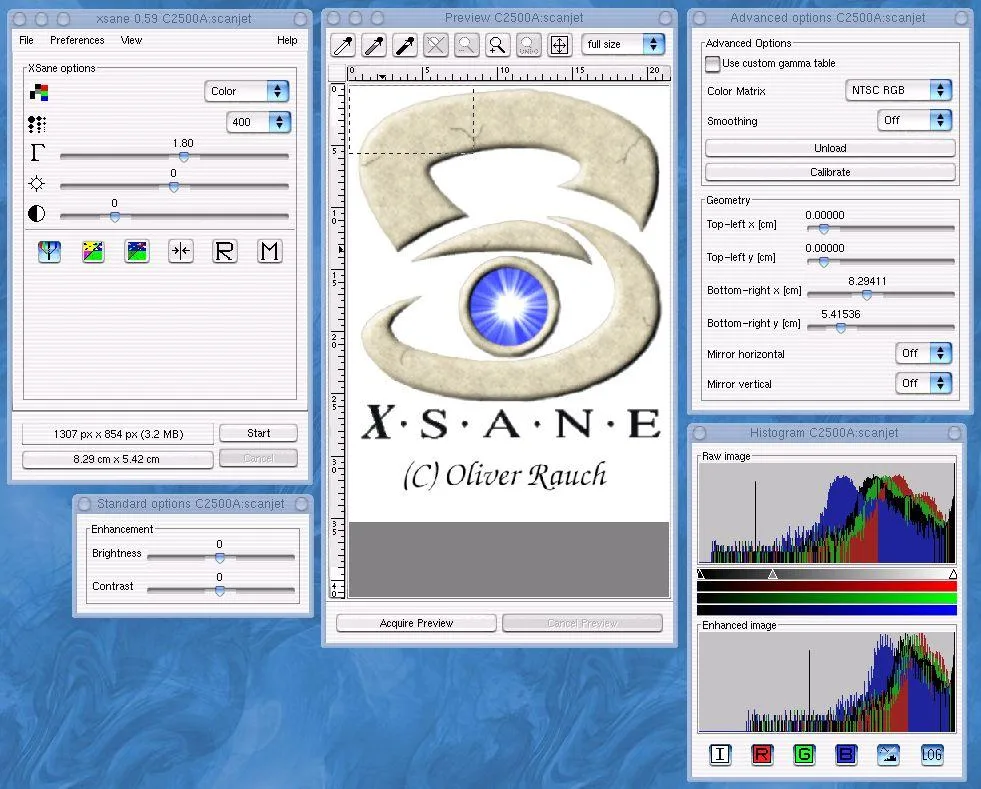
XSane is a graphical scanning application built on top of the SANE backend. Compared with basic scanning tools, it offers much more detailed control over scanning parameters.
XSane supports batch scanning, image adjustments, and multiple output formats, making it a good choice for users who need fine-tuned scan quality and more advanced workflow options.
While it is more powerful than simpler tools, its interface feels somewhat outdated and may require a higher learning curve for new users.
Pros:
- Extensive control over scanning settings
- Supports batch scanning
- Well-suited for advanced users
Cons:
- Outdated user interface
- Workflow feels less modern
- Higher learning curve for beginners
3. Simple Scan
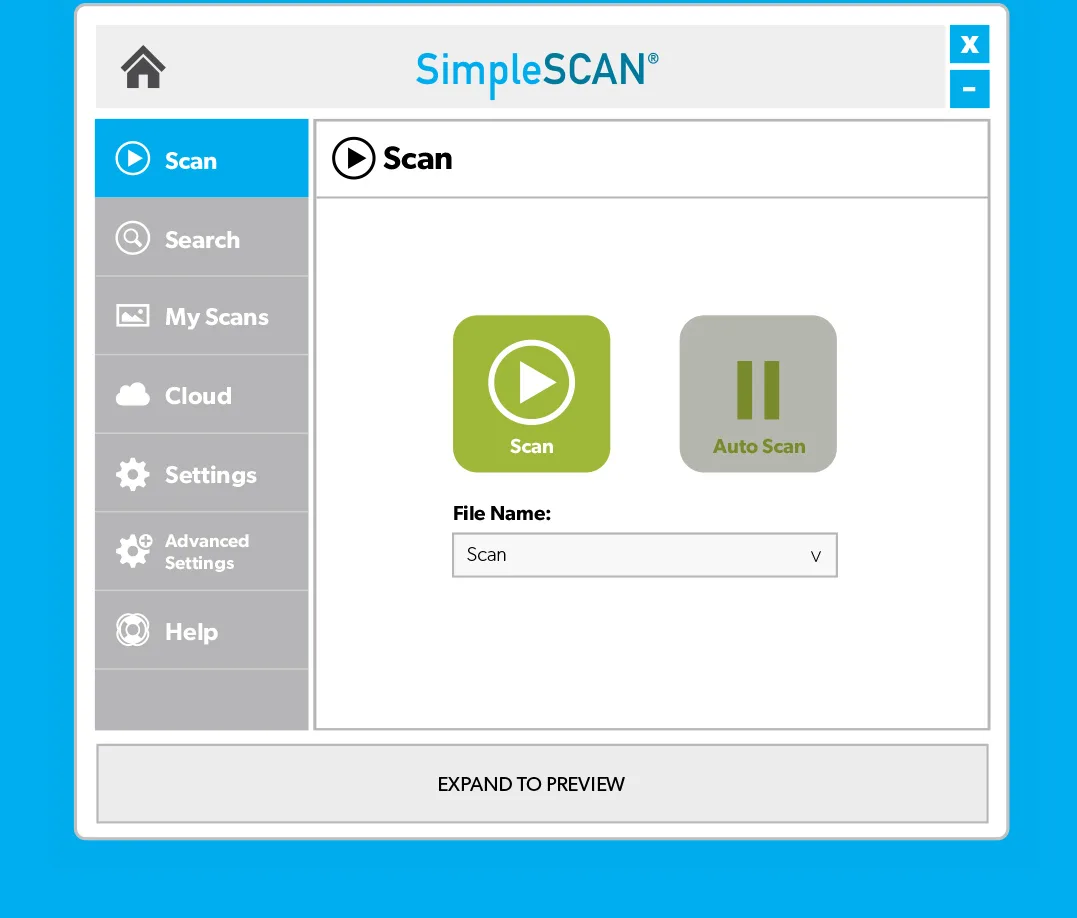
Simple Scan is the default scanning application on many GNOME-based Linux systems. It is designed to be lightweight and easy to use, with a strong focus on an “out-of-the-box” experience.
Users can quickly scan documents into PDF or image formats, and it also supports basic automatic document feeder (ADF) functionality.
Its biggest advantage is its clean and intuitive interface, making it ideal for everyday office work and home users. However, its advanced scanning controls and image processing features are relatively limited.
Pros:
- Simple and user-friendly interface
- Easy to install and use
- Great for everyday document scanning
Cons:
- Lacks advanced features
- Limited image processing capabilities
- Not suitable for complex workflows
4. CZUR Scanner Software
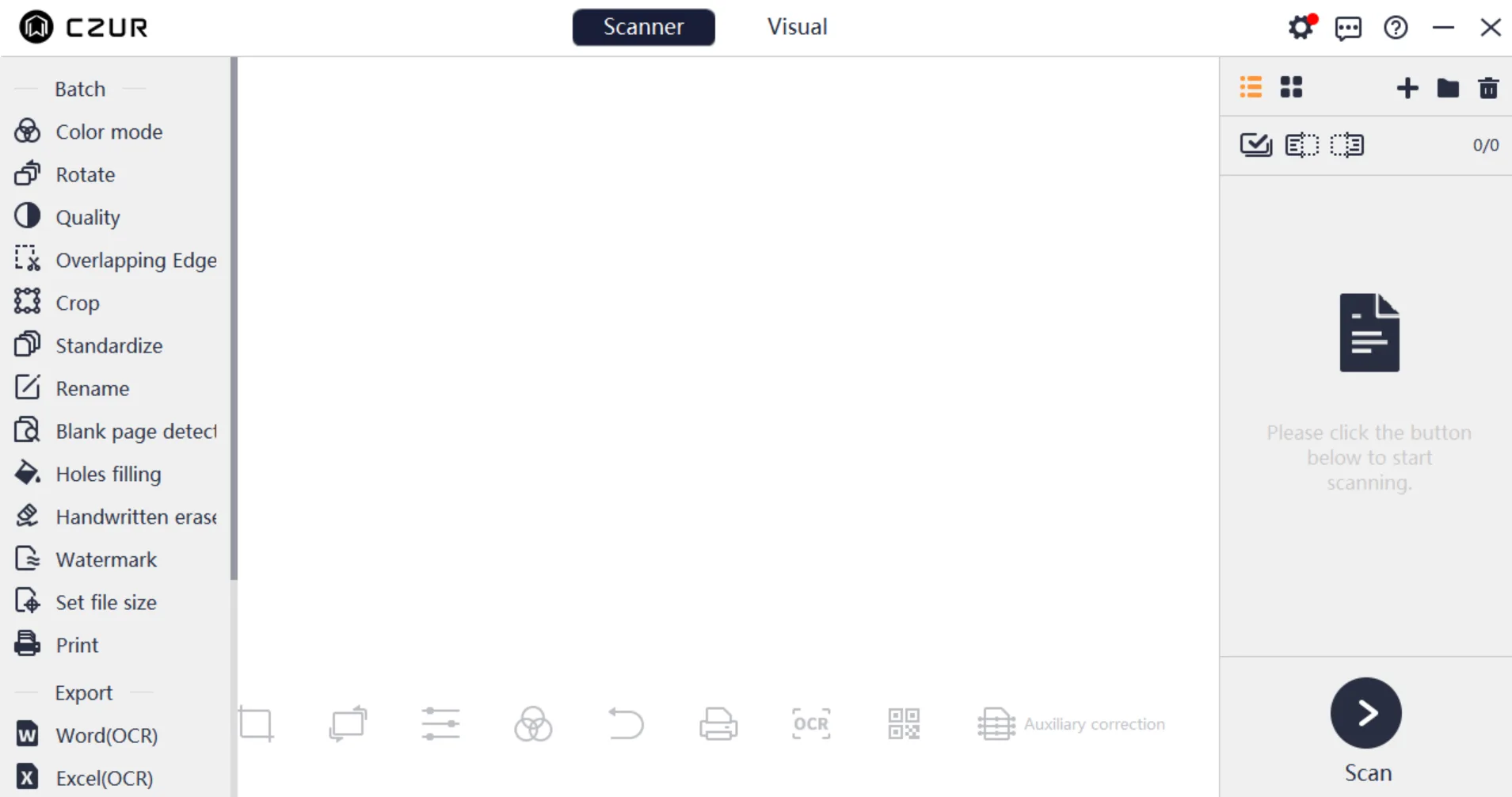
CZUR Scanner Software is a document scanning and OCR solution designed specifically for the CZUR scanner, with support for Linux, Windows, and macOS. Compared with traditional Linux scanning tools, it focuses more on intelligent document processing.
In addition to basic scanning, it includes features such as OCR text recognition, auto-cropping, finger removal, curve flattening, and page correction.
For more complex scanning scenarios like books, contracts, archives, and bound documents, it can significantly reduce post-processing time while improving scan quality.
One of its standout features is Curve Flattening technology, which automatically corrects page curvature commonly found in book scans, making scanned pages flatter and easier to read.
The software also supports multilingual OCR, batch export, automatic page separation, and multiple output formats, making it well-suited for digital archiving and office workflows.
Compared with many Linux scanning tools that require manual setup, CZUR offers a much simpler and more intuitive installation and operating experience, making it more accessible for general office users and business environments.
Pros:
- Supports Linux, Windows, and macOS
- Built-in OCR text recognition
- Supports curve flattening and automatic correction
- Easy installation with a user-friendly interface
- Ideal for books and bound document scanning
- Supports batch scanning and multiple export formats
Cons:
- It only works with CZUR scanners and does not support other scanning devices or standalone use.
- Smaller Linux community ecosystem compared with open-source tools
5. Gscan2pdf
Gscan2pdf is more focused on document digitization and PDF workflow management. In addition to scanning and merging multiple pages into a single PDF, it also includes OCR text recognition features, making it especially suitable for document archiving, receipt management, and paperless office workflows.
Compared with standard scanning tools, it provides more professional PDF handling capabilities, although its interface and image editing features feel relatively basic.
Pros:
- Powerful OCR and PDF features
- Well-suited for document archiving
- Supports multi-page PDF merging
Cons:
- Interface feels somewhat outdated
- Limited image editing capabilities
- Some features rely on additional components
Skanlite
Skanlite is a lightweight scanning application designed for the KDE desktop environment. Its overall approach is similar to Simple Scan, focusing on speed and simplicity.
It supports basic scanning functions such as cropping and rotation, making it suitable for users who only need simple document digitization.
While its feature set is relatively limited, it runs quickly and uses very few system resources, which is more than enough for light office use.
Pros:
- Lightweight performance
- Simple and easy to use
- Low system resource usage
Cons:
- Limited feature set
- Weak OCR support
- Not suitable for professional scanning needs
NAPS2
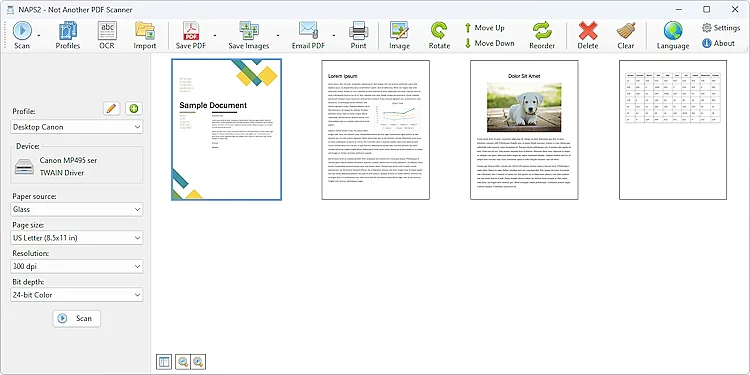
NAPS2 is a highly popular cross-platform scanning application that also provides a solid user experience on Linux.
It combines a modern interface with OCR functionality, while supporting PDF and image export as well as automatic document feeder (ADF) scanning.
This makes it suitable for both everyday users and office environments. Compared with many traditional Linux scanning tools, NAPS2 is much easier to use, although some advanced features may still require additional configuration or components.
Pros:
- Modern user interface
- Excellent OCR functionality
- Easy to learn and use
Cons:
- Limited native Linux integration
- Some advanced features require extra setup
8. OCRFeeder
OCRFeeder is an OCR text recognition tool available on Linux, mainly used for extracting editable text from scanned documents.
It supports OCR engines such as Tesseract and provides layout analysis and text recognition features, making it suitable for converting paper documents into digital text. However, the final recognition accuracy depends heavily on scan quality and document clarity.
Pros:
- Flexible OCR functionality
- Supports multiple OCR engines
- Open-source and free
Cons:
- OCR accuracy depends on scan quality
- Traditional-looking interface
- Limited support for complex layouts
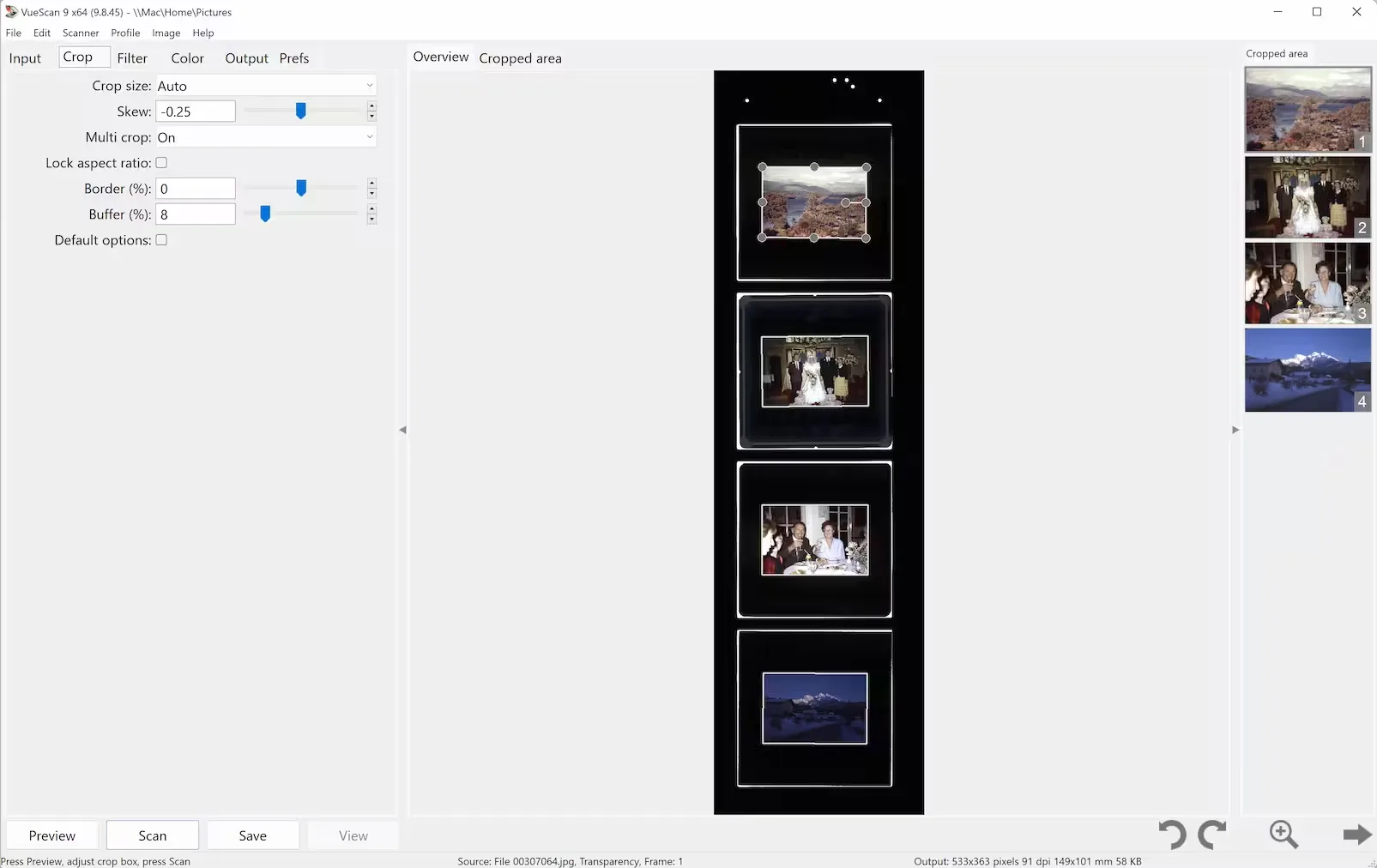
9. VueScan
VueScan is one of the few professional-grade commercial scanning applications available on Linux, known for its extremely broad compatibility. It supports a large number of both old and new scanners, and can often continue working even after official manufacturer drivers are no longer updated.
VueScan also provides advanced image adjustment and color control features, making it ideal for photography, archiving, and high-quality image scanning workflows. However, it is paid software, and its interface may feel somewhat complicated for beginners.
Pros:
- Extremely broad compatibility
- Supports many older scanner models
- Advanced image and color controls
Cons:
- Paid software
- Interface can feel complex
- Takes time for beginners to learn
10. Brother Linux Scanner Drivers
Brother Linux Scanner Drivers are official Linux-compatible drivers provided by Brother Industries to ensure stable operation of Brother scanning devices on Linux systems.
Compared with generic drivers, they usually offer better compatibility and more complete support for Brother hardware. In many cases, they also provide more reliable performance and support for features such as batch scanning.
However, these drivers are limited to Brother devices only, and the installation process can sometimes be somewhat complicated depending on the Linux distribution being used.
Pros:
- More stable official compatibility
- Optimized for Brother devices
- Supports batch scanning features
Cons:
- Only works with Brother devices
- Installation can be somewhat complicated
- Limited advanced functionality
Conclusion: How to Choose the Right Linux Scanning Software?
Different Linux scanning applications are designed for different workflows, so the best choice depends on your scanner hardware, scanning needs, and preferred user experience.
If you care most about device compatibility and low-level support, and want scanners from different brands to run reliably on Linux, then SANE remains the most essential and universal option. In fact, many Linux scanning tools are built on top of the SANE backend.
If you mainly need everyday document scanning and prefer a simpler, more intuitive experience, then Simple Scan or NAPS2 may be better choices. They are easy to install, beginner-friendly, and well-suited for home offices or general business users.
For more professional image processing needs — such as high-quality photo scanning, book digitization, or advanced post-processing — VueScan and ScanTailor provide stronger image controls and editing capabilities.
For users looking for a more intelligent scanning experience, CZUR Scanner Software is also worth considering.
In addition to Linux compatibility, it includes features such as OCR, auto-cropping, finger removal, and curve flattening, making it especially suitable for digitizing books, contracts, and bound documents while significantly reducing post-processing work.
Overall, Linux now has a mature and diverse scanning ecosystem. From lightweight everyday scanning to enterprise OCR document management, book digitization, and professional image processing, there are solutions available for almost every workflow.
The key to choosing the right tool is understanding your own scanning scenarios, automation needs, and post-processing requirements.
