


Creating cinematic videos used to require a crew, expensive equipment, and weeks of production. In 2026, solo filmmakers can produce impressive visuals with AI tools alone. The challenge is no longer the access to AI video generation. The challenge is choosing the right model for the type of film you want to create.
Over the past few months, I tested some of the most popular AI video models available today, including Seedance 2.0, Kling 3.0 Pro, Veo 3.1, Sora 2, PixVerse V6, and several emerging alternatives. Instead of running benchmark prompts, I used them the way real creators do: building short films, commercial-style ads, cinematic sequences, and social content.
In this guide, I’ll share which models actually help solo filmmakers create better content, where each one excels, and which ones are worth your time.
How I Tested These AI Video Models
To keep the comparison practical, I tested each model using real filmmaking scenarios rather than technical benchmarks. My goal was to see how they perform when creating content that could realistically be published on YouTube, TikTok, Instagram, or used in commercial projects.
I focused on several key factors:
- Cinematic image quality
- Motion realism
- Character consistency
- Prompt accuracy
- Ease of use
- Creative flexibility
- Speed of iteration
For testing, I created:
- Product commercials
- Travel-style cinematic videos
- Fashion ads
- Narrative short film scenes
- Social media content
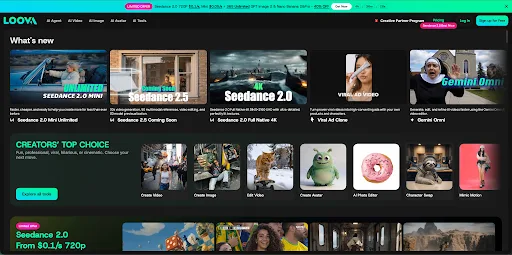
I conducted all testing inside Loova, an all in one AI creation platform that integrates many of today’s leading video and image generation models. This made it easy to compare outputs side by side using similar prompts and creative directions.
Instead of switching between multiple platforms, I could evaluate how different models approached the same filmmaking challenge.
Quick Comparison Table
Cinematic Quality
Measures the overall film-level visual presentation of generated video sequences, including frame resolution, lighting & shadow layering, color grading, scene detail fidelity, lens language, continuous frame stability, narrative atmosphere, and realistic texture rendering.
This metric evaluates video-specific sequential visual performance, not standalone static image quality.
Motion Realism
Assesses the authenticity and fluidity of all dynamic elements within footage. Scoring criteria cover human limb coordination, physical object movement logic, smooth camera movement, cross-frame character consistency, motion coherence across long clips, and reduction of unnatural warping or distorted anatomy during movement.
Ease of Use
Evaluates the end-to-end user experience barrier for new and professional creators when creating AI videos. Key judging factors include interface intuitiveness, prompt engineering difficulty, complexity of adjustable parameters, learning curve length, one-click workflow availability, and overall time cost to generate qualified finished videos.
Best For
A concise positioning tag summarizing the core target scenarios, content verticals, and creator groups that each model outperforms competitors in. Highlights unique strengths and ideal use cases for clear cross-model reference.
| Model | Cinematic Quality | Motion Realism | Ease of Use | Best For |
| Seedance 2.0 | 5.0 | 4.0 | 3.5 | Cinematic storytelling & long-form narrative films |
| Kling 3.0 Pro | 4.0 | 5.0 | 4.0 | Human-centered scenes & Asian-style vertical short videos |
| Google Veo 3.1 | 5.0 | 5.0 | 4.0 | Premium filmmaking & commercial advertising |
| Sora 2 | 4.0 | 4.0 | 4.0 | Narrative films & general commercial short videos |
| PixVerse V6 | 4.0 | 4.0 | 4.0 | Social video production & landscape/architecture commercial videos |
| Grok Imagine | 3.0 | 4.0 | 4.0 | Rapid ideation & multi-style short video testing |
| Midjourney | 3.0 | 2.0 | 2.5 | Static art creation & storyboard sketching |
| Happyhorse | 3.0 | 3.0 | 4.0 | Artistic projects & stylized animated shorts |
| Wan 2.7 | 3.0 | 3.0 | 3.5 | General short video creation & daily UGC content |
| Hailuo AI | 4.0 | 4.5 | 5.0 | Chinese-style martial arts/action content & creator vertical videos |
Seedance 2.0
Best for cinematic storytelling
Among all the models I tested, Seedance 2.0 consistently delivered the most immersive film-grade visuals. Its handling of lighting, frame composition and atmospheric depth often produces results indistinguishable from professionally shot commercial footage, rather than generic AI-generated clips.
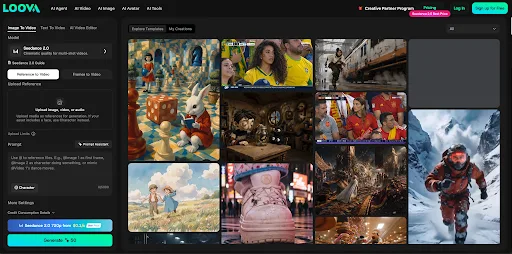
I found it particularly powerful for luxury brand advertising. One test centered on a fictional skincare campaign featuring frosted glass packaging, soft diffused studio lighting and slow, deliberate camera movements. The final output carried a refined, premium tone ready to serve as official concept footage for real brand pitches.
Seedance’s core competitive edge lies in intentional, cohesive mood building—every frame feels artistically directed instead of randomly rendered. The main limitation is its high demand for precise prompt engineering; it requires more granular descriptions of light, lens and tone to unlock its full potential, compared to beginner-oriented AI video tools.
Kling 3.0 Pro
Best for realistic human movement
For any footage centered on human subjects, Kling 3.0 Pro stands out as an industry leader. Convincing natural human motion has long been the biggest pain point in AI video generation, and this model outperforms nearly all rivals in this category.
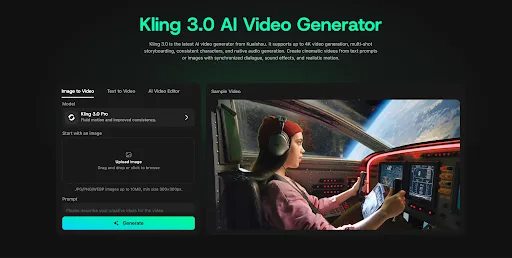
I ran multiple tests covering fitness ads, high-fashion runway campaigns and casual lifestyle vlogs. In a continuous running sequence, bodily gait, fabric drape, hair movement and camera tracking all rendered with seamless, lifelike fluidity, with minimal limb distortion across long takes.
It is the top pick for solo creators filming influencer content, travel reels and character-driven narrative shorts. Its key drawbacks: fine details degrade noticeably in clips exceeding 10 seconds, and strict content moderation restricts certain creative themes.
Google Veo 3.1
Best for premium commercial production
Google Veo 3.1 strikes an unmatched balance between hyperrealism and precise cinematic control. It excels at complex shots that demand dynamic camera choreography and intricate environmental detail.
My standout test case was a luxury automotive commercial. Reflections on polished car bodies, shifting natural lighting and sweeping landscape transitions generated footage visually comparable to traditional high-budget film production.
For creators chasing top-tier commercial aesthetics for luxury goods, automotive and high-end brand spots, Veo remains one of the most capable tools on the market today. Its primary downside is a steeper learning curve for fine-tuning custom camera movement parameters.
Sora 2
Best for narrative filmmaking
Sora 2’s defining strength is consistent visual continuity across extended multi-scene sequences. Unlike many competitors optimized for isolated single shots, it is built to sustain logical, visually uniform story progression over longer runtimes.
I tested it on a short narrative sequence following a single character traveling through multiple distinct environments. Scene transitions remained coherent, and character features stayed consistent across locations, streamlining the workflow of building complete short films instead of disjointed standalone clips.
Independent filmmakers creating scripted short-form narratives will gain massive efficiency from this model. Its main limitation is hard caps on maximum clip length and resolution, restricting large-scale feature-length previsualization.
PixVerse V6
Best for social-first filmmaking
Not all creators produce cinematic long-form content; most short-video creators prioritize vertical, fast-paced clips tailored for social platforms—and PixVerse V6 is engineered specifically for this use case.
It rapidly churns out eye-catching, rhythmically tight visual sequences optimized for TikTok, Instagram Reels and YouTube Shorts. During testing, I generated launch promo footage for a fictional mobile app, with snappy cuts and energetic pacing that aligned perfectly with social media algorithm preferences.
While it cannot match Seedance or Veo in layered cinematic depth and subtle lighting nuance, it delivers reliable, platform-ready output at scale for creators focused on consistent audience growth and high-volume content pipelines. Its weakness is weaker rendering of complex human anatomy and high-detail portrait shots.
Grok Imagine
Best for exploring creative ideas
Grok Imagine is not built for final polished production, but it dominates the pre-production ideation phase by rapidly generating wildly divergent visual directions.
I relied heavily on it to test dozens of stylistic concepts within minutes while drafting a beverage commercial pitch. It outputs drastically different color palettes, shot styles and tonal moods from identical base prompts, making it ideal for brainstorming.
Its core value lies in ultra-fast iteration and creative experimentation, rather than broadcast-ready final footage. Critical limitations include inconsistent character facial features across sequential frames and disjointed long-shot narrative flow.
Midjourney
Best for pre-production and storyboarding
Though Midjourney is widely recognized as a flagship image generator, its native Midjourney Video feature adds lightweight motion capabilities to its toolkit, cementing its role as an indispensable pre-production asset for filmmakers.
Before committing to full video generation, I pair static Midjourney renders with its motion tool to lock visual direction, brand color grading and shot composition frameworks. This upfront alignment drastically cuts down costly trial-and-error time during video production later in the workflow.
Nearly all of my strongest AI video projects start with fully refined storyboard assets built in Midjourney first. Key downsides: video clip durations are extremely short, dynamic motion often looks unnatural, and its Discord-based interface creates a steep learning curve for non-technical new users.
Happy Horse 1.0
Best for artistic filmmaking
Happyhorse takes a distinctly different approach to video generation, prioritizing stylized creative expression over photorealistic accuracy.
I tested it on an experimental surreal perfume ad filled with dreamlike landscapes and abstract scene transitions. The finished footage carried an instantly recognizable, avant-garde visual identity that would stand out heavily against generic commercial content.
It is the perfect fit for creators prioritizing unique artistic tone over grounded realism. Its main shortcoming is poor performance on photorealistic human subjects, architectural detail and standard mainstream brand advertising briefs.
Wan 2.6
Best for lightweight daily UGC creation
Wan 2.6 is a streamlined, beginner-friendly open-source video model built for casual, everyday short-video production, with minimal complicated adjustable parameters.
During testing, it delivered decent, passable vertical clips quickly for social media hobbyists and casual content creators. It requires minimal prompt refinement and no advanced technical tuning to produce usable basic footage.
It suits hobbyists and casual creators producing low-stakes experimental social content. Its core limitations: weak cinematic lighting control, stiff complex human movement and blurry fine details in close-up shots.
Hailuo AI
Best for vertical creator & action/Chinese-style content
Hailuo AI boasts one of the most approachable workflows for new creators, with an intuitive web interface and generous free generation credits. While its overall cinematic frame quality cannot rival Veo or Seedance, it delivers consistent, polished vertical footage at impressive speed.
Its unmatched standout strength is fluid human limb motion, especially martial arts, chase sequences and stylized Chinese fantasy scenes. I tested multiple wuxia and lifestyle creator reels, and character movement, fighting choreography and fabric physics rendered far more naturally than most competing models.
It strikes a balanced sweet spot of accessibility and specialized action performance for YouTube creators, social marketers and independent vertical video entrepreneurs needing steady content output. Key drawbacks: no native synchronized audio generation, and character consistency weakens across multi-shot story sequences.
How Solo Filmmakers Are Using Multiple AI Models Together
One of the biggest lessons from my testing is that the best results rarely come from a single model.
A typical production process often starts with Midjourney or another text to image tool for concept development. From there, creators move into text to video generation for primary scenes and use image to video tools to animate specific shots.
For example, I might use Midjourney to design a luxury watch advertisement, generate hero shots using Seedance, and then create character-driven scenes in Kling. Combining specialized tools usually produces stronger results than relying on one model from start to finish.
This is another reason why platforms like Loova have become increasingly useful. Having multiple models accessible in one place makes experimentation faster and helps creators find the right tool for each part of a project.
Final Thoughts
The best AI video model depends on the type of filmmaker you are.
If cinematic quality is your priority, Seedance 2.0 and Veo 3.1 lead the pack. If your content revolves around people and realistic movement, Kling remains one of the strongest options available. For narrative storytelling, Sora 2 stands out. And if you’re producing content for social platforms, PixVerse V6 offers excellent speed and efficiency.
What matters most is understanding the strengths of each model and using them strategically. As AI tools continue to improve, solo filmmakers have more creative power than ever before. The creators who succeed will be the ones who learn how to combine these tools effectively rather than relying on a single solution.
For anyone exploring AI filmmaking today, using an integrated platform like Loova can make the process significantly easier by giving access to multiple models and helping you discover which AI video generator works best for your creative goals.
Frequently Asked Questions
What is the best AI video model for solo filmmakers in 2026?
If your goal is cinematic filmmaking, Seedance 2.0 and Google Veo 3.1 are currently among the strongest options. Seedance excels at atmosphere and visual storytelling, while Veo delivers impressive realism and camera control. The best choice ultimately depends on the type of content you create.
Is Kling 3.0 better than Seedance 2.0?
It depends on your project. Kling 3.0 is generally better for videos that feature people, realistic movement, and lifestyle scenes. Seedance 2.0 is stronger for cinematic visuals, commercial storytelling, and high-end brand content. Many creators use both for different parts of a project.
Which AI video model creates the most realistic human motion?
Based on my testing, Kling 3.0 Pro remains one of the best AI video models for realistic human movement. It handles walking, running, and body interactions more naturally than most competitors, making it a strong choice for fashion, fitness, and influencer-style content.
What is the best AI video model for commercial ads?
For commercial advertising, Seedance 2.0 and Google Veo 3.1 stand out. They produce polished visuals, cinematic lighting, and strong storytelling capabilities that work well for product launches, luxury branding, and promotional campaigns.
Can AI video models replace traditional filmmaking?
AI video models can significantly reduce production costs and speed up content creation, but they are currently best used as creative tools rather than complete replacements for traditional filmmaking. Many creators combine AI-generated footage with editing, sound design, and post-production techniques to achieve professional results.
Which AI video model is best for beginners?
PixVerse V6 and Hailuo AI are among the easiest models to learn. Their interfaces are straightforward, and they can generate useful results with minimal prompt engineering, making them ideal for creators who are new to AI video generation.
How do solo filmmakers use multiple AI models together?
Many creators start with text to image tools to develop concepts and storyboards, then use text to video models to generate scenes. They may also use image to video tools to animate existing visuals. Platforms like Loova make this process easier by providing access to multiple models in one place, allowing creators to choose the best tool for each stage of production.
What should I look for when choosing an AI video model?
The most important factors are cinematic quality, motion realism, consistency, ease of use, and how well the model fits your content goals. For example, filmmakers focused on storytelling may prioritize continuity and visual quality, while social media creators may value speed and fast iteration more.
