


The Pixelbook Go was introduced roughly two months ago and as of today, you can finally order the fourth configuration with Intel Core i7 processor, 16 GB of memory, 256 GB of storage and 16:9 4K display. You’ll pay $1,399, which is a rather large premium over the $649 base model with Core m3 CPU and 1080p display, of course.
Is it worth it?
In general, I’d say the Pixelbook Go itself is fantastic. Based on my review of the $849 model with Core i5 processor, I found the device to be more than snappy enough to handle almost any task in Chrome OS, Android or even Linux, save for full-time development work.
Yes, you can find Chromebooks with more features, such as a 360-degree hinge, digital stylus support or even more powerful processors for less than the Pixelbook Go. The lightweight overall design and thinness of the Go combined with a top-notch keyboard will beat most, if not all, of those competitors though. So if those features are important to you, the Pixelbook Go may be worth the premium.
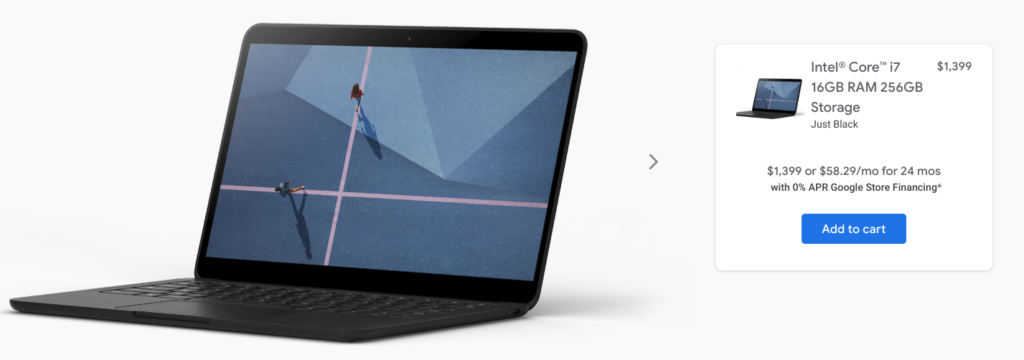
But $1,399 to go completely upscale with that Core i7 and 4K display? I don’t think that purchase will serve most Chromebook users well unless there’s are two specific use cases that are extremely high on your list: Content consumption and Google Stadia gaming.
I say that because a 4K display isn’t going to make you more productive. Yes, you may enjoy the visual improvement but really, a Google Doc in 1080p isn’t much different from a Google Doc in 4K, for example. I doubt many Android apps are optimized for 4K displays either.
However, if you plan to use a Pixelbook Go as a primary device for also watching high-resolution content and/or you’re a Stadia Pro subscriber, which provides video game streams up to 4K at 60fps, then maybe spending $1,399 is worth it for you.
I actually fit into both of those categories but I’m still not going to drop that kind of money on the high-end Pixelbook Go. I’m fine with the 1080p limit on the less expensive Pixelbook Go models for gaming because I primarily use Stadia on one of two 4K HDTVs in the house.
I actually just added a Philips Hue Sync Box to one of the televisions for a more immersive experience as well: The $229 Sync Box takes any HDMI input and syncronizes bias lights with the on-screen content and it looks amazing particularly in games with explosions and gunfire.

Put another way: Gaming on a Chromebook is a secondary activity for me, only when the televisions are in use.
So I think the $1,399 Pixelbook Go is a tough sell as it really only appeals to a niche audience of a larger niche audience. That doesn’t mean you shouldn’t buy it, but if you’re not in the category I’ve mentioned above, you’ll probably be happier with a less expensive Pixelbook Go, or other Chromebook, and more money in your pocket.
Are any of you ordering the $1,399 model?
