

Close Menu
    Facebook X (Twitter) Instagram
    • About
    • Privacy Policy
    • Write For Us
    • Newsletter
    • Contact
    Instagram
    About ChromebooksAbout Chromebooks
    • Linux
    • News
      • Stats
      • Reviews
    • AI
    • How to
      • DevOps
      • IP Address
    • Apps
    • Business
    • Q&A
      • Opinion
    • Gaming
      • Google Games
    • Blog
    • Podcast
    • Contact
    About ChromebooksAbout Chromebooks
    News

    Need a diagramming web app for your Chromebook? Check out Draw.io

    Kevin TofelBy Kevin TofelJanuary 24, 2020Updated:May 6, 2026No Comments2 Mins Read

    I’ve been using a Chromebook for my college Computer Science classes to code for a year now. I was using a Pixel Slate but later upgraded to the highest configuration available for the Acer Chromebook Spin 13 with 16 GB of memory.

    Thanks to Linux app support, I have my choice of integrated development environments, code editors and other tools. This week, however, I was tasked to create a flowchart for an algorithm and wondered if there was a better online tool than Google Sheets to build it.

    I found several different options but eventually settled on Draw.io, a free browser based diagramming tool. It integrates with Google Drive as well as Microsoft One Drive and you can save diagrams locally as well.
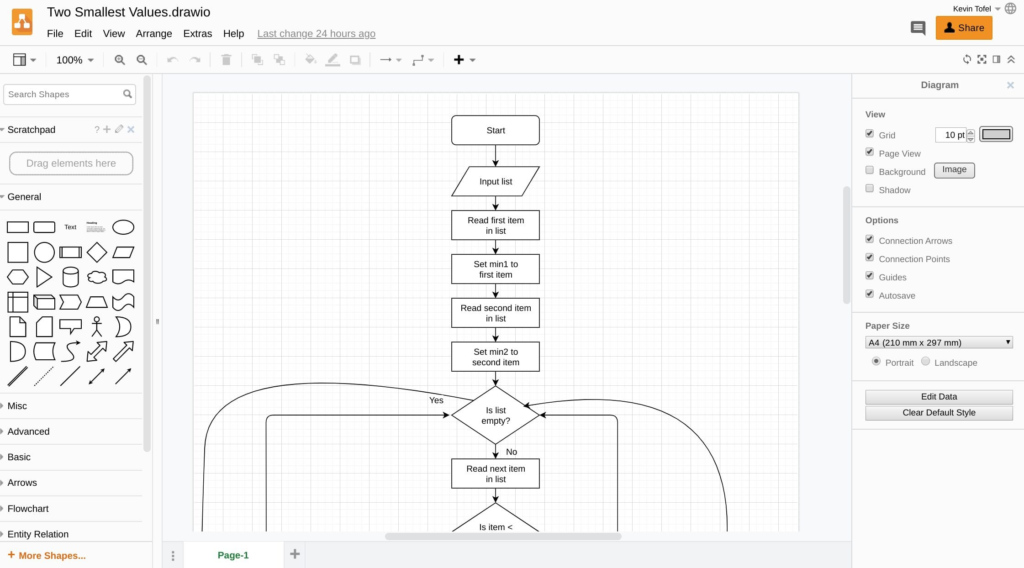
    I find that the available range of elements alone makes Draw.io super useful. And there are plenty of advance options as you can see above as well.

    Diagramming isn’t just for flowcharts though.
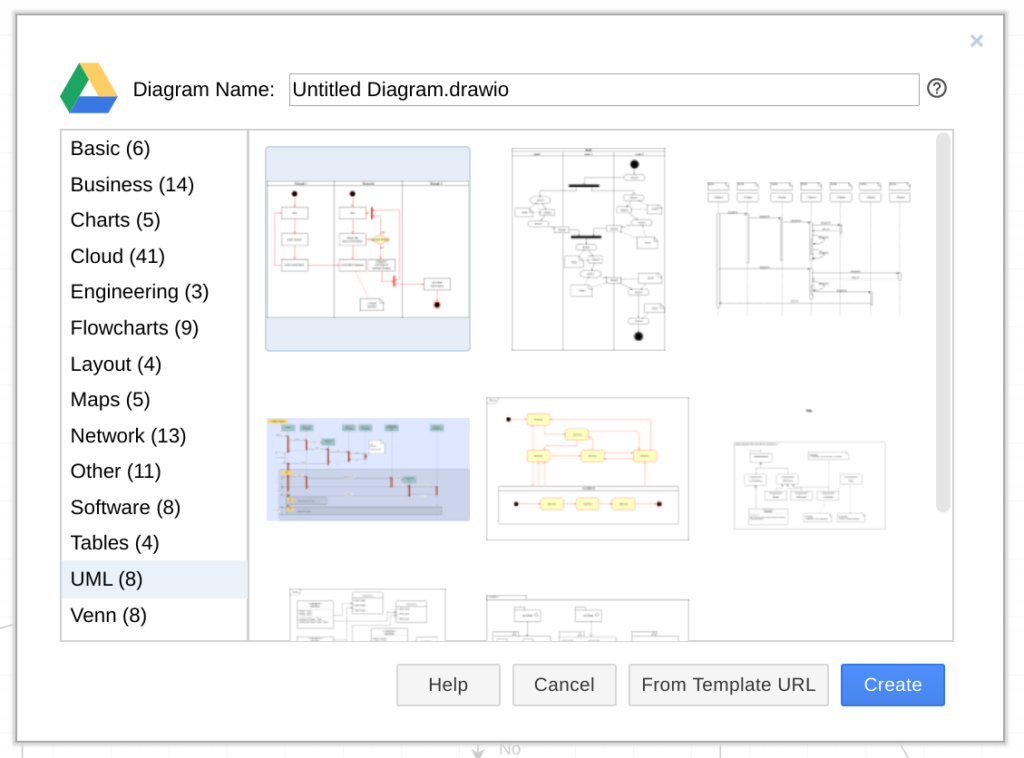
    When starting a new diagram, Draw.io offers more than 100 different options and sub-options including Charts, Cloud diagrams, Network maps, and UML or Unified Modeling Language documents; something else I need to create from time to time in my classes.

    The Google Drive integration is awesome: I shared a flowchart with one of my classmates via a sharable link. When I changed my diagram, she saw the updates in near real-time. So there’s a collaboration aspect that adds value here as well.

    Again, there are a number of these types of tools available online. But Draw.io just got added to my Chromebook toolbox because it’s easy to use, powerful and has a broad array of diagram options.

    Kevin Tofel
    • Website

    After spending 15 years in IT at Fortune 100 companies, Kevin turned a hobby into a career and began covering mobile technology in 2003. He writes daily on the industry and has co-hosted the weekly MobileTechRoundup podcast since 2006. His writing has appeared in print (The New York Times, PC Magazine and PC World) and he has been featured on NBC News in Philadelphia.

    Best of AI

    Chub AI Explained

    May 6, 2026

    Stable Diffusion AI: Free Text To Image AI Generator

    May 5, 2026

    Imagen AI: The Best Photo Editing AI In 2026

    April 21, 2026

    Alphafold AI from Google Deepmind 2026

    April 21, 2026

    Agentic AI Pindrop Anonybit: The Future of Secure Identity Verification

    April 17, 2026
    Trending Stats

    Education Sector Chromebook Adoption Statistics 2026

    May 4, 2026

    ChromeOS Data Usage Patterns And Statistics 2026

    May 2, 2026

    Auto Update Expiration (AUE) In Chromebooks Statistics 2026

    May 2, 2026

    Chromebook Vs IPad Adoption In Schools Statistics 2026

    May 1, 2026

    ChromeOS Accessibility Feature Usage Statistics 2026

    April 28, 2026
    • About
    • Tech Guest Post
    • Contact
    • Privacy Policy
    • Sitemap
    © 2026 About Chrome Books. All rights reserved.

    Type above and press Enter to search. Press Esc to cancel.