


Earlier this week at its Next@Acer virtual event, Acer debuted its Project Athena entry to compete with Samsung and Asus: The Acer Chromebook Spin 713 arrives next month in both consumer and enterprise editions. I’m enamored with the Chromebook 713 already because it’s essentially version two of the high-end Acer Chromebook Spin 13 that I use daily.
I’ll explain the upgrades for the new model first and then look at the comparison from the older Spin 13.
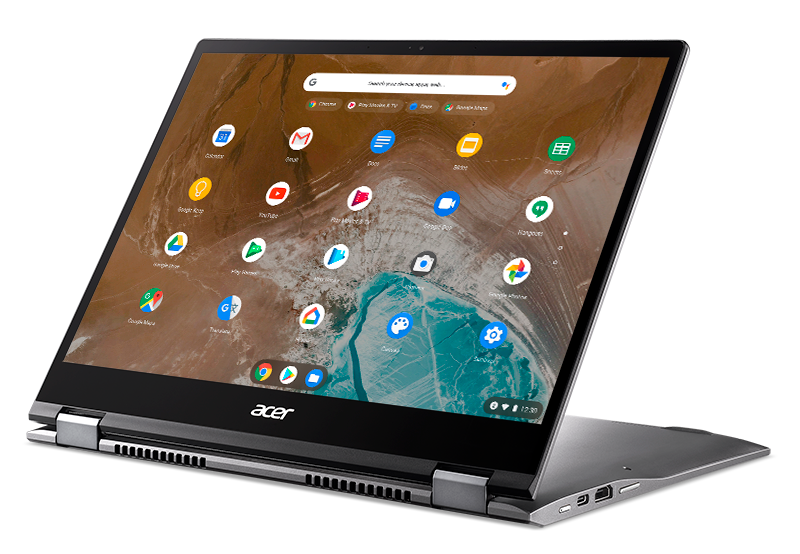
First, the Acer Chromebook Spin 713 is designed with Intel’s Project Athena guidelines, just like the $999 Samsung Galaxy Chromebook and the $799 Asus Chromebook Flip C436; those debuted at CES in January but have been available for roughly two months now. So buyers can expect up to 10 hours of run-time, a range of processors all the way up to 10th-generation Intel Core i7 chips paired with up to 16 GB of memory and up to 256 GB of speedy NVMe storage. Oh and all of that is in a relatively thin and light package with 13.5-inch 2K touchscreen (3:2 aspect ratio) and USI stylus support, which is an optional purchase.
Consumers will be able to pick up the Acer Chromebook Spin 713 starting next week with a base price of $629. That gets you an Intel Core i5-10210U processor, 8 GB of memory and 128 GB of NVMe storage. Businesses will have the option to purchase higher-end models with a Chrome Enterprise Upgrade license, with models starting at $1,099.
Both models include the antimicrobial Corning Gorilla glass display with 2256 x 1504 resolution, two USB 3.1 Type-C ports, a full-sized HDMI out and microSD card reader. You’ll get the newest Wi-Fi6 radios and Bluetooth 5.0 as well.
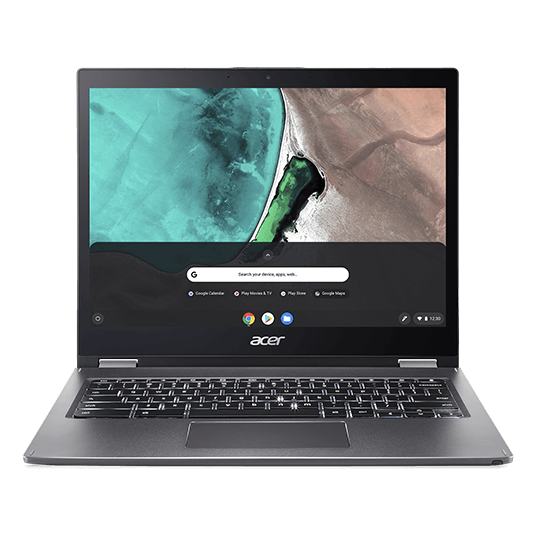
So going back to that Acer Chromebook Spin 13 with 16GB of memory I bought last year (shown above): It’s the non-Project Athena precursor to the Spin 713. The outside looks very similar although the old model doesn’t have an HDMI port and has a thicker chassis around the keyboard. Inside is a U-Series Core i5 processor and 128 GB of storage. The display panel? It’s the same 13.5-inch, 3:2 aspect ratio at 2256 x 1504. I don’t have an antimicrobial display though and my trackpad is a little smaller.
Why raise the comparison at all?
Because out of all of the Chromebooks I own or have on review, that Spin 13 is my most used Chrome OS device.
I use it daily for work and I’m going through a Computer Science program at my local community college with it. This 2-in-1 handles everything I can throw at it thanks to the U-Series Core i5 and the maximum amount of RAM offered by Acer.
So even though I haven’t touched the new Acer Chromebook Spin 713, it’s so similar to what I use every day, save for some nice internal upgrades, that I’m sure Chromebook buyers looking for a high-end device should definitely consider it.
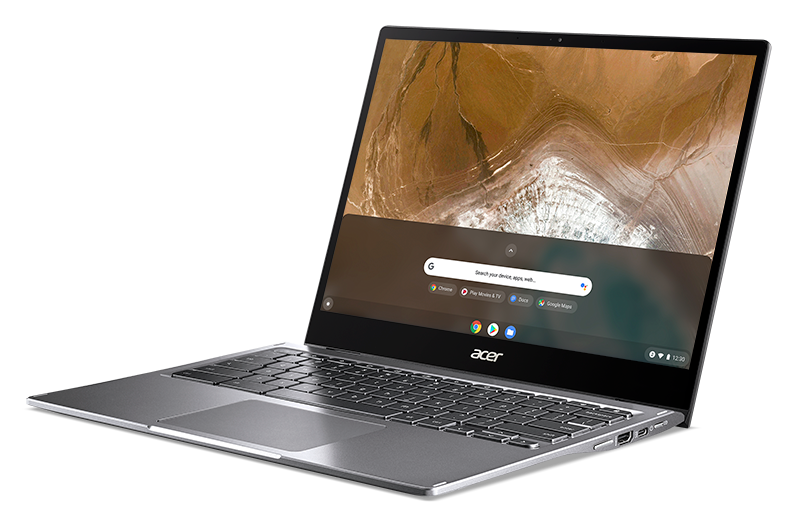
Granted, anything above the $629 base model is likely overkill for at least 80 percent of Chromebook users out there. Not everyone does what I do on a Chromebook; I get that.
But if you’re considering any of the other Project Athena Chromebooks and prefer a 3:2 display, I think you’ll be hard-pressed to pass by the Acer Chromebook Spin 713.
More to follow as I get my hands on one; just don’t tell my Spin 13 that I’m playing the field.
