

Close Menu
    Facebook X (Twitter) Instagram
    • About
    • Privacy Policy
    • Write For Us
    • Newsletter
    • Contact
    Instagram
    About ChromebooksAbout Chromebooks
    • News
      • Stats
    • AI
    • How to
      • DevOps
      • IP Address
    • Apps
    • Business
    • Q&A
      • Opinion
    • Gaming
      • Google Games
    • Blog
    • Podcast
    • Contact
    About ChromebooksAbout Chromebooks
    News

    Chrome OS 76 adds “Send to self” feature for pushing web pages to your other devices

    Kevin TofelBy Kevin TofelJune 16, 2019No Comments2 Mins Read
    Share
    Facebook Twitter LinkedIn Pinterest

    Chrome Story found a nifty new feature in the works for Chrome OS 76 called “send to self”. Basically, it’s a simple method to send the URL of a web page from your Chromebook to another device with the Chrome browser.

    The flag to enable it, along with other supporting flags can be enabled by opening chrome://flags/ and then searching for the term “send”:
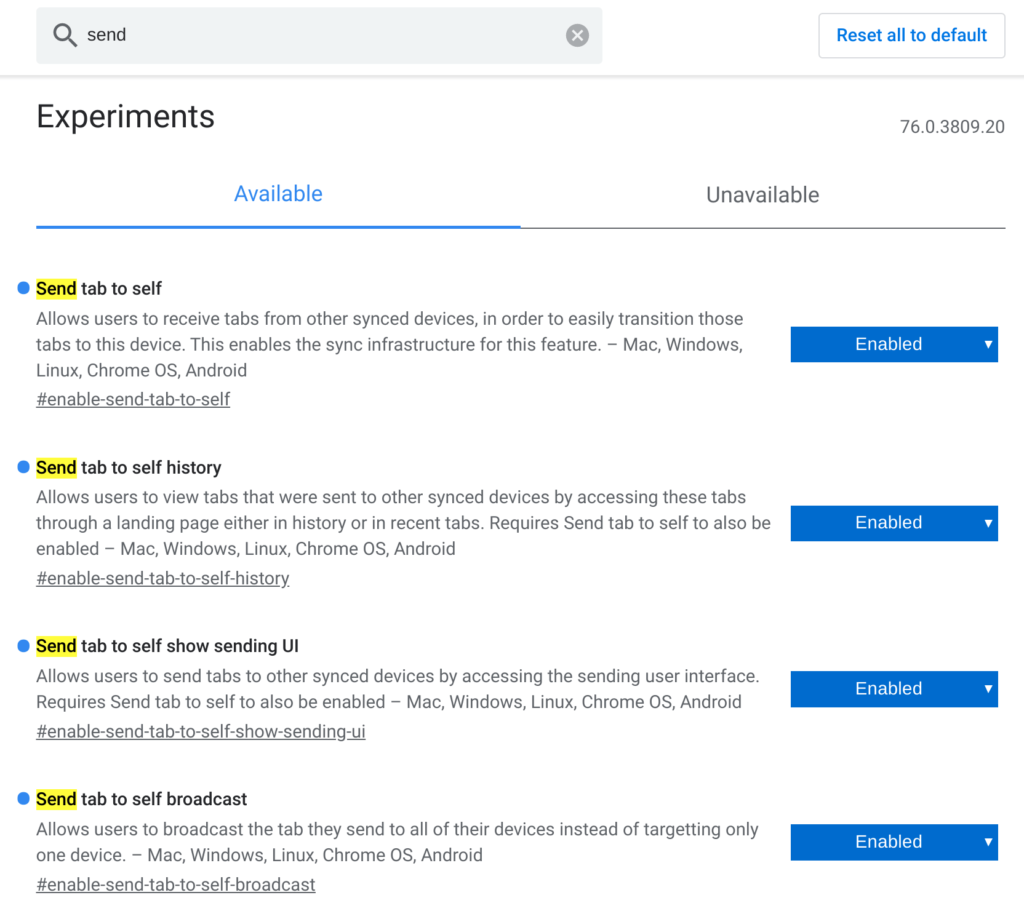
    Although Chrome Story has been testing this on the Canary Channel of Chrome OS 76, I see it on one of my devices running the Dev Channel. And it works as you’d expect.
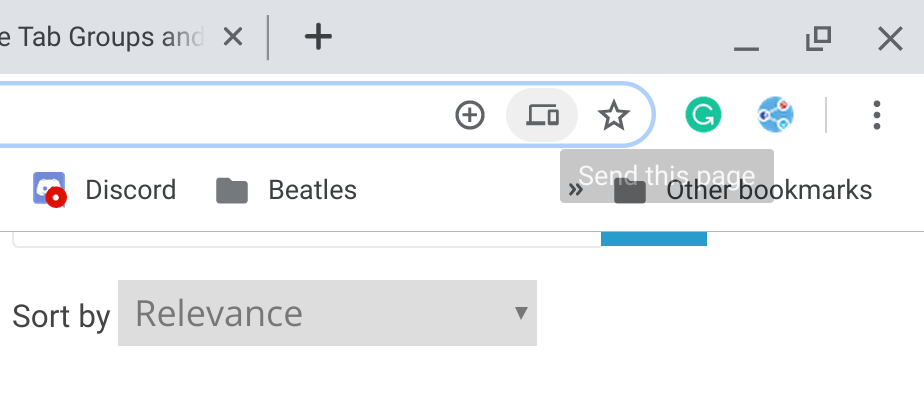
    When you click in the address bar of any web page, you’ll see a small icon showing a laptop and a phone. Click it and you can then choose which of your supported devices that will receive the URL. A few seconds later, you should see the URL on that device; in my case, it’s from the Pixel 3XL.
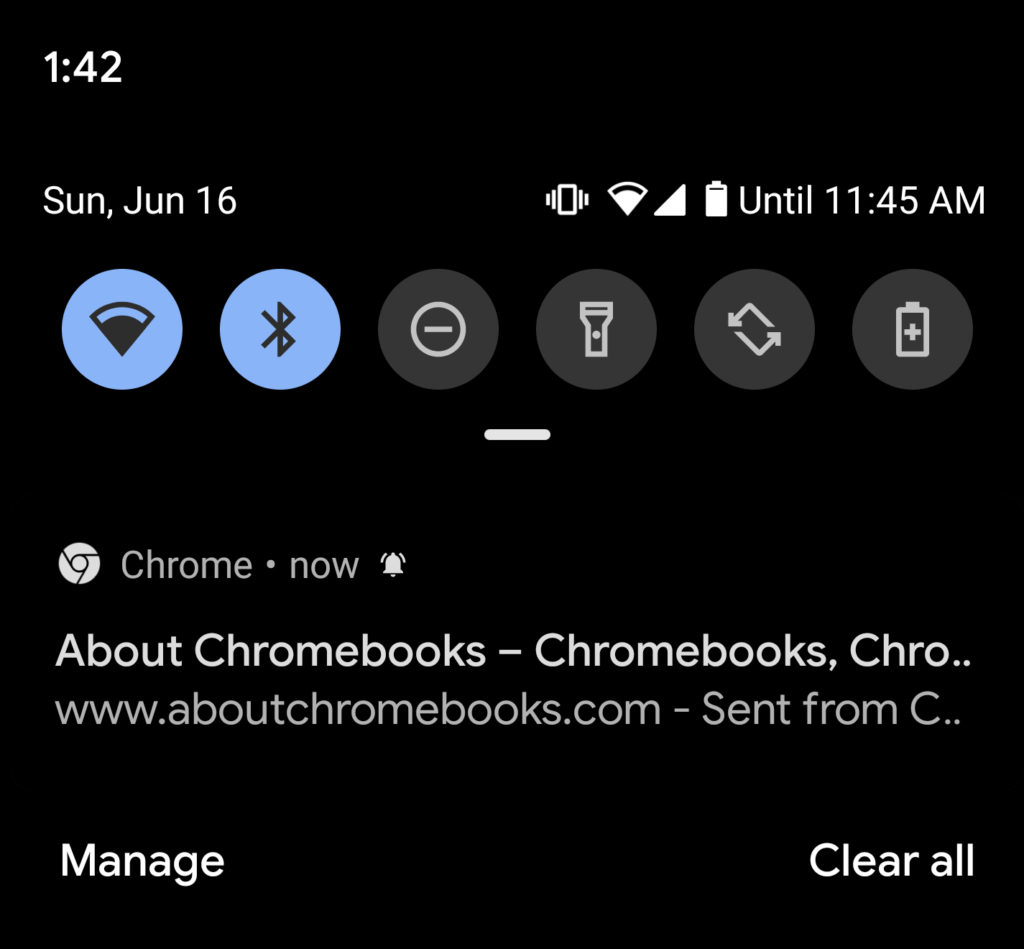
    Tapping the notification my phone opens the Chrome browser directly to the page I shared. Although both my Pixel Slate and Pixel 3XL are on the same Wi-Fi network in this example, I tested this over an LTE connection on my phone and it worked exactly the same, as you’d expect.

    I don’t yet see a way to send web pages the other way, that is: from a phone to a Chromebook or other device with the Chrome browser. I think that would be handy as well, so hopefully, Google is working on such a feature.

    Android Chrome browser Chrome OS Chrome OS 76 Chromebooks Dev Channel Productivity
    Share. Facebook Twitter Pinterest LinkedIn Tumblr
    Kevin Tofel
    • Website

    After spending 15 years in IT at Fortune 100 companies, Kevin turned a hobby into a career and began covering mobile technology in 2003. He writes daily on the industry and has co-hosted the weekly MobileTechRoundup podcast since 2006. His writing has appeared in print (The New York Times, PC Magazine and PC World) and he has been featured on NBC News in Philadelphia.

    Related Posts

    Auto DraftStarbucks Partner Hours: Manual to Managing Work Schedules

    January 26, 2026

    Anon Vault For Private Cloud Storage

    January 23, 2026

    GitHub Copilot Statistics [2026]

    January 7, 2026

    Comments are closed.

    Best of AI

    VALL-E Statistics 2026

    January 28, 2026

    StarCoder Statistics And User Trends 2026

    January 27, 2026

    BLIP-2 Statistics 2026

    January 23, 2026

    AI mode Usage Statistics 2026

    January 22, 2026

    Code Llama Statistics 2026

    January 22, 2026
    Trending Stats

    Most searched keywords on Google

    January 27, 2026

    Ahrefs Search Engine Statistics 2026

    January 19, 2026

    Pay Per Click Advertising Statistics 2026

    January 16, 2026

    Google Ads Revenue 2025

    November 29, 2025

    Statistical Analysis Programs for Chromebook 2025

    November 22, 2025
    • About
    • Write For Us
    • Contact
    • Privacy Policy
    • Sitemap
    © 2026 About Chrome Books. All rights reserved.

    Type above and press Enter to search. Press Esc to cancel.