


Early in 2022, I noticed a strange in-progress Chromebook feature referencing “Web Drive Office Support”. Later, it became apparent that this was an early stab at improving Microsoft 365 Chromebook integration. This is still a work in progress, but with the recent ChromeOS 115 release, I see where this is heading. Here’s an early look at how your Chromebook will better integrate with the Microsoft 365 productivity suite.
Full Microsoft Office 365 integration with Chromebooks
When Microsoft pulled the Android versions of its Office 365 products for Chromebooks in August 2021, it became clear that the company was going with a web-centric alternative. And for that to be viable, Microsoft 365 needs better integration with Chromebooks.
That’s exactly what I see when enabling this experimental flag in ChromeOS: chrome://flags#upload-office-to-cloud. I’ll show you the end result first, and then illustrate the setup process I followed.
As you can see, Microsoft One Drive is mounted to my Chromebook Files app. I can see all of my Office documents currently stored with Microsoft.
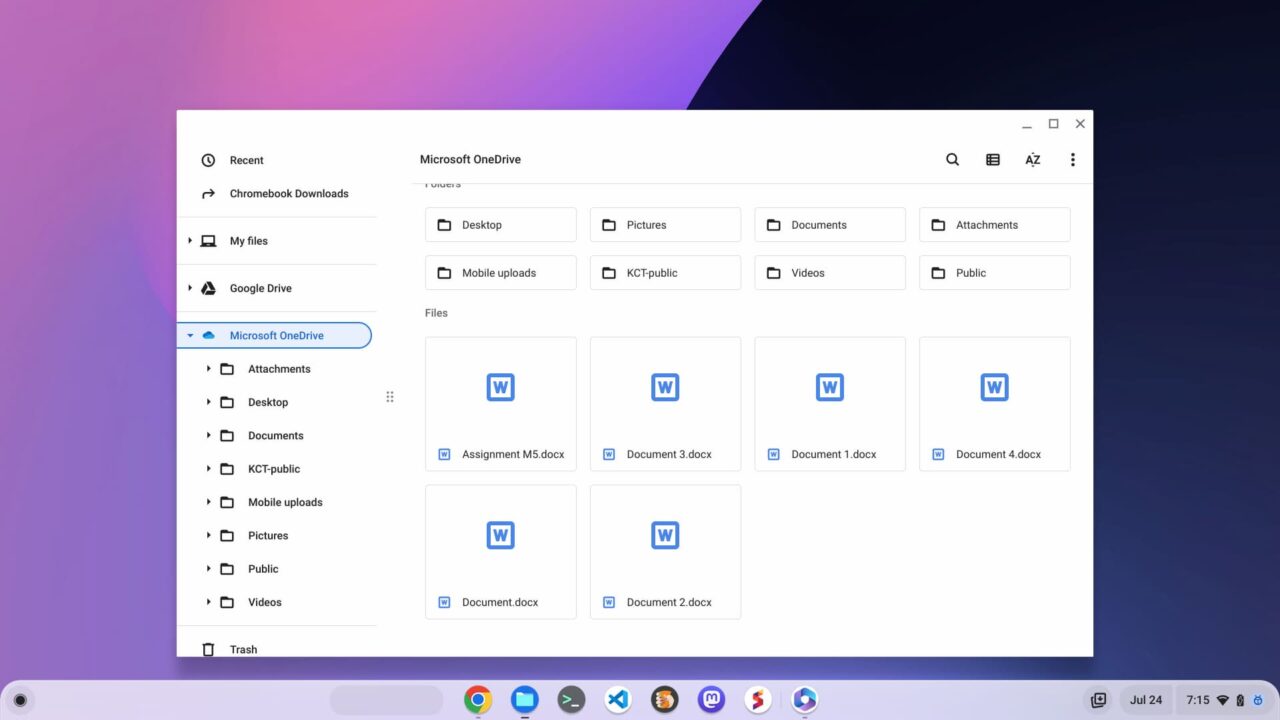
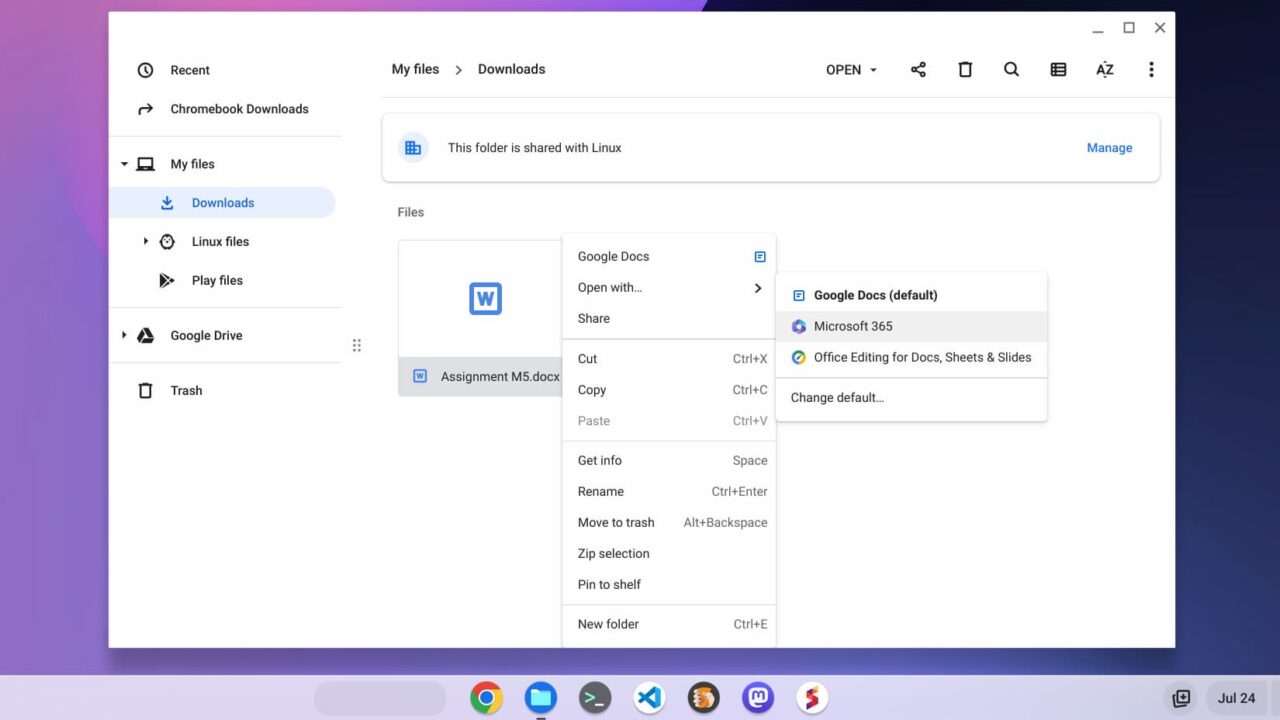
When right-clicking on any of these Microsoft 365 documents, or any I have stored locally, I have the option to open the Microsoft 365 app. This is Microsoft’s progressive web app (PWA), which has long been available.
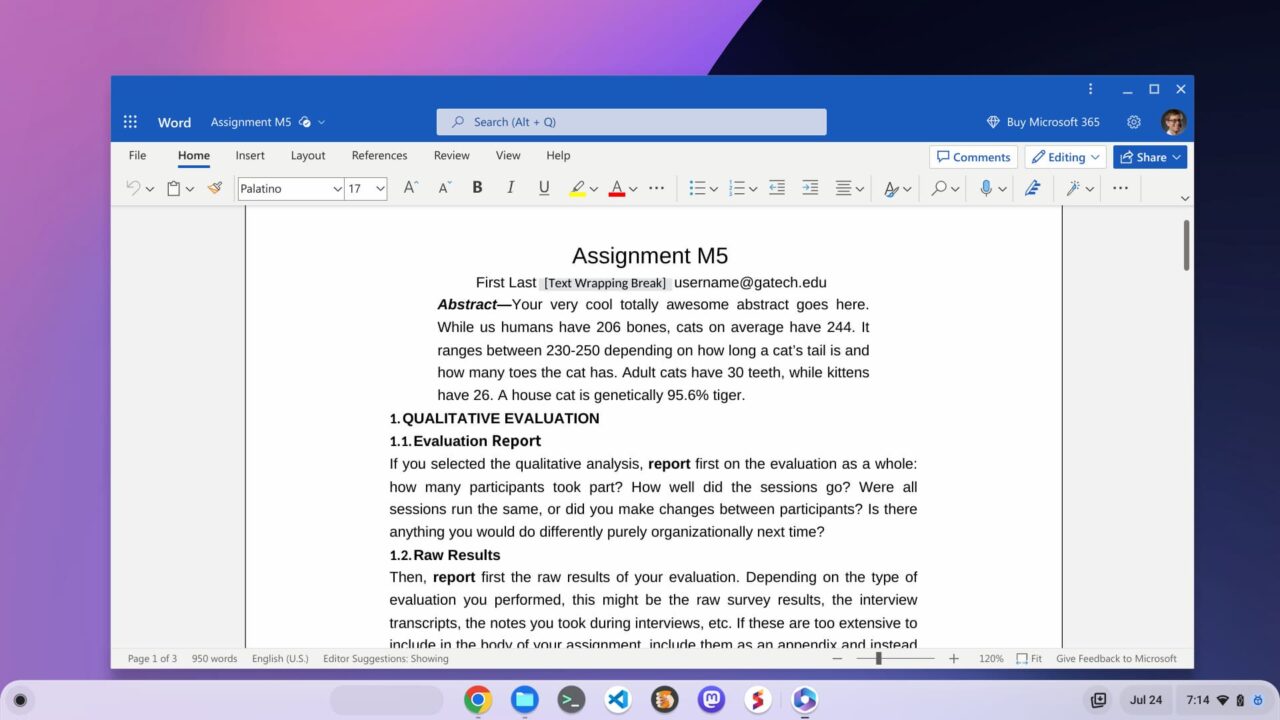
As expected, choosing the Microsoft 365 app instead of Google Docs opens the PWA and I can view or edit the document.
Setting up the Microsoft 365 Chromebook integration
So how did I get this workflow? With the experimental flag enabled, I simply selected to open a locally stored .docx file with Microsoft 365.
This kicked off a multi-step process to install the PWA and connect my Chromebook directly to Microsoft OneDrive in the Files app.
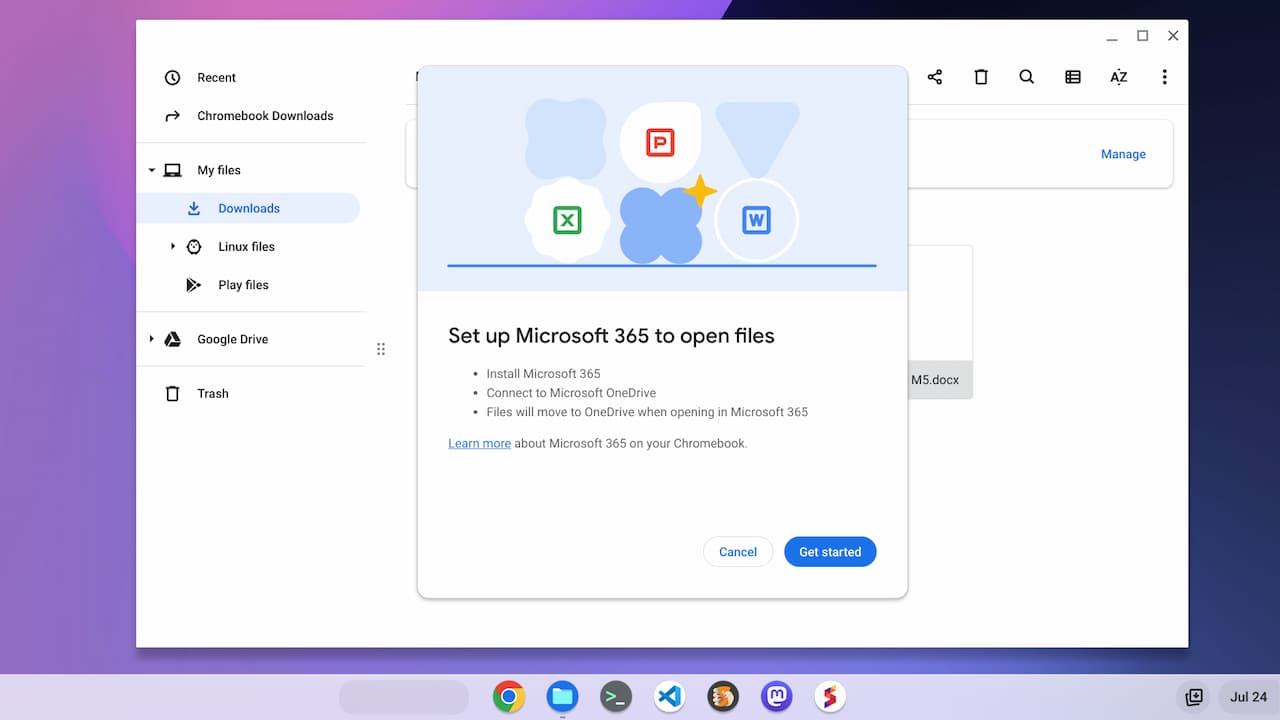
Note the third step in the image above. After enabling this integration, any files you open in the Microsoft 365 app will move to Microsoft OneDrive. You can still download them locally to your Chromebook, of course. Effectively though, this integrates your Office docs with Microsoft’s cloud.
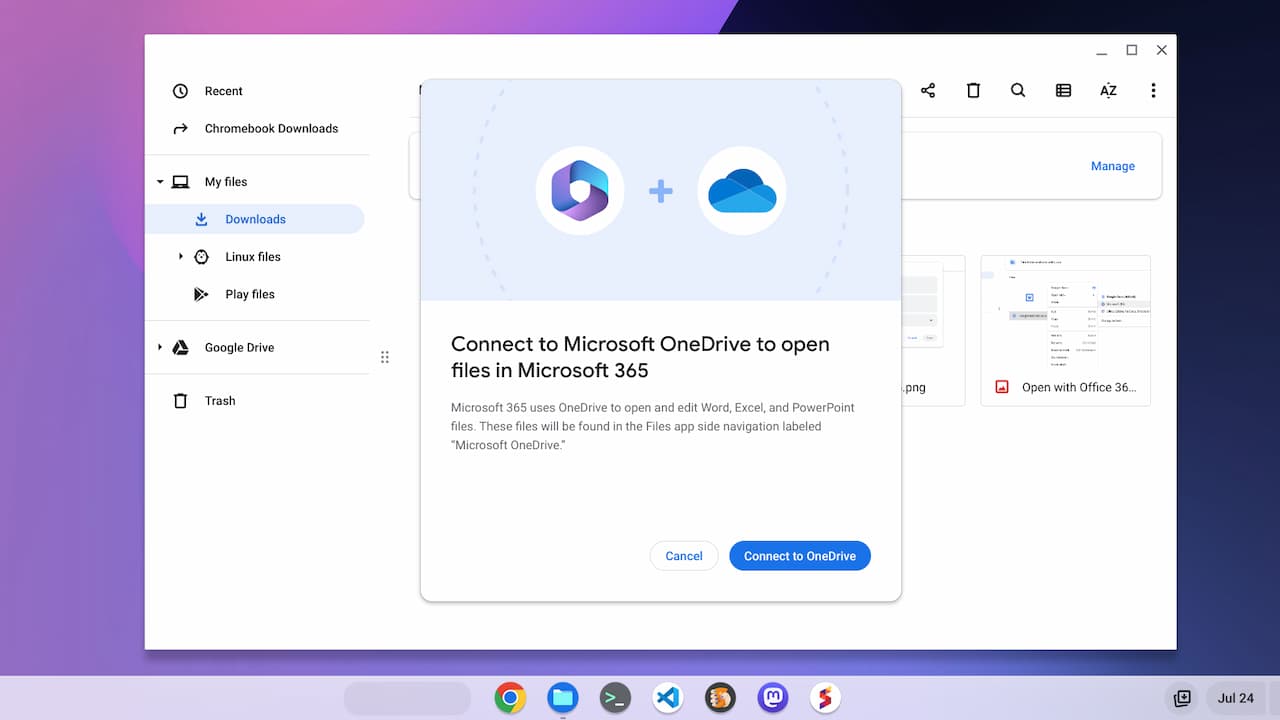
When running through this process, I was greeted with a permissions screen to allow Microsoft access to my Chromebook files. That’s required for the Files integration.
Here’s the list of permissions for granting access:
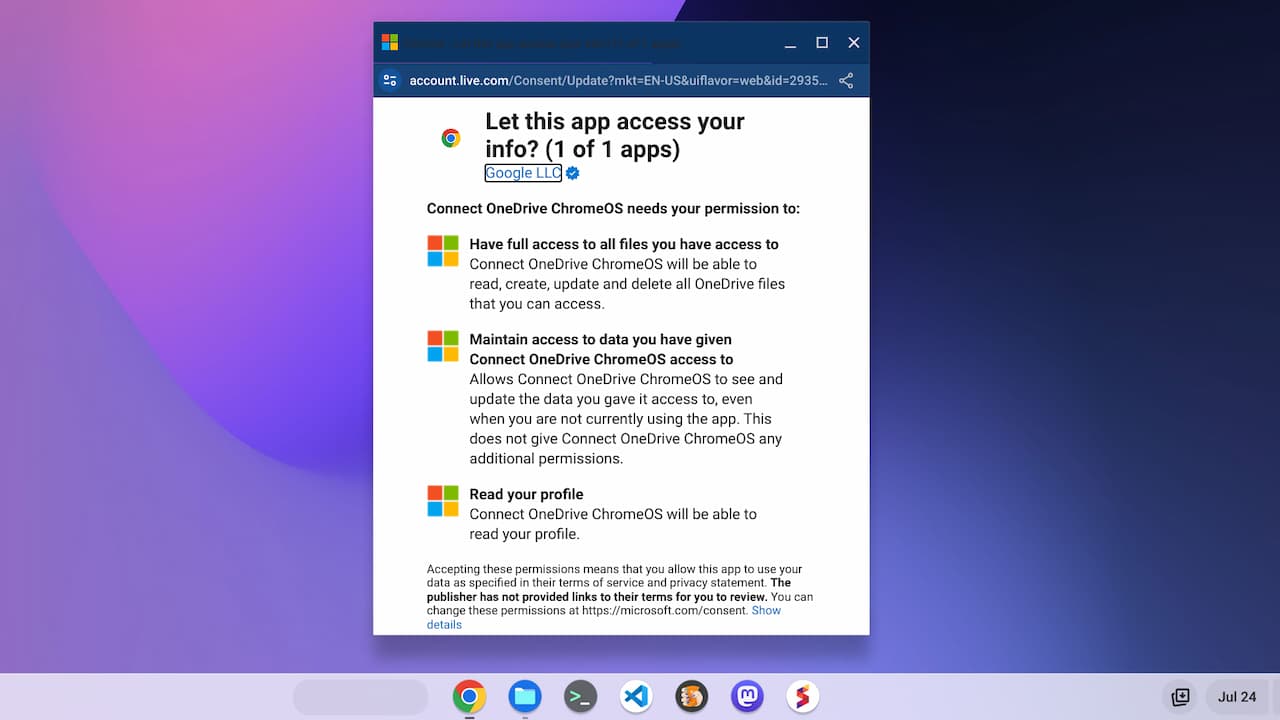
That’s pretty much the setup process. And once it’s complete, you’ll have the OneDrive integration for a more seamless workflow when using Microsoft 365 on your Chromebook.
Early thoughts on the Microsoft 365 Chromebook integration
Obviously, Google would prefer all Chromebook users simply stick with Google Docs. However, in order to broaden Chromebook acceptance outside the consumer space, the company can’t ignore Microsoft’s products. The sheer number of companies that use Microsoft Office is staggering. I don’t know the exact numbers but I’m sure the number of Office users is magnitudes larger than the number of Chromebooks in use.
So I understand why Google is working with Microsoft on this effort. And since Microsoft makes recurring revenue from Microsoft 365 subscriptions, it doesn’t need people to use the product on Windows. Having a paid user with a Chromebook is just fine.
Much of what I see so far with this integration isn’t really new functionality. That’s OK. For a long time, trying to use a Chromebook with Microsoft documents hasn’t been the most intuitive process. While the integration I’ve shown could still change, it definitely provides that seamless workflow to make for a better experience.
