


Playing your PlayStation 4 games on a Chromebook offers flexibility for gaming on the go. You can stream your PS4 games directly to your Chromebook using Remote Play technology. This works through a third-party app called PS Play since Sony’s official app has connection issues on Chrome OS.
The process requires installing the app, connecting your console, and pairing a controller via Bluetooth. This guide shows you exactly how to link PS4 to Chromebook and adjust settings for smooth gameplay. You need both devices on the same network and a DualShock 4 controller for the best experience.
How To Link PS4 to Chromebook?
The setup process takes about ten minutes. Follow each step carefully to avoid connection problems.
Download PS Play App
Open the Google Play Store on your Chromebook and search for PS Play: Unlimited PS Remote Play. The app costs $5.99 and works better than Sony’s official Remote Play app.
Purchase and install the app on your device. Wait for the installation to complete before moving forward.

Configure PS4 Console Settings
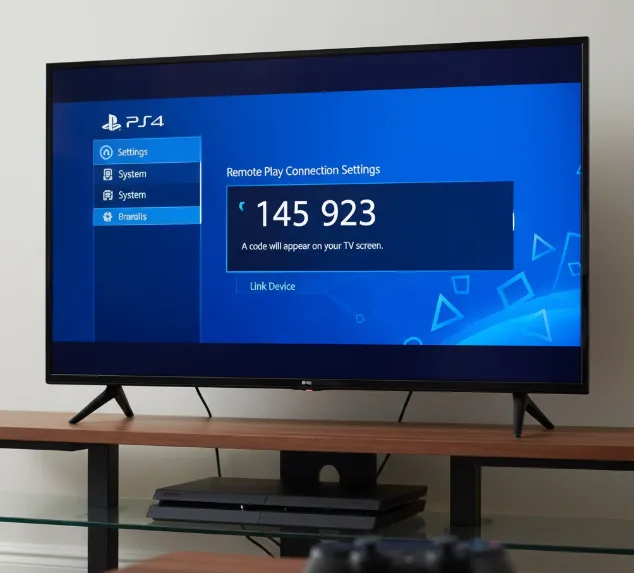
Turn on your PlayStation 4 console. Navigate to Settings, then select System from the menu.
Choose Remote Play and tap Link Device. A six-digit code appears on your TV screen.
Keep this code visible as you’ll need it in the next step.
Connect PS Play to Console
Launch the PS Play app on your Chromebook. Select PlayStation 4 when prompted to choose your console type.
Enter the six-digit code from your TV screen into the app. Both your Chromebook and PS4 must be connected to the same WiFi network.
Sign in with your PlayStation Network account when prompted. The app will establish a connection to your console.
Pair Controller via Bluetooth
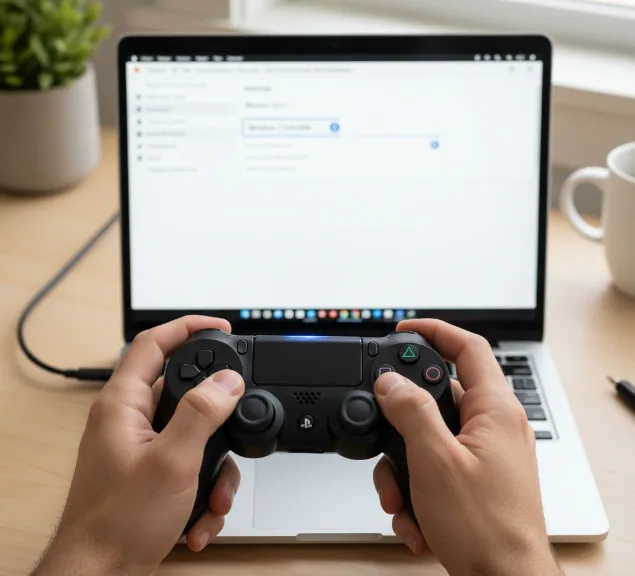
Open Settings on your Chromebook and go to the Bluetooth section. Hold down both the PlayStation button and Share button on your DualShock 4 controller simultaneously.
The light bar will flash rapidly when the controller enters pairing mode. Look for Wireless Controller under unpaired devices on your Chromebook.
Click the controller name to complete pairing. USB connections won’t work since the game runs on your console, not the Chromebook.
Adjust App Settings
Return to PS Play and click the back arrow at the top left. Select Settings from the side menu.
Open Streaming settings and change Resolution to 1080p for better video quality. Uncheck Show on-screen gamepad layout since you’re using a physical controller.
Test the connection by launching a game. The stream should display clearly without on-screen controls.
If you enjoy gaming on your Chromebook, you might also want to explore cloud gaming services. For those interested in connecting newer hardware, check out our guide on how to connect PS5 to Chromebook.
The PS Play app works reliably with most Android apps on Chromebook. You can also connect other Bluetooth devices using similar pairing methods.
FAQs
Can I use Sony’s official Remote Play app on Chromebook?
Sony’s official app from the Play Store works poorly on Chromebooks. It drops connections frequently and shows visual glitches. PS Play offers much better stability and performance for Chrome OS devices.
Does Remote Play work over the internet?
Remote Play functions best on the same WiFi network. You can try connecting over the internet, but performance depends on your upload speed. Expect lag and lower quality when not on local network.
Why won’t my DualShock 4 connect via USB?
USB connections fail because the game runs on your console, not locally. The Chromebook only streams video from your PS4. Always use Bluetooth to connect your controller for Remote Play.
Can I adjust streaming quality in PS Play?
Yes. Open Settings in PS Play, select Streaming, then choose Resolution. Change from the default 540p to 1080p for better visuals. Higher resolutions require stronger WiFi connections to prevent stuttering.
Will this work on school-managed Chromebooks?
School Chromebooks often restrict app installations and Bluetooth access. Check with your IT administrator about permissions. Personal Chromebooks work without restrictions for PS Play and controller pairing.
