


Few browser errors are as frustrating as encountering the NET::ERR_CERT_AUTHORITY_INVALID message.
Whether you’re managing a website or simply trying to access one, this error instantly raises red flags about security and trust.
But the good news is — this issue is usually fixable with the right approach.
This guide breaks down what causes the NET::ERR_CERT_AUTHORITY_INVALID error, how it impacts your browsing experience, and the most effective ways to resolve it.
What Does the NET::ERR_CERT_AUTHORITY_INVALID Error Mean?
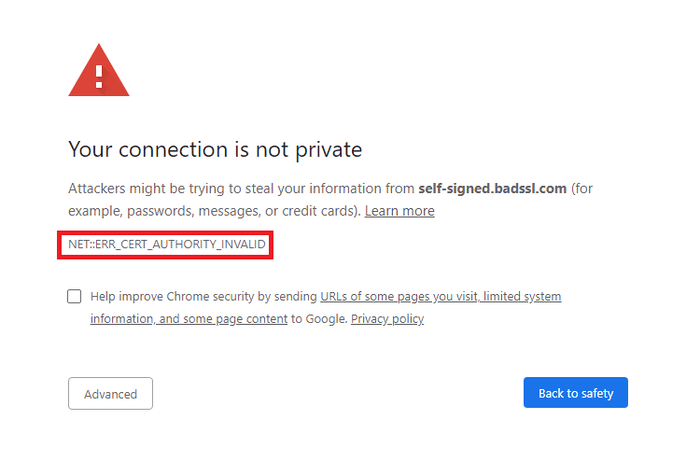
At its core, the NET::ERR_CERT_AUTHORITY_INVALID error signals a problem with a website’s SSL certificate.
Your browser uses SSL certificates to verify that a website is secure and issued by a trusted Certificate Authority (CA).
If that trust check fails, the browser displays this warning to protect you.
This error can occur in Chrome, Firefox, Edge, or other browsers and often appears with messages like:
- “Your connection is not private”
- “The site’s security certificate is not trusted”
- “NET::ERR_CERT_AUTHORITY_INVALID”
This isn’t just a technical glitch — it’s a warning that your data may not be secure on the website you’re trying to visit.
Common Causes of the NET::ERR_CERT_AUTHORITY_INVALID Error
Several factors can trigger this error, and understanding them is key to applying the correct fix. The most frequent causes include:
- Self-signed SSL certificates — Browsers trust certificates issued by recognized Certificate Authorities, not self-created ones.
- Expired or misconfigured certificates — If the SSL certificate is expired, wrongly installed, or missing intermediate certificates, browsers will block access.
- Incorrect system time and date — SSL validation relies on accurate device time settings. Out-of-sync settings can confuse browsers and even cause issues like 400 Bad Request errors, which often relate to how a request is interpreted.
- Antivirus or firewall interference — Some security software may block SSL certificates or intercept connections.
- Untrusted Certificate Authority — The issuing CA might not be recognized by your browser.
How to Fix the NET::ERR_CERT_AUTHORITY_INVALID Error
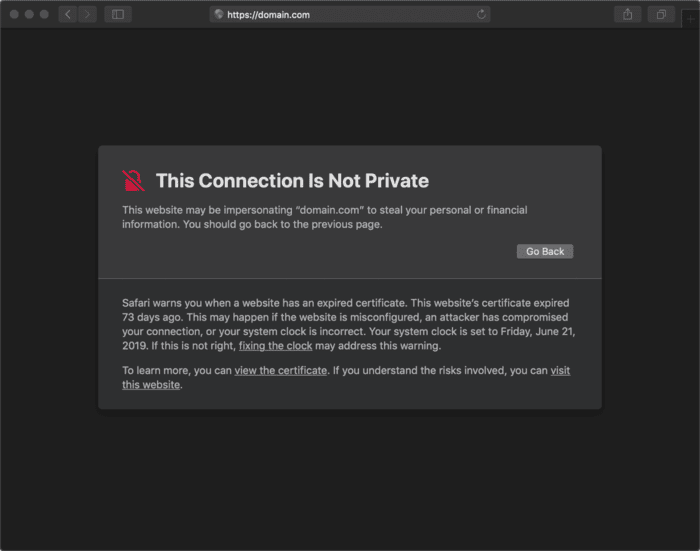
Solving this error depends on whether you are a website visitor or the site owner.
If You Are a Visitor:
- Check and correct your device’s date and time settings.
- Clear your browser cache and cookies.
- Try disabling your antivirus or firewall temporarily.
- Use a different browser or device to verify if the error persists.
- Proceed with caution if bypassing the warning (not recommended for sensitive sites).
If You Are a Website Owner:
- Purchase an SSL certificate from a trusted Certificate Authority.
- Install the certificate correctly, including intermediate certificates.
- Ensure your SSL certificate hasn’t expired.
- Verify the certificate is configured properly for your domain.
- Use online tools like SSL Labs’ SSL Test to diagnose certificate issues.
Comparison of Trusted vs. Untrusted SSL Certificates
| Feature | Trusted SSL Certificate | Self-Signed / Untrusted Certificate |
| Issued by | Recognized Certificate Authority | Website owner themselves |
| Trusted by browsers | Yes | No |
| Security warnings triggered | No | Yes (NET::ERR_CERT_AUTHORITY_INVALID) |
| Cost | Varies (Free to Paid) | Free |
| Recommended for production use | Absolutely | Only in testing environments |
Preventing NET::ERR_CERT_AUTHORITY_INVALID Errors in the Future
Avoiding this error comes down to proactive SSL management. Here’s what you can do moving forward:
- Always obtain SSL certificates from reputable providers.
- Enable auto-renewal where possible to avoid expiry issues.
- Regularly check your SSL installation using online tools.
- Keep your device’s time and browser updated.
- Avoid using self-signed certificates in production environments.
Final Thoughts
The NET::ERR_CERT_AUTHORITY_INVALID error may look intimidating, but it usually points to a clear and solvable problem with SSL certificates.
For users, this error is a signal to tread carefully. For website owners, it’s a reminder to prioritize security and maintain trust with visitors.
As the web becomes increasingly security-conscious, properly managing SSL certificates isn’t optional — it’s essential.
Whether you’re running a small blog or a large ecommerce store, staying on top of SSL best practices ensures smoother, safer browsing for everyone.
Would you like me to optimize this further for SEO or adapt it for a specific audience (e.g., developers vs general users)?
