

Close Menu
    Facebook X (Twitter) Instagram
    • About
    • Privacy Policy
    • Write For Us
    • Newsletter
    • Contact
    Instagram
    About ChromebooksAbout Chromebooks
    • Linux
    • News
      • Stats
      • Reviews
    • AI
    • How to
      • DevOps
      • IP Address
    • Apps
    • Business
    • Q&A
      • Opinion
    • Gaming
      • Google Games
    • Blog
    • Podcast
    • Contact
    About ChromebooksAbout Chromebooks
    News

    Behold the Chrome OS 101 dark Chromebook boot screen that no longer blinds you!

    Kevin TofelBy Kevin TofelMarch 12, 2022Updated:September 7, 2025No Comments2 Mins Read

    After nearly a week of being mostly offline for travel and other reasons, I just updated my Acer Chromebook Spin 13. I run the Dev Channel on it and see that it got bumped up to Chrome OS 101 for the first time. Lo and behold, the blazingly bright boot screen is gone! Thanks to Chrome OS 101, I now have the dark Chromebook boot screen that’s nearly a decade overdue.

    Apparently, I’m also overdue to clean my Chromebook’s display. But I can assure you, I do that more than once every 10 years.

    To be honest, this isn’t a massive or ground-breaking technological feature. I know that. But it gives hope to all of those burned retinas that Chromebook users have had to deal with like… forever.

    Seriously, Chromebooks first hit the market in 2010 and we’re just now getting this feature? It couldn’t have been that difficult to implement. Sigh.
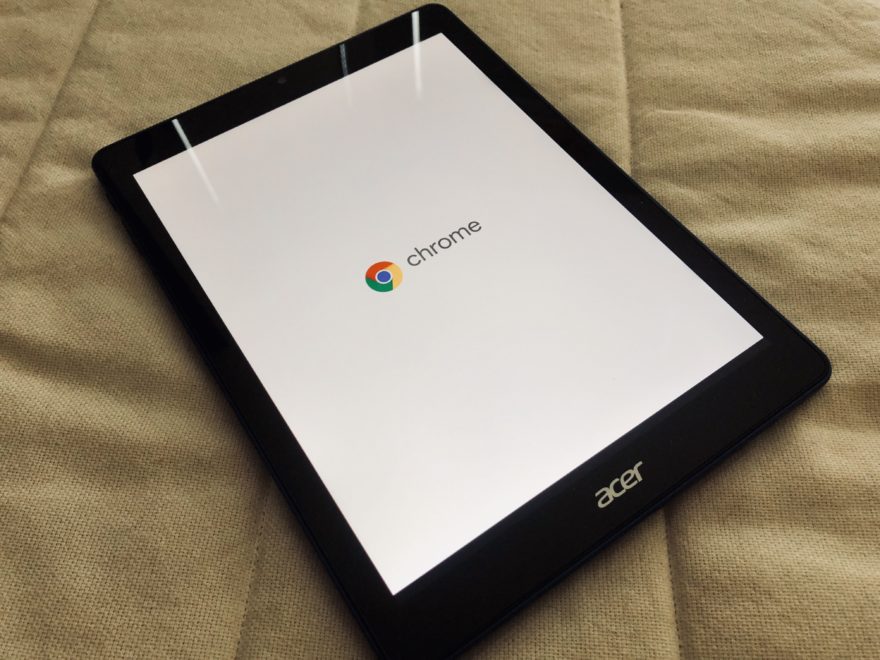
    Acer Chromebook Tab 10 review unit

    Aside from the high-intensity white that sears my peepers every time I boot up a Chromebook, it’s also a pain when I work late at night. In a dark room. In bed. Next to my sleeping wife. Booting my Chromebook wakes her up every single time.

    And that brilliant white boot screen burns my eyeballs even more in what was a completely dark room. Seriously, I think the Chrome OS logo is burned into the back of my eyes. I’ll take this dark Chromebook boot screen any day over the current one.

    By the way, I didn’t have to set any flags or make any changes in Chrome OS to get this dark Chromebook boot screen. That makes sense since Chrome OS itself isn’t even fully running until after the boot-up process. So once you get Chrome OS 101, you’ll simply have the feature.

    Anyway, I’ll be looking around to see what’s what in Chrome OS 101, given that it should be on your Chromebook in roughly eight weeks. But first, I need to finish unpacking from my travels and catch up on more important news. I see that the Chrome OS 99 Stable Channel arrived while I was away and I’m always keen on seeing what features did or didn’t make the cut.

    Kevin Tofel
    • Website

    After spending 15 years in IT at Fortune 100 companies, Kevin turned a hobby into a career and began covering mobile technology in 2003. He writes daily on the industry and has co-hosted the weekly MobileTechRoundup podcast since 2006. His writing has appeared in print (The New York Times, PC Magazine and PC World) and he has been featured on NBC News in Philadelphia.

    Best of AI

    AI in Healthcare Adoption Statistics 2026

    July 9, 2026

    Deepfake Incident Statistics 2026

    July 7, 2026

    Best AI Music and Vocal Tools for Chromebook Users in 2026 

    June 24, 2026

    What Does Adobe Firefly AI Do?

    June 16, 2026

    Is Joyland AI Safe For Kids?

    June 12, 2026
    Trending Stats

    Chromebook Peripheral Usage Statistics 2026: Device Connectivity And Usage Data

    June 30, 2026

    ChromeOS Update Size and Installation Statistics 2026: System Performance Reports

    June 27, 2026

    Chromebook vs MacBook and Windows Boot Time Statistics 2026: Performance Benchmark Data

    June 25, 2026

    Chromebook Brand Reliability Scores Statistics 2026: Quality Ratings And User Reports

    June 24, 2026

    Chromebook Performance Degradation Statistics 2026: Long-Term Usage And Reliability Data

    June 23, 2026
    • About
    • Tech Guest Post
    • Contact
    • Privacy Policy
    • Sitemap
    © 2026 About Chrome Books. All rights reserved.

    Type above and press Enter to search. Press Esc to cancel.