

Close Menu
    Facebook X (Twitter) Instagram
    • About
    • Privacy Policy
    • Write For Us
    • Newsletter
    • Contact
    Instagram
    About ChromebooksAbout Chromebooks
    • Linux
    • News
      • Stats
      • Reviews
    • AI
    • How to
      • DevOps
      • IP Address
    • Apps
    • Business
    • Q&A
      • Opinion
    • Gaming
      • Google Games
    • Blog
    • Podcast
    • Contact
    About ChromebooksAbout Chromebooks
    News

    Best Buy has the Yoga Chromebook C630 $50 cheaper than Lenovo, with a catch

    Kevin TofelBy Kevin TofelMay 5, 2019No Comments2 Mins Read

    There are 45 different Chromebooks on sale this week at Best Buy, with discounts ranging from $20 to $150. On the latter end of that scale is the Lenovo Yoga Chromebook C630 for $549, down from the $699 suggested retail price. That’s $50 less than Lenovo’s direct price for a nearly identical model.
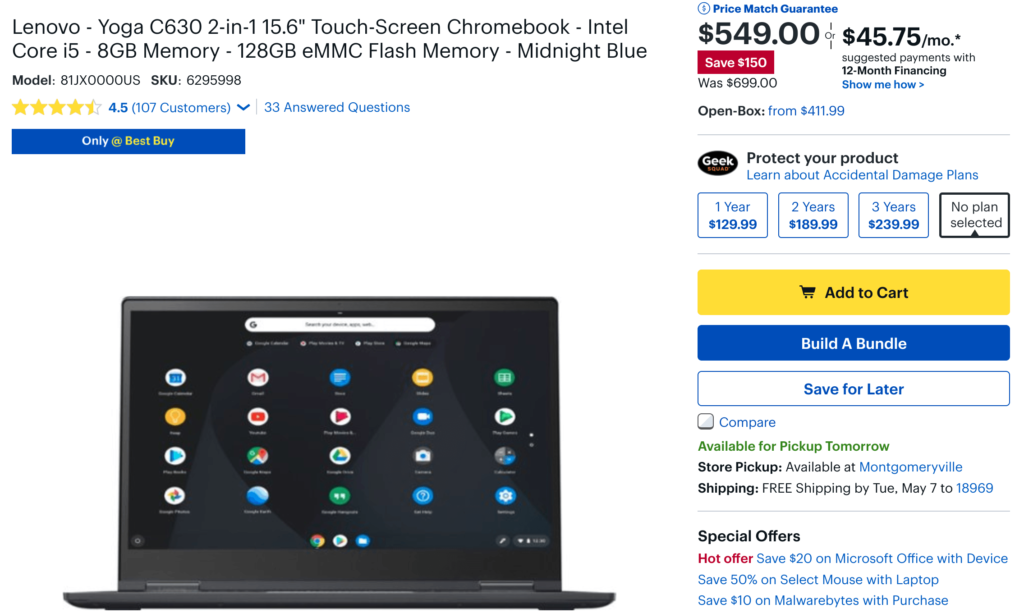
    Here are the full specs that both of the devices share, regardless of where you buy from:

    • 8th-Generation Intel Core i5-8250U processor (which uses a fan for cooling)
    • Integrated Intel UHD Graphics 620
    • 15.6-inch 1920 x 1080 IPS touch panel
    • 8 GB of memory
    • 128 GB of eMMC storage
    • Bluetooth 4.1
    • 802.11ac Wi-Fi (2 x 2 MIMO)
    • 720p HD camera
    • 2 USB Type-C ports, 1 USB Type-A port
    • MicroSD card slot

    The only difference – besides the $50 price tag – is that the less expensive Best Buy model doesn’t have a backlit keyboard. That requirement is a personal choice as some can live without it; for them, the Best Buy price is a great deal. For others who need to see their keyboards in dimly lit locations, you’ll have to pay the $50 premium this week.

    There actually is a third option worth considering that includes a backlit keyboard: Lenovo has discounted the Core i3 model to $469.99.
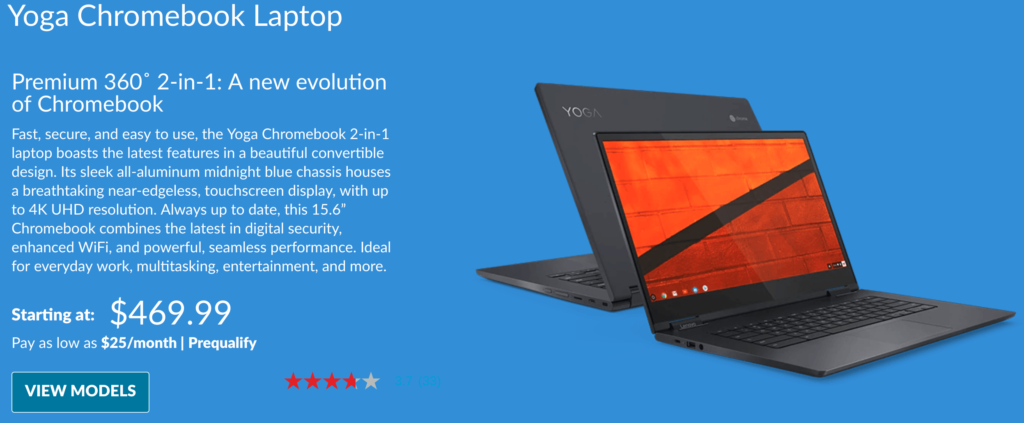
    You’ll be able to see your keys in the dark but you’ll sacrifice slightly on the processor as well as local storage due to the 64 GB eMMC drive. Then again, you can use a low-cost microSD card if you need more space for local data.

    If you do want a backlit keyboard and don’t mind 64 GB of storage paired with a still-capable Core i3 processor – likely good enough for typical Chromebook usage – this might be your best bet. Note that all models run in the U-Series Intel processors, which require a fan to dissipate heat, although it should only run under a heavy load.

    Kevin Tofel
    • Website

    After spending 15 years in IT at Fortune 100 companies, Kevin turned a hobby into a career and began covering mobile technology in 2003. He writes daily on the industry and has co-hosted the weekly MobileTechRoundup podcast since 2006. His writing has appeared in print (The New York Times, PC Magazine and PC World) and he has been featured on NBC News in Philadelphia.

    Best of AI

    AI in Healthcare Adoption Statistics 2026

    July 9, 2026

    Deepfake Incident Statistics 2026

    July 7, 2026

    Best AI Music and Vocal Tools for Chromebook Users in 2026 

    June 24, 2026

    What Does Adobe Firefly AI Do?

    June 16, 2026

    Is Joyland AI Safe For Kids?

    June 12, 2026
    Trending Stats

    Chromebook Peripheral Usage Statistics 2026: Device Connectivity And Usage Data

    June 30, 2026

    ChromeOS Update Size and Installation Statistics 2026: System Performance Reports

    June 27, 2026

    Chromebook vs MacBook and Windows Boot Time Statistics 2026: Performance Benchmark Data

    June 25, 2026

    Chromebook Brand Reliability Scores Statistics 2026: Quality Ratings And User Reports

    June 24, 2026

    Chromebook Performance Degradation Statistics 2026: Long-Term Usage And Reliability Data

    June 23, 2026
    • About
    • Tech Guest Post
    • Contact
    • Privacy Policy
    • Sitemap
    © 2026 About Chrome Books. All rights reserved.

    Type above and press Enter to search. Press Esc to cancel.