

Close Menu
    Facebook X (Twitter) Instagram
    • About
    • Privacy Policy
    • Write For Us
    • Newsletter
    • Contact
    Instagram
    About ChromebooksAbout Chromebooks
    • Linux
    • News
      • Stats
      • Reviews
    • AI
    • How to
      • DevOps
      • IP Address
    • Apps
    • Business
    • Q&A
      • Opinion
    • Gaming
      • Google Games
    • Blog
    • Podcast
    • Contact
    About ChromebooksAbout Chromebooks
    News

    First look: ChromeOS 105 partial split window options

    Kevin TofelBy Kevin TofelJuly 21, 2022Updated:September 10, 2025No Comments2 Mins Read

    With the latest Dev Channel release, the experimental ChromeOS 105 partial split window options now appear on a Chromebook. Once fully rolled out, you’ll be able to choose from multiple window tiling options, similar to Microsoft Windows 11.

    Here’s how this feature looked in the last Dev Channel version of ChromeOS 105:
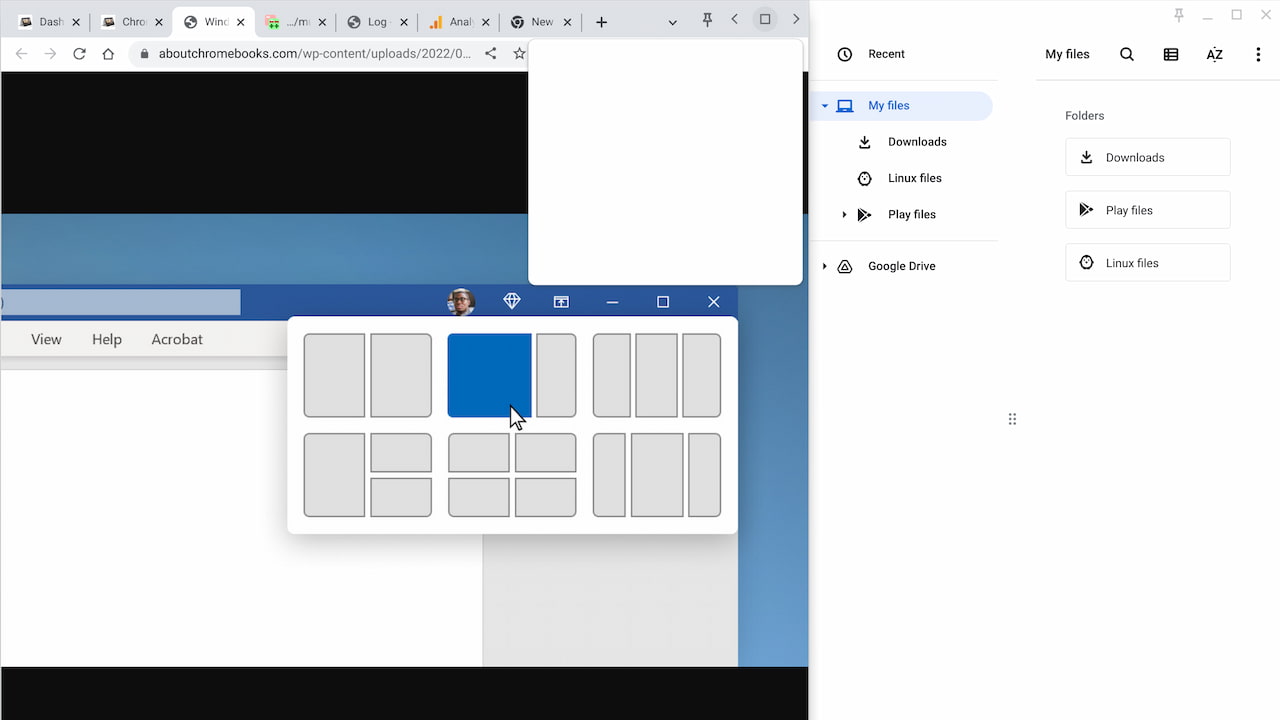
    Chrome OS 105 partial split multitasking button

    Previously, there was a placeholder for the partial split window options. Now, the user interface has been fleshed out to show your actual choices. There’s half, partial, full and float on top.

    What’s even nicer is that there’s a “nudge”: I saw a small notification near the multitasking button suggesting I hover over it for window management options. More of this please, Google! Chromebook users need to know what helpful functionality is available to them as features are added to ChromeOS.
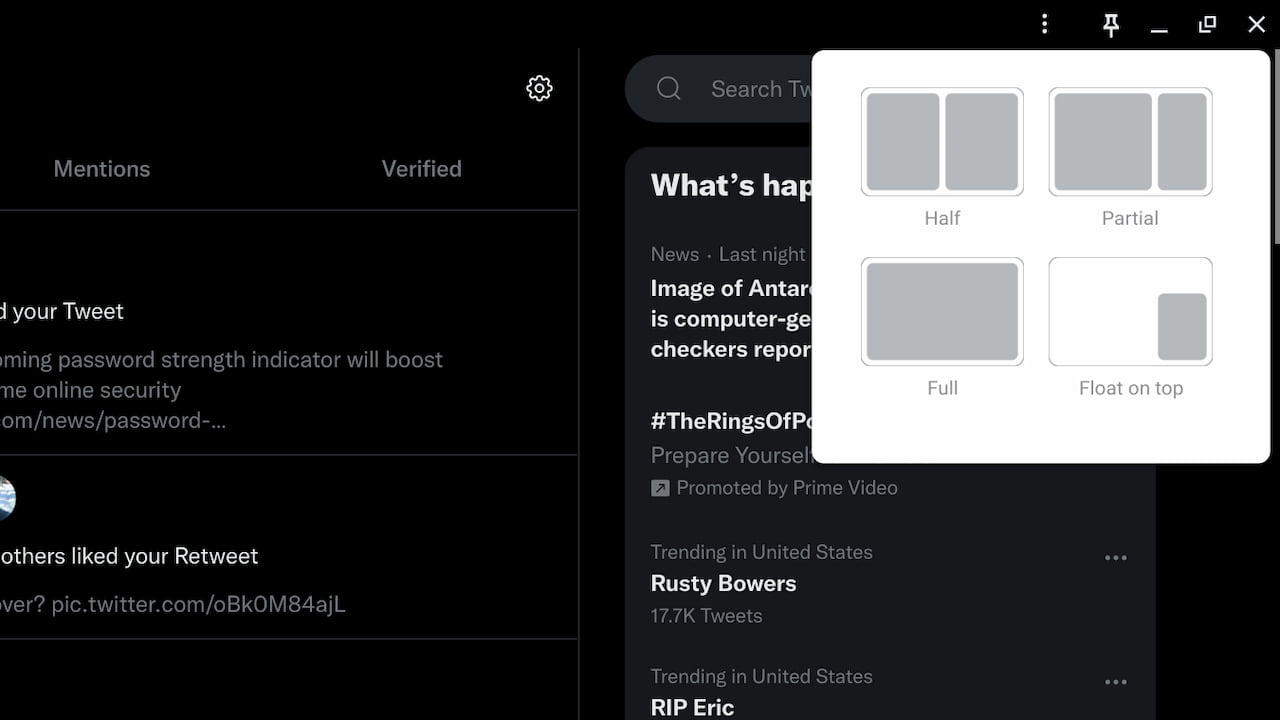
    partial split windows ChromeOS 105

    Remember: This is experimental, which requires a flag to be enabled:

    ChromeOS partial split flag

    To be clear, the full functionality isn’t working 100% just yet.

    Hovering over what’s typically the “Maximize” icon on an app or the Chrome browser does show the tiling options. Selecting the half view option does work with two windows but that’s to be expected. ChromeOS has supported 50% window snapping for some time now.

    In the ChromeOS 105 partial split menu, however, the active window simply maximizes for now. Developers are still working on the code to enable the partial split window option.

    I do wonder how Android apps will behave in ChromeOS once the partial split window options are fully baked. We know that Android 12L adds support for different screen sizes and app layouts. So I’m not sure if the final implementation will require Android 12L on a Chromebook or if these apps will support the feature natively without it.

    I can tell you that Progressive Web Apps (PWAs) appear to support this feature. Or at least they will be, based on a quick test I did with the Stadia PWA. Again though, I’m not surprised. PWAs are wrapped by Chrome, so if the Chrome browser and ChromeOS support this window tiling option, PWAs should be also supported by default.

    Kevin Tofel
    • Website

    After spending 15 years in IT at Fortune 100 companies, Kevin turned a hobby into a career and began covering mobile technology in 2003. He writes daily on the industry and has co-hosted the weekly MobileTechRoundup podcast since 2006. His writing has appeared in print (The New York Times, PC Magazine and PC World) and he has been featured on NBC News in Philadelphia.

    Best of AI

    Turn Photos to Videos: A Product Marketing Playbook

    August 18, 2026

    DeepSeek Statistics 2026: Users, Token Share, Pricing and Benchmark Data

    August 15, 2026

    Cursor AI Statistics 2026

    August 14, 2026

    AI Hardware Market Share Statistics 2026

    August 12, 2026

    AI Startup Funding Statistics by Region Statistics 2026

    August 7, 2026
    Trending Stats

    Two-Factor Authentication Adoption Statistics 2026

    August 15, 2026

    Chromebook Detachable VS Clamshell Sales Statistics 2026

    August 13, 2026

    MacOS Version Distribution And Demographics Statistics 2026

    August 5, 2026

    Small Language Model Adoption Statistics 2026

    August 3, 2026

    Linux Distribution Popularity Statistics 2026

    August 3, 2026
    • About
    • Tech Guest Post
    • Contact
    • Privacy Policy
    • Sitemap
    © 2026 About Chrome Books. All rights reserved.

    Type above and press Enter to search. Press Esc to cancel.