

Close Menu
    Facebook X (Twitter) Instagram
    • About
    • Privacy Policy
    • Write For Us
    • Newsletter
    • Contact
    Instagram
    About ChromebooksAbout Chromebooks
    • Linux
    • News
      • Stats
      • Reviews
    • AI
    • How to
      • DevOps
      • IP Address
    • Apps
    • Business
    • Q&A
      • Opinion
    • Gaming
      • Google Games
    • Blog
    • Podcast
    • Contact
    About ChromebooksAbout Chromebooks
    News

    Chrome OS virtual desks are getting a useful upgrade

    Kevin TofelBy Kevin TofelMarch 24, 2022Updated:May 8, 2026No Comments2 Mins Read

    Google is working on a welcome little update to the existing Chrome OS virtual desks function. Currently, if have multiple desks open and close one, any apps on that desk are moved to another open workspace. In the future, you’ll have another option to choose from: Closing all apps on the desk as well as the desk itself.

    This is still a work in progress, so I haven’t tested it yet. In fact on the Chrome OS 101 Dev Channel, the expected experimental flag for this feature isn’t available. But it’s clear what we can expect based on the current code:

    Chrome OS virtual desks update

    If you’re not familiar with Chrome OS virtual desks, they allow the creation of separate workspaces. The functionality was fairly basic when it launched but has become more useful over time.

    Google has added the ability to name your virtual desks, for example. I use this handy feature to separate my work, personal, and school apps. Basically, it’s like having three different monitors on my Chromebook; one for each scenario.

    Recently, this feature was updated to create and save workspace templates, making it easier both to set up and use them. Once you set up and save a virtual desk template, opening the workspace brings up all of the apps you saved.
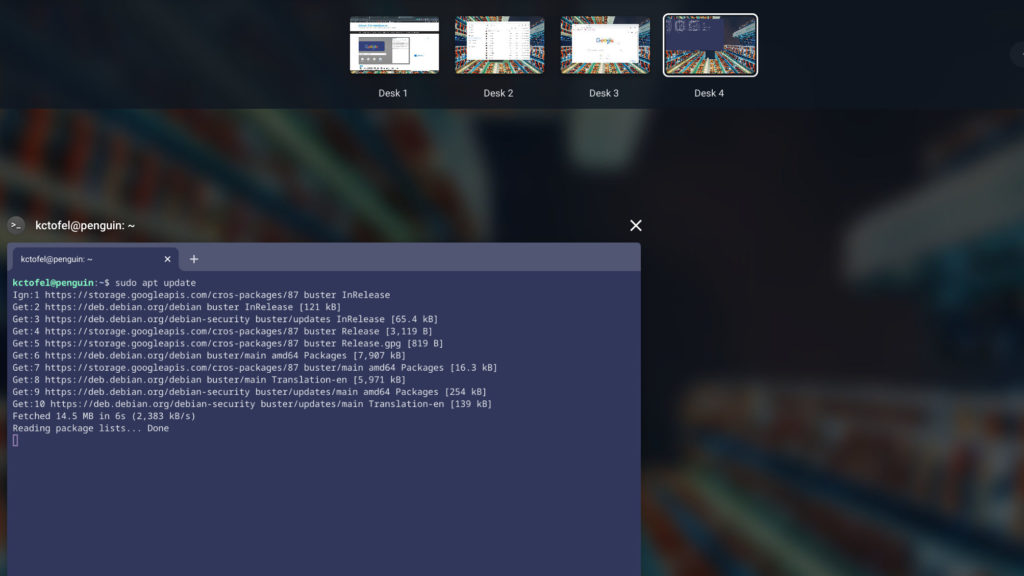
    Four virtual desks in Chrome OS

    But I suspect few people actually take the time to set up their templates. In which case, closing one of the Chrome OS virtual desks just moves the open apps to another desk.

    And that’s not particularly helpful if you didn’t want to use those apps any longer. Once this new virtual desk update arrives, you’ll have the option to close all of the open apps when you close a workspace.

    Since Chrome OS is on a four-week software update cycle I don’t anticipate seeing this new feature arriving before Chrome OS 102. It’s possible that we see it earlier in Chrome OS 101 but the window of opportunity for that is closing quickly.

    Kevin Tofel
    • Website

    After spending 15 years in IT at Fortune 100 companies, Kevin turned a hobby into a career and began covering mobile technology in 2003. He writes daily on the industry and has co-hosted the weekly MobileTechRoundup podcast since 2006. His writing has appeared in print (The New York Times, PC Magazine and PC World) and he has been featured on NBC News in Philadelphia.

    Best of AI

    Enterprise AI Spending Statistics 2026: Budgets, ROI, and Industry Data

    July 17, 2026

    Grok AI Statistics 2026: Users, Revenue, Market Share, and Growth Data

    July 15, 2026

    AI in Healthcare Adoption Statistics 2026

    July 9, 2026

    Deepfake Incident Statistics 2026

    July 7, 2026

    Best AI Music and Vocal Tools for Chromebook Users in 2026 

    June 24, 2026
    Trending Stats

    Password Manager Adoption Statistics 2026 [Usage by Region]

    July 21, 2026

    Chromebook Plus Adoption Statistics 2026

    July 20, 2026

    Chromebook vs MacBook Sales Statistics 2026: Shipments, Revenue, and Market Share Data

    July 20, 2026

    Chromebook Chipset Market Share (Intel, AMD, MediaTek, Qualcomm) 2026 Statistics

    July 18, 2026

    Firefox Usage Statistics 2026

    July 17, 2026
    • About
    • Tech Guest Post
    • Contact
    • Privacy Policy
    • Sitemap
    © 2026 About Chrome Books. All rights reserved.

    Type above and press Enter to search. Press Esc to cancel.