

Close Menu
    Facebook X (Twitter) Instagram
    • About
    • Privacy Policy
    • Write For Us
    • Newsletter
    • Contact
    Instagram
    About ChromebooksAbout Chromebooks
    • Linux
    • News
      • Stats
      • Reviews
    • AI
    • How to
      • DevOps
      • IP Address
    • Apps
    • Business
    • Q&A
      • Opinion
    • Gaming
      • Google Games
    • Blog
    • Podcast
    • Contact
    About ChromebooksAbout Chromebooks
    News

    Chromebooks to use fingerprints, four wireless proximity ranges for Easy Unlock in “Better Together”

    Kevin TofelBy Kevin TofelJuly 20, 2018Updated:September 7, 2025No Comments2 Mins Read

    Last month, we saw details of a Chrome OS feature called “Better Together.” That may be the front-facing name for it but behind the scenes, it’s called MultiDevice. And there are already MultiDevice flags and settings that appear on the Chrome OS Dev Channel.

    One of the functions being folded into MultiDevice setup is Easy Unlock, which can unlock your Chromebook with a nearby Android phone, just as it can today. It will also support fingerprints based on the code I found today.
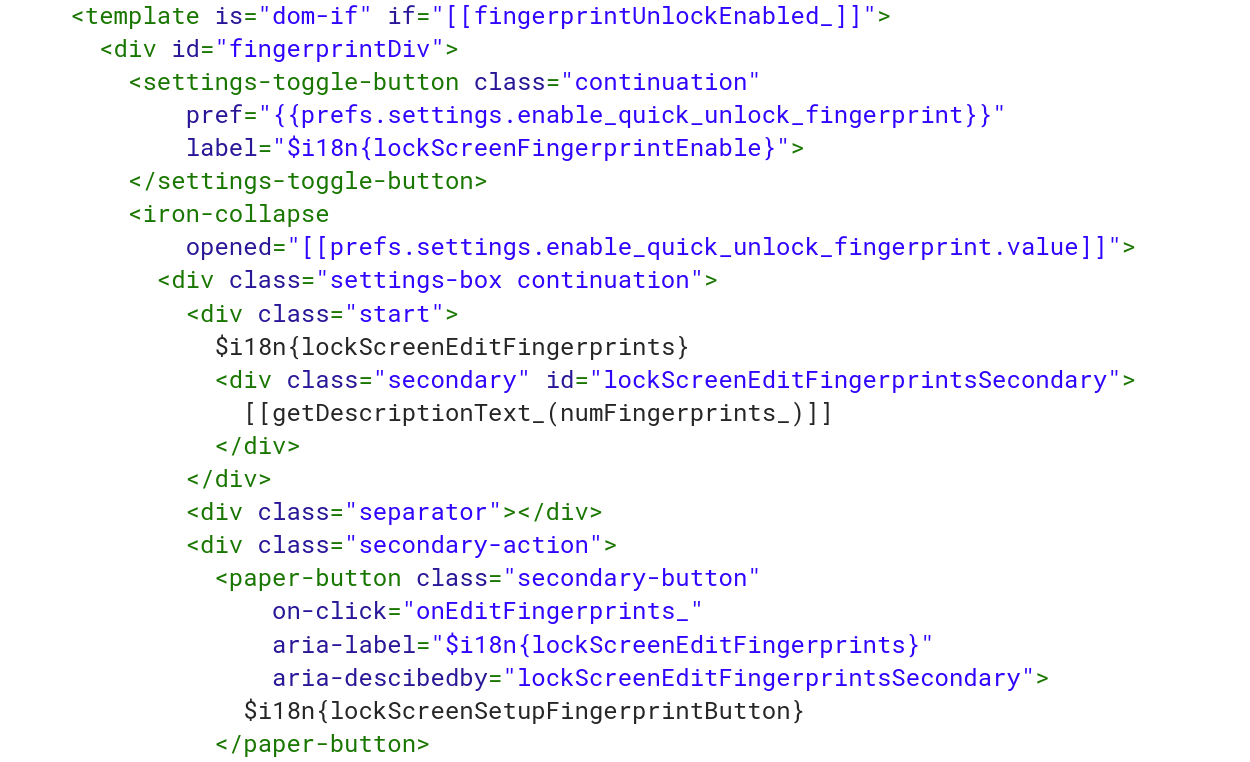
    lock screen fingerprint

    This isn’t terribly surprising as previous information shows fingerprint sensor support for Chromebooks on at least one device board.

    What makes this more interesting though is that the Easy Unlock feature (as part of the MultiDevice setup) will have four different proximity levels. Meaning: You should be able to set up the ability to unlock your Chromebook based on your own personal preferences regarding how close or how far you are from the device, based on this code snippet:
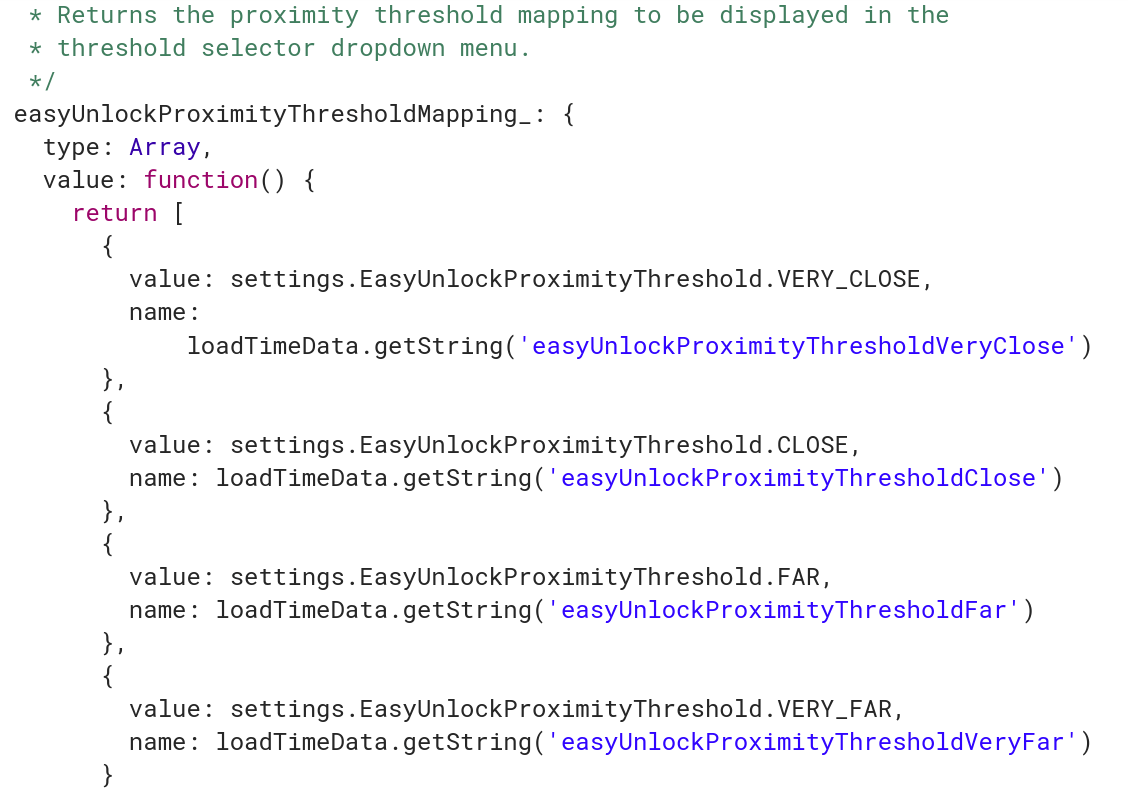
    easy unlock proximity thresholds chrome os

    That suggests to me that we’ll see a dropdown or other input setting for proximity, meaning, how near or far from your Chromebook you can be while still allowing the device to be unlocked via a trusted Android phone and Bluetooth. The options are: Very Close, Close, Far, and Very Far.

    It’s possible even that with four different proximity thresholds, Google could rely on a longer ranged signal, such as a peer-to-peer Wi-Fi connection between a Chromebook and an Android phone. That’s simply a guess on my part though: I’m still trying to understand why four different proximity levels are needed and what would be ranges of trigger points.

    Update: Thanks to Ken, who left a comment below, the four proximity levels are part of the current, standalone Smart Lock (beta) settings for Bluetooth distance. I use 2FA to secure my devices, so I don’t use Smart Lock and didn’t know the settings were available in beta. Thanks Ken!

    Kevin Tofel
    • Website

    After spending 15 years in IT at Fortune 100 companies, Kevin turned a hobby into a career and began covering mobile technology in 2003. He writes daily on the industry and has co-hosted the weekly MobileTechRoundup podcast since 2006. His writing has appeared in print (The New York Times, PC Magazine and PC World) and he has been featured on NBC News in Philadelphia.

    Best of AI

    Imagen AI: The Best Photo Editing AI In 2026

    April 21, 2026

    Alphafold AI from Google Deepmind 2026

    April 21, 2026

    Agentic AI Pindrop Anonybit: The Future of Secure Identity Verification

    April 17, 2026

    Google Bard Statistics And User Data 2026

    April 10, 2026

    Azure OpenAI Explained

    April 10, 2026
    Trending Stats

    Chromebook Wi-Fi Performance Statistics 2026

    April 18, 2026

    Chromebook Crash Rates Statistics 2026

    April 17, 2026

    Chromebook Offline Usage Statistics 2026

    April 16, 2026

    Chromebook Upgrade VS Replacement Statistics 2026

    April 15, 2026

    Average RAM Usage On ChromeOS Statistics 2026

    April 14, 2026
    • About
    • Tech Guest Post
    • Contact
    • Privacy Policy
    • Sitemap
    © 2026 About Chrome Books. All rights reserved.

    Type above and press Enter to search. Press Esc to cancel.