


The latest iteration of Google’s Chrome browser is now generally available, bringing a number of fixes and features to macOS, Linux, and Windows. The Chrome 109 release includes 17 security fixes…. Here’s what’s in the now-available Chrome 109 release.
New permissions chips in Chrome 109
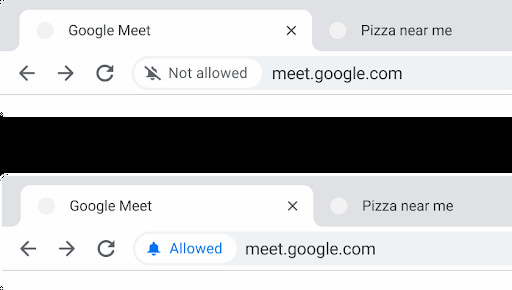
The Chrome 109 release adds more modern permissions “chips” directly in the address bar. These appear when a website asks permission for personal data or devices, such as your location, the ability to show notifications or use your webcam.
You’ll see any permissions granted for up to four seconds in a small bubble of the Chrome address bar. Google says that “some users” will see the new permissions bubbles. So don’t panic if they don’t appear for you after the Chrome 109 upgrade.
More information about websites
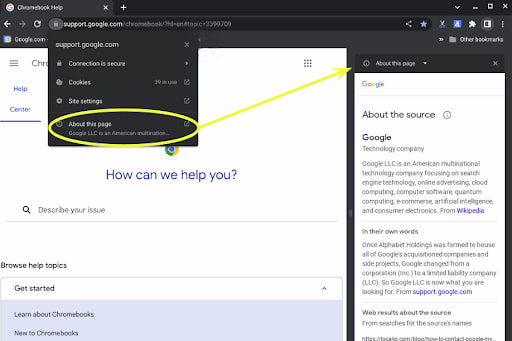
When using Google search, I’ve noticed an option to show more information about the website results. Now, that information can be found directly in the Chrome 109 browser.
Look for the new “About this page” option for any open page in Chrome. You’ll find the same results, which include information about the page source.
Here’s a real example when I clicked the “About this page” option on Lenovo’s site:
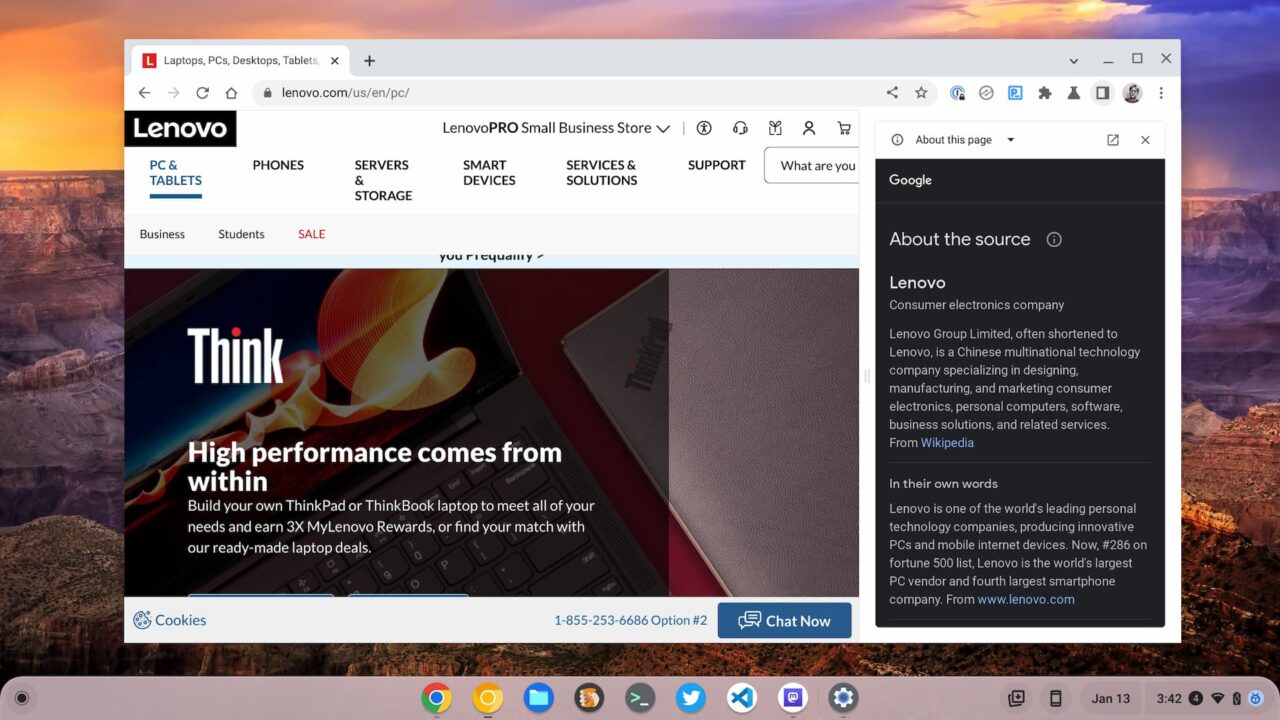
Note, Google says you won’t see this feature unless you enable “Make searches and browsing better” in Settings -> Sync and Google Services -> Other Google services.
Chrome 109 warns you when downloading possible malware
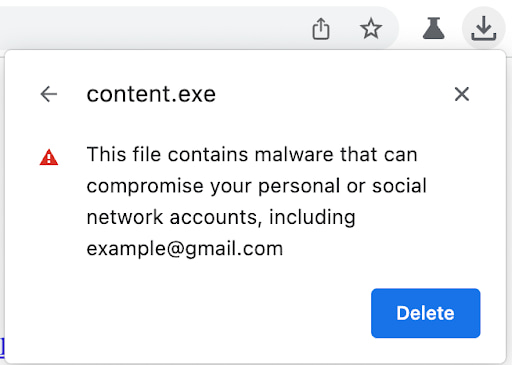
I’ve heard some people grumble about this one but I think it’s a good feature addition. When you upgrade your Chrome browser to version 109, you may see warnings when trying to download certain files. Google says it will be looking for any files that could attempt to get your Google account credentials, for example. There is an enterprise policy to disable this feature but there’s no mention of that option for consumer users of the Chrome browser.
In a related update, Chrome 109 unpacks 7z archives locally to check for malware if the Safe Browsing feature enabled.
Lens image search in the Chrome 109 release
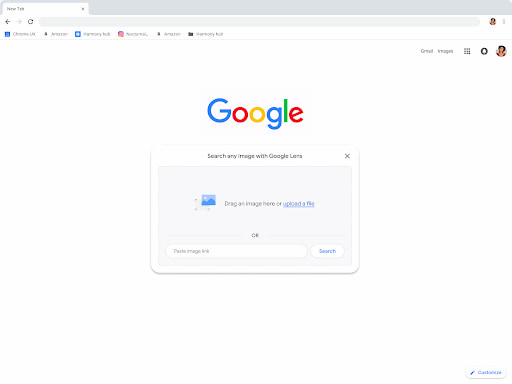
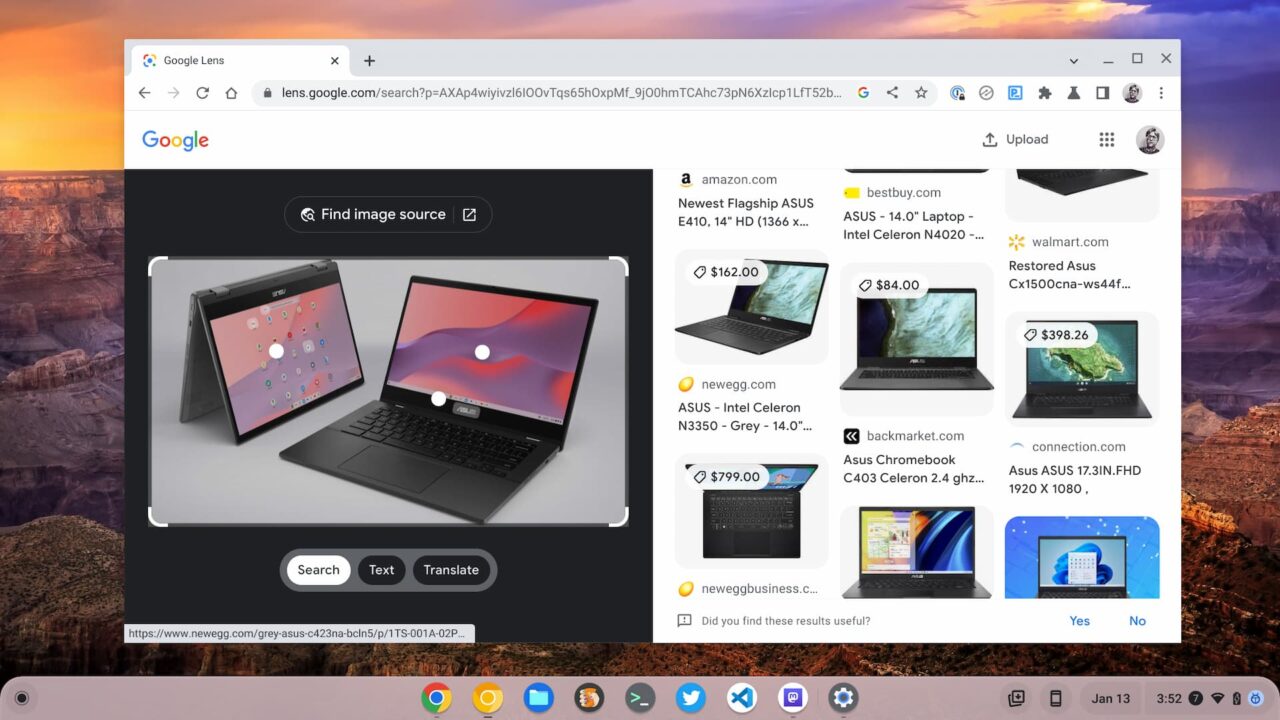
Some users of Chrome 109 will see an updated Lens image search interface when opening a new, blank tab. If you see a camera icon in the address bar, you have the integrated Lens image search feature. From here, you can upload any image and Google will try to find information or matching images about the one you provided.
Here’s an example of the Lens image search feature when I uploaded a picture of the recently announced Asus Chromebook CM14:
The Chrome 109 release is the last for Windows 7/8/8.1
If you’re still using Windows 8.1 or less, Chrome 109 is the final release for your computer. That’s mainly because Microsoft itself is ceasing support for some older versions of Windows.
You can either keep your existing version of Windows without support and stay on Chrome 109. Alternatively, you can (and probably should) upgrade to a newer Windows version. Doing the latter will ensure that you continue to get Chrome browser updates from Google in the future.
