

Close Menu
    Facebook X (Twitter) Instagram
    • About
    • Privacy Policy
    • Write For Us
    • Newsletter
    • Contact
    Instagram
    About ChromebooksAbout Chromebooks
    • Linux
    • News
      • Stats
      • Reviews
    • AI
    • How to
      • DevOps
      • IP Address
    • Apps
    • Business
    • Q&A
      • Opinion
    • Gaming
      • Google Games
    • Blog
    • Podcast
    • Contact
    About ChromebooksAbout Chromebooks
    News

    How to preview the new Terminal settings early in Chrome OS 81

    Kevin TofelBy Kevin TofelApril 21, 2020Updated:September 8, 2025No Comments2 Mins Read

    Back in September, I noted that the Chrome OS team was working on improving the Linux Terminal for Crostini users, including customization options and multiple Terminal tabs. That work is still going on but if you’re curious to see all of the upcoming, new options in the Terminal, you can actually preview them now in the Chrome OS 81 Stable Channel.

    All it takes is one experimental flag setting at chrome://flags#terminal-system-app: Enable this flag and restart your browser.
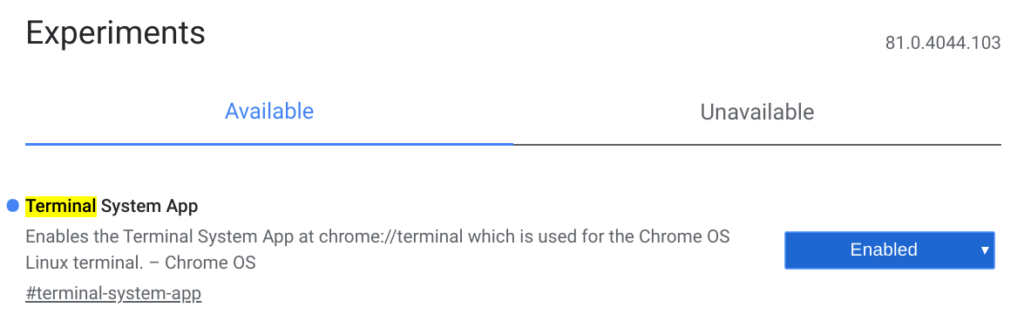
    Note that while your Terminal will now have a three dot menu option at the top right which gets you into the options, this Terminal app does not work at this time.

    This is strictly a preview to show you what options you’ll be able to customize. Once you’ve noodled around, you’ll want to disable the flag setting and restart your browser again for the current, working Terminal app.

    You’ll see that there are currently three different groups of settings you can modify: Appearance, Keyboard & mouse, and Behavior.
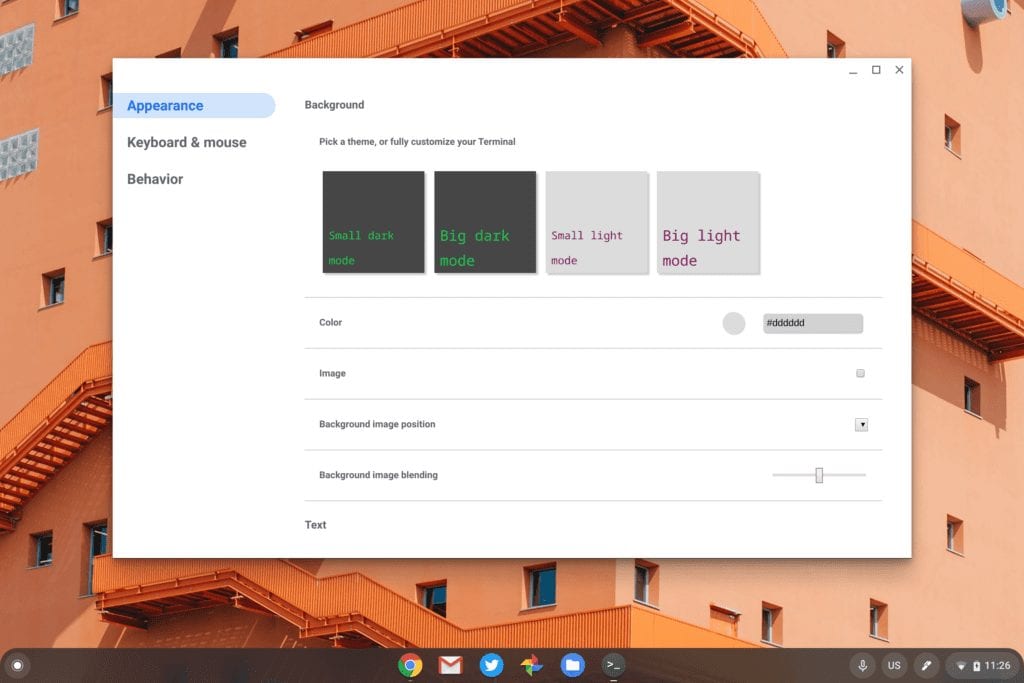
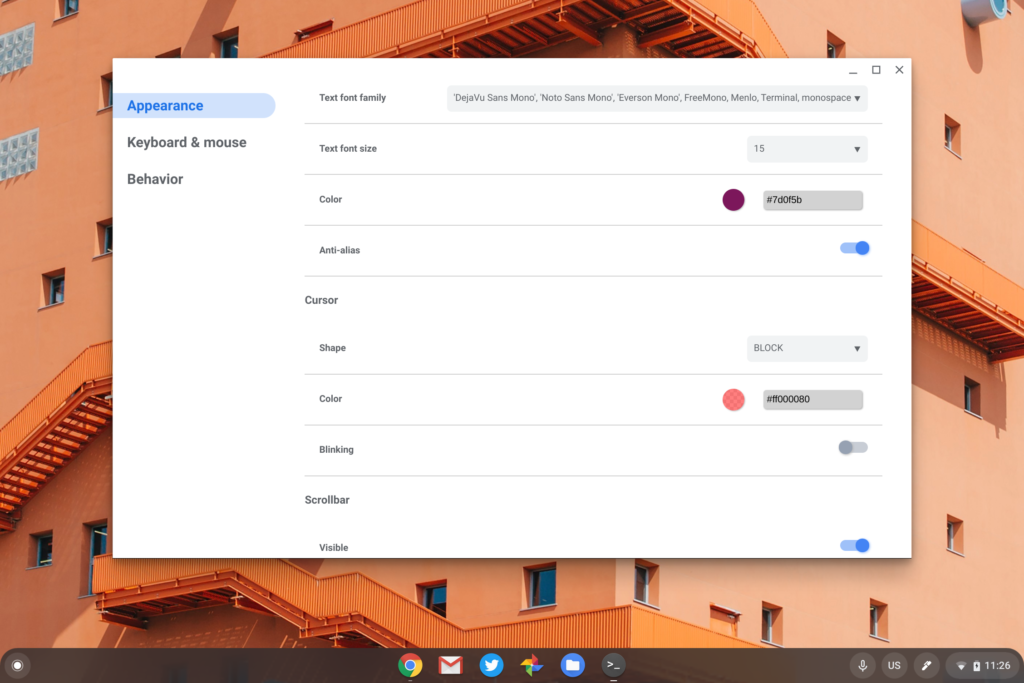
    You’ll be able to use standard light or dark themes but also customize text colors, fonts, sizes and more, along with a background image if you choose.
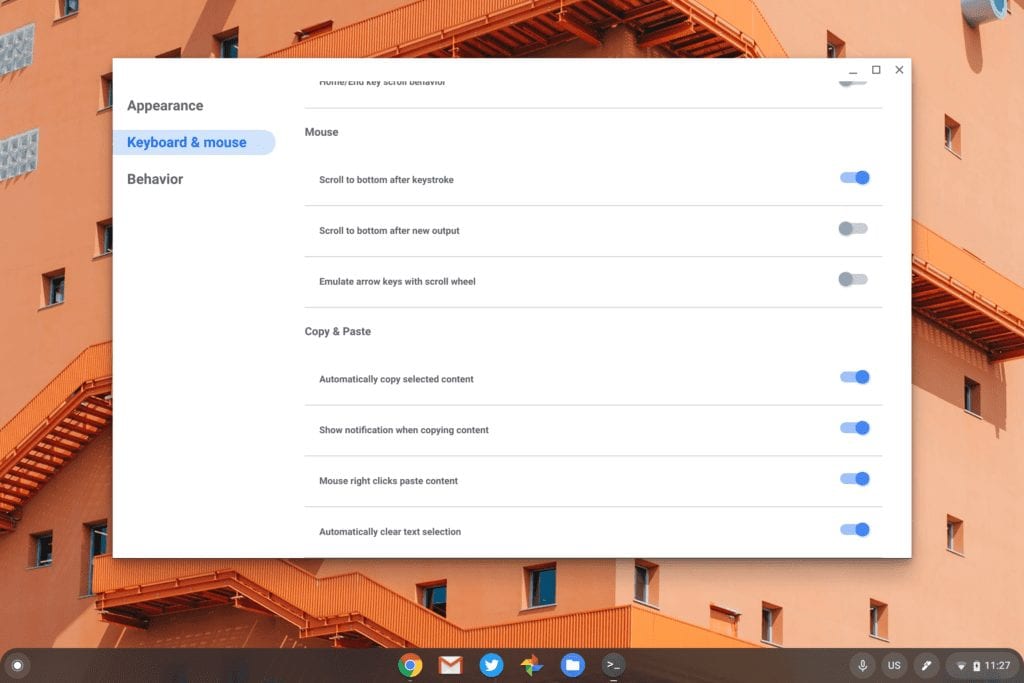
    The Keyboard & mouse settings have a plethora of options ranging from keyboard shortcuts, copy & paste commands and useful functions such as automatic scrolling to the bottom after new Terminal output.
    I doubt the Behavior settings will get much use but this is where you can modify or add notifications or change your character encoding.
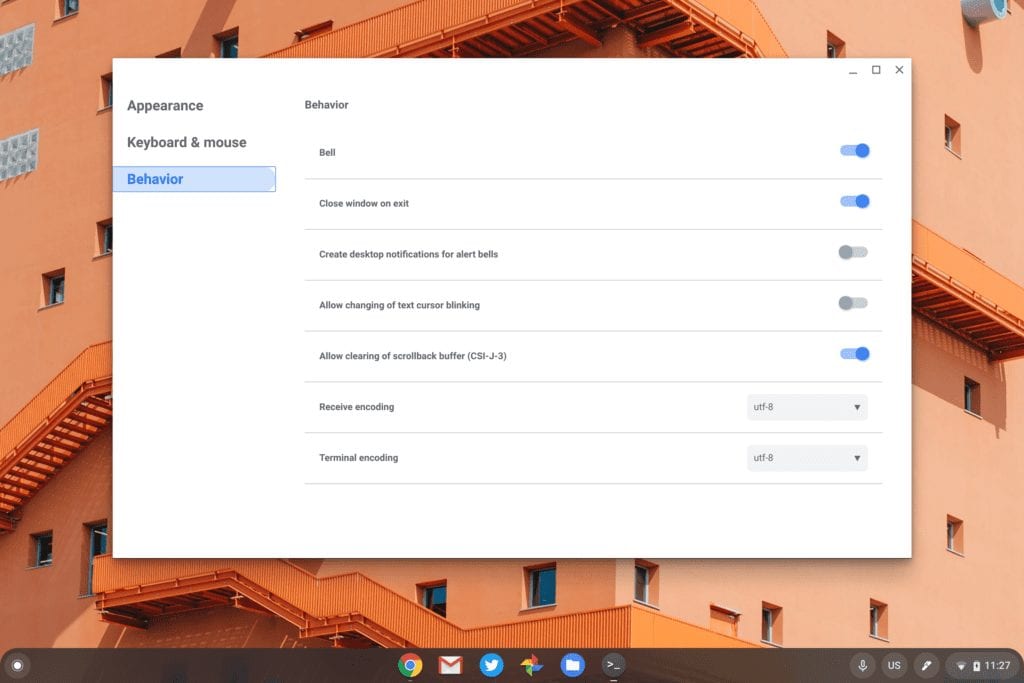
    Note that while this work began months ago, the updated Terminal with settings isn’t expected until Chrome OS 84. I did see some code updates tagged with Chrome OS 83, but most of these were pushed back a full release when Google decided to skip the Chrome OS 82 release and recalibrate the update schedule.

    Kevin Tofel
    • Website

    After spending 15 years in IT at Fortune 100 companies, Kevin turned a hobby into a career and began covering mobile technology in 2003. He writes daily on the industry and has co-hosted the weekly MobileTechRoundup podcast since 2006. His writing has appeared in print (The New York Times, PC Magazine and PC World) and he has been featured on NBC News in Philadelphia.

    Best of AI

    Imagen AI: The Best Photo Editing AI In 2026

    April 21, 2026

    Alphafold AI from Google Deepmind 2026

    April 21, 2026

    Agentic AI Pindrop Anonybit: The Future of Secure Identity Verification

    April 17, 2026

    Google Bard Statistics And User Data 2026

    April 10, 2026

    Azure OpenAI Explained

    April 10, 2026
    Trending Stats

    Chromebook Wi-Fi Performance Statistics 2026

    April 18, 2026

    Chromebook Crash Rates Statistics 2026

    April 17, 2026

    Chromebook Offline Usage Statistics 2026

    April 16, 2026

    Chromebook Upgrade VS Replacement Statistics 2026

    April 15, 2026

    Average RAM Usage On ChromeOS Statistics 2026

    April 14, 2026
    • About
    • Tech Guest Post
    • Contact
    • Privacy Policy
    • Sitemap
    © 2026 About Chrome Books. All rights reserved.

    Type above and press Enter to search. Press Esc to cancel.