

Close Menu
    Facebook X (Twitter) Instagram
    • About
    • Privacy Policy
    • Write For Us
    • Newsletter
    • Contact
    Instagram
    About ChromebooksAbout Chromebooks
    • Linux
    • News
      • Stats
      • Reviews
    • AI
    • How to
      • DevOps
      • IP Address
    • Apps
    • Business
    • Q&A
      • Opinion
    • Gaming
      • Google Games
    • Blog
    • Podcast
    • Contact
    About ChromebooksAbout Chromebooks
    News

    Don’t expect to sideload Android apps on a Chromebook until Chrome OS 76 or later

    Kevin TofelBy Kevin TofelMay 20, 2019Updated:September 22, 2025No Comments2 Mins Read

    Unless you want to put your Chromebook in the less secure Developer Mode, you don’t have access to sideload Android apps to your device. That’s because the option to allow Android installations from anywhere other than the Google Play Store can’t be enabled.

    Over the past six months, I saw some effort from the Chromium dev team on this but lately, not so much. In fact, a recent comment from one of the developers suggests that even though the original plan was to support sideloaded apps between Chrome OS 69 and 72, it’s happening anytime soon:

    I don’t expect this will be available in the M-75 release.

    I’m running Chrome OS 76 Canary Channel on a device and this functionality isn’t supported there either. My guess? Unless there’s a flurry of activity in the next month or so, this will get pushed beyond Chrome OS 76 as well.

    While some non-developer Chromebook owners want this feature, I think there’s another focused audience as well: Android app developers using Chromebooks.
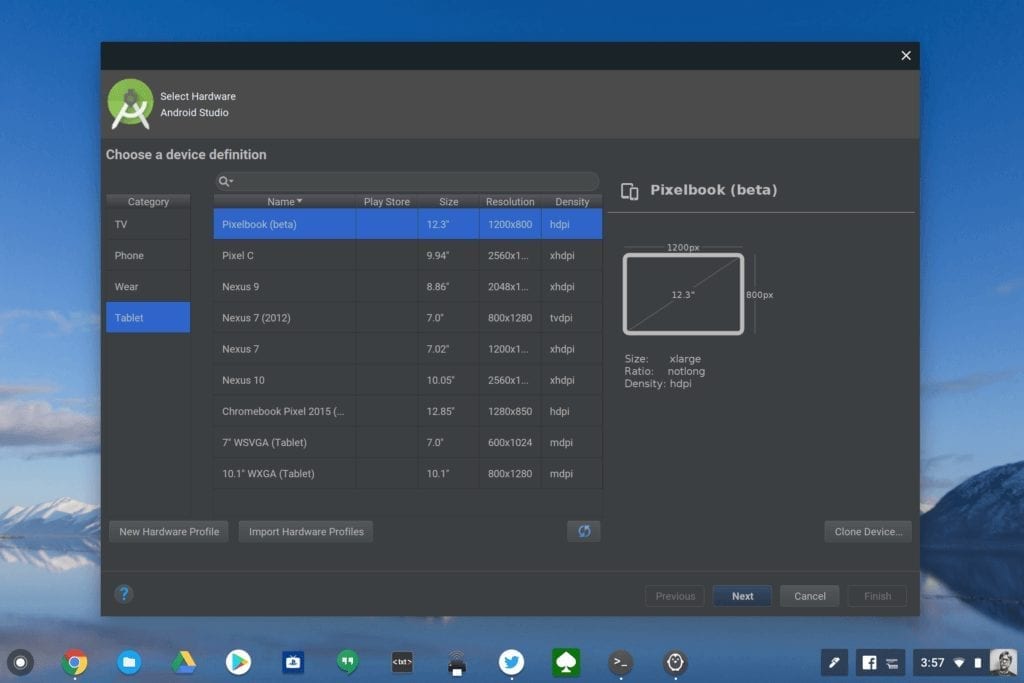
    Chrome OS emulator on Android Studio
    Chrome OS and Android emulation

    Why? Because the current preview of Android Studio for Chrome OS, which is now in Beta 2, doesn’t support any Android app emulation at all: Not for Chrome OS devices, nor for Android devices. Instead, a developer has to connect an Android phone or tablet with a USB cable to the Chromebook and push the app over.

    I did this over the weekend with a small app I’m creating and it works fine, but it’s not ideal due to the many different Android devices on the market. And it doesn’t tell a developer anything about how their app will run on Chrome OS, which is part of the reason for getting Android Studio on Chromebooks to begin with.

    For now, we wait. Is the ability to sideload Android apps on your Chromebook something you’re looking forward to, or is it just me? Let me know in the comments!

    Kevin Tofel
    • Website

    After spending 15 years in IT at Fortune 100 companies, Kevin turned a hobby into a career and began covering mobile technology in 2003. He writes daily on the industry and has co-hosted the weekly MobileTechRoundup podcast since 2006. His writing has appeared in print (The New York Times, PC Magazine and PC World) and he has been featured on NBC News in Philadelphia.

    Best of AI

    Imagen AI: The Best Photo Editing AI In 2026

    April 21, 2026

    Alphafold AI from Google Deepmind 2026

    April 21, 2026

    Agentic AI Pindrop Anonybit: The Future of Secure Identity Verification

    April 17, 2026

    Google Bard Statistics And User Data 2026

    April 10, 2026

    Azure OpenAI Explained

    April 10, 2026
    Trending Stats

    Education Sector Chromebook Adoption Statistics 2026

    May 4, 2026

    ChromeOS Data Usage Patterns And Statistics 2026

    May 2, 2026

    Auto Update Expiration (AUE) In Chromebooks Statistics 2026

    May 2, 2026

    Chromebook Vs IPad Adoption In Schools Statistics 2026

    May 1, 2026

    ChromeOS Accessibility Feature Usage Statistics 2026

    April 28, 2026
    • About
    • Tech Guest Post
    • Contact
    • Privacy Policy
    • Sitemap
    © 2026 About Chrome Books. All rights reserved.

    Type above and press Enter to search. Press Esc to cancel.