

Close Menu
    Facebook X (Twitter) Instagram
    • About
    • Privacy Policy
    • Write For Us
    • Newsletter
    • Contact
    Instagram
    About ChromebooksAbout Chromebooks
    • Linux
    • News
      • Stats
      • Reviews
    • AI
    • How to
      • DevOps
      • IP Address
    • Apps
    • Business
    • Q&A
      • Opinion
    • Gaming
      • Google Games
    • Blog
    • Podcast
    • Contact
    About ChromebooksAbout Chromebooks
    News

    There’s finally an 8 GB memory version of the Lenovo Flex 5 Chromebook available in the U.S.

    Kevin TofelBy Kevin TofelDecember 10, 2020Updated:September 22, 2025No Comments2 Mins Read

    It only took 11 months since the launch announcement of the Lenovo Flex 5 Chromebook, but here in the U.S., we can now purchase a configuration with 8 GB of memory. An About Chromebooks reader pinged me with the news yesterday afternoon, providing a link to Costco, where the upgraded configuration is available for $499.

    That’s a $90 premium over the base $409 model, which is a fantastic convertible Chromebook considering what you get: a dual-core Intel Core i3-10110U CPU, 13.3-inch 1080p touchscreen, and WiFi 6 support. But you only get 4 GB of RAM with that model. And it has 64 GB of eMMC storage. That’s why I said I’d pay $479 for the upgraded 128 GB model: It gets you faster NVME storage, as well as doubling local storage capacity.
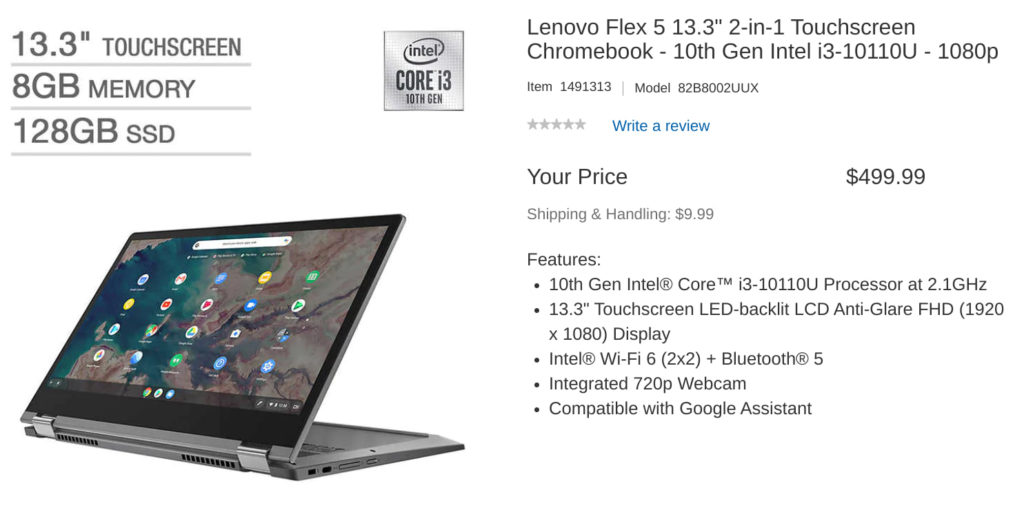
    This new configuration at Costco also includes 128 GB of NVME storage but doubles up on the memory, which gives you some overhead for opening more tabs, using Linux, or running Android apps. I’d say it’s worth the $90 price bump. And at only $20 over the standard 128 GB configuration, it’s a no-brainer if you were keen on that model.

    Short of doing full-time app development, which I know most people reading this aren’t doing, I’d position the $499 model as a great all around Chromebook.

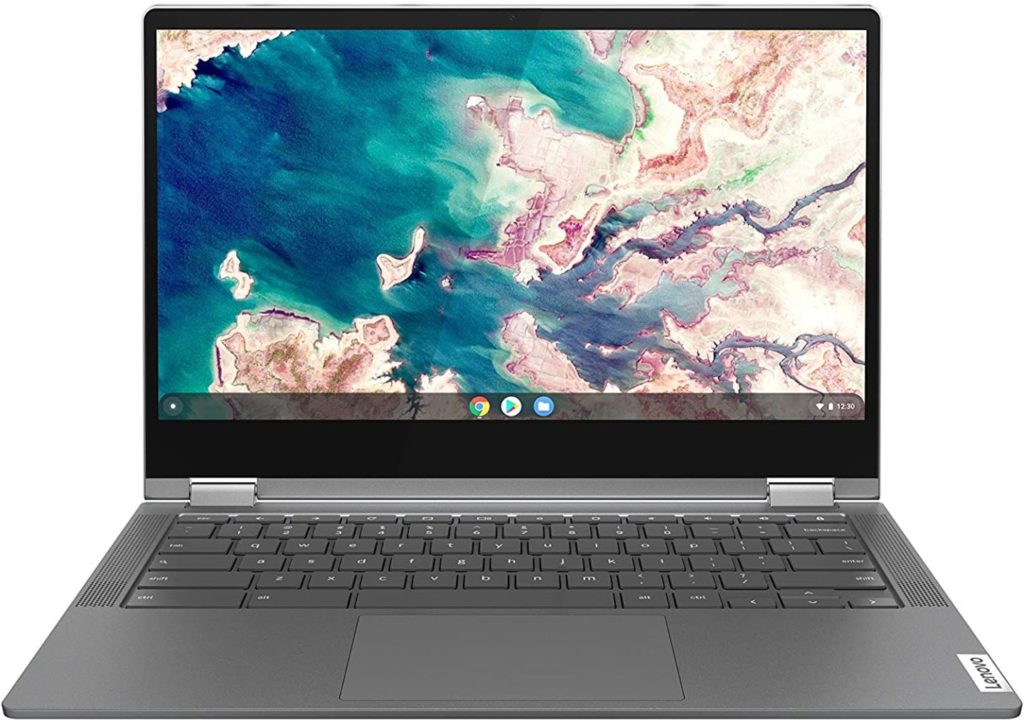
    It should be capable of anything you can throw at it: basic browsing, online productivity apps, and games via streaming services or from the Google Play Store. I’ve watched many streaming services on this device too: The IPS panel is quite good even though the brightness is average at 250 nits.

    You’ll need to be a Costco member to buy at this price, else you pay a small premium.

    My advice? See if a friend or family member who belongs to Costco will order one if you think this is the Chromebook for you. By the way, Costco provides a second year on your warranty; another nice perk.
    Kevin Tofel
    • Website

    After spending 15 years in IT at Fortune 100 companies, Kevin turned a hobby into a career and began covering mobile technology in 2003. He writes daily on the industry and has co-hosted the weekly MobileTechRoundup podcast since 2006. His writing has appeared in print (The New York Times, PC Magazine and PC World) and he has been featured on NBC News in Philadelphia.

    Best of AI

    AI21 Jurassic Statistics 2026: Model Size, Usage and AI Performance Trends

    May 19, 2026

    Chub AI Explained

    May 6, 2026

    Stable Diffusion AI: Free Text To Image AI Generator

    May 5, 2026

    Imagen AI: The Best Photo Editing AI In 2026

    April 21, 2026

    Alphafold AI from Google Deepmind 2026

    April 21, 2026
    Trending Stats

    Chromebook Webcam Usage Trends Statistics 2026: Video Calls, Remote Learning And User Behavior

    May 19, 2026

    External Monitor Usage on Chromebooks Statistics 2026

    May 15, 2026

    Chromebook Keyboard Failure Rates Statistics 2026

    May 13, 2026

    Chromebook Boot Failure and Recovery Statistics 2026

    May 7, 2026

    Linux Usage on Chromebooks Statistics 2026

    May 7, 2026
    • About
    • Tech Guest Post
    • Contact
    • Privacy Policy
    • Sitemap
    © 2026 About Chrome Books. All rights reserved.

    Type above and press Enter to search. Press Esc to cancel.