

Close Menu
    Facebook X (Twitter) Instagram
    • About
    • Privacy Policy
    • Write For Us
    • Newsletter
    • Contact
    Instagram
    About ChromebooksAbout Chromebooks
    • News
      • Stats
    • AI
    • How to
      • DevOps
      • IP Address
    • Apps
    • Business
    • Q&A
      • Opinion
    • Gaming
      • Google Games
    • Blog
    • Podcast
    • Contact
    About ChromebooksAbout Chromebooks
    News

    Why I can’t wait for improved vertical display support on Chromebooks

    Kevin TofelBy Kevin TofelJune 17, 2021Updated:September 17, 2025No Comments2 Mins Read
    Share
    Facebook Twitter LinkedIn Pinterest

    Earlier this week, Android Police noticed some upcoming changes in Chrome OS that will allow Chromebooks to support vertical displays. I suspect most of you don’t care but I do. I can’t wait for this feature and aside from explaining why it matters to me, I’ll illustrate a use case that you’ll benefit from as well.

    First, the news: According to code commits, future versions of Chrome OS will let you dock or snap windows to the top or bottom of a display.

    Currently, the snap feature only allows windows or tabs to be on the left or right of your screen. And that makes sense for a traditional Chromebook display.

    But, when using an external monitor that can rotate from landscape to portrait mode, snapping apps to the top or bottom is super useful.
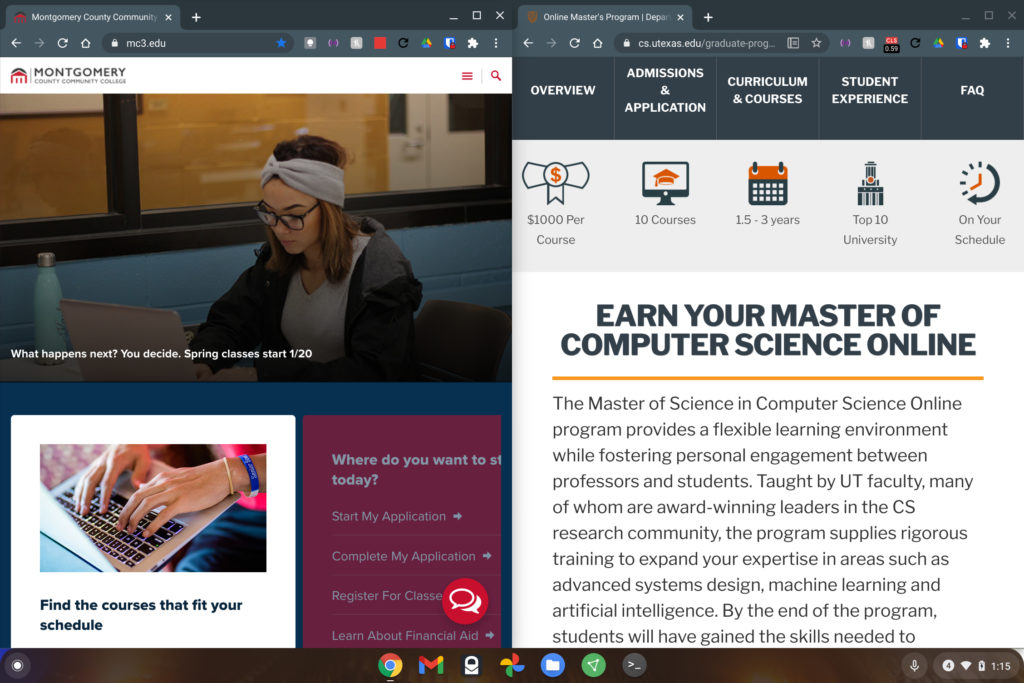
    Split screen snap on a Chromebook

    From my perspective and use cases, this will be a godsend for coding. I plan to use my Chromebook for a Masters in Computer Science program starting this fall and I already have a rotating monitor.

    Using it in portrait mode specifically for coding is vastly superior to viewing code in landscape mode. I can fit much more of the programming text on the screen.

    And that’s helpful when tracking down bugs or seeing how different functions work together. With more vertical real estate and the supported snapping, I can even have a debugging window or some other tool open underneath the code.
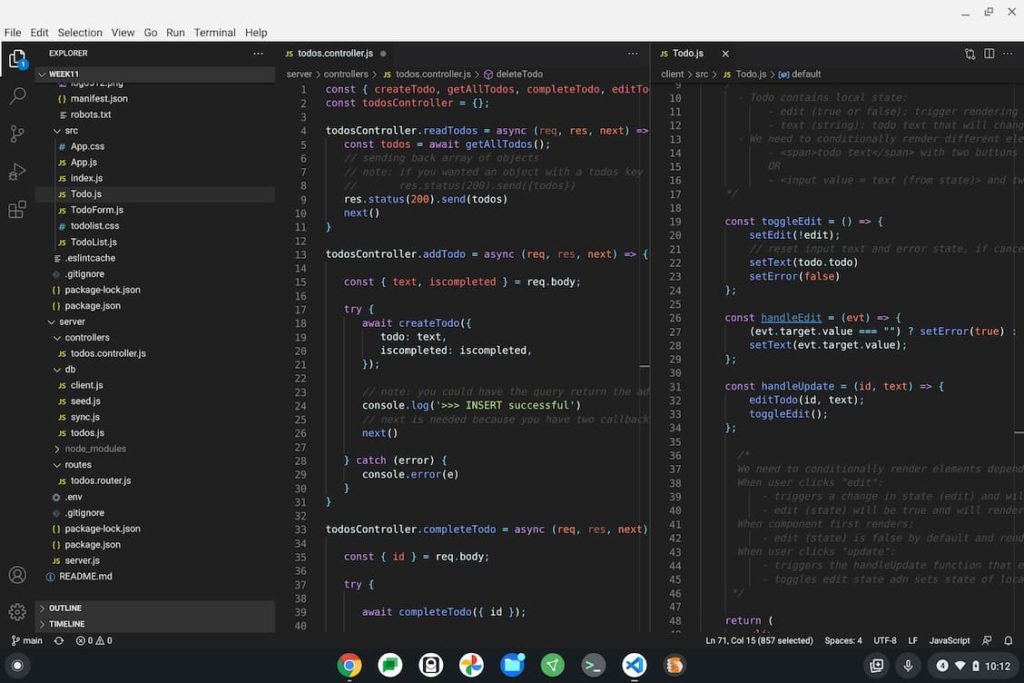
    Coding on a Chromebook
    I need more up and down space!

    Of course, we don’t all do programming on our Chromebooks. But we probably all read website content, yes?

    An improved vertical display Chromebook experience will let you reap the benefits to see more of that content without scrolling. Most text on the web is really set up for this viewing experience anyway.

    Clearly it’s that way on phones, for example. And most news sites, blogs or other similar web properties are too.

    You’ll typically see extra space on the left and right of web content in these cases with a full screen wide monitor for example. On a vertical monitor using a Chromebook or other device, you won’t see that extra space. Instead you’ll see more actual content.

    Obviously, if you don’t have an external monitor, let alone one that rotates, you probably don’t care about this upcoming feature. If you do though, you’ll likely be happy to see this functionality arrrive.

    Chrome OS Chromebook productivity Chromebooks Development External monitor
    Share. Facebook Twitter Pinterest LinkedIn Tumblr
    Kevin Tofel
    • Website

    After spending 15 years in IT at Fortune 100 companies, Kevin turned a hobby into a career and began covering mobile technology in 2003. He writes daily on the industry and has co-hosted the weekly MobileTechRoundup podcast since 2006. His writing has appeared in print (The New York Times, PC Magazine and PC World) and he has been featured on NBC News in Philadelphia.

    Related Posts

    Auto DraftStarbucks Partner Hours: Manual to Managing Work Schedules

    January 26, 2026

    Anon Vault For Private Cloud Storage

    January 23, 2026

    GitHub Copilot Statistics [2026]

    January 7, 2026

    Comments are closed.

    Best of AI

    Make-A-Video Statistics 2026

    January 30, 2026

    Stable Video Diffusion User Trends And Statistics 2026

    January 29, 2026

    VALL-E Statistics 2026

    January 28, 2026

    StarCoder Statistics And User Trends 2026

    January 27, 2026

    BLIP-2 Statistics 2026

    January 23, 2026
    Trending Stats

    Google Penalty Recovery Statistics 2026

    January 30, 2026

    Search engine operators Statistics 2026

    January 29, 2026

    Most searched keywords on Google

    January 27, 2026

    Ahrefs Search Engine Statistics 2026

    January 19, 2026

    Pay Per Click Advertising Statistics 2026

    January 16, 2026
    • About
    • Write For Us
    • Contact
    • Privacy Policy
    • Sitemap
    © 2026 About Chrome Books. All rights reserved.

    Type above and press Enter to search. Press Esc to cancel.