


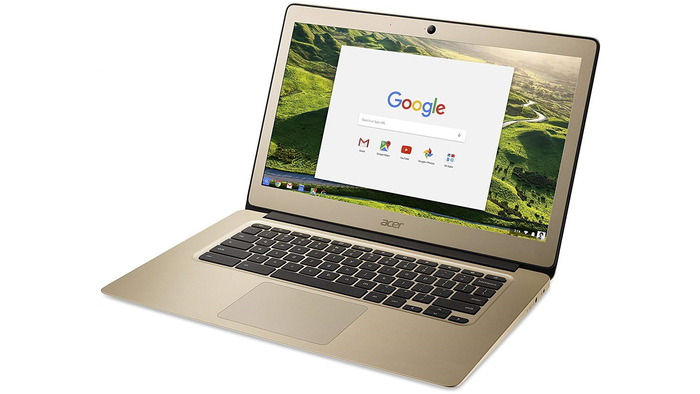
Just treated yourself to a brand new Chromebook? Congratulations! You’ve joined an ever-growing band of folk who are discovering the many advantages of switching to these devices, which operate on a non-storage basis, with everything being saved automatically to the cloud.
They’re particularly great for those who work remotely and have become hugely popular due to their relatively inexpensive nature, lightness, long battery life, and the speed of boot-up.
Now you’re a fully signed-up member of the Chromebook Crew, the three purchases below should be top of your shopping list to get the best out of your new device.
Splendid Savings on Apps
One of the best benefits of owning a Google Chromebook is the cost of software and apps. In general, you’ll find these things comparatively much cheaper to purchase – just head to the Google Store (or wherever you access your apps) to check out what’s available.
From classic productivity tools to streamline your work and home life to exciting creative apps such as Infinite Painter, you’re spoiled for choice. Chrome itself is 100% free to download and use – which is a great start!
Protect Yourself with a VPN
You’ve got your lovely new Chromebook all set up and are ready to start surfing the web and working hard with those amazing productivity apps you’ve installed, but just wait a sec. It’s important to download a high-quality VPN (virtual private network) to keep you safe online.
A VPN provides an extra layer of security when you’re online, protecting your data and sensitive information from hackers and snoopers – and these handy little tools are generally extremely cost-effective, too. Another bonus?
Using a VPN also allows you to access sites and content from all over the world, even where geographical restrictions are in place.
To start using a VPN, identify the best option for you and head to the designated VPN download page. Once these steps are completed, your connection is secured, and you can enjoy your Chromebook without fear of your online data being compromised.
Treat Yourself to a Speaker
Laptops are not known for providing a stellar audio experience, and the Chromebook – however strong in other areas – doesn’t buck this trend. So, if you’re a music lover, purchasing a laptop speaker for your brand-new device is a great idea.
Consider choosing an option that you can use indoors and outdoors, and look for a speaker that offers top-notch dust and water protection for added durability. Look at battery life, too, although you may need to be prepared to compromise on this score if you’re looking for a lightweight speaker.
Taking Your Chromebook Experience to the Next Level
Now you’ve got a sparkly new Chromebook, it’s time to make some key purchases to best enjoy your new device. Getting some fabulous apps and software on board, adding a speaker, and protecting yourself with a VPN are the three best ways to enjoy the best Chromebook experience ever.
