


Chromebooks were built for the browser. Everything about ChromeOS, from its sandboxed architecture to its instant boot times to its aggressive update cycle, was designed around the idea that the web is the platform.
For years, that design philosophy was seen as a limitation. No native apps. No heavy software. No local processing power to speak of on budget models.
In 2026, that limitation has become an advantage. And nowhere is this more obvious than in how Chromebooks handle browser based crypto and Web3 applications.
The Browser-First Advantage
Most crypto platforms in 2026 are browser based. Decentralized exchanges, NFT marketplaces, DeFi dashboards, and blockchain powered entertainment platforms all run as web applications. They do not require downloads. They do not need native software. They operate entirely within the browser tab.
This is exactly what Chromebooks were designed to do.
A Chromebook running ChromeOS 130 with the Chrome browser handles a Web3 application the same way it handles Google Docs or Gmail.
The tab opens. The JavaScript executes. The WebSocket connections maintain real time data. The crypto wallet extension, whether MetaMask, Rabby, or Phantom, operates in the browser’s extension framework.
There is no performance overhead from a bloated operating system running background processes. There is no conflict with antivirus software intercepting network requests. There is no driver issue or compatibility problem. The browser is the operating system. And the application is the browser.
Kevin Tofel, who has covered ChromeOS since the first Cr 48 prototype in 2010, has written extensively about how ChromeOS’s minimalist design philosophy creates performance that punches above its hardware specifications.
A $300 Chromebook running a well optimized web application can feel faster than a $1,000 Windows laptop running the same application alongside 47 background services.
For crypto platforms that depend on fast, responsive browser performance, that efficiency gap matters.
ChromeOS Security and Crypto Wallet Protection
Security is where Chromebooks have a genuine, measurable advantage for crypto users.
ChromeOS uses a verified boot process. Every time a Chromebook starts up, it checks the integrity of the operating system against a known good state. If anything has been tampered with, the system restores itself automatically. No user intervention required.
This is significant for crypto users because the primary attack vector for wallet theft is malware that modifies the local operating system or browser environment. Clipboard hijackers that swap wallet addresses. Keyloggers that capture seed phrases. Fake browser extensions that mimic legitimate wallet interfaces.
ChromeOS makes all of these attacks significantly harder. The sandboxed architecture means that each tab and each extension runs in its own isolated process. A compromised web page cannot access data from another tab. A malicious extension cannot read the memory space of a legitimate wallet extension.
Google’s Threat Analysis Group reported that ChromeOS has had zero reported successful ransomware attacks since its launch. Zero.
That is not a marketing claim. It is a function of the architecture. There is very little persistent local storage for ransomware to encrypt, and the verified boot process would detect and revert any system-level modification.
For anyone holding crypto assets and accessing them through a browser, that security model is not a nice feature. It is a fundamental advantage.
How Web3 Apps Actually Run on ChromeOS?
The technical path for running a crypto platform on a Chromebook is straightforward.
Step one: install a wallet extension from the Chrome Web Store. MetaMask is the most common, but Chromebook users have access to the full range of browser-based wallets, including Rabby, Phantom, Coinbase Wallet, and others.
Step two: navigate to the platform. Browser based crypto applications, from DeFi protocols like Uniswap to digital entertainment platforms like Bitz.io, load directly in the Chrome browser without any additional software.
The wallet extension detects the application’s Web3 connection request, and the user approves or denies access.
Step three: interact. Every transaction, swap, game interaction, or smart contract call happens through the browser’s Web3 provider. The Chromebook handles this identically to any other supported platform.
There is no degraded experience. There is no “lite mode.” The full application runs because it is a web application and ChromeOS was purpose-built to run web applications at maximum efficiency.
Progressive Web Apps and Crypto
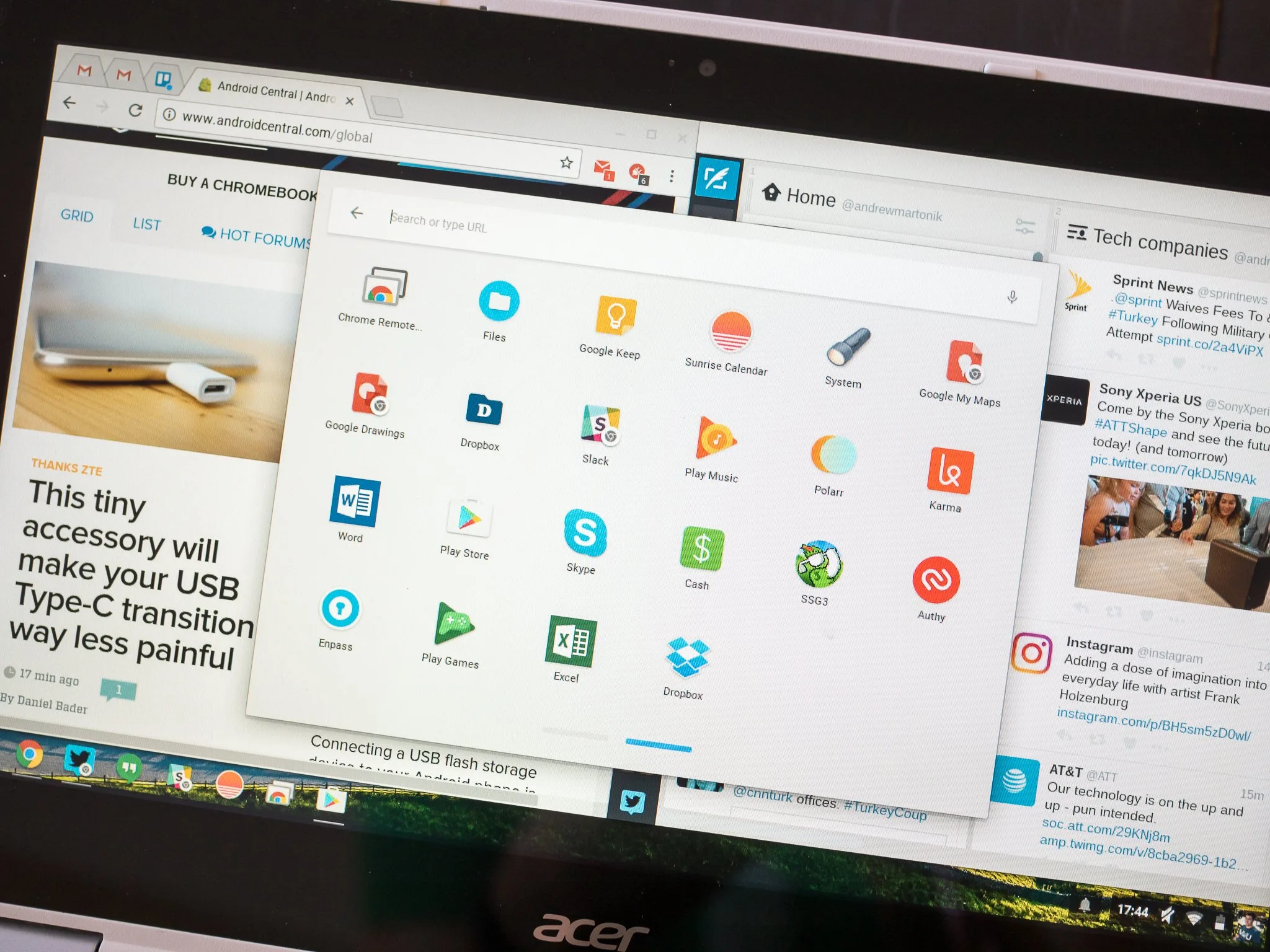
ChromeOS has some of the best Progressive Web App (PWA) support in the industry. PWAs are web applications that can be installed to the system shelf, run in their own window, and behave like native applications while still being web-based.
For crypto platforms, PWA support means users can pin their most-used applications directly to the Chromebook’s taskbar.
The application opens in a dedicated window without browser chrome. It can send notifications. It can work offline for cached content. And it updates automatically because it is still fundamentally a web application.
This creates an experience that feels native without sacrificing the security and simplicity of the browser based model.
A crypto user can have their portfolio tracker, their DEX interface, and their digital entertainment platform each running as PWAs, each sandboxed, each updating independently.
Google has been expanding PWA capabilities steadily through each ChromeOS release. PWA support for file handling, protocol handling, and system integration improves with every update cycle. For the crypto ecosystem, which is overwhelmingly browser based, this trajectory aligns perfectly.
The Update Cycle Advantage
ChromeOS updates automatically every four weeks. The Chrome browser, which is the core of the operating system, updates on the same cycle. Security patches for critical vulnerabilities are pushed even faster through the Chrome Stable Channel.
This matters for crypto users because browser vulnerabilities are the primary attack surface for Web3 applications. A zero day exploit in the browser engine could potentially be used to compromise wallet interactions, manipulate transaction data, or steal credentials.
On Windows or macOS, browser updates can be delayed by the user, blocked by enterprise policies, or simply ignored.
On ChromeOS, updates are automatic and mandatory. The system downloads the update in the background and applies it on the next reboot. There is no way to run an outdated, vulnerable browser on a Chromebook under normal conditions.
For a crypto user, this means the browser they are using to sign transactions is always running the latest security patches. That is not a convenience feature. It is a risk reduction mechanism.
Budget Chromebooks and Crypto Access
One of the most underappreciated aspects of the Chromebook ecosystem is its price range.
A functional Chromebook starts at around $200. Mid range models with better displays and faster processors run between $300 and $500.
These devices handle browser based crypto applications without any performance issues because the applications are optimized for web standards, not local hardware specifications.
This price accessibility has implications for crypto adoption. A significant portion of the global crypto user base lives in regions where a $1,200 MacBook is not a realistic purchase.
A $250 Chromebook that accesses the same Web3 applications with the same security model and the same performance characteristics removes a hardware barrier that has limited crypto participation.
Canalys reported that Chromebook shipments, while below their pandemic peak, remain steady in education and emerging markets.
The devices are particularly popular in Southeast Asia, Latin America, and Africa, regions that also show the highest rates of grassroots crypto adoption according to Chainalysis data.
The overlap is not coincidental. Affordable, secure, browser-based hardware naturally aligns with affordable, secure, browser based financial infrastructure.
Linux Container Support for Advanced Users
For Chromebook users who want to go deeper into the crypto ecosystem, ChromeOS supports Linux containers through its Crostini feature.
This means users can run Linux based crypto tools directly on their Chromebook. Node.js for interacting with smart contracts. Hardhat or Foundry for development and testing. Command line wallet tools for advanced key management.
The Linux container runs in its own sandboxed environment, separate from ChromeOS and the Chrome browser.
This provides an additional layer of isolation. A developer can test smart contracts in the Linux environment while keeping their production wallet in the browser environment, with no shared memory space between the two.
This capability transforms Chromebooks from simple Web3 access devices into legitimate development machines for blockchain applications.
It is not a replacement for a high-end development workstation. But for lightweight smart contract work, testing, and deployment, a mid-range Chromebook with Linux support is more than adequate.
What Chromebook Users Should Know?
There are a few practical considerations for Chromebook users entering the crypto space.
First, only install wallet extensions from the official Chrome Web Store and verify the developer name. Fake wallet extensions are the most common attack vector for browser based crypto theft, and they target ChromeOS users just as they target any other browser user.
Second, enable Chrome’s Enhanced Protection mode in the security settings. This provides real-time phishing and malware detection that is particularly useful when navigating the Web3 ecosystem, where phishing sites that mimic legitimate platforms are common.
Third, use the Chromebook’s built in password manager or a dedicated password manager extension for non crypto credentials. Keep your wallet seed phrase offline and never store it digitally on any device, including a Chromebook.
Fourth, take advantage of ChromeOS’s guest mode or multi profile support to create a dedicated profile for crypto activity. This keeps your Web3 browsing isolated from your general browsing and reduces the risk of cross contamination from compromised sites.
The Bigger Picture
The crypto industry spent its first decade arguing about which blockchain was best. It spent the next few years arguing about regulation.
The question that matters most for actual users in 2026 is simpler: what hardware do I need to participate safely and affordably?
For browser-based crypto applications, which represent the vast majority of the ecosystem, the answer is increasingly a Chromebook.
The security model is stronger than alternatives. The performance is sufficient. The price is accessible. And the update cycle ensures that users are always running the latest protections.
ChromeOS was designed for a world where the browser is the platform. The crypto ecosystem was built for that same world.
The convergence was inevitable. And for Chromebook users, it means the device they already own is one of the best tools available for navigating the decentralized web.
