


Whenever I highlight the latest features in a Chrome OS Stable Channel update, I typically get some really good reader comments. And many of those are Chrome OS feedback thoughts, often with some excellent ideas.
Let me share one recent example. Responding to the my write up on Chrome OS 97 last week, Bill left this comment about the experimental virtual desk templates functionality.
In their current incarnation (Chrome 97 beta), “desks templates” are no more useful than bookmark folders. To be truly useful, the desk template list of windows and tabs should be kept up to date with the current set of windows/tabs on the corresponding desk. Secondly, when I close the desk, the windows and tabs on that desk should also be closed (instead of moving to another desk). If it worked this way, then desk templates would be truly useful, like mini project spaces where I could keep current work on a given project.
I don’t quite understand the first part, but the second part of Bill’s comment is excellent Chrome OS feedback.
When I set up a desk template on my Chromebook with specific sites and later close the virtual desk, I don’t want those sites to move over to another virtual desk. I put them on a specific desk for a reason.
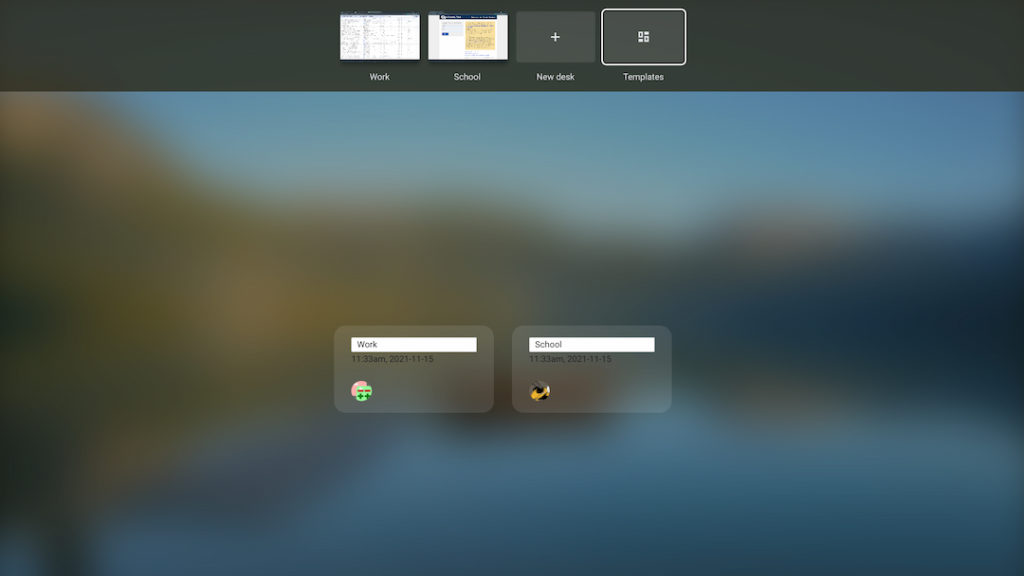
In fact, I often use my Work and School desks, created from templates to separate those activities. When I want to focus on a single desk, say School, I don’t want my Work tabs cluttering up that desk when closing the Work space. That’s why I separated those activities in the first place!
I responded to Bill by letting him know that Google happily accepts Chrome OS feedback.
It can be done any Chromebook at any time by pressing Shift + Alt + I (the letter ‘i”). Doing that brings up a form that looks more like a bug reporting activity. However, Google says it can be used for feedback as well. Indeed, even the title of the form reads “Send feedback to Google”:
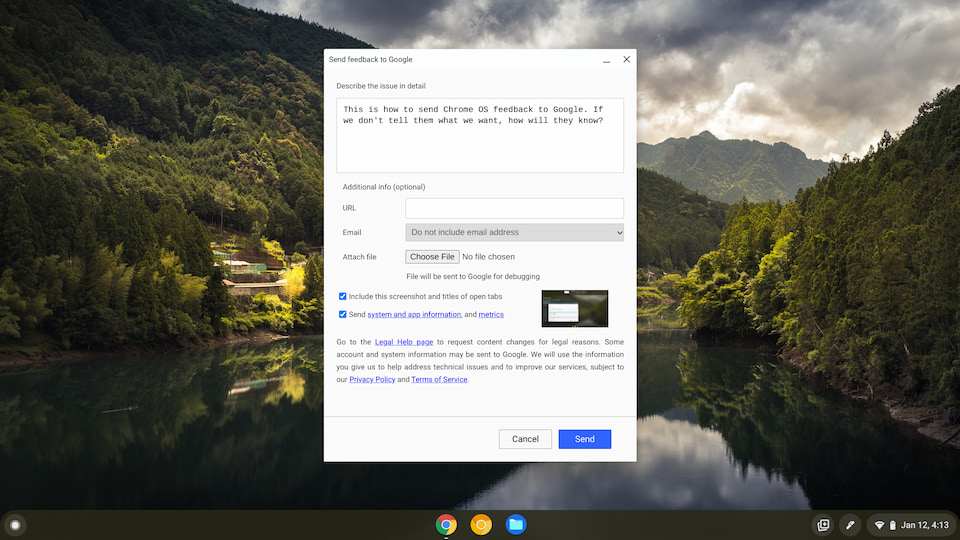
My take is if that we, as Chromebook users, don’t submit Chrome OS feedback to Google, it will make changes as it sees fit.
But we do have a voice. I’ve seen many new features and suggestions starting out as feedback through this form. These later become an actual Chrome OS change, fix, or improvement. Once you submit a bug or feedback, Google reviews it and adds it to the current list of Chromium bugs, which you can view here.
Sure we all like to complain about the issues we see. I do it too. However, we have to do our part so Google can do its part.
Regardless of my opinion, I am curious to hear more good Chrome OS ideas. So leave your in the comments below. And then, if you can, submit that Chrome OS feedback form to let Google know too!
