

Close Menu
    Facebook X (Twitter) Instagram
    • About
    • Privacy Policy
    • Write For Us
    • Newsletter
    • Contact
    Instagram
    About ChromebooksAbout Chromebooks
    • Linux
    • News
      • Stats
      • Reviews
    • AI
    • How to
      • DevOps
      • IP Address
    • Apps
    • Business
    • Q&A
      • Opinion
    • Gaming
      • Google Games
    • Blog
    • Podcast
    • Contact
    About ChromebooksAbout Chromebooks
    News

    ChromeOS Reading Mode is getting the Read Aloud treatment

    Kevin TofelBy Kevin TofelOctober 31, 2023Updated:May 6, 2026No Comments2 Mins Read

    After fighting off my first bout with COVID-19 for a week, I finally feel well enough to dig around some ChromeOS code. My effort was quickly rewarded this morning as I spotted a new experimental flag in the works. With it, the ChromeOS Reading Mode is getting the Read Aloud treatment.

    To be clear, you can enable ChromeVox, or text-to-speech, today on a Chromebook. This accessibility feature reads entire web pages or selected text aloud to you.

    While that’s helpful, you’ll often hear things other than the actual content of a web page. Some of those things, such as image descriptions, you might want to hear. Other, more superfluous items such as ads are things you might not want to hear.

    From a visual standpoint, that’s where the still experimental ChromeOS Reading Mode feature helps. I just covered it in my list of best hidden ChromeOS features I use daily roundup.
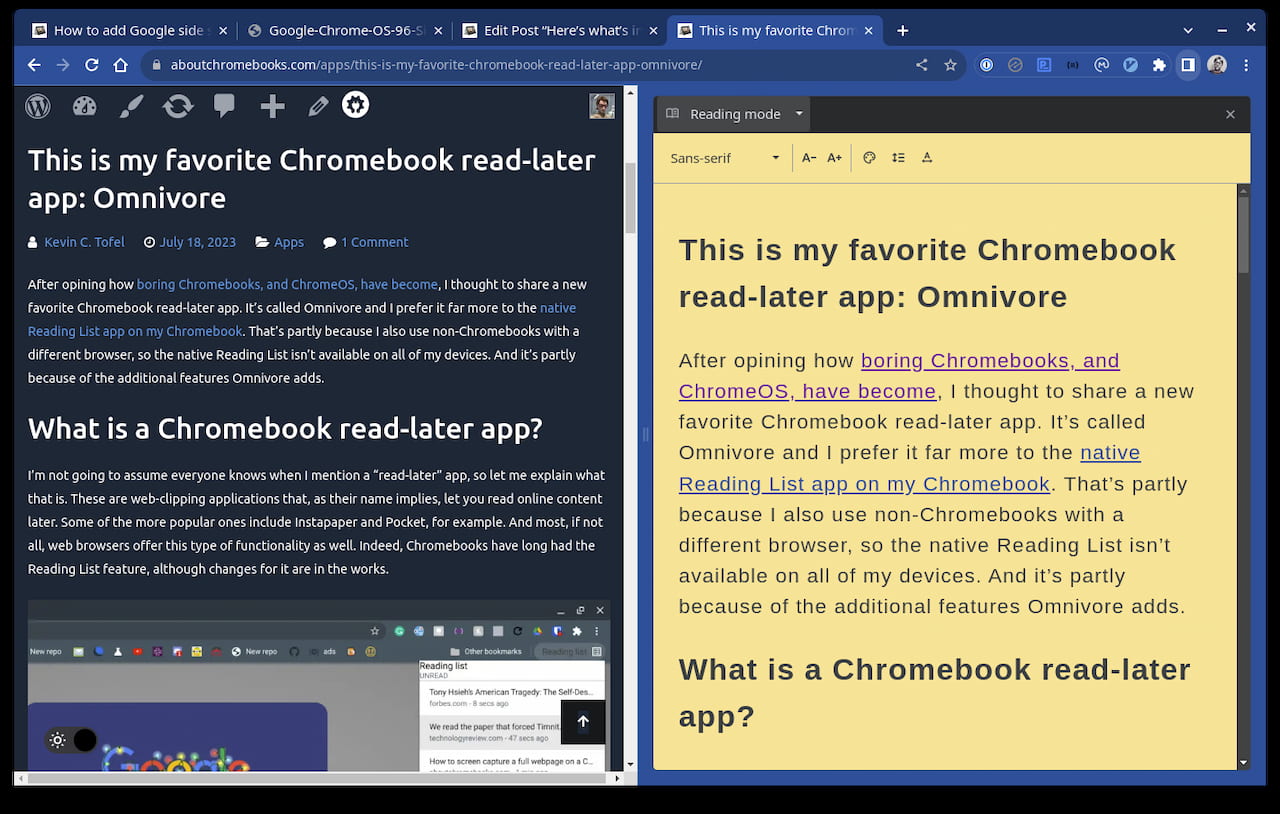
    ChromeOS Reading Mode

    With Reading Mode enabled, I can view the distilled web content of any page without all of the frilly bits. However, even with the built-in ChromeVox feature turned on, my Chromebook doesn’t read that content aloud.

    That’s where the new “Reading Mode Read Aloud” flag comes in:
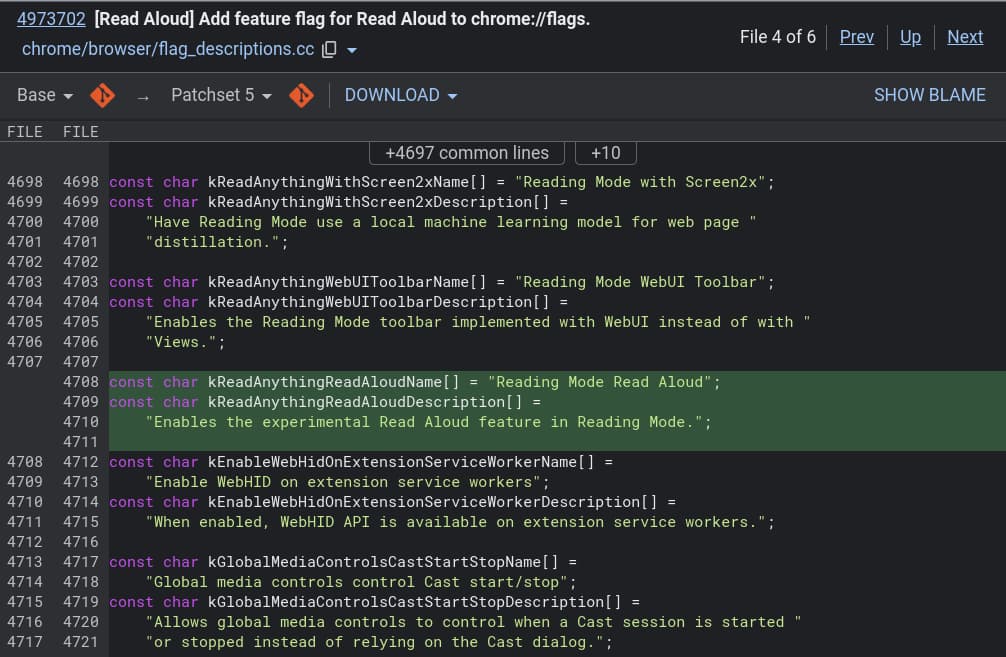
    ChromeOS Reading Mode Read Aloud experimental feature in the works

    The flag isn’t yet available, at least not in the ChromeOS 120 Dev Channel, where I checked. I’m not yet able to test it as a result simply because I prefer not to run the buggier Canary Channel.

    However, I think it’s safe to presume that once the flag becomes available, it will be a nice addition to the ChromeOS experience. By reading just the pure content of a web page aloud, users will hear only the content. So there’s no wasted time listening to non-content items on a particular web page.

    I’ll keep an eye, and an ear, out for when the new ChromeOS Read Aloud flag arrives, which is expected to be found at chrome://flags#read-anything-read-aloud in the coming weeks.

    If you’re curious about the status and progress on this upcoming feature, you can review the bug report here, which was first filed in August as a feature request.

    Kevin Tofel
    • Website

    After spending 15 years in IT at Fortune 100 companies, Kevin turned a hobby into a career and began covering mobile technology in 2003. He writes daily on the industry and has co-hosted the weekly MobileTechRoundup podcast since 2006. His writing has appeared in print (The New York Times, PC Magazine and PC World) and he has been featured on NBC News in Philadelphia.

    Best of AI

    What Does Adobe Firefly AI Do?

    June 16, 2026

    Is Joyland AI Safe For Kids?

    June 12, 2026

    LMArena AI: Chatbot Ranking Platform 2026

    May 27, 2026

    Will AI Take Over the World

    May 25, 2026

    AI21 Jurassic Statistics 2026: Model Size, Usage and AI Performance Trends

    May 19, 2026
    Trending Stats

    Conversational AI Market Statistics 2026: Chatbot Usage And Enterprise Deployment

    June 17, 2026

    Chromebook Gaming Usage Statistics 2026: Player Engagement And Usage Reports

    June 17, 2026

    Chromebook Battery Degradation Statistics 2026: Lifecycle Performance Testing Data

    June 15, 2026

    Chromebook Touchscreen vs Non-Touchscreen Usage Statistics 2026: Device Interaction and Form Factor Data

    June 11, 2026

    Chromebook Performance Across Price Segments Statistics 2026: Benchmark Comparison Data

    June 10, 2026
    • About
    • Tech Guest Post
    • Contact
    • Privacy Policy
    • Sitemap
    © 2026 About Chrome Books. All rights reserved.

    Type above and press Enter to search. Press Esc to cancel.