

Close Menu
    Facebook X (Twitter) Instagram
    • About
    • Privacy Policy
    • Write For Us
    • Newsletter
    • Contact
    Instagram
    About ChromebooksAbout Chromebooks
    • Linux
    • News
      • Stats
      • Reviews
    • AI
    • How to
      • DevOps
      • IP Address
    • Apps
    • Business
    • Q&A
      • Opinion
    • Gaming
      • Google Games
    • Blog
    • Podcast
    • Contact
    About ChromebooksAbout Chromebooks
    News

    Asus Chromebook Flip 101 getting Linux apps via Project Crostini soon

    Kevin TofelBy Kevin TofelJune 18, 2018Updated:September 22, 2025No Comments2 Mins Read

    Great news if you have an Asus Chromebook Flip 101 and want to run full Linux apps: A code commit shows that the 10.1-inch convertible Chromebook should be getting that feature soon. XDA Developers spotted the news that the Chromium team is readying the device for Project Crostini support, which is the effort Google announced at its I/O developer event in May. This would make the Chromebook Flip 101 to be the third older device to gain Linux app support, following the Google Pixelbook and the Samsung Chromebook Plus.

    In fact, it’s the latter device that should have tipped us off on this news even earlier. Both the Samsung Chromebook Plus and the Asus Chromebook Flip 101 run on the OP1 chip — which is a rebrand of the Rockchip RK3399 processor. And both share the same internal board that Google certified for Chrome OS: It’s called “gru” as you can see from the Developer Information for Chrome OS Devices site.

    Asus Chromebook Flip 101 gru

    Both devices also run on the same Linux 4.4 kernel, which was Google’s initial target for Crostini, although the company is trying to backport some required modules to older versions of kernel.

    That being said, it might be a bit challenging to run modern Linux apps on the Chromebook Flip 101: You’ll be limited by the 1280 x 800 resolution on the 10.1-inch touchscreen, of course. That doesn’t mean you shouldn’t try your fave Linux apps once official support rolls out — likely on the Dev Channel first — it’s just something to keep in mind. I use IntelliJ IDEA for development, for example, and I’d be hard pressed to squeeze it on a lower resolution small screen.
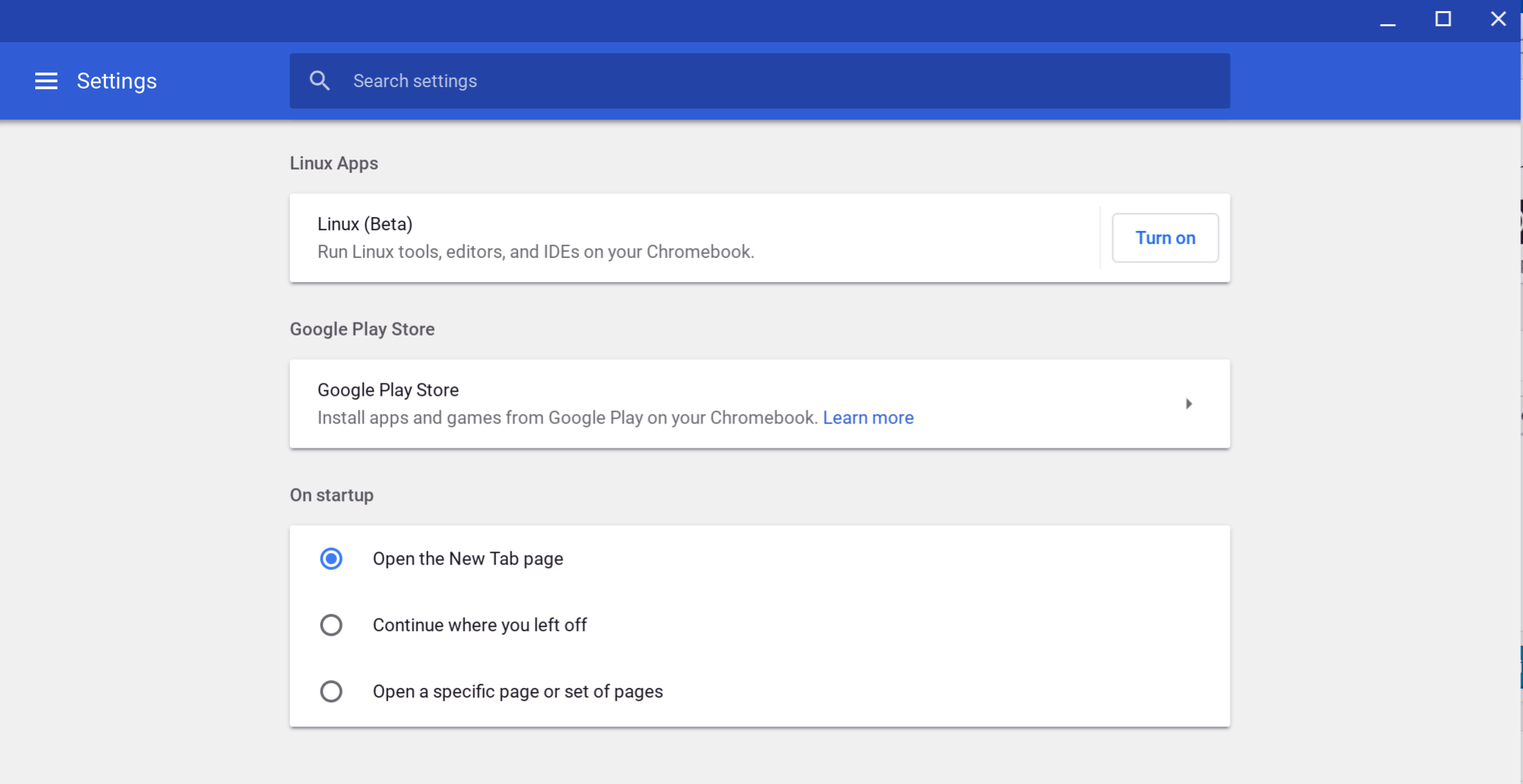
    You’ll know when you have support on your Flip when you go into Settings and see the option to enable Linux Apps shown above. You shouldn’t have to enable this feature in a Chrome OS flag once it lands.

    Kevin Tofel
    • Website

    After spending 15 years in IT at Fortune 100 companies, Kevin turned a hobby into a career and began covering mobile technology in 2003. He writes daily on the industry and has co-hosted the weekly MobileTechRoundup podcast since 2006. His writing has appeared in print (The New York Times, PC Magazine and PC World) and he has been featured on NBC News in Philadelphia.

    Best of AI

    Imagen AI: The Best Photo Editing AI In 2026

    April 21, 2026

    Alphafold AI from Google Deepmind 2026

    April 21, 2026

    Agentic AI Pindrop Anonybit: The Future of Secure Identity Verification

    April 17, 2026

    Google Bard Statistics And User Data 2026

    April 10, 2026

    Azure OpenAI Explained

    April 10, 2026
    Trending Stats

    ChromeOS Accessibility Feature Usage Statistics 2026

    April 28, 2026

    Chromebook Resale Value Depreciation Statistics 2026

    April 27, 2026

    ChromeOS App Ecosystem Growth Statistics 2026

    April 25, 2026

    Chromebook vs Tablet Usage In Education Statistics 2026

    April 23, 2026

    ChromeOS Update Frequency Statistics 2026

    April 22, 2026
    • About
    • Tech Guest Post
    • Contact
    • Privacy Policy
    • Sitemap
    © 2026 About Chrome Books. All rights reserved.

    Type above and press Enter to search. Press Esc to cancel.