


Chromebooks were built around a simple idea: let the browser do the heavy lifting and keep the local hardware light. That design choice, once seen as a limitation, has turned out to be perfectly suited for the way we consume content now.
Cloud gaming, video calls, live sports, and browser-based entertainment all lean on the same thing a Chromebook is good at — pulling a fast, stable stream from a server and rendering it on screen. The question isn’t really whether your Chromebook can handle it. It’s whether your connection can.
Why Chromebooks Are Built for Browser-Streamed Content?
The Thin-Client Advantage
Unlike a traditional laptop that needs a beefy CPU and GPU to run demanding software locally, a Chromebook mostly just needs to decode video and forward your input back to a server.
That’s why a $300 Chromebook from a few years ago can still run graphically intensive games through a cloud service without breaking a sweat — the actual rendering happens somewhere else entirely.
Bandwidth Matters More Than Specs
This shifts the bottleneck from processor speed to internet quality. A Chromebook with an aging Celeron chip and a great connection will outperform a flagship laptop stuck on spotty Wi-Fi when it comes to streamed content.
That’s a mental adjustment a lot of new Chromebook owners have to make: stop shopping for horsepower, start shopping for a stable pipe.
Cloud Gaming Sets the Bar for Live-Streamed Performance
What the Numbers Actually Require?
Cloud gaming services are a useful benchmark because they pubentlish real specifications. NVIDIA’s own guidance for GeForce NOW’s system requirements calls for around 15 Mbps for 720p60 streaming, 25 Mbps to hold a steady 1080p at 60fps, and up to 35 Mbps for higher resolutions and frame rates. Those numbers are a fair proxy for any live-streamed service running in a browser, not just games.
Latency: The Real Bottleneck
Raw speed gets most of the attention, but latency is usually what actually ruins the experience. A connection can technically hit 100 Mbps and still feel sluggish if round-trip time to the server is high or jitter is bad.
For anything interactive — a game, a video call, a live table — keeping ping low and consistent matters more than chasing bigger download numbers.
Beyond Games: Live-Dealer and Real-Time Video Experiences in the Browser
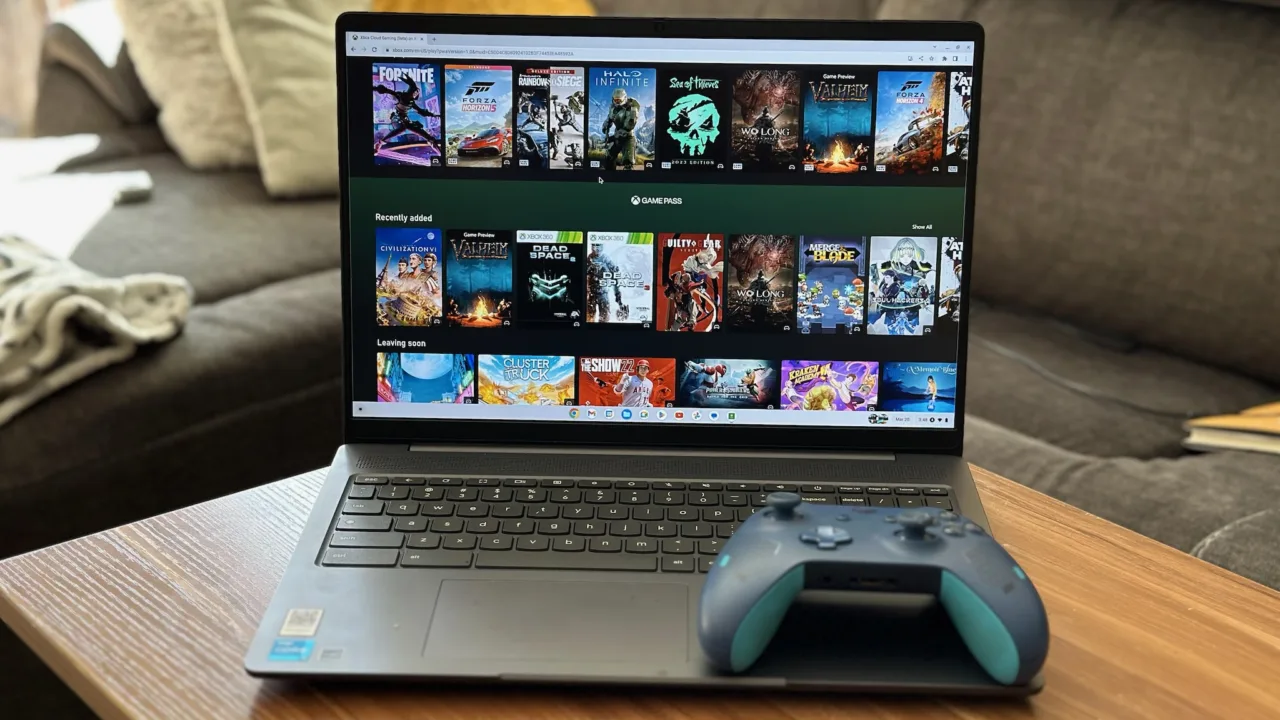
How Live-Streamed Tables Work?
Cloud gaming isn’t the only category that depends on this kind of infrastructure. Live-dealer platforms stream real-time video from a studio to your device the same way a cloud game streams from a data center, and they run entirely in the browser with no download required.
That means a Chromebook is just as capable of handling a live-streamed table as it is a cloud-streamed game — the underlying demands on your connection are nearly identical.
If you want to enjoy online live casino tables on a Chromebook, LuckyCasino’s Canadian platform runs directly in the browser, so there’s nothing to install and nothing your hardware has to render locally.
Regulation Matters as Much as Performance
Performance aside, where you play matters. Ontario runs the only provincially regulated iGaming market in Canada, overseen by the Alcohol and Gaming Commission of Ontario, which requires operators to register and meet standards around game integrity and player protection before they can legally offer services to Ontarians.
It’s worth checking that any live-streamed casino platform you use holds that registration, the same way you’d check a game’s system requirements before assuming it’ll run well.
Getting the Best Experience on a Chromebook
Connection Checklist
A wired Ethernet connection or a 5GHz Wi-Fi band will beat 2.4GHz every time for anything live-streamed. Close background tabs and extensions that quietly eat bandwidth, and if your ISP offers a plan above 25 Mbps, it’s worth the upgrade if you’re regularly streaming games or video in HD.
Browser and Hardware Tips
Keep ChromeOS updated, since Google regularly tunes video decoding performance in point releases. If you’re shopping for a Chromebook specifically for streamed content, our team’s own hands-on latency testing across five cloud gaming services is a good starting point, and our deeper look at cloud gaming and iGaming on Chromebooks covers this exact overlap in more detail.
FAQs
Do I need a powerful Chromebook to stream games or live video well?
No. Since the heavy processing happens on a remote server, even an entry-level Chromebook can handle it as long as your internet connection is stable and fast enough.
What internet speed should I aim for?
Around 25 Mbps is a reasonable baseline for smooth 1080p streaming at 60fps, based on published cloud gaming requirements. Faster is better if you’re on shared household Wi-Fi.
Why does my stream lag even though my speed test looks fine?
Latency and jitter are usually the culprits, not raw bandwidth. A wired connection or a closer, less congested Wi-Fi band often fixes this faster than upgrading your plan.
Can live-dealer casino platforms run without installing anything?
Yes. Reputable platforms like LuckyCasino stream live-dealer tables directly in the browser, so there’s no software to download on a Chromebook.
How do I know if an online casino is legitimate in Canada?
In Ontario, check that the operator is registered with the AGCO and has an agreement with iGaming Ontario — that registration is the clearest sign of a properly regulated platform.
Conclusion
Chromebooks and live-streamed entertainment were made for each other, whether that’s a cloud-rendered game or a real-time video feed from a live dealer studio. The hardware stopped being the limiting factor years ago. What matters now is a stable, low-latency connection — get that right, and a modest Chromebook can hold its own against far pricier machines.
