


I’m sure most folks in the U.S. are relaxing during this Memorial Day holiday. Your Chromebook might not be though. The Chrome OS 102 Stable Channel update is ready for your Chromebook and may have already been downloaded. After the upgrade, these are the six new Chrome OS 102 features you can look forward to.
Chrome OS 102 can extract ZIP files without mounting them
Extracting ZIP files on a Chromebook has long been a feature. However, it’s always been a bit clunky. After downloading a compressed file and opening it in the Files app, it gets mounted like an external drive. That’s not very intuitive. Nor is it how working with ZIP files works on other desktop operating systems.
Chrome OS 102 modernizes the experience, bringing it closer to par with macOS and Windows. Now when you download a ZIP file, you can right-click on it in the Files app and choose the new Extract All menu option.
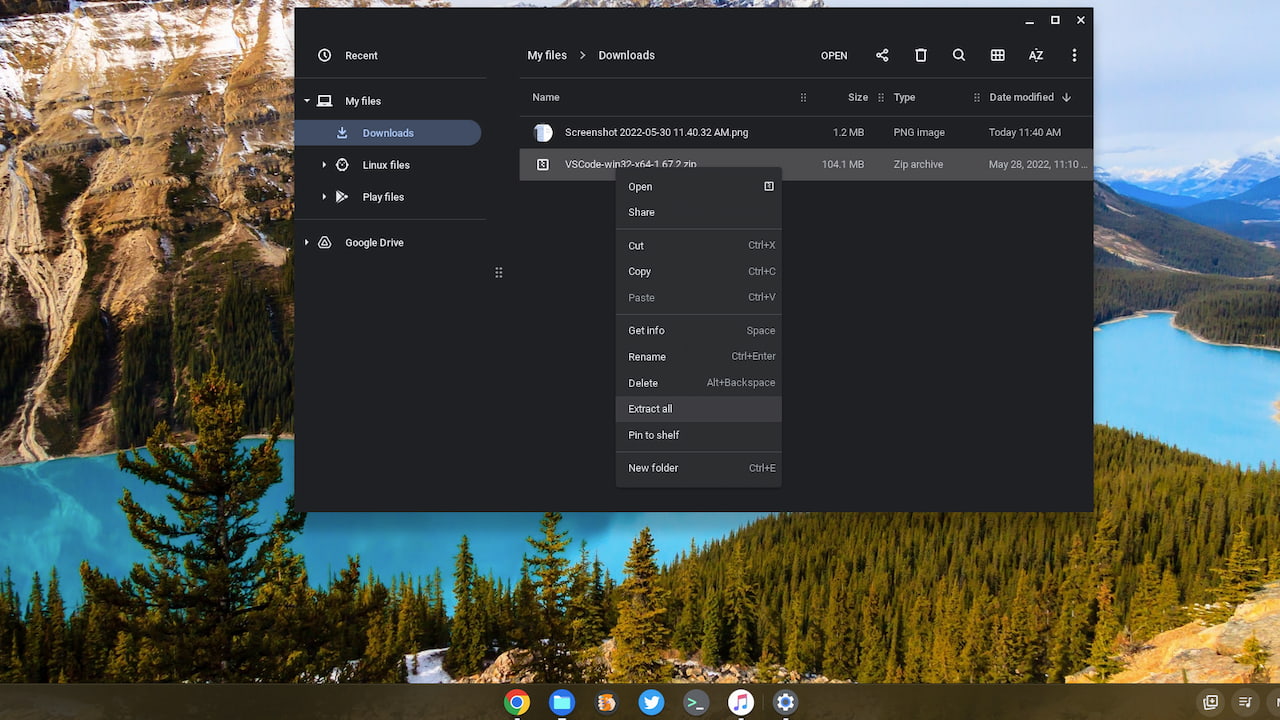
No more having to open the mounted ZIP folders. Just extract your compressed files from where you downloaded them in the Files app.
The Chrome OS Launcher includes open tabs in search results
I often have a bunch of open tabs. Like where “bunch” equals up to two dozen. So it can be tricky to find a specific open tab when I need to. It just got easier in Chrome OS 102. The Launcher search results now include open tabs in the results.
Here’s an example of me searching for the Chrome Release Blog while writing this post. I had a tab open to a specific page on that site and it appears at the bottom of my results list:
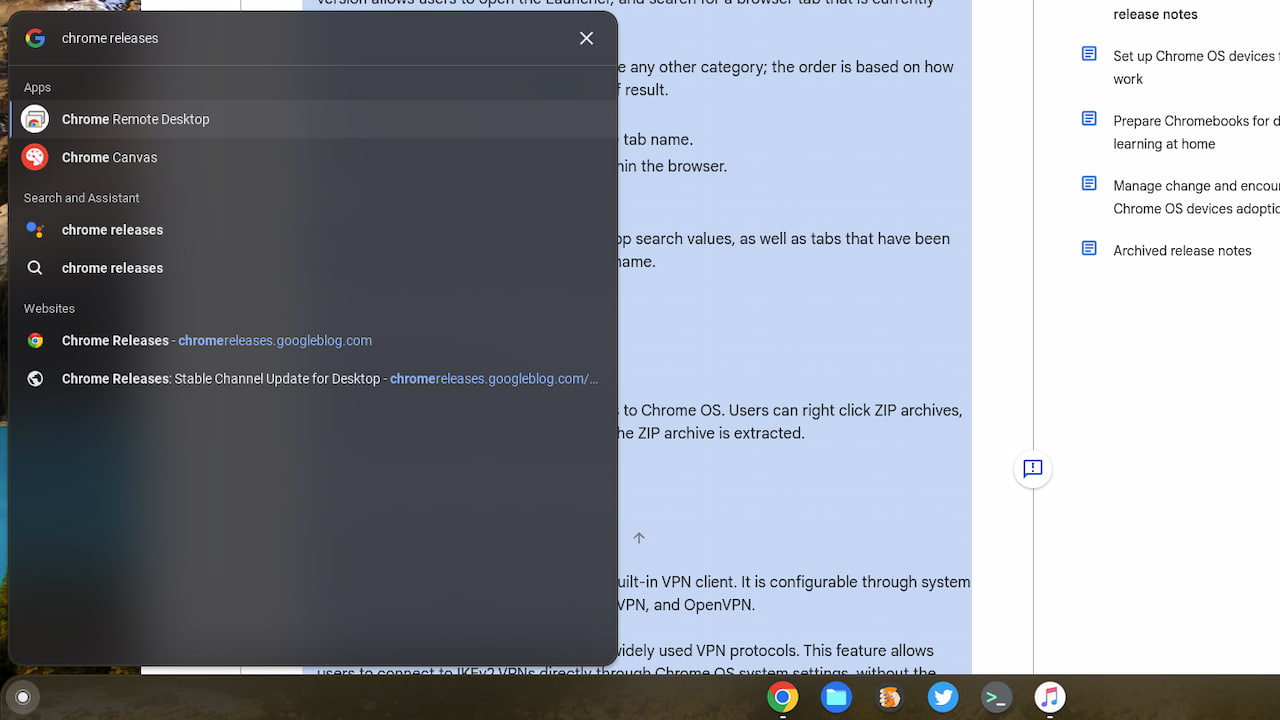
As before, the main Chrome Releases site also appears, which it should. But now I don’t have to rely on searching Tab Groups or some other place. It’s right in the Launcher of my Chromebook.
You might have Cursive on your Chromebook!
Late last year, Google introduced its Cursive app which debuted on the HP Chromebook x2 11. A few other Chromebooks that support a USI stylus also got this app. Google is now expanding the devices that have access to Cursive, so if you didn’t have it, you might after this Chrome OS 102 Stable Channel update.
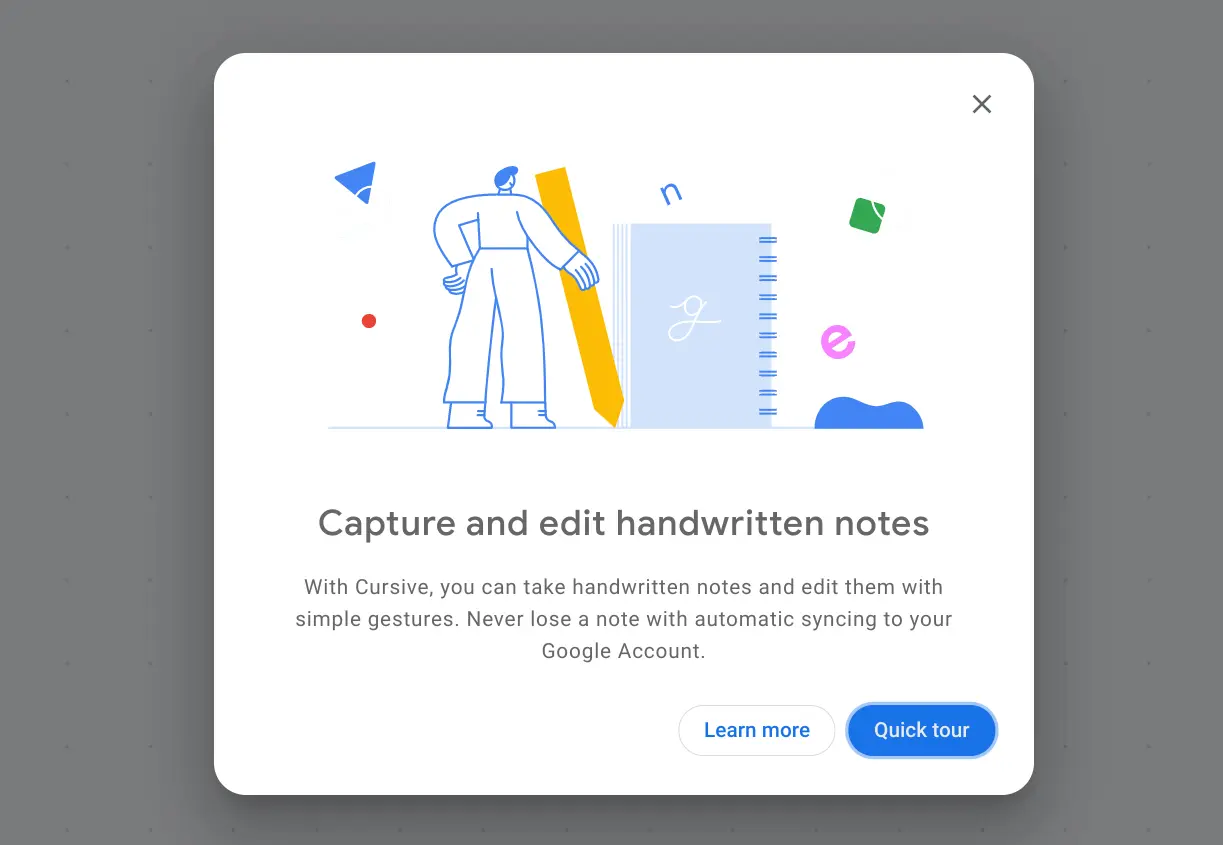
Google says that moving forward, all eligible Chromebooks will come preinstalled with Cursive. So in the future, if you buy a new device that has USI stylus support, it will automatically be there. Personally, I still prefer Squid for taking handwritten notes. But I admit that I’m not a big note-taker.
Chrome OS 102 spruces up the Camera app settings
I don’t feel like the Camera app for Chrome OS gets enough love. However, it is getting a little this time around.
After the Chrome OS 102 update, you’ll see some slight tweaks to the Camera app settings. Some are minor which makes the options a little more readable. And it’s easier to tell which Camera options are enabled or not when in the app, which I appreciate.
Improved USB-C notifications and information
This is a big deal in my opinion because there are so many USB cables that follow the standard, but not all of them are alike. This Chrome OS 102 feature adds notifications to your device to provide information about any connected USB Type-C cables or devices.
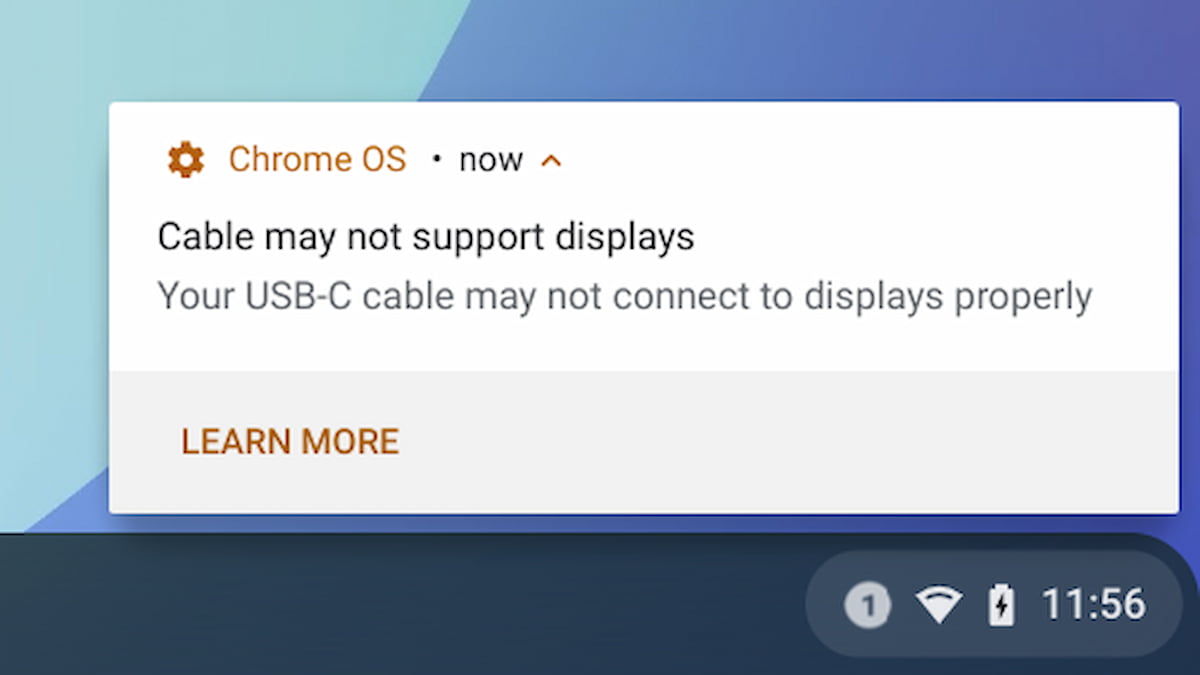
I should note that although this is in the general Chrome OS 102 features, it’s only supported on newer devices.
Specifically, you’ll need an 11th or 12th-gen Intel processor inside your Chromebook. I don’t have one that meets that bar, so I haven’t tested this. I can’t wait to try it though because I have a ton of Type-C cables. I use these with external monitors, both stationary and portable.
A customizable magnifier
Even with my aging eyes, I don’t yet have to rely on the Chrome OS magnifier feature. If I did though, I’d be happy about Google’s improvements:
With our new update, you can control the size of the magnified portion of the screen. You can make it larger if you want to see more zoomed in content, or smaller if you want to see more of the standard screen. You can adapt it to fit your preferences, or adjust based on the content you’re looking at.
I’m going to tuck that information away for later use because after another visit or two to the eye doctor, I may need it.
All in all, the new Chrome OS 102 features are a solid set of improvements. Would I like to see more? Sure. Now that Google is on a four-week Chrome OS upgrade cycle though, I can see why fewer new or updated experiences arrive with each Stable Channel update. More important to me is overall stability and so far, after running Chrome OS 102 for three days, I haven’t seen any issues.
