Close Menu
    Facebook X (Twitter) Instagram
    • About
    • Privacy Policy
    • Write For Us
    • Newsletter
    • Contact
    Instagram
    About ChromebooksAbout Chromebooks
    • News
      • Stats
    • AI
    • How to
      • DevOps
      • IP Address
    • Apps
    • Business
    • Q&A
      • Opinion
    • Gaming
      • Google Games
    • Blog
    • Podcast
    • Contact
    About ChromebooksAbout Chromebooks
    News

    ChromeOS 118 brings Chromebook hardware diagnostics to the Launcher

    Kevin TofelBy Kevin TofelSeptember 23, 2023Updated:September 18, 2025No Comments2 Mins Read
    Share
    Facebook Twitter LinkedIn Pinterest

    First seen last month in the Canary Channel, ChromeOS 118 brings Chromebook hardware diagnostics to the Launcher. By typing a specific bit of hardware you want to examine, you can see system info data at a glance. Clicking that data takes you directly from the ChromeOS launcher to the Diagnostics app for additional information.

    I noticed the experimental flag for this feature in the ChromeOS 118 Beta Channel. My Acer Chromebook Spin 714 got that update just today.

    Since I’m running the Lacros browser on my Chromebook, I went to os://flags in the browser. That opens the upcoming dedicated ChromeOS flags application. The flag I enabled is the “System Info Answer Cards in launcher” feature.
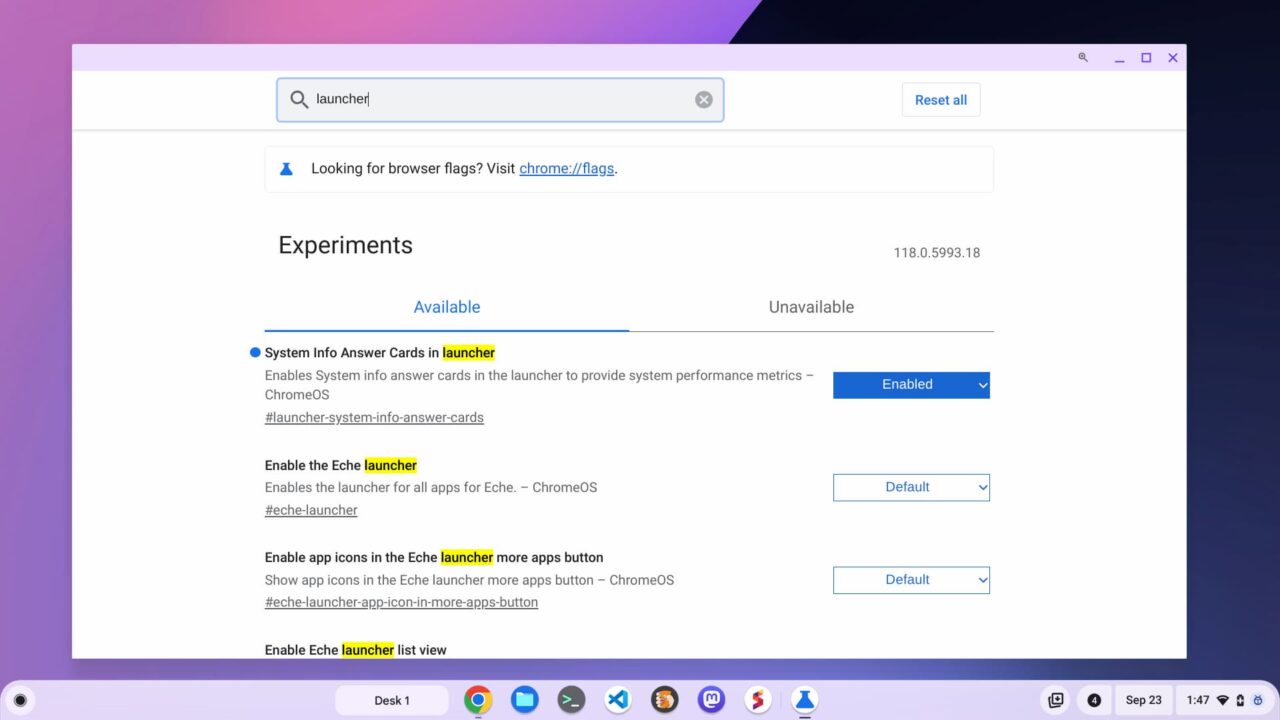
    ChromeOS 118 brings Chromebook hardware diagnostics to the Launcher

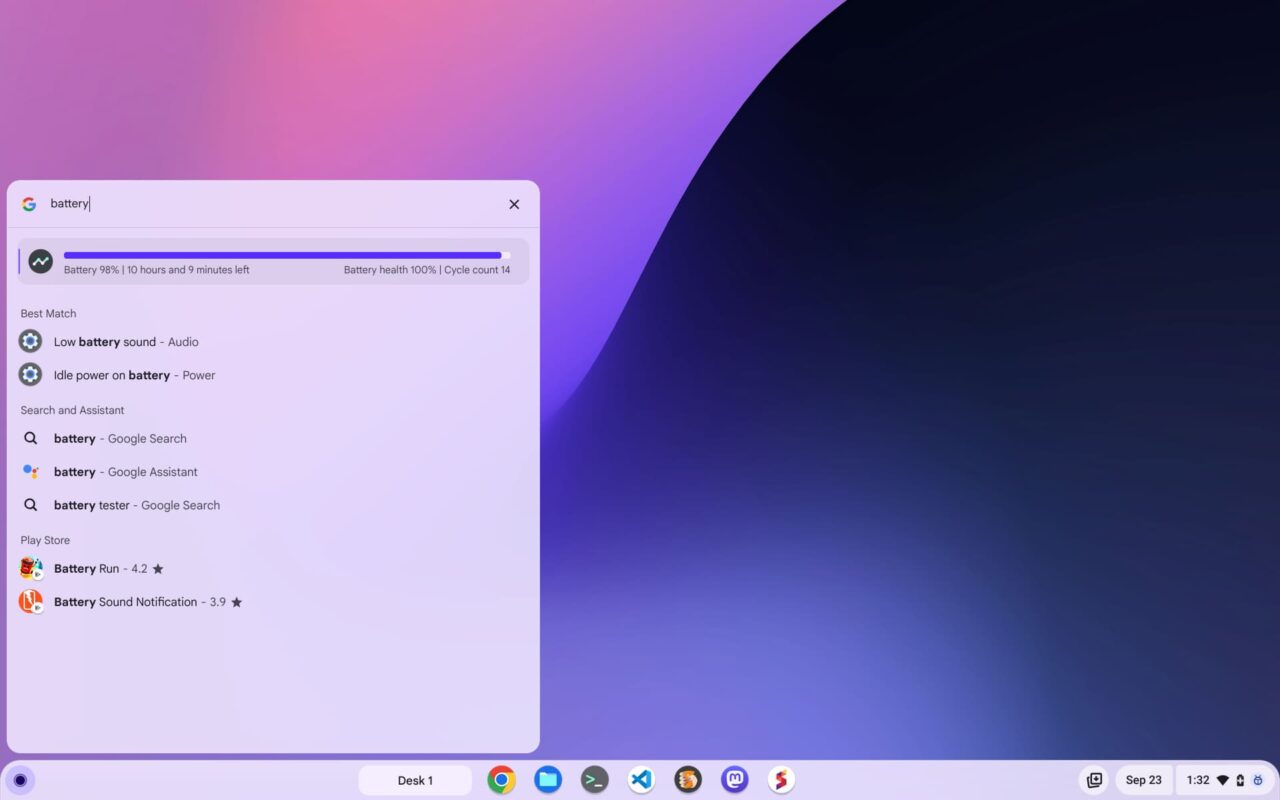
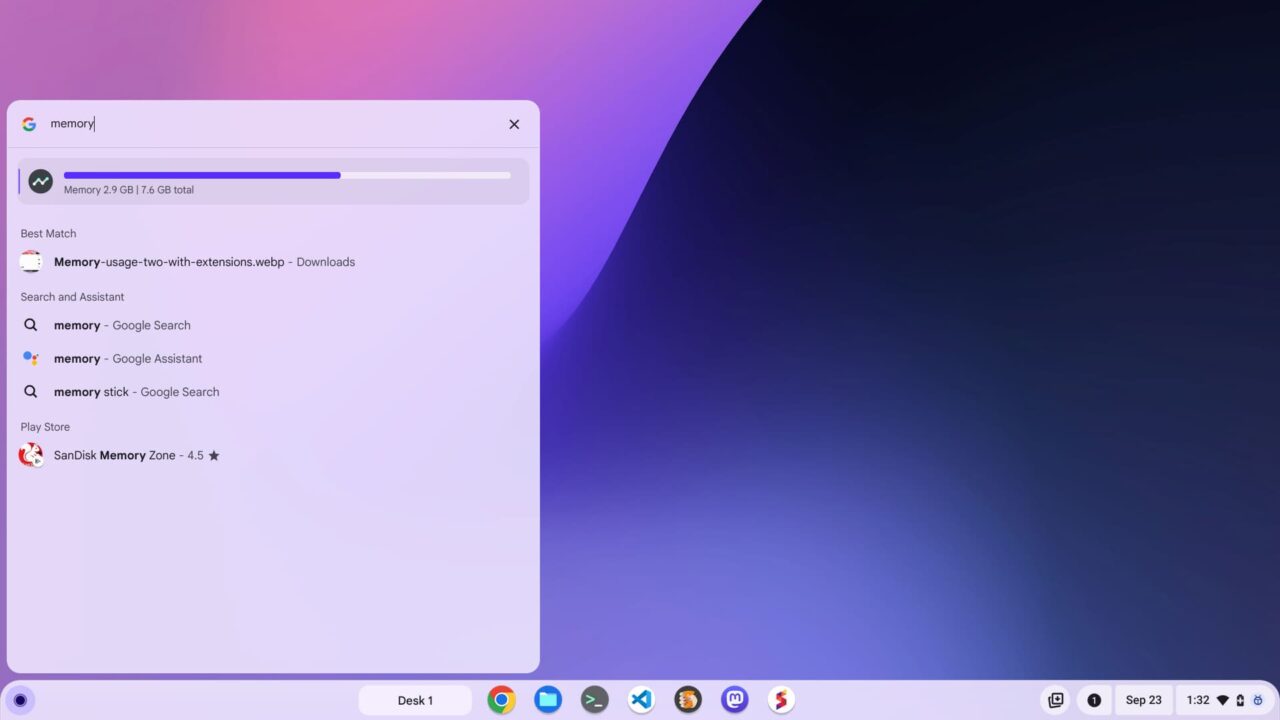
    Once I enabled that in ChromeOS 118, I was able to type directly in the launcher for a quick glimpse of my Chromebook’s CPU, memory and battery health information. Most of you probably aren’t running the Lacros browser however.

    So you can still navigate to chrome://flags and find the #launcher-system-info-answer-cards setting to enable it. Then, in ChromeOS 118, you can type directly in the launcher for a quick glimpse of the Chromebook’s CPU, memory and battery health information:
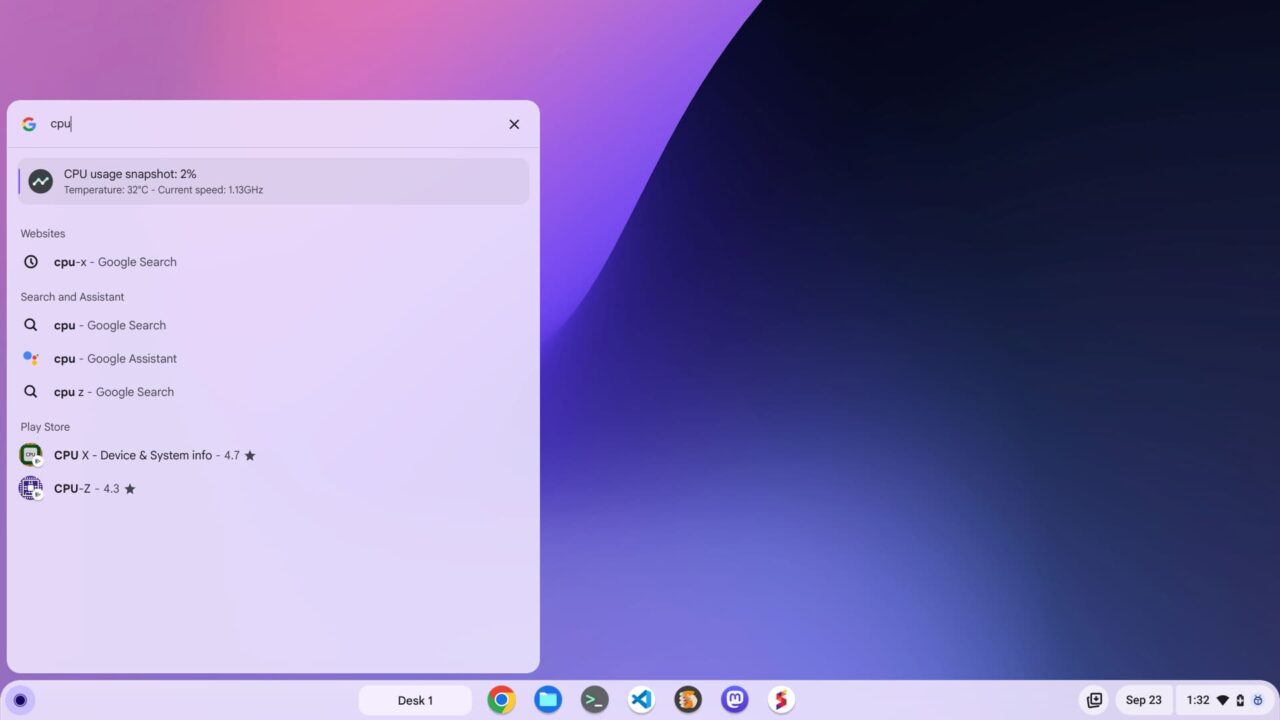
    ChromeOS 118 brings Chromebook CPU diagnostics to the Launcher
    ChromeOS 118 brings Chromebook memory diagnostics to the Launcher
    ChromeOS 118 brings Chromebook battery health diagnostics to the Launcher

    Although it sounds like a lot of effort to get at this information, it’s not too bad. Once you start typing the hardware resource name, the Launcher search begins to find what you’re looking for. So you may not even have to type the whole hardware name, depending on what’s installed on your Chromebook.

    If you have several third-party battery extensions or something, obviously, the Launcher can’t tell which one you mean right away, for example.

    Regardless of that, I appreciate this Chromebook system information at a glance. I don’t expect most mainstream Chromebook users to adopt it though. I doubt most even know there’s a Diagnostics app with detailed data for this sort of thing.
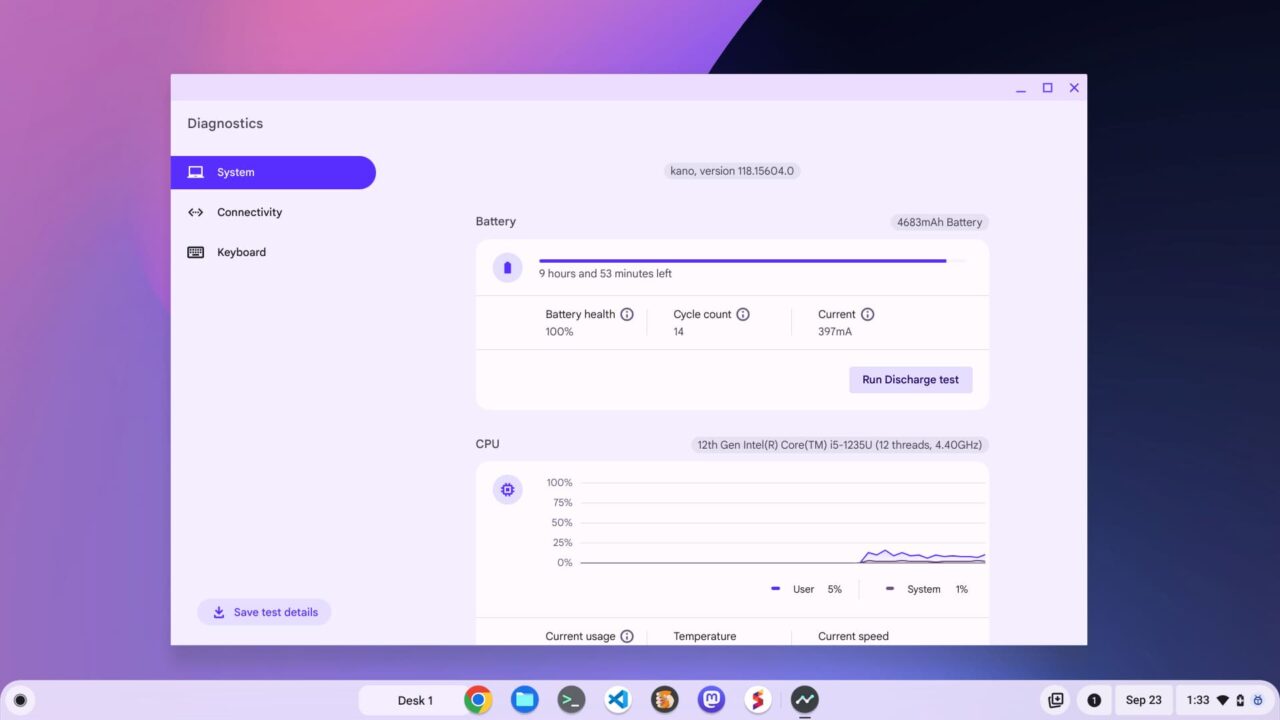
    The ChromeOS Diagnostics app

    However, folks may stumble onto this handy new Launcher feature. And if they do, they may even intuitively click the glanceable data, showing them the full Diagnostics application.

    What do you think: useful to you or will you hardly use it?

    Share. Facebook Twitter Pinterest LinkedIn Tumblr
    Kevin Tofel
    • Website

    After spending 15 years in IT at Fortune 100 companies, Kevin turned a hobby into a career and began covering mobile technology in 2003. He writes daily on the industry and has co-hosted the weekly MobileTechRoundup podcast since 2006. His writing has appeared in print (The New York Times, PC Magazine and PC World) and he has been featured on NBC News in Philadelphia.

    Related Posts

    Auto DraftStarbucks Partner Hours: Manual to Managing Work Schedules

    January 26, 2026

    Anon Vault For Private Cloud Storage

    January 23, 2026

    GitHub Copilot Statistics [2026]

    January 7, 2026

    Comments are closed.

    Best of AI

    Make-A-Video Statistics 2026

    January 30, 2026

    Stable Video Diffusion User Trends And Statistics 2026

    January 29, 2026

    VALL-E Statistics 2026

    January 28, 2026

    StarCoder Statistics And User Trends 2026

    January 27, 2026

    BLIP-2 Statistics 2026

    January 23, 2026
    Trending Stats

    Google Penalty Recovery Statistics 2026

    January 30, 2026

    Search engine operators Statistics 2026

    January 29, 2026

    Most searched keywords on Google

    January 27, 2026

    Ahrefs Search Engine Statistics 2026

    January 19, 2026

    Pay Per Click Advertising Statistics 2026

    January 16, 2026
    • About
    • Write For Us
    • Contact
    • Privacy Policy
    • Sitemap
    © 2026 About Chrome Books. All rights reserved.

    Type above and press Enter to search. Press Esc to cancel.