

Close Menu
    Facebook X (Twitter) Instagram
    • About
    • Privacy Policy
    • Write For Us
    • Newsletter
    • Contact
    Instagram
    About ChromebooksAbout Chromebooks
    • Linux
    • News
      • Stats
      • Reviews
    • AI
    • How to
      • DevOps
      • IP Address
    • Apps
    • Business
    • Q&A
      • Opinion
    • Gaming
      • Google Games
    • Blog
    • Podcast
    • Contact
    About ChromebooksAbout Chromebooks
    News

    Chrome OS Diagnostics app gains some new tricks

    Kevin TofelBy Kevin TofelApril 28, 2022Updated:September 23, 2025No Comments2 Mins Read

    I’ve been researching a reader question about some odd mouse behavior and I wish there was a better way to diagnose it. Oh wait, there is! Or at least there will be. The Google Chrome OS Diagnostics app will let you test input devices and other peripherals in the coming months.

    All of these new cards in the Chrome OS Diagnostics apps are hidden behind experimental flags. I had seen some in Chrome OS 100 previously, but they didn’t add any functionality. ChromeUnboxed took a recent look and reported there are both more flags and some are now working.

    I double-checked on Chrome OS 102 and I see them as well:
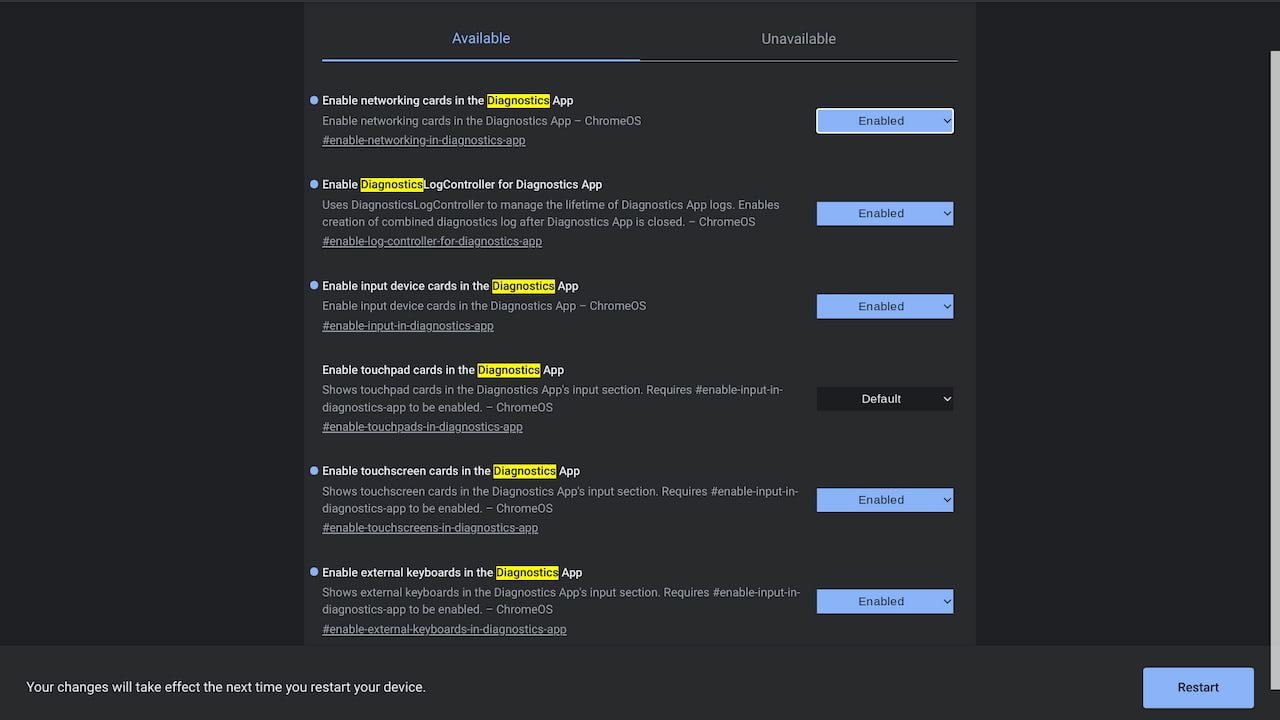
    Added since I last looked are options to test the touchscreen, the trackpad, input devices, and external keyboards. All of the experimental flag URLs are in the above image, so be on the lookout for them in future Chrome OS updates.

    Unfortunately, this Diagnostics app update is still in the early works.

    I connected a Bluetooth mouse, an external SSD drive, and a USB camera to my everyday Chromebook, but the only tests I see are these:
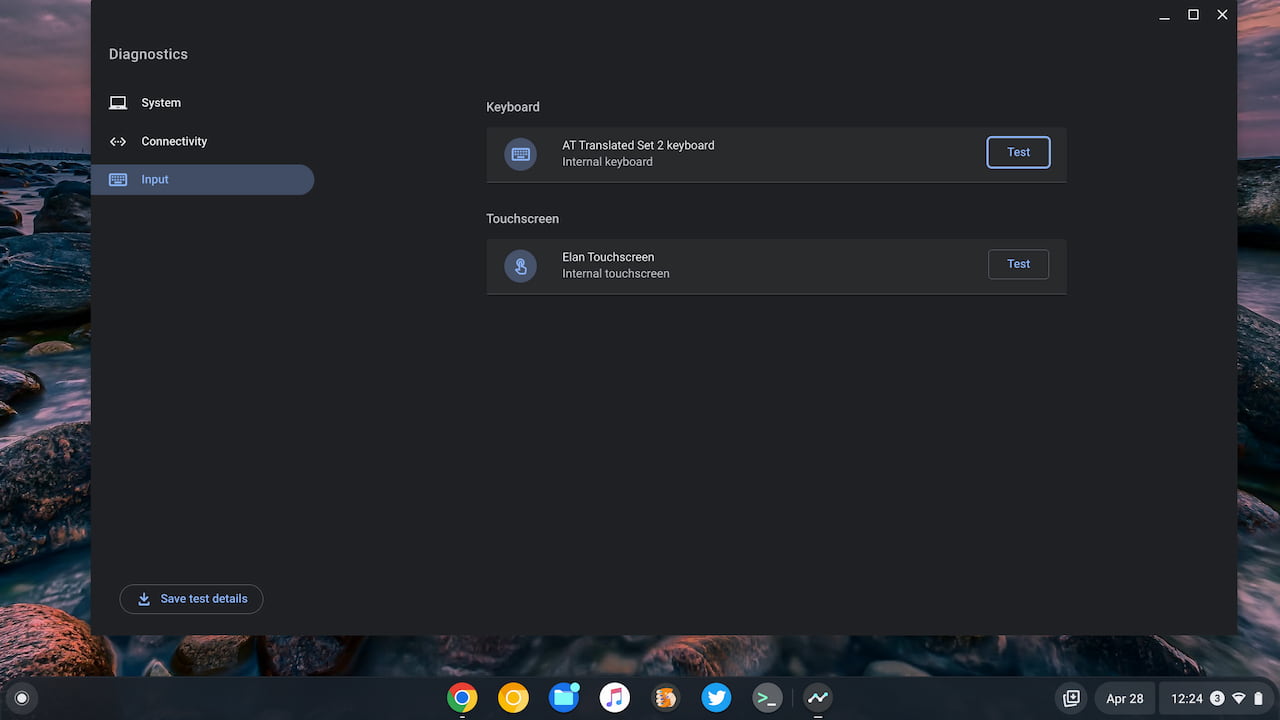
    Chrome OS Diagnostics app Input tests

    And of those two, only the keyboard test is currently working as of today.

    For now, it lets you tap keys and shows a visual representation on a virtual keyboard. If you’ve got some sticky or non-responsive keys, the Diagnostics app may help troubleshoot the problem in the future.
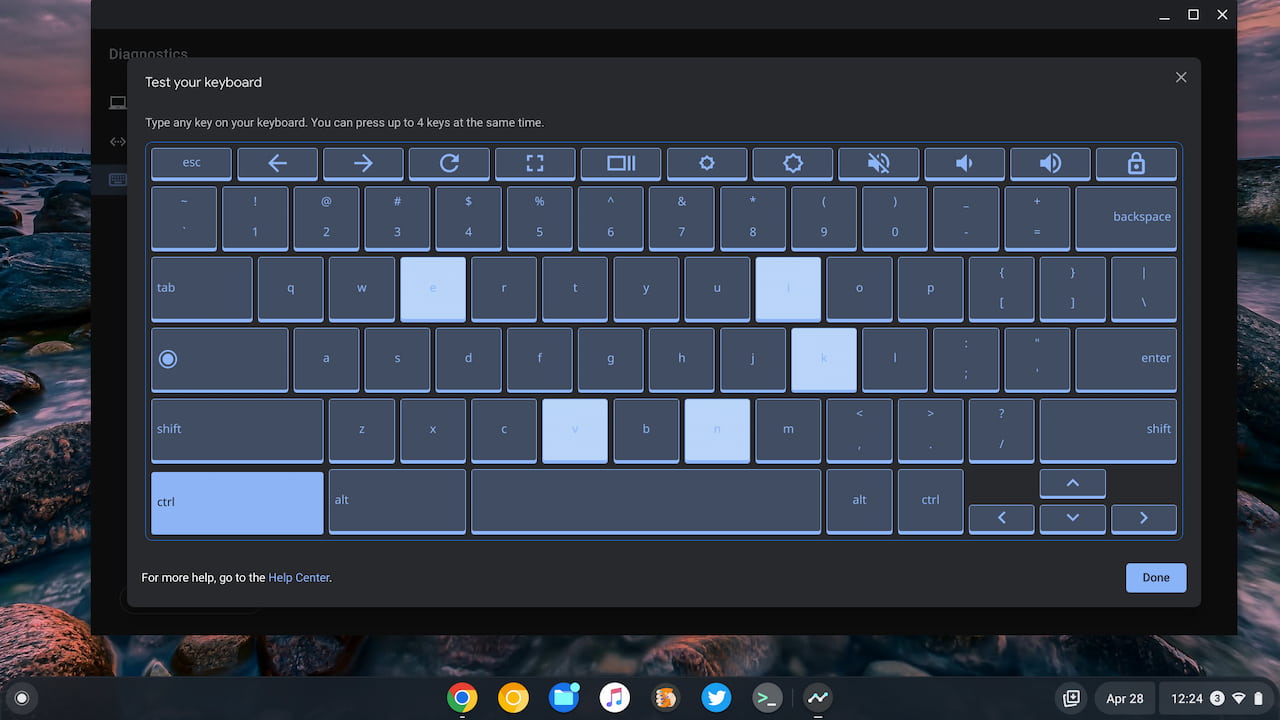
    Chrome OS Diagnostics keyboard test

    For now, I wouldn’t bother enabling any of the extra flags to see the additional Google Chrome OS Diagnostics app cards. You’re not going to see much, if any benefit, just yet.

    I’ll keep mine turned on so I can see the progress Google makes going forward though. Hopefully, aside from hitting the basics, there are some advanced and detailed hardware data captured on all of these tests.

    Kevin Tofel
    • Website

    After spending 15 years in IT at Fortune 100 companies, Kevin turned a hobby into a career and began covering mobile technology in 2003. He writes daily on the industry and has co-hosted the weekly MobileTechRoundup podcast since 2006. His writing has appeared in print (The New York Times, PC Magazine and PC World) and he has been featured on NBC News in Philadelphia.

    Best of AI

    What Does Adobe Firefly AI Do?

    June 16, 2026

    Is Joyland AI Safe For Kids?

    June 12, 2026

    LMArena AI: Chatbot Ranking Platform 2026

    May 27, 2026

    Will AI Take Over the World

    May 25, 2026

    AI21 Jurassic Statistics 2026: Model Size, Usage and AI Performance Trends

    May 19, 2026
    Trending Stats

    Chromebook Storage Usage Statistics 2026: Device Storage Consumption Trends

    June 18, 2026

    Conversational AI Market Statistics 2026: Chatbot Usage And Enterprise Deployment

    June 17, 2026

    Chromebook Gaming Usage Statistics 2026: Player Engagement And Usage Reports

    June 17, 2026

    Chromebook Battery Degradation Statistics 2026: Lifecycle Performance Testing Data

    June 15, 2026

    Chromebook Touchscreen vs Non-Touchscreen Usage Statistics 2026: Device Interaction and Form Factor Data

    June 11, 2026
    • About
    • Tech Guest Post
    • Contact
    • Privacy Policy
    • Sitemap
    © 2026 About Chrome Books. All rights reserved.

    Type above and press Enter to search. Press Esc to cancel.