


In the past, image editing was a completely inclusive experience. For example, if you needed to change the color of a particular object, there would be a good chance that in the process of making that change, you would also change the entire lighting of your picture.
Therefore, editing an image was viewed as changing the background of the image as well as all of the other components of the image itself.
With Dreamina’s Seedream 5.0 pro model, it has now become possible to perform highly targeted edits to an image while maintaining the overall intention of the image.
Whether you are editing a product photo, creating marketing visuals or doing other types of artistic work, you will have complete control over how you edit the image.
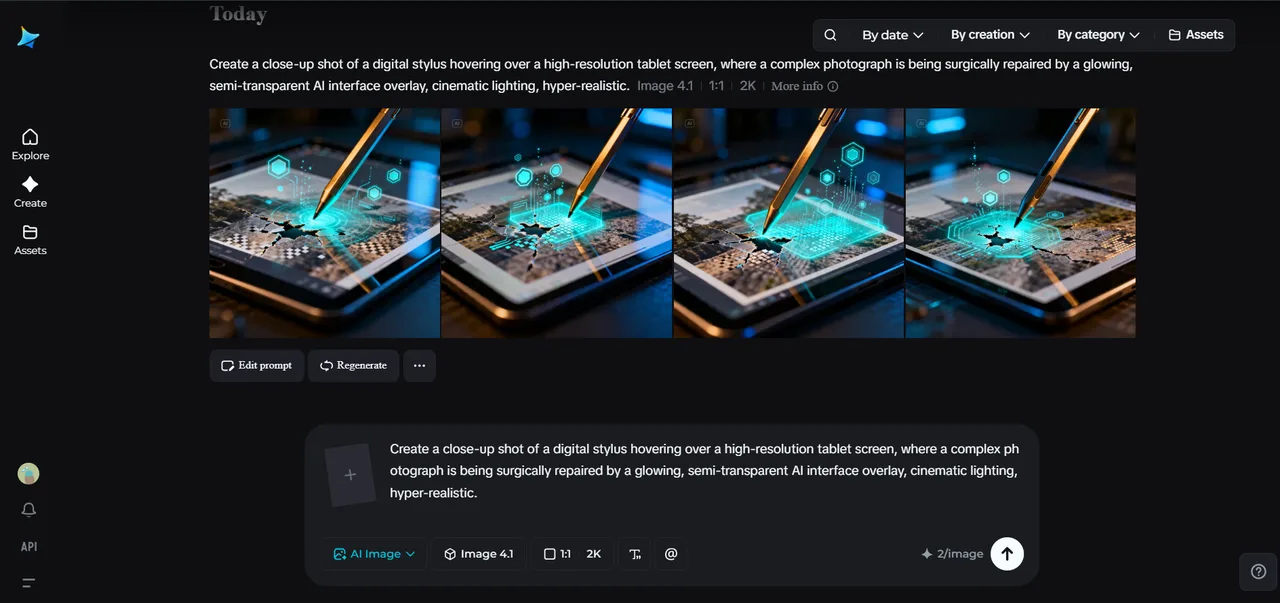
For example, you are no longer required to completely redesign an image each time you want to edit it; you can now only edit those elements of the image that require your corrections.
Smart editing starts with precision
There are many things that frustrate image editors. When you start editing an image, something changes in other parts of it. For instance, you want to modify colors of one element, but lighting of the entire picture gets changed at the same time.
With Seedream 5.0 Pro, you will not have any problems with such issues since it focuses your edit in the right place without altering the rest of the image.
Instead of building an entire new picture from scratch, it leaves all the details around intact but applies the edit you request.
As a result, you will be able to save some time and spend it on making the best design possible.
Small changes make a huge difference
When working on professional images, the most effective approach is to use subtle changes instead of a dramatic transformation of the picture.
Think about how important it is to:
- Replace one product with another
- Change the color scheme for packaging
- Edit a logo on a product
- Make changes in the text on the advertising artwork
- Create a brand new image for a seasonal campaign
All the listed tasks can be done without rebuilding the entire picture, keeping lighting, perspective, and style of the picture intact.
Why Seedream 5.0 Pro makes editing smarter?
Apart from creating images automatically, Seedream 5.0 Pro also gives you the creative control over the edit process.
Features of Seedream 5.0 Pro that aid image editing
Seedream 5.0 Pro provides precise image editing where only particular elements of the picture are changed while other remain unchanged. Its use of layers allows treating images as editable components rather than one solid piece and thus enables creators to make more precise edits.
This way of editing images allows updating products, changing some elements of them, and correcting their visual appearance without distorting the general style of an image.
Apart from the possibility of making precise image edits, Seedream 5.0 Pro also employs deep-thinking generation to understand complex prompts before producing a final image.
Besides, this tool provides users with reference-grade visuals which are good enough to be used in future videos and also includes built-in online search to produce images with updated context. All of these features make image editing more intelligent, fast and effective.
Make your creative edits come to life with Dreamina
Having seen the way Seedream 5.0 Pro allows one to create more accurate images, it is high time to make your visuals. Dreamina will help you to get from idea to professionally edited image in just a couple of minutes. Below is how to use Seedream 5.0 Pro in 3 easy steps:
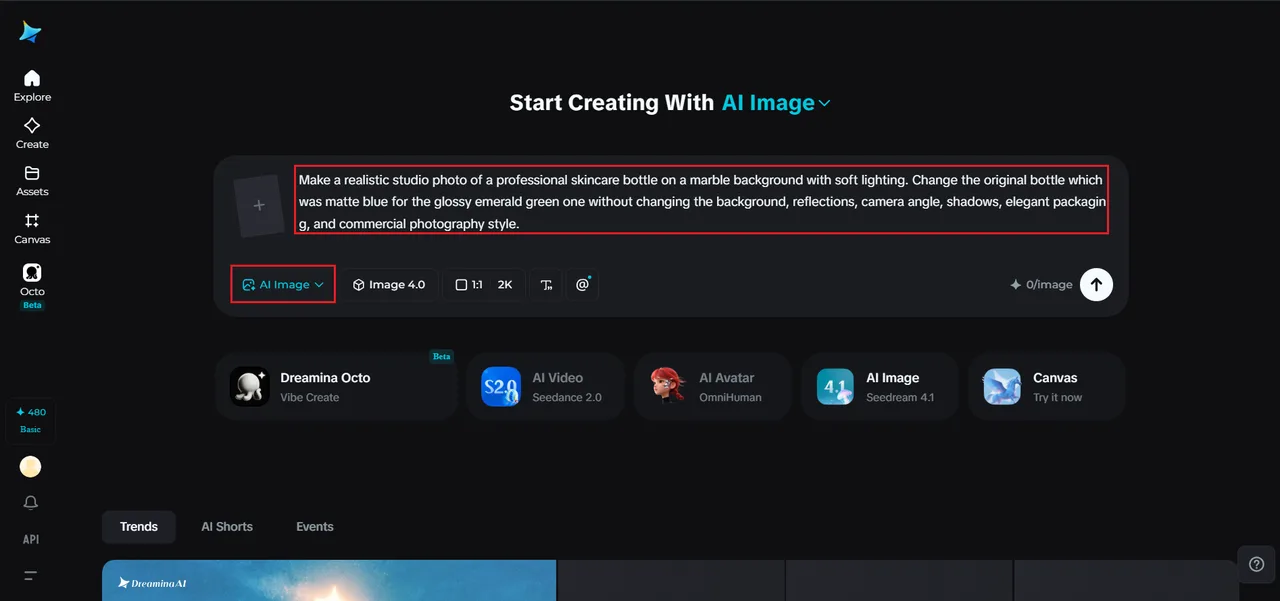
Step 1: Text prompt writing
Open Dreamina and specify exactly what would you like to create or edit. A good text description will help Seedream 5.0 Pro to understand your creative idea and will give you even more accurate results.
For instance: Make a realistic studio photo of a professional skincare bottle on a marble background with soft lighting. Change the original bottle which was matte blue for the glossy emerald green one without changing the background, reflections, camera angle, shadows, elegant packaging, and commercial photography style.
Step 2: Parameter adjustment and generation
Select Seedream 5.0 Pro as a model and your favorite aspect ratio, image size, and output resolution 1K or 2K according to the requirements of your project. When everything is done, press Dreamina’s Generate button.
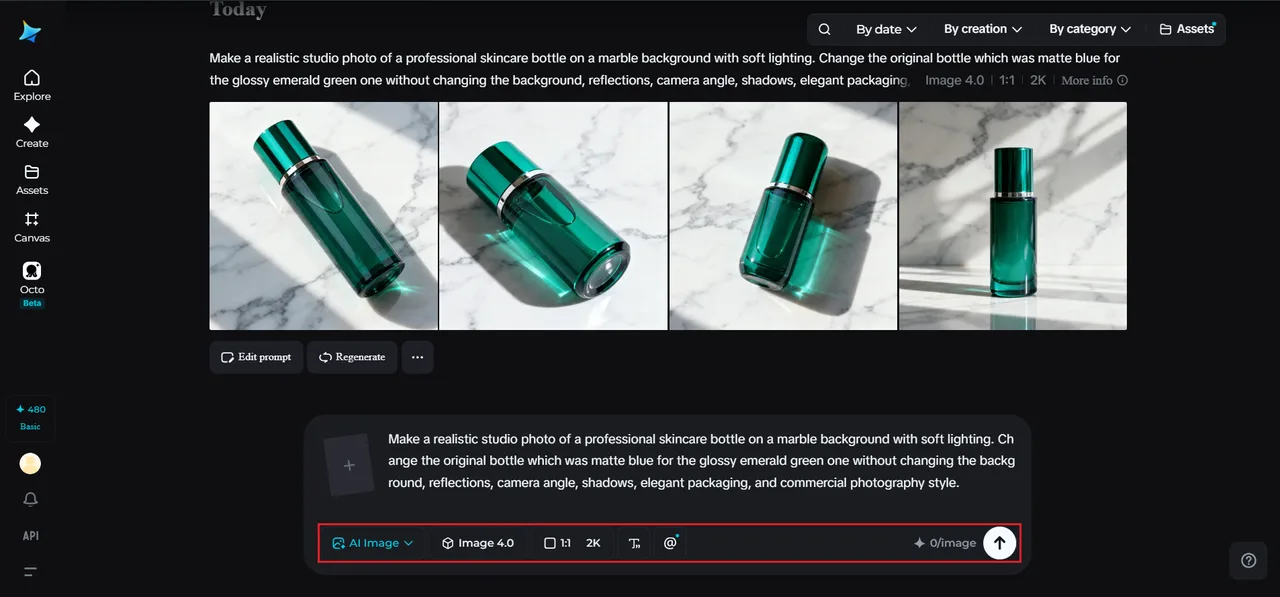
Step 3: Edit and download
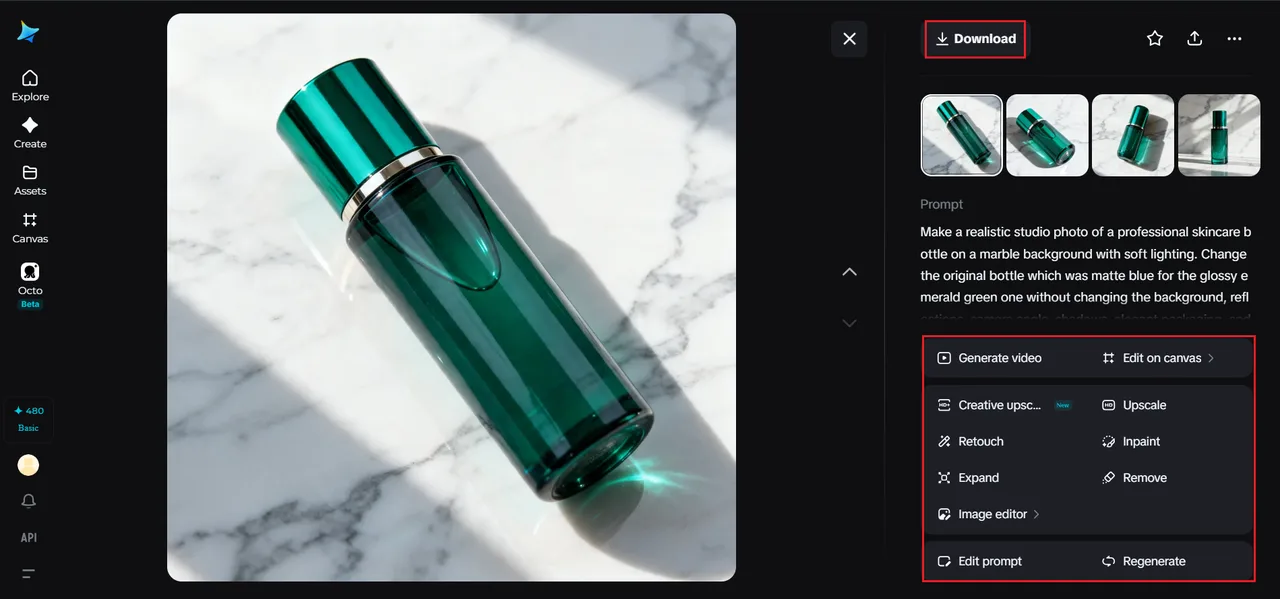
After you have your image, keep working on it further through the available AI editors at Dreamina. Use Inpaint to change specific parts, Expand for canvas enlargement, Remove to remove any items you do not need, and Retouch to boost the quality.
As soon as you like how it looks, download the image with the Download button.
Better creative control over each project
Creativity is an ongoing process during which various changes may happen, whether due to customer’s requirements, development of a marketing campaign or new ideas. Instead of seeing all these alterations as difficulties, Seedream 5.0 Pro integrates them into the creative process.
Such capability can be quite useful for projects including:
- Product photography
- Creative advertisements
- Brand campaigns
- Graphics for social media
- Poster and banner designs
The possibility to do selective adjustments lets users feel confident trying new things and being sure they won’t lose their perfectly edited works.
From polished images to better creative workflows
Image editing is not always fixing problems with photos but also working on creating the assets to be used in different creative projects.
A polished image can be used for presentations, marketing materials, web design, ads, and even AI videos in the future. As the visuals created by Seedream 5.0 Pro are clean and of high quality with consistent details, you can be sure that you will reuse your images during your whole campaign.
You won’t need to create isolated graphics anymore; you’ll create the visuals which will bring additional value even after the editing is done.
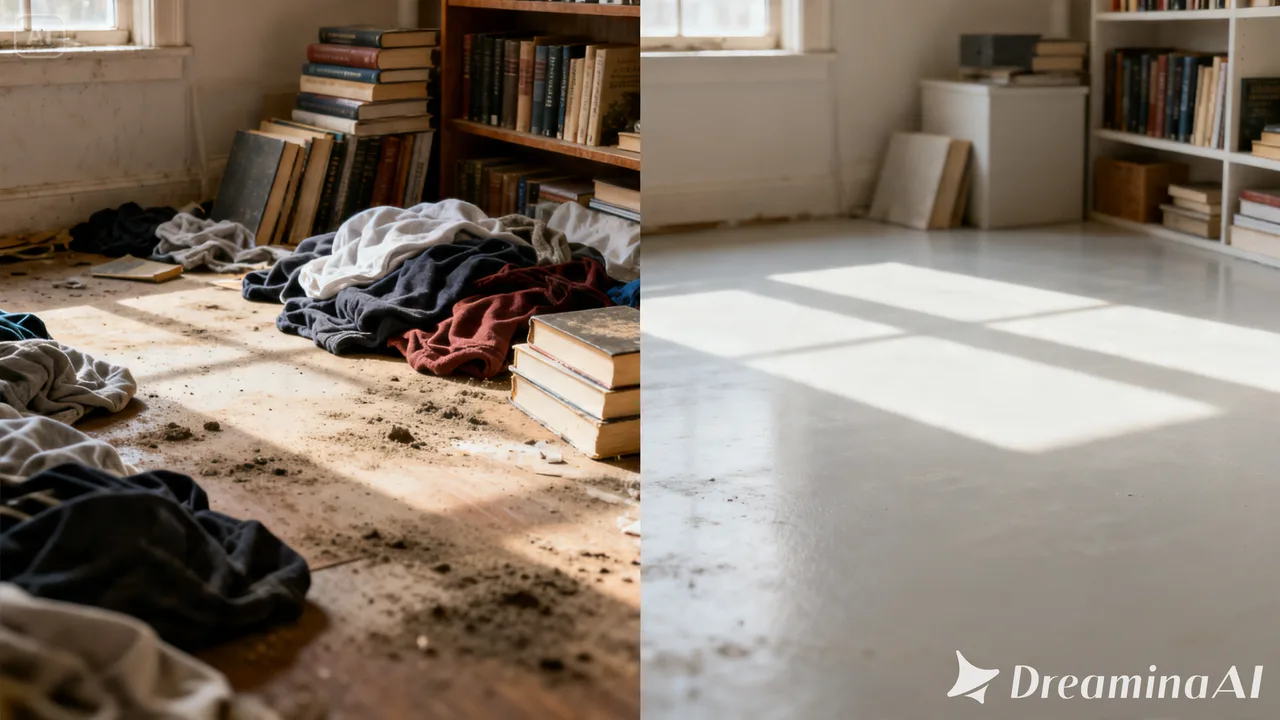
Enhance your creativity with Dreamina
Nowadays, there is no need to sacrifice one element of an image for the benefit of another one. By combining your editing skills with Seedream 5.0 Pro that powers Dreamina, you can get full control over each adjustment without losing the quality of the original design.
Whatever project you are developing – from editing product photos and marketing materials to creating professional creative projects, Seedream 5.0 Pro will help to simplify complicated edits and make your images perfect effortlessly.
