


Chromebooks don’t have a dedicated caps lock key like traditional keyboards. Instead, Google replaced it with a search key marked by a magnifying glass icon. This design choice confuses many new users who accidentally activate caps lock and can’t figure out how to disable it.
When caps lock is active on your Chromebook, all letters appear in uppercase regardless of whether you hold the shift key. This happens because Chromebooks use a keyboard shortcut to toggle caps lock on and off. You’ll see a notification on your screen when caps lock activates.
Many users search for this solution after pressing the wrong key combination while typing. Understanding how to switch off caps lock saves time and prevents frustration during important work or school assignments.
How To Switch Off Caps Lock on Chromebook?
The process to disable caps lock on a Chromebook is straightforward. You use the same keyboard combination that activated it in the first place.
Locate the Alt and Search Keys
Find the Alt key on the bottom-left section of your keyboard. It sits next to the spacebar. The search key is where caps lock would be on a standard keyboard, marked with a magnifying glass or circle icon.

Press Alt + Search Simultaneously
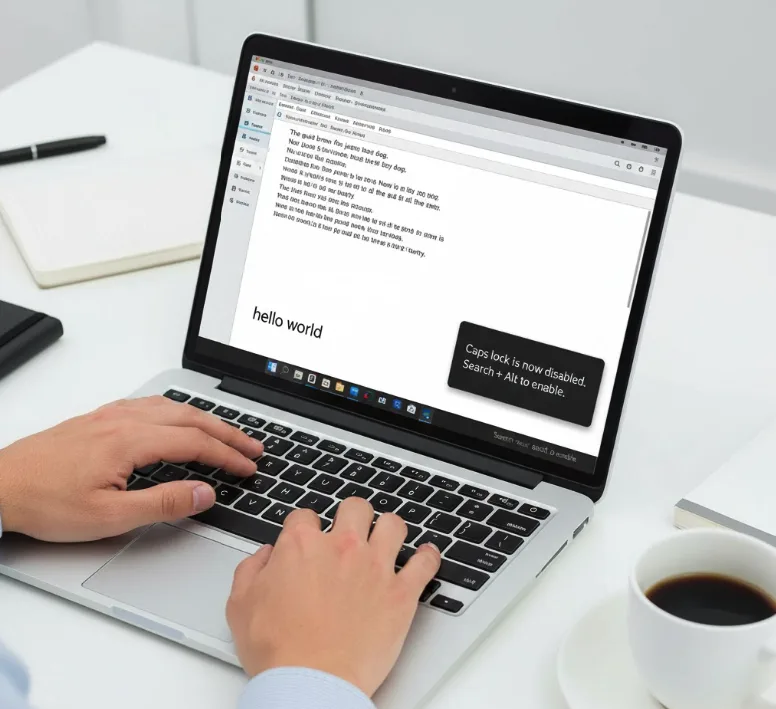
Hold down the Alt key with one finger. While holding Alt, press the search key once. You don’t need to hold both keys for an extended period.
Verify Caps Lock Is Off
A notification appears on your screen confirming caps lock status. The message will indicate that caps lock is now disabled. Start typing to confirm all letters appear in lowercase as normal.
Alternative Method Through Settings
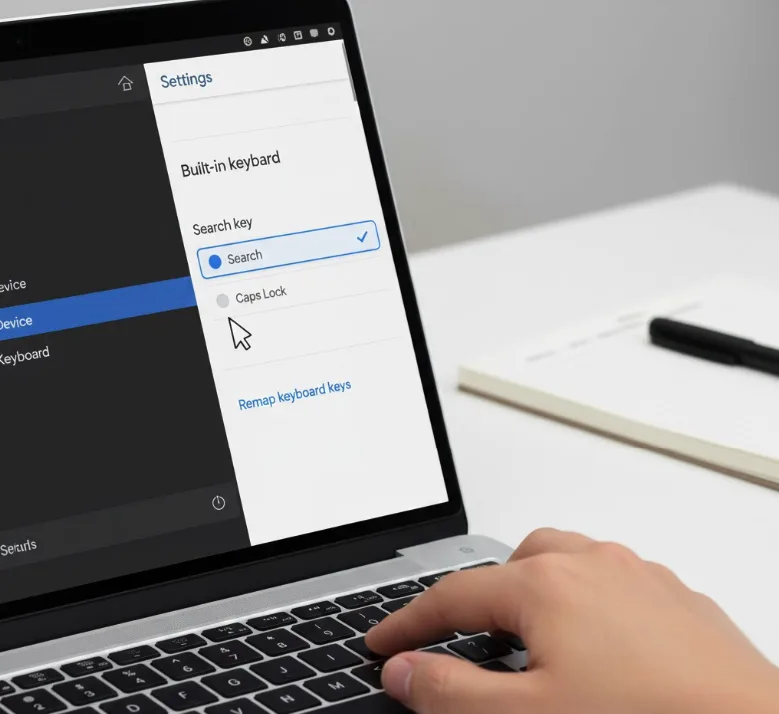
If the keyboard shortcut doesn’t work, you can check your keyboard settings. Click the time in the bottom-right corner, select Settings, then navigate to Device > Keyboard. Under “Built-in keyboard,” verify that your search key isn’t permanently remapped to function as caps lock.
If you remapped the search key to act as a dedicated caps lock button, you’ll need to reverse this setting. Select “Remap keyboard keys” and change the search key back to its default function.
Some users prefer keeping caps lock permanently enabled for specific tasks. You can configure this through the same keyboard settings menu by remapping the search key.
FAQs
What keys turn off caps lock on Chromebook?
Press Alt + Search keys together to toggle caps lock off. The search key has a magnifying glass icon and sits where caps lock is on traditional keyboards.
Why won’t my caps lock turn off?
Your search key might be permanently remapped. Go to Settings > Device > Keyboard > Remap keyboard keys and reset the search key to its default function.
Does Chromebook have a caps lock indicator?
Yes, Chromebooks display a notification on screen when caps lock activates or deactivates. There’s no physical LED indicator light on the keyboard itself.
Can I disable caps lock completely on Chromebook?
You cannot disable the caps lock function entirely, but you can avoid triggering it by not pressing Alt + Search simultaneously during regular typing.
How do I know if caps lock is on?
A notification appears briefly on your screen when caps lock activates. If you’re typing and all letters appear uppercase without holding shift, caps lock is on.
