


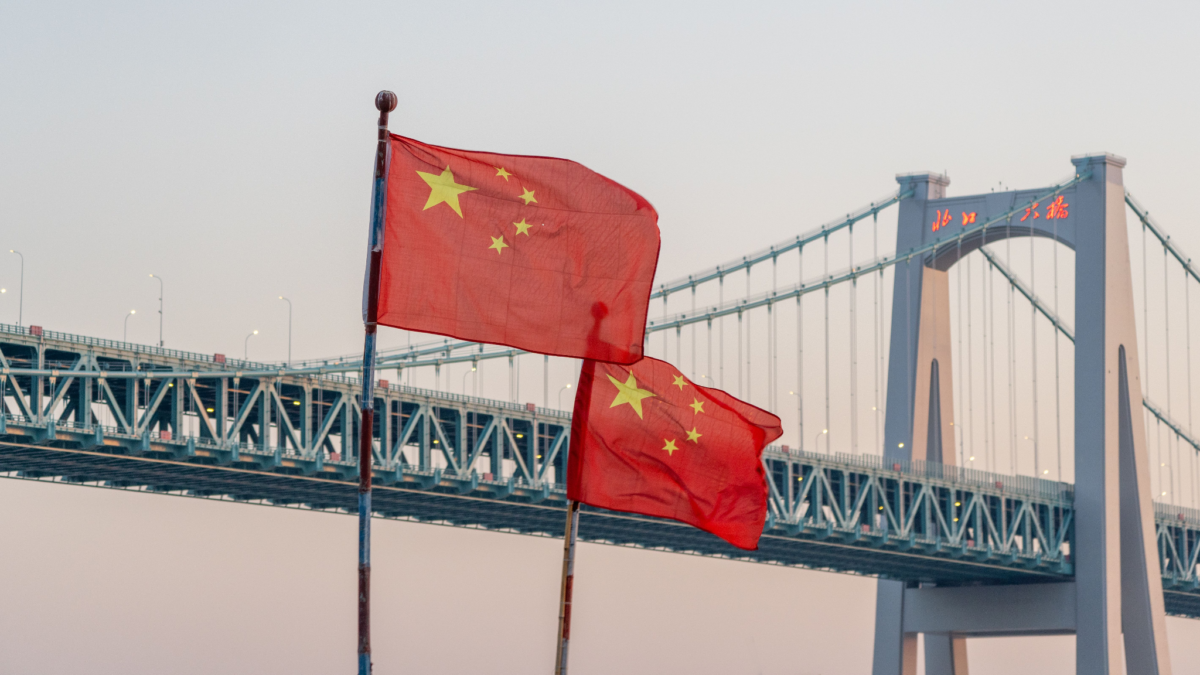
A Windows laptop loses a few websites in mainland China. A Chromebook loses the servers its operating system depends on. The preparation has to happen before the plane takes off.
Why a Chromebook is a different problem than a Windows laptop?
ChromeOS is built around a Google account. Sign-in, settings sync, the password manager, the Play Store, Drive, Chrome extensions and system updates all authenticate against Google infrastructure.
That infrastructure has been unreachable from mainland networks since the block was extended to nearly every Google domain on 27 May 2014, with Gmail’s remaining IMAP and POP access cut in December of the same year. Google’s own Transparency Report has shown traffic from China sitting near zero ever since.
Microsoft is in a different position. Outlook, OneDrive, Teams and Bing all work from Beijing or Shanghai because Microsoft runs its Chinese cloud through a local operator, 21Vianet. Apple moved iCloud data for Chinese accounts to a Guizhou-based partner in 2018 for the same reason.
Google has no equivalent arrangement and no domestic presence, so nothing on the account side of a Chromebook has a fallback.
So the hardware keeps working. The Google account it runs on does not.
The setup screen trap
The out-of-box experience on ChromeOS requires two things: a working network connection and a Google sign-in. Both steps are mandatory on a consumer device, and the second one cannot complete from a Chinese network.
That makes a Powerwash the single most damaging thing a traveller can do in China. The device wipes cleanly, reboots to the setup screen, and stays there until it is connected to a network that can reach accounts.google.com.
The same logic applies to signing out. A Chromebook that still has its owner profile cached will unlock with the local password and keep running with whatever was synced before departure. A Chromebook that has been signed out needs to re-authenticate, and it cannot.
Guest mode is the one exception. It opens without a Google account, works offline, and is useful for a colleague who just needs a browser. It also discards everything at the end of the session, including downloads and bookmarks, so it is a fallback rather than a plan.
Enterprise-enrolled devices from a school or employer usually have Guest mode disabled by policy, and cannot be unenrolled by the user at all.
System updates stop too. ChromeOS pulls updates from Google’s servers, which means a device on a two-week trip simply skips a release. A device on a six-month posting misses several security updates in a row, which is worth thinking about before choosing a Chromebook for a long stay.
Five things to do before your flight
First, install every Android app the trip will need, from the Play Store, at home, and open each one at least once so the licence check completes.
The Play Store is a Google service, so nothing new can be installed after arrival, and sideloading an APK on ChromeOS requires either Developer Mode or the Linux container plus adb, neither of which is a sensible thing to set up in a hotel room.
Second, switch on Drive’s offline mode from drive.google.com (Settings, then Offline) and mark the files that matter as “Available offline”.
Docs, Sheets and Slides then open from the Files app without a connection. The Google Drive folder in Files will not refresh in China, but the cached copies keep working, and edits sync back once the device is on a network that can reach Google again.
Third, install Chrome extensions in advance. The Chrome Web Store is a Google domain and is blocked with the rest. This includes any VPN extension, which is an easy one to forget.
Fourth, set up the VPN and test it properly before leaving, including the provider’s obfuscated or stealth setting rather than the default protocol.
Download the Android app from the Play Store, log in, and also save the OpenVPN or IKEv2 configuration files and certificates for the built-in ChromeOS client as a backup. Providers’ own websites are frequently blocked in China, so a login problem on day one has no fix.
Fifth, sort out connectivity. Data from a foreign SIM in roaming mode is routed back through the home carrier before reaching the internet, which is why it usually behaves as if the traveller were still at home.
A Chinese SIM from China Mobile or China Unicom, and every hotel or café Wi-Fi network, sits behind the national filtering.
Roaming is expensive, and a Chromebook tethered to a phone burns through it quickly, but it is the most reliable way to complete a sign-in in an emergency. A local SIM is the cheaper everyday option, provided the VPN is already in place.
Getting Google back once you’re there
The filtering system uses deep packet inspection, and standard OpenVPN and WireGuard handshakes are recognisable enough to be dropped within seconds. Providers that work in China wrap their traffic so it resembles ordinary HTTPS, and they rotate server addresses as they get blocked.
This is an arms race, and results change from one month to the next. Gizmodo maintains an updated rundown of which VPNs still get through from mainland China, based on connection tests rather than provider marketing, and it is worth checking close to the departure date rather than months ahead.
On a Chromebook there are two ways to run the tunnel. The Android app is the practical one: since ChromeOS 66, an Android VPN app routes traffic from Chrome, other Android apps and, on recent builds, the Linux container.
The “Always-on VPN” toggle in Settings prevents leaks when the connection drops, which happens often on Chinese networks. The second route is the built-in client under Settings, Network, Add connection, which supports L2TP/IPsec, OpenVPN and IKEv2, plus WireGuard from 2022 onwards.
Google’s Chromebook Help documentation on VPN setup covers the certificate and pre-shared key options in detail. The catch is that the built-in client uses those protocols in their plain form, which is exactly what the firewall fingerprints, so it works as a backup for a corporate connection and rarely for a consumer one.
Timing matters too. Blocking intensifies around the National People’s Congress in early March, the 4 June anniversary, and the National Day holiday in the first week of October.
A connection that worked fine in late September can fail for days. Keeping two providers configured is not paranoid, it is standard practice among people who spend real time there.
The legal position: the Ministry of Industry and Information Technology’s 2017 campaign made unlicensed VPN services illegal to operate in China.
Enforcement has almost entirely targeted sellers and providers. Individual users have very rarely been fined, and foreign visitors using a VPN on a personal device have not been a practical enforcement priority.
That is a description of practice, not a guarantee, and anyone on a business or academic visa should follow their organisation’s guidance.
What still won’t work, VPN or not
Bandwidth. International links out of China are congested and throttled, and a tunnelled connection during the evening peak often delivers 5 to 15 Mbps on a good day.
Video calls over Google Meet degrade, large Drive syncs stall, and a full ChromeOS update over a hotel connection can take an entire night. Plan for text, documents and email rather than 4K video.
Google Maps. Even with a tunnel, the map data for mainland China is offset by several hundred metres because Chinese regulations require the GCJ-02 coordinate system, and Google’s satellite imagery and its street layer do not line up.
Apple Maps and Baidu Maps handle this correctly; on a Chromebook, Baidu Maps in a browser tab is the workable option, in Chinese.
Payments. Alipay and WeChat Pay run almost everything, and since July 2023 both accept foreign Visa and Mastercard cards directly. Neither has a Chromebook app worth mentioning, so the phone handles money and the Chromebook handles work.
For a two-week trip, prepared this way, a Chromebook in China is a perfectly good tool, and the weight and battery life argue in its favour.
Past a month or two, the missing security updates tip the balance, and a Windows or Linux laptop that does not depend on one company’s servers becomes the safer choice. The decision is less about whether the device works and more about how long it can go without checking in.
FAQs
Can a Chromebook be bought in mainland China?
Not through normal retail. Google sells no hardware there and the main manufacturers do not ship ChromeOS models to the domestic market. Units listed on Chinese marketplaces are grey imports, often already enrolled to a foreign organisation.
Does Guest mode need an internet connection?
No. It opens offline and works with whatever web apps support offline use, but it saves nothing between sessions.
Will the Chromebook update while in China?
Not without a working VPN. Updates resume automatically once the device can reach Google’s servers again, and a long trip may mean a large update on the way home.
