


While you can use the new Android Messages for web on any supported browser, it obviously works well on a Chromebook too. That’s what makes me wonder about the SMS integration of the upcoming Better Together feature for Chrome OS, but that’s a different story.
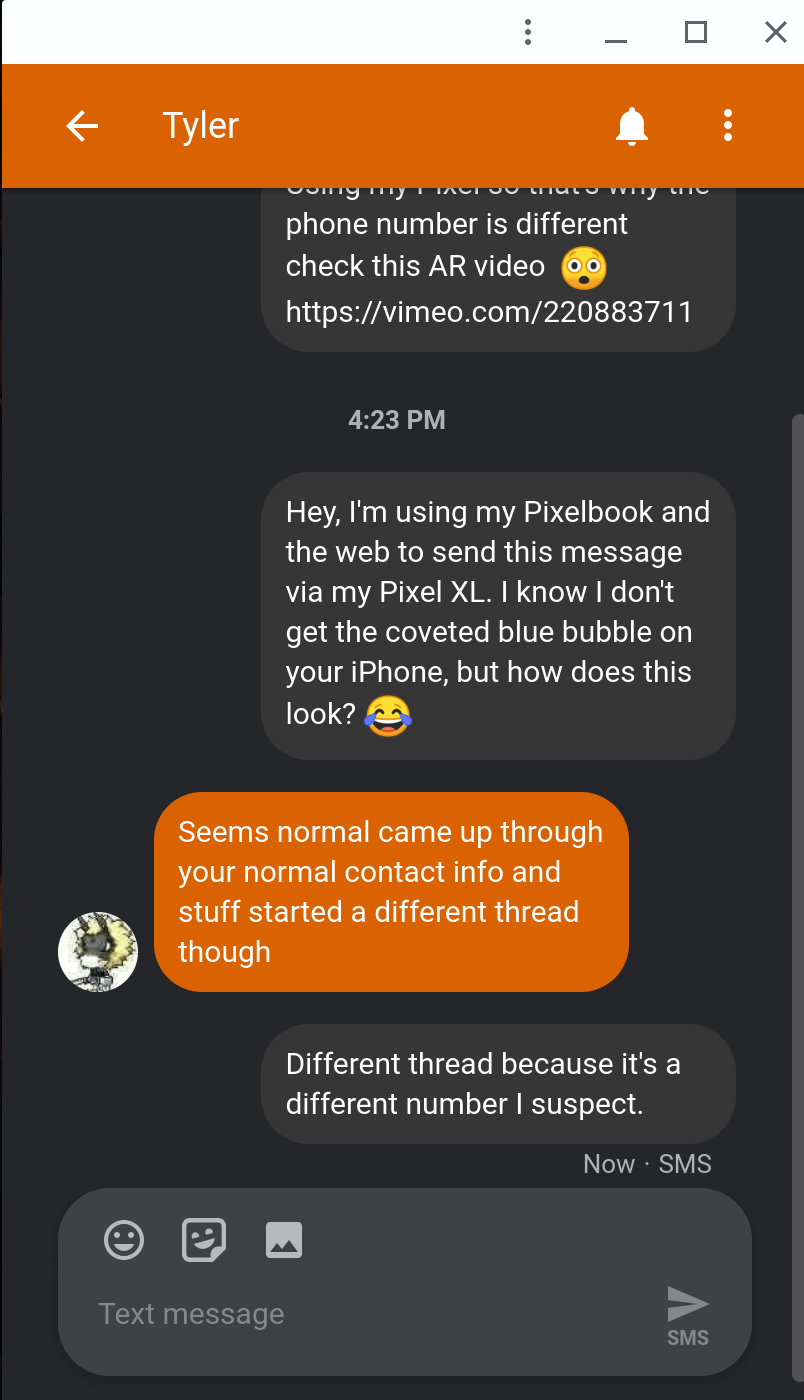 Setup is quick and easy using a browser and the recently updated Android Messages app; sorry iOS users, you’re outta luck. Then again you have your blue bubbles; I’m joking as my primary phone is an iPhone X. But to test the new Messages, I fired up my Pixel XL with Project Fi SIM card.
All I had to do was open the Messages app on my phone and find the Messages for Web option in the app settings. On my Pixelbook, I navigated to https://messages.android.com which displayed a QR code. Using my Pixel XL and the Messages app, a quick scan of the code paired my phone to my Chromebook. And that’s it.
Now I can text from the web with my son and his iPhone; he didn’t even make fun of the green bubble! 😉 The web interface supports photos, stickers and emoji. And Chrome OS will surface notifications in the system tray when messages are received.
If you notice in my screenshot, I was also able to install this as a PWA.
Sort of.
If this was a true Progressive Web App, there would be an “install” option in the Chrome menu as of Chrome 67. Unfortunately, there isn’t, at least not for me. Instead, I used the “Create Shortcut” option and on the icon for the web page, I chose to enable “Open in Window”.
It’s not quite the same, but close enough for now. I am a bit surprised, however, that this isn’t a native PWA by default as Google is reworking all of its web apps to be PWAs. Oh and I chose to enable the dark theme for my Messages as well, but that’s just a personal choice.
Regardless, it’s working well for me on the Pixelbook. Now if I could just use the Pixel XL full time, this would be even more helpful. My entire family uses iPhones and I use an Apple Watch; the only way to get music on it for my daily runs is through an iPhone. Sigh.
