

Close Menu
    Facebook X (Twitter) Instagram
    • About
    • Privacy Policy
    • Write For Us
    • Newsletter
    • Contact
    Instagram
    About ChromebooksAbout Chromebooks
    • Linux
    • News
      • Stats
      • Reviews
    • AI
    • How to
      • DevOps
      • IP Address
    • Apps
    • Business
    • Q&A
      • Opinion
    • Gaming
      • Google Games
    • Blog
    • Podcast
    • Contact
    About ChromebooksAbout Chromebooks
    News

    Chrome 117 will alert users with old extensions installed

    Kevin TofelBy Kevin TofelAugust 23, 2023No Comments2 Mins Read

    Starting with Chrome 117, Google’s browser will alert users when old web extensions are installed. Google says the feature is to “keep the ecosystem safe for users while limiting the chances that this will impact genuine extensions.” The proactive alerts will appear in the “Safety Check” settings area of the browser.
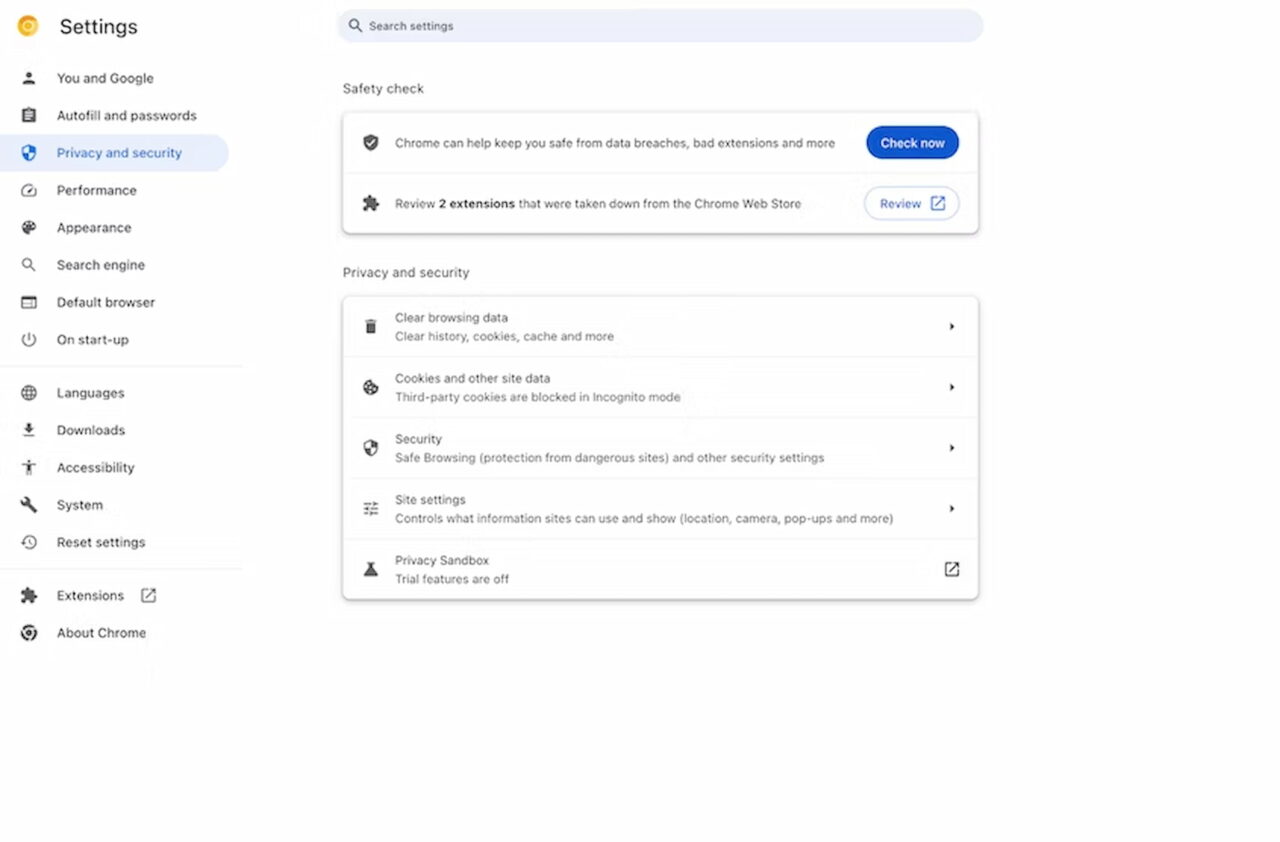
    Chrome 117 will alert users of outdated web extensions

    According to Google, there are three scenarios where a Chrome 117 user would be alerted:

    • The extension has been unpublished by the developer.
    • The extension has been taken down for violating Chrome Web Store policy.
    • The item was marked as malware.

    There is a procedure for Chrome extension developers to address any issues if Google finds one or more. In that case, the developer is provided time to address any of Google’s concerns or policies. And during that time, users won’t see an alert for that particular extension. Well, unless the time expires on the developer and they haven’t addressed the issues. After that, users would be notified that the extension in question is potentially unsafe or no longer available on the Chrome Web Store.

    If you seen an alert in Chrome 117 or beyond about an extension issue, just click the “Review” button. This will bring up additional information about the extension and the reason for the alert.
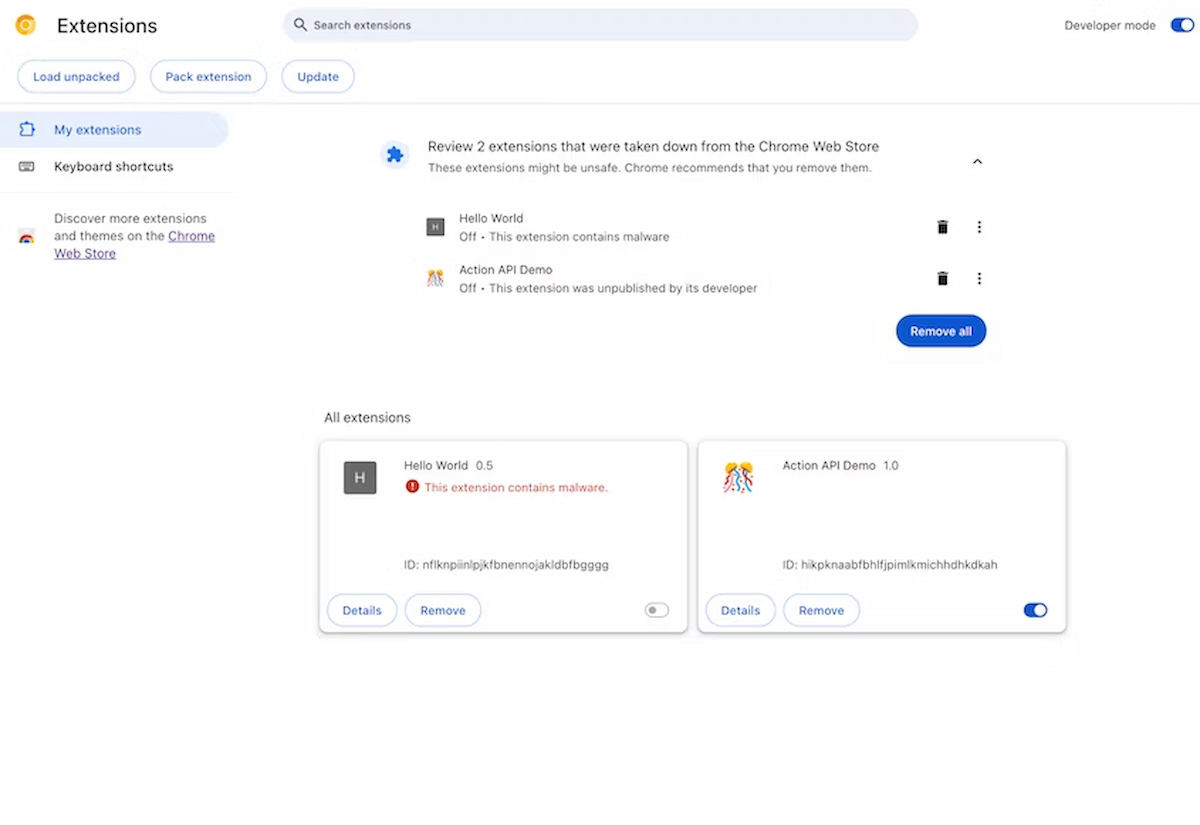
    Chrome 117 will let users review outdated web extensions

    From the review screen, users can decide to remove one or all of the flagged web extensions. Of course, if you want to keep the extension, you can do so. Once you remove a Chrome Web Extension that’s no longer available, however, you won’t be able to reinstall it.

    This is a positive change for Google Chrome users in my opinion. Google has long protected the Chrome browser from malicious extensions, and I use quite a few, so that isn’t new. Adding an alert for these as well as outdated extensions removed from the Chrome Web Store brings another layer of comfort from a security standpoint, however. I almost wish Google had done this sooner, to be honest.

    Kevin Tofel
    • Website

    After spending 15 years in IT at Fortune 100 companies, Kevin turned a hobby into a career and began covering mobile technology in 2003. He writes daily on the industry and has co-hosted the weekly MobileTechRoundup podcast since 2006. His writing has appeared in print (The New York Times, PC Magazine and PC World) and he has been featured on NBC News in Philadelphia.

    Comments are closed.

    Best of AI

    Google Bard Statistics And User Data 2026

    April 10, 2026

    Azure OpenAI Explained

    April 10, 2026

    Whisper AI Review 2026

    April 9, 2026

    Openai Codex -The AI Code Editor

    April 9, 2026

    Character AI Features And Reviews

    April 8, 2026
    Trending Stats

    Chromebook Upgrade VS Replacement Statistics 2026

    April 15, 2026

    Average RAM Usage On ChromeOS Statistics 2026

    April 14, 2026

    ChromeOS Security Incidents VS Other OS Statistics 2026

    April 13, 2026

    Chrome Lighthouse Statistics 2026

    March 26, 2026

    Chrome Incognito Mode Statistics 2026

    February 10, 2026
    • About
    • Tech Guest Post
    • Contact
    • Privacy Policy
    • Sitemap
    © 2026 About Chrome Books. All rights reserved.

    Type above and press Enter to search. Press Esc to cancel.