


The latest iteration of Google’s Chrome browser is now generally available, bringing a number of fixes and features to macOS, Linux, and Windows. The Google Chrome 114 release includes 16 security fixes and several new features. Here’s what’s in the now available Chrome 114 release, currently rolling out after Chrome 113 arrived less than a month ago.
More than a dozen security fixes in Google Chrome 114
This time around, there are 16 security patches in the Google Chrome 114 browser. Google doesn’t share the mitigation details of these immediately following a browser update. That’s because it wants time for the patches to roll out widely. Offering the details too soon could give information on exploits that are waiting to be patched with the upgrade.
In any case, you can see a high level explanation of all 16 right here. The company shelled out over $65,500 to folks who found the security issues and shared information in Google’s bug bounty program.
Customize Google Chrome 114 in a new way
Google Chrome 114 updates the customization options that you’d typically find on a blank New Tab Page, or NTP. You can still click the “Customize Chrome” option on a NTP, but the options are also available the sidebar. This is the area where Google is adding more features such as a more modern Reading List, Bookmarks manager and Journeys function, to name a few.
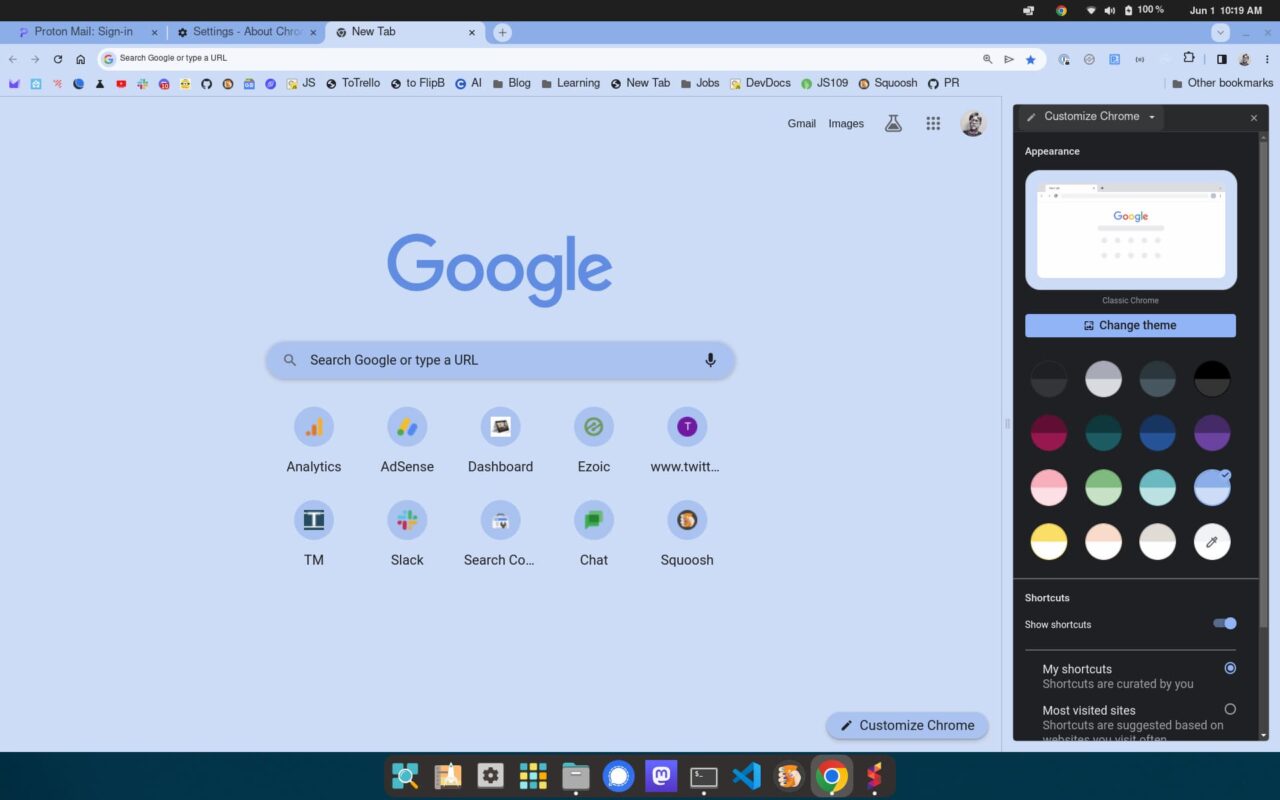
Here I’m using the Customize Chrome option in the sidepanel for a relaxing blueish theme. Again, you can click the “Customize Chrome” button at the bottom right of any NTP for the same options.
I should note that I didn’t see the updated customization options on a NTP at first. After some troubleshooting, I realized that I had a custom downloaded theme installed to Google Chrome 114. Changing over back to the “Chrome classic” fixed the issue for me, so keep that in mind if you don’t see this new interface.
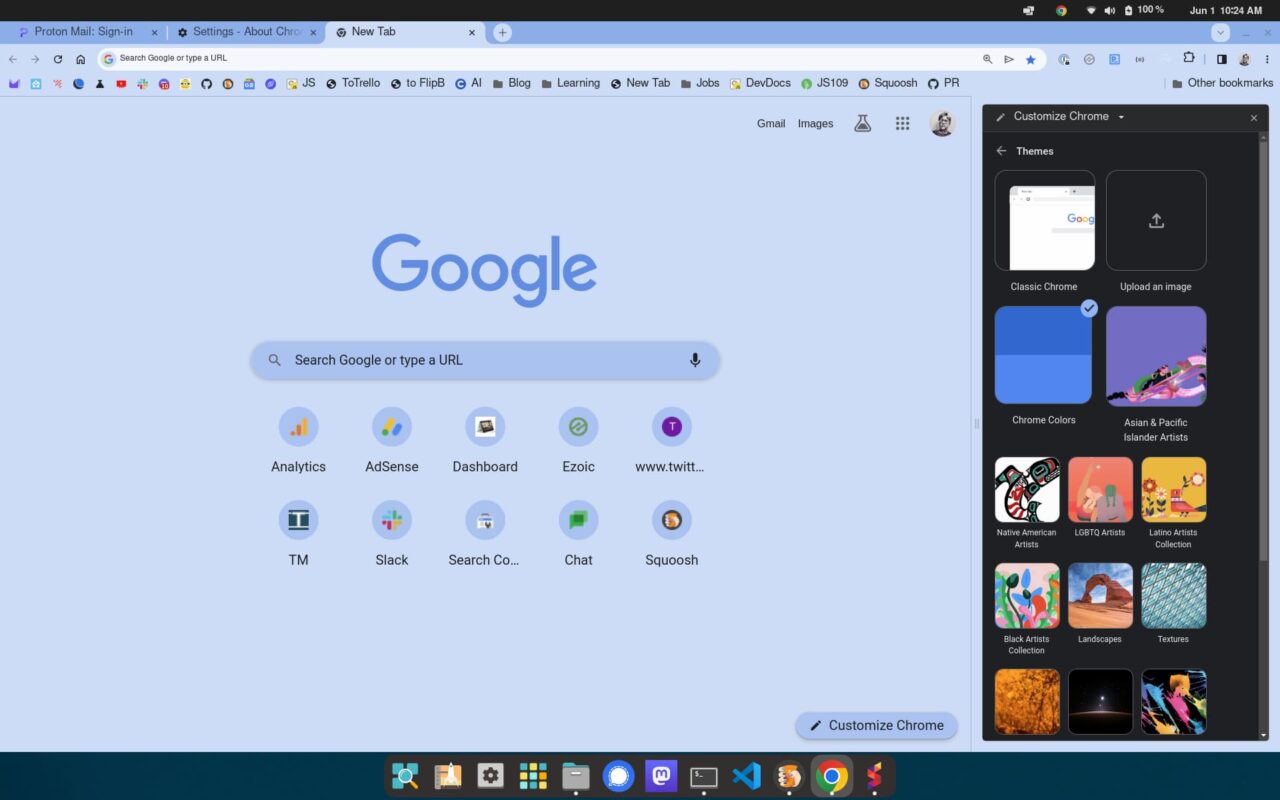
Speaking of themes, Google Chrome 114 adds new themes to choose from:
Developers can build for the sidepanel starting with Chrome 114
I mentioned the constantly evolving sidepanel and it’s not just Google who can create options for it. Staring with Google Chrome 114, developers can use this extra pane for web pages and extensions.
Here’s a quick look at two examples that Google created for developers:
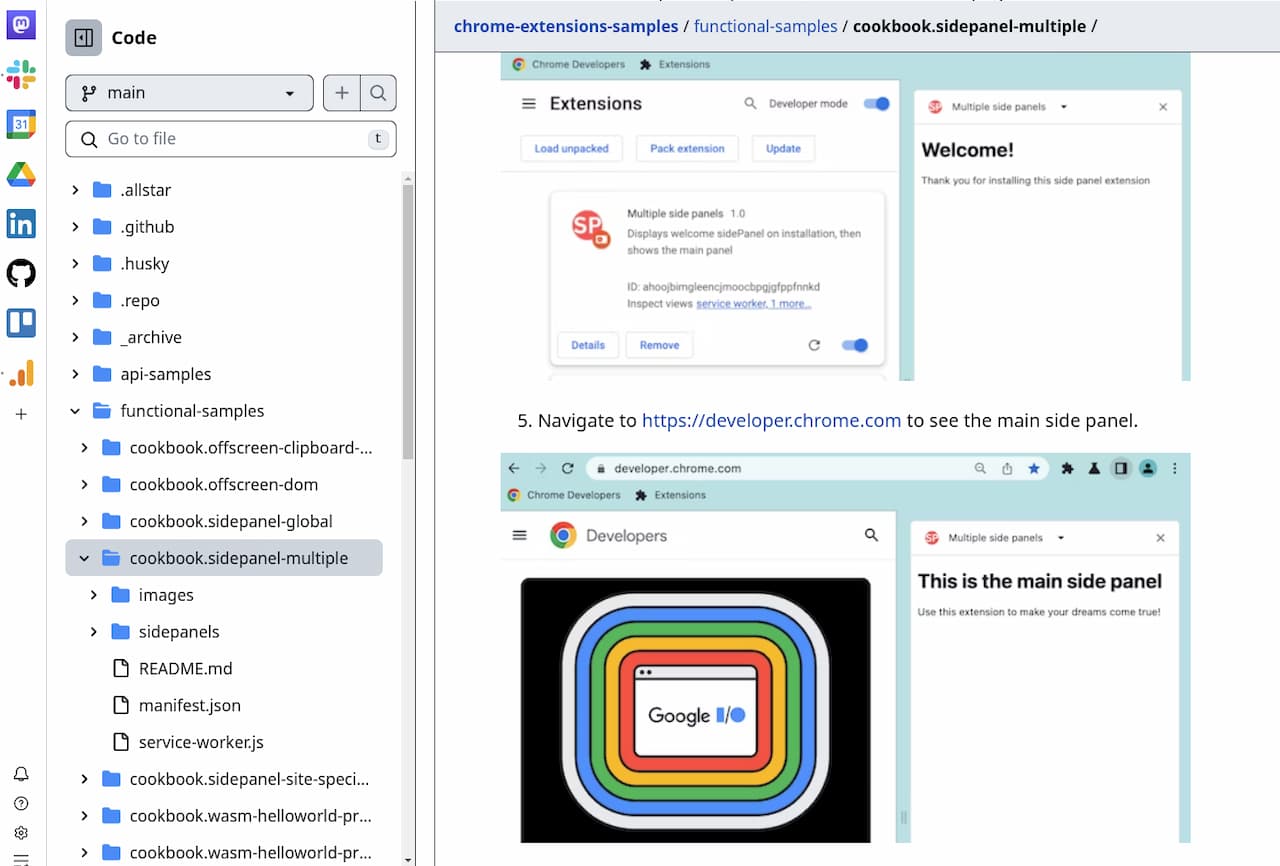
I don’t want too much clutter in my sidepanel but I can envision some helpful uses of this feature. Since you can create sidepanels for specific web pages, maybe I could show the currently top rated Chromebooks, for example. I can’t wait to see what devs use this for.
The three-dot menu update arrives?
For some reason, I never saw the updated three-dot menu changes that Google Chrome 113 promised. Maybe it’s just me? I’ll assume not and tell you that you should now see the refreshed three dot menu in Chrome 114.
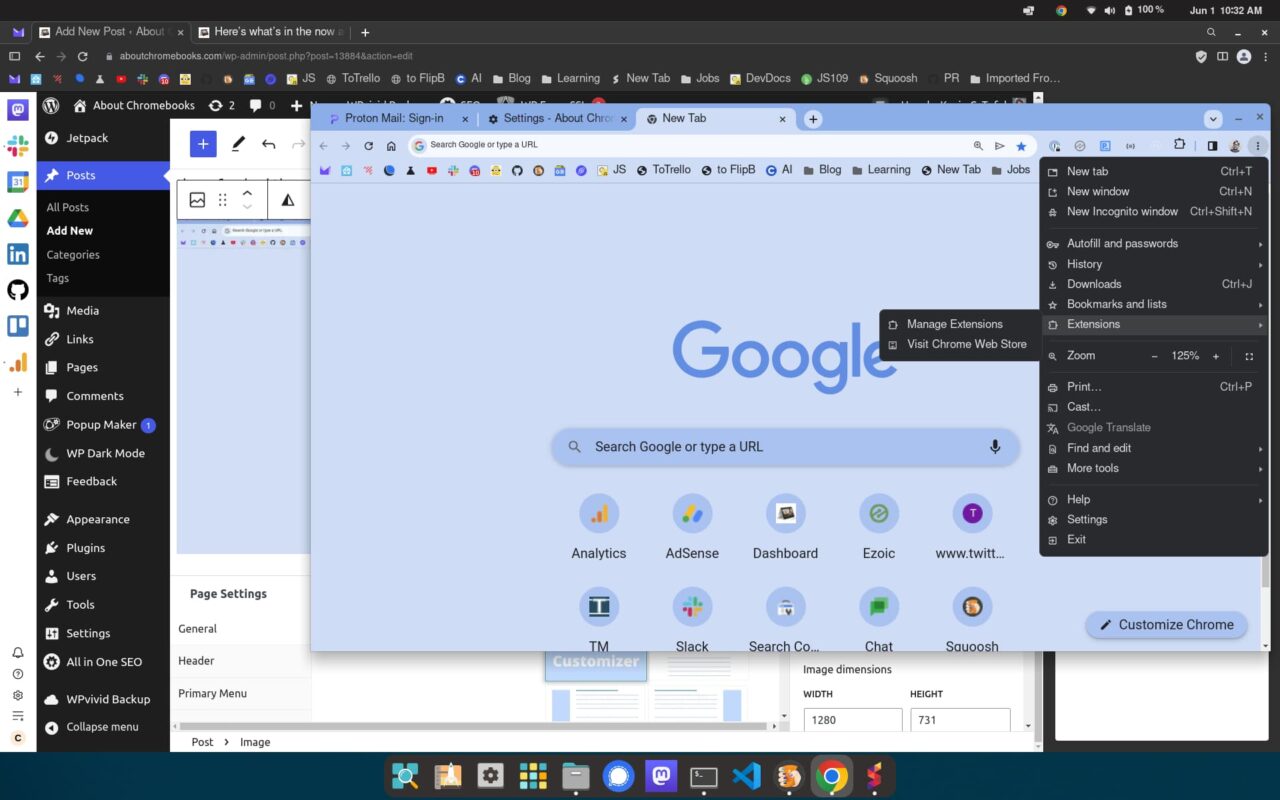
The Extensions option is front and center, rather than buried down in a sub-menu. And you have better access to the Chrome Web Store for additional extensions in Google Chrome 114.
Google Password Manager gains a few tricks
Personally I don’t use the Google Password Manager. However I realize that many Google Chrome users do. So you’ll be happy to see some new tricks added here.
First, Google says the Password Manager in Chrome 114 will group similar passwords together. I presume it really means similar sites or services will be grouped. Second, if you want one-click access to the Google Password Manager, there’s an option to add a shortcut to it.
Lastly, you’ll see an updated flow and integration with the password manager:
It replaces the current list of passwords with a new list that allows navigating to the password details view. In the password details view, users can copy the username or password, unmask the password and edit the stored note.
I’m sure there’s more in Google Chrome 114
These are the main updates that jumped out at me while digging around the Google Chrome 114 release. But I’m sure there’s more. I haven’t checked for any new experimental flags, for example, so I’ll do that next and share any updates. If you find anything worth a mention I might have missed, drop a comment below!
