


An HP Elite Dragonfly Chromebook review unit appeared on my doorstep this morning. That’s a nice surprise! I unboxed this highly anticipated Chromebook with 12th-gen Intel chipset and have spent a few hours with it. Obviously, I can’t share a full review at this time. However, I can offer my HP Elite Dragonfly Chromebook first impressions.
The hardware is super light and thin
The first thing I noticed is that the HP Elite Dragonfly Chromebook is extremely light and thin. It’s one thing to read that a laptop weighs 2.8 pounds on a spec sheet. It’s completely another thing to lift such a light device. And frankly, I don’t see how a laptop can be any thinner these days. There’s barely enough room to fit a full-sized HDMI jack on the left side of the HP Elite Dragonfly Chromebook, for example.
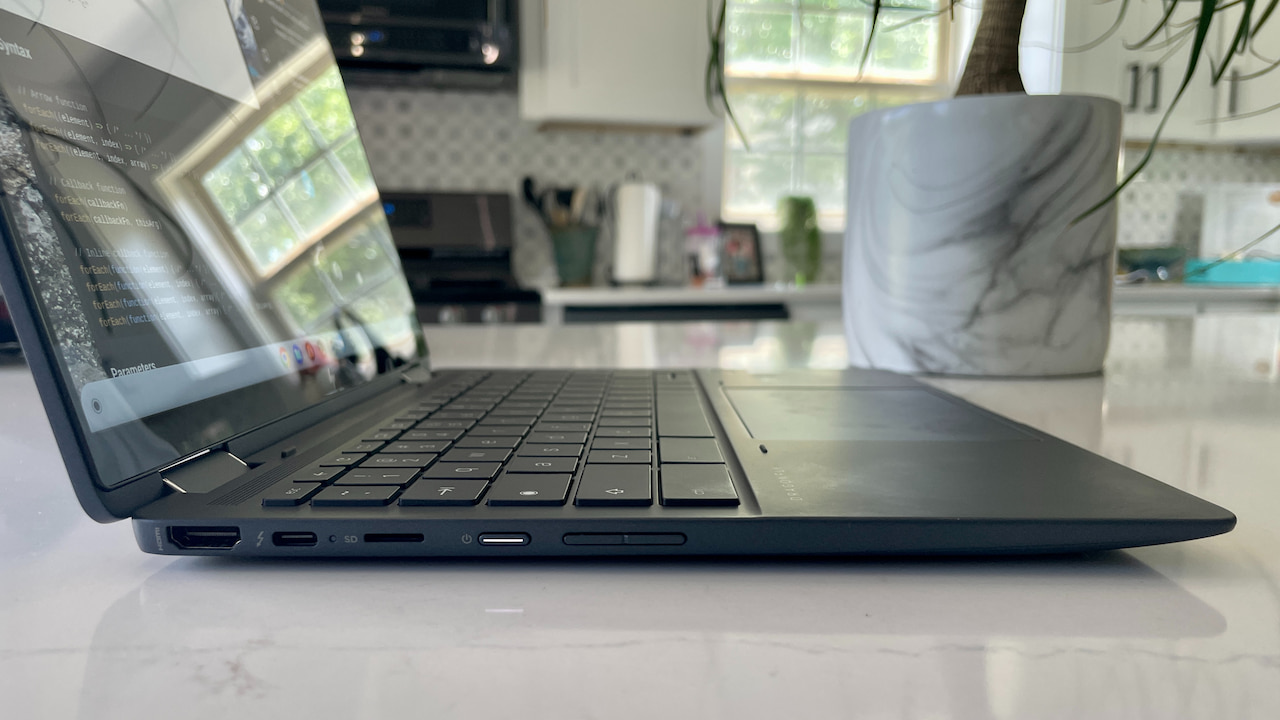
You can also see the USB Type-C port on the left as well as a microSD card slot, power button and volume rocker. The Type C ports are also Thunderbolt 4 with USB 4. The right side is obviously just as thin with barely enough space for a microphone/headphone jack, USB Type-A, USB Type-C, Kensington lock slot.
In fact, the USB Type-A has a small door because the port is thicker than the chassis. And what have we here: A SIM card tray!
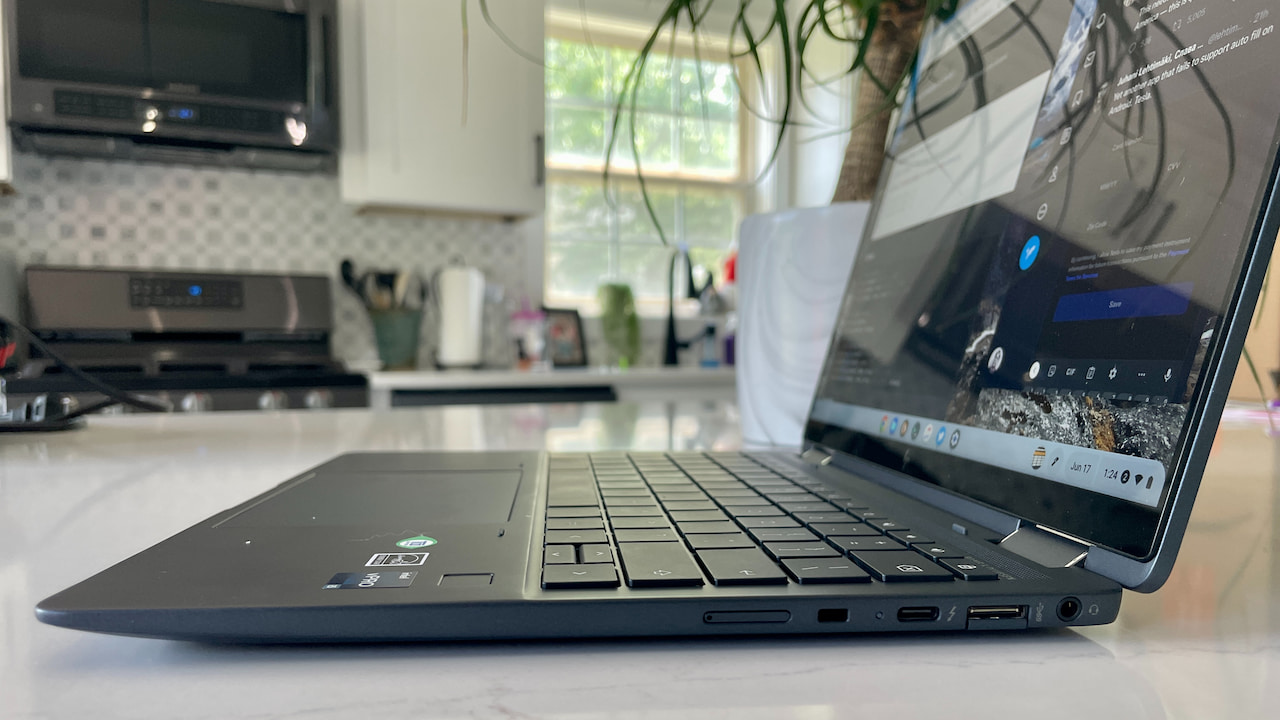
I’ve already seen in the Chrome OS Settings that this particular HP Elite Dragonfly Chromebook review unit also supports an eSIM. I have questions in to HP on costs for the mobile broadband option and carrier support.
Overall build quality is top notch on this unit. There actually is some plastic in the chassis but you wouldn’t know it by how solid this feels. (Update: HP tells me it’s made of magnesium, not plastic.)
Speedy internals in the HP Elite Dragonfly Chromebook
Inside is a 12th-gen Intel Core i5-1245U, which comes with Intel Xe graphics and Intel vPRO support. The latter isn’t likely needed for consumers. The former two features are great to see as this is a speedy 10 core CPU (2 performance cores and 8 for efficiency) with a GPU that can support Steam gaming on Chromebooks via Borealis.
There’s also 8 GB of memory and a 256 GB NVMe SSD for local storage in the review unit. Everything I’ve done on the HP Elite Dragonfly Chromebook has been ridiculously fast. Again, this isn’t a review, but here’s an Octane benchmark score to give you an idea how fast this hardware is.
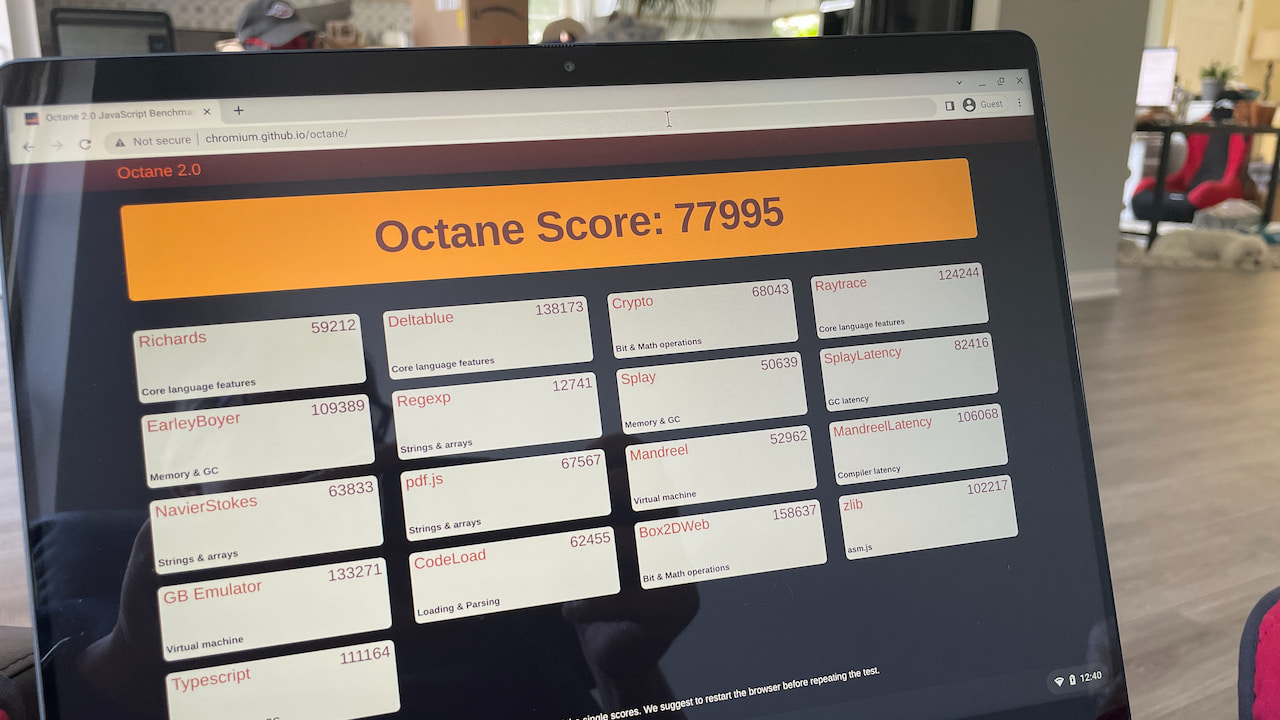
For reference, I haven’t ever seen a Chromebook score higher than around 52,000 on Octane. And my daily driver, with an 8th-gen Core i5 and 16 GB of memory tops out around 40,000 these days.
Other impressions of the HP Elite Dragonfly Chromebook
Having not used a Chromebook with 1080p webcam prior, the camera output looks noticably better than what I’m used to. I do like having the shutter cover option over the camera as well. And I really like the haptic trackpad. Then again, I’ve long been a fan of such trackpads on Apple laptops.
Originally, I thought the consumer model of this Chromebook might not have that trackpad. There was no mention of it on the product page. However, HP did clarify to me that yes, all models come with the haptic trackpad. If you haven’t used one, I think you’ll likely be impressed. Instead of the trackpad surface actually moving when you click an onscreen element, you simply feel the click.
The 2256 x 1504 resolution touch display is very nice to look at. Brightness tops out at 400 nits and that’s enough for most people. I’ve had no issues at this point using the laptop in a brightly lit room. I will test it outside, however.
There will be options for the HP Elite Dragonfly Chromebook to have a 1080p touch display with 1000 nits of brightness and HP’s SureView Privacy feature. Since I have the standard model, I won’t be able to tell you much about that screen.
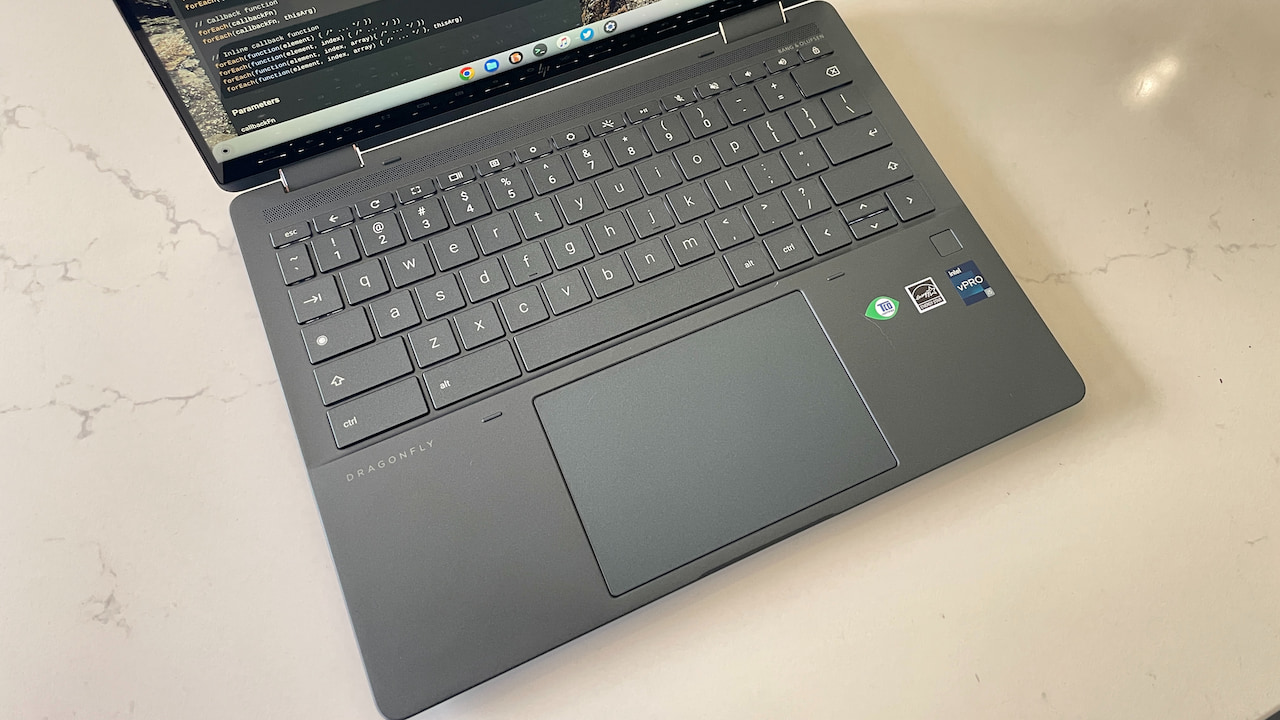
The fingerprint sensor sits to the right of the trackpad and is working well so far, even if these sensors are a bit limited on Chrome OS.
The keyboard is very nice so far. I’m not blown away like I was with the Google Pixelbook Go keyboard, but the typing experience is solid. I can say the same about the speakers upon a first listen. Loud and decent but I’ll have to do some testing for a better idea.
My real unknown at this point is to frame my impressions and future review in terms of value. I don’t believe this is the entry level HP Elite Dragonfly Chromebook priced at $1,149. I have a question in to HP on the pricing for this particular review unit. I’ll update this post once I have this information.
In the meanwhile, I’ll finish up my current review period with the Lenovo Duet Chromebook 3. Then I’ll use the HP as a full time device for at least a week and provide a proper review. Drop any specific questions in the comments and I’ll try to answer them along the way.
