

Close Menu
    Facebook X (Twitter) Instagram
    • About
    • Privacy Policy
    • Write For Us
    • Newsletter
    • Contact
    Instagram
    About ChromebooksAbout Chromebooks
    • Linux
    • News
      • Stats
      • Reviews
    • AI
    • How to
      • DevOps
      • IP Address
    • Apps
    • Business
    • Q&A
      • Opinion
    • Gaming
      • Google Games
    • Blog
    • Podcast
    • Contact
    About ChromebooksAbout Chromebooks
    News

    Picture-in-picture API to be enabled by default on Chrome OS, Chrome browser

    Kevin TofelBy Kevin TofelJune 19, 2018Updated:September 13, 2025No Comments2 Mins Read

    Last month, I reported on an experimental picture-in-picture (PiP) feature that I used on my Chromebook. At the time, I had to use a Chrome flag setting to enable it. On Tuesday, I spotted code that will enable the PiP API by default with Chrome version 69, and not just for Chromebooks. It will also be available in the Chrome browser for Windows, Mac and Linux. And eventually, Chrome for Android support will follow.

    So why is this moving from testing to availability? According to related documentation:

    The Origin Trial was dropped. We mostly wanted to help web developers setup their websites and get feedback for a next version of the API. We now have gathered strong interest from external partners.

    When I used an iPad Pro 12.9 as my daily driver, I used the native PiP feature all the time. It was super useful when I was working on the tablet and wanted to watch YouTube or television content; we stream all of our TV from PlayStation Vue.

    Testing it on my Pixelbook was just as useful as I was able to catch some PGA golf while researching and writing posts. A few weeks ago, the feature stopped working for me, so I suspect once “Origin Testing” was complete, it may have been disabled in a Chrome OS update.
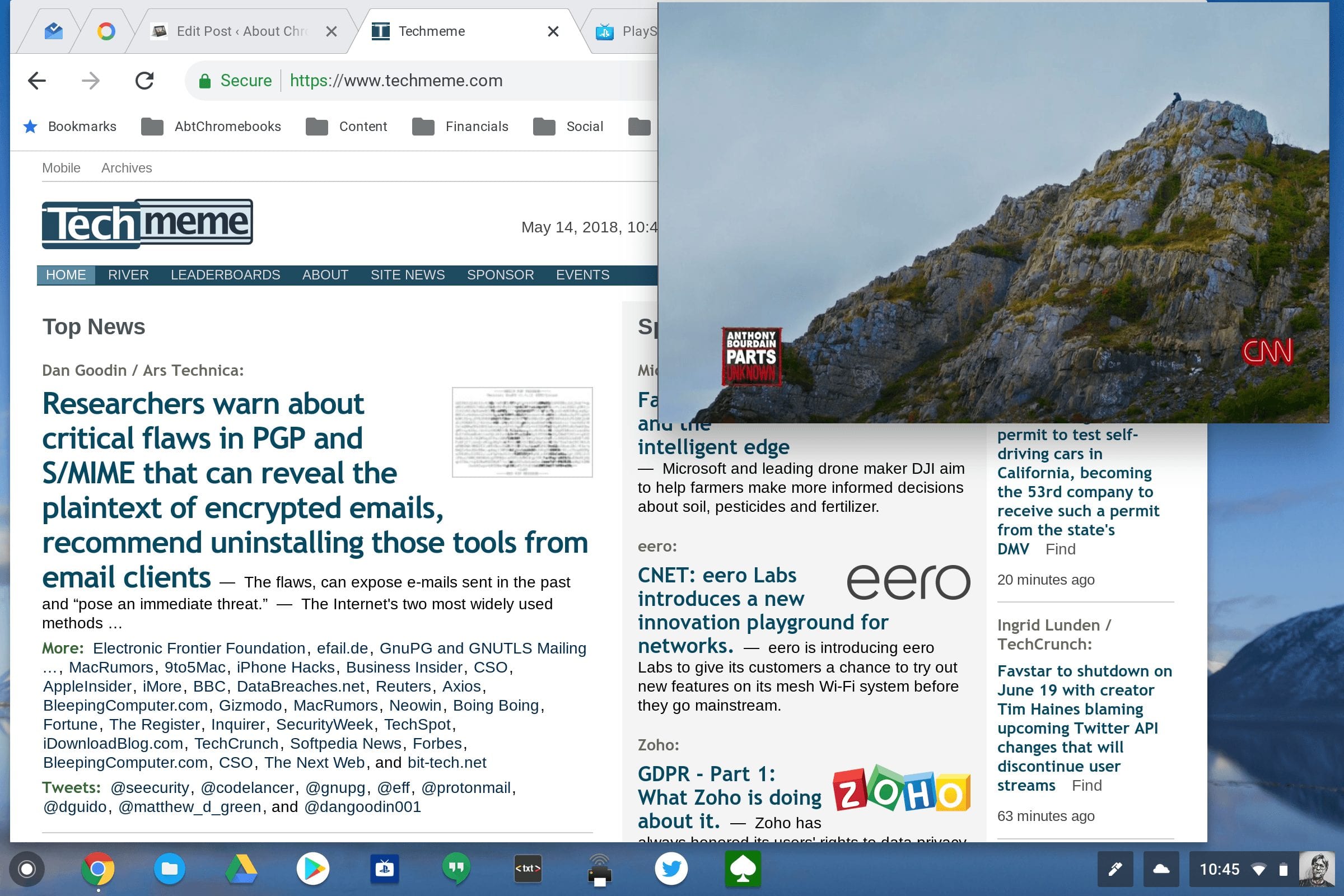
    Regardless, making this feature enabled by default is a smart move. Because there were several Chrome flags to enable and an extension to install, most folks wouldn’t have bothered to set it up. I don’t know if the final implementation will still require an extension — I’m betting not — but by making it easier to just use, as a native, default feature, more people will actually benefit from it.

    Note that schools or businesses that use managed Chromebooks or the Chrome browser can disable this feature if they want: There will be a policy available in the Admin Console to allow or disable it.

    Kevin Tofel
    • Website

    After spending 15 years in IT at Fortune 100 companies, Kevin turned a hobby into a career and began covering mobile technology in 2003. He writes daily on the industry and has co-hosted the weekly MobileTechRoundup podcast since 2006. His writing has appeared in print (The New York Times, PC Magazine and PC World) and he has been featured on NBC News in Philadelphia.

    Best of AI

    Imagen AI: The Best Photo Editing AI In 2026

    April 21, 2026

    Alphafold AI from Google Deepmind 2026

    April 21, 2026

    Agentic AI Pindrop Anonybit: The Future of Secure Identity Verification

    April 17, 2026

    Google Bard Statistics And User Data 2026

    April 10, 2026

    Azure OpenAI Explained

    April 10, 2026
    Trending Stats

    Education Sector Chromebook Adoption Statistics 2026

    May 4, 2026

    ChromeOS Data Usage Patterns And Statistics 2026

    May 2, 2026

    Auto Update Expiration (AUE) In Chromebooks Statistics 2026

    May 2, 2026

    Chromebook Vs IPad Adoption In Schools Statistics 2026

    May 1, 2026

    ChromeOS Accessibility Feature Usage Statistics 2026

    April 28, 2026
    • About
    • Tech Guest Post
    • Contact
    • Privacy Policy
    • Sitemap
    © 2026 About Chrome Books. All rights reserved.

    Type above and press Enter to search. Press Esc to cancel.