

Close Menu
    Facebook X (Twitter) Instagram
    • About
    • Privacy Policy
    • Write For Us
    • Newsletter
    • Contact
    Instagram
    About ChromebooksAbout Chromebooks
    • Linux
    • News
      • Stats
      • Reviews
    • AI
    • How to
      • DevOps
      • IP Address
    • Apps
    • Business
    • Q&A
      • Opinion
    • Gaming
      • Google Games
    • Blog
    • Podcast
    • Contact
    About ChromebooksAbout Chromebooks
    News

    Steam game sync on GeForce Now for Chromebooks may make it a better option than Stadia

    Kevin TofelBy Kevin TofelSeptember 10, 2020Updated:September 22, 2025No Comments2 Mins Read

    Last month, Nvidia debuted a special site for Chromebook users to stream and play PC games at a lower monthly price than paid Stadia Pro accounts. This month, a small tweak to GeForce Now for Chromebooks could make a big difference on which gaming service you might use. If you have a game library with Steam, you’ll probably lean towards Nvidia’s offering because you can now sync those game titles from Steam to GeForce Now.
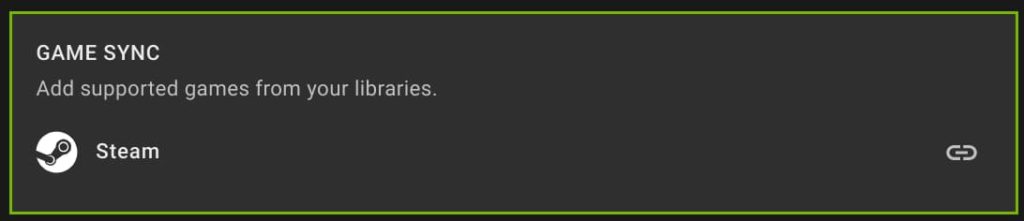
    I caught wind of this news on 9to5 Google and since I have a Steam account, hit the GeForce Now site on my Chromebook immediately to verify. Yup, the option is there and I gave it a quick test.

    All I had to do was click the option for Game Sync and then sign in to my Steam account. Five seconds later, my PC titles appeared on the GeForce Now site under “My Library” and I was able to fire up a streaming session immediately.
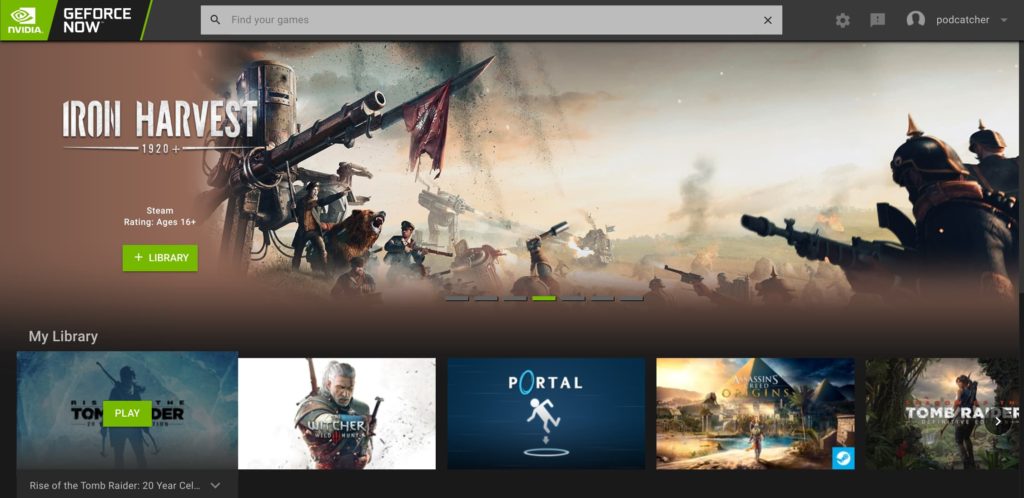
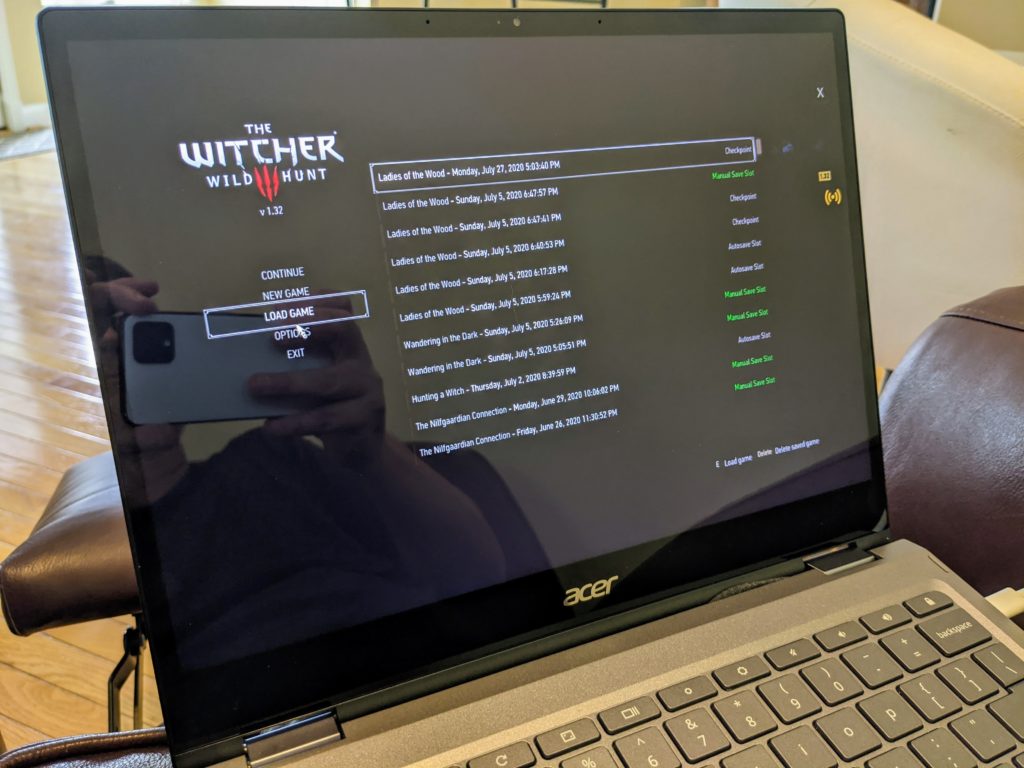
    Not only can I play my previously purchased titles, my game save data is in the Steam cloud, so I can pick up in any game where I left off on the gaming PC rig I built a few months back.
    For me and other Steam users, this is kind of like the best of both worlds: The game streaming service offered by Google Stadia and the broad game title availability of Steam all wrapped into one. Of course, GeForce Now also includes roughly 100 games with the monthly plan, although those titles do rotate from time to time.

    Who would have thought than in less than a year, we went from no true PC gaming options on Chromebooks — sorry, Android games don’t quite compare — to a pair of them, each with different pros and cons? Regardless of which streaming game platform you choose, both of these have added some long awaited entertainment and fun to Chromebooks.

    Kevin Tofel
    • Website

    After spending 15 years in IT at Fortune 100 companies, Kevin turned a hobby into a career and began covering mobile technology in 2003. He writes daily on the industry and has co-hosted the weekly MobileTechRoundup podcast since 2006. His writing has appeared in print (The New York Times, PC Magazine and PC World) and he has been featured on NBC News in Philadelphia.

    Best of AI

    AI Reasoning Model Benchmark Statistics 2026

    July 31, 2026

    Is Muah AI Safe? An Honest Muah AI Review After the 2024 Breach

    July 29, 2026

    9 Best CrushOn AI Alternatives in 2026 (Uncensored & Tested)

    July 29, 2026

    AI Energy Consumption Statistics 2026 [Power Usage And Costs]

    July 28, 2026

    AI Agent Adoption Statistics 2026

    July 23, 2026
    Trending Stats

    Steam Deck Sales Statistics 2026 [Units Sold to Date]

    July 29, 2026

    VPN Usage Statistics by Country 2026 [Adoption Rates]

    July 24, 2026

    Server OS Market Share Statistics 2026 [Latest Data]

    July 22, 2026

    Password Manager Adoption Statistics 2026 [Usage by Region]

    July 21, 2026

    Chromebook Plus Adoption Statistics 2026

    July 20, 2026
    • About
    • Tech Guest Post
    • Contact
    • Privacy Policy
    • Sitemap
    © 2026 About Chrome Books. All rights reserved.

    Type above and press Enter to search. Press Esc to cancel.