


New Chromebook owners eventually hear about both Developer Mode and the Dev Channel of Chrome OS, wondering if they’re the same thing. They’re not.
Developer Mode is a system setting that reduces security protections to allow advanced modifications like running Linux. The Dev Channel is a software release track that gives early access to upcoming Chrome OS features.
Understanding the difference between Developer Mode and the Dev Channel helps you decide which option fits your needs. Developer Mode suits users who want deep system access for custom software. The Dev Channel works for anyone wanting to test new features before official release.
This guide explains what each option does and how to use them safely.
What’s The Difference Between Developer Mode and The Dev Channel on a Chromebook?
Developer Mode weakens Chrome OS security by disabling Verified Boot. This lets you install alternative operating systems and access system files normally restricted. The tradeoff is reduced protection against malicious software.
Most users don’t need Developer Mode unless they plan to run custom code or alternative operating systems. It requires technical knowledge to use safely.
The Dev Channel represents a different concept entirely. Chrome OS releases through four channels: Canary, Dev, Beta, and Stable.
Your Chromebook ships with the Stable Channel. This version receives updates every six weeks for major changes and more frequently for minor fixes.
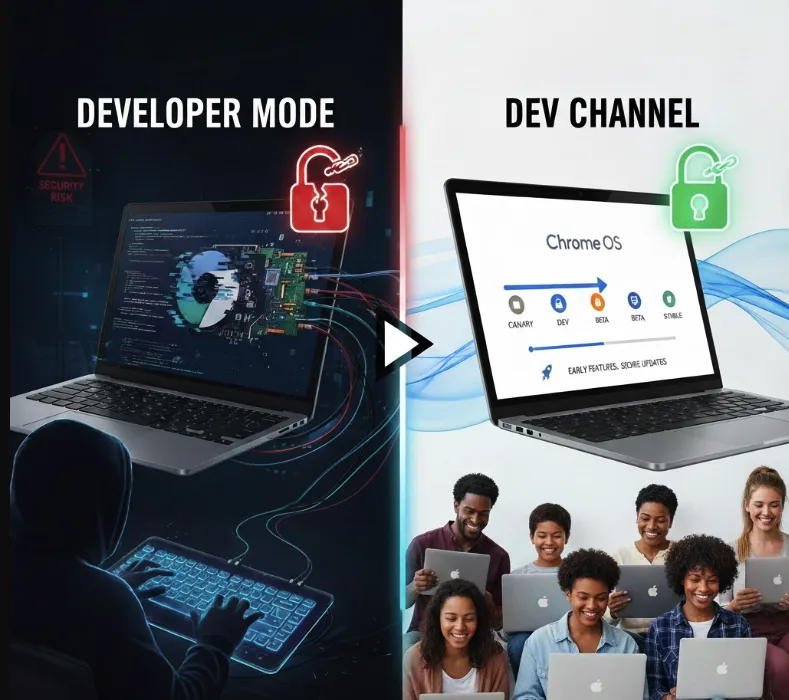
New features start in the Canary Channel, which updates multiple times daily. Changes then move to the Dev Channel for testing, with updates arriving once or twice weekly.
After Dev testing, features progress to Beta Channel with weekly updates. Finally, they reach Stable Channel after several weeks of refinement.
The Dev Channel requires no security compromises. You get early feature access while maintaining Verified Boot protection. Updates happen automatically like the Stable Channel.
Switching to Dev Channel means running less tested software. You might encounter bugs or incomplete features. The system remains secure but may behave unpredictably.
Developer Mode serves developers and advanced users who need system-level access. The Dev Channel suits curious users wanting to preview upcoming changes without technical expertise.
You can use Developer Mode and Dev Channel together, but this combination isn’t necessary for most purposes.
How to Switch Channels
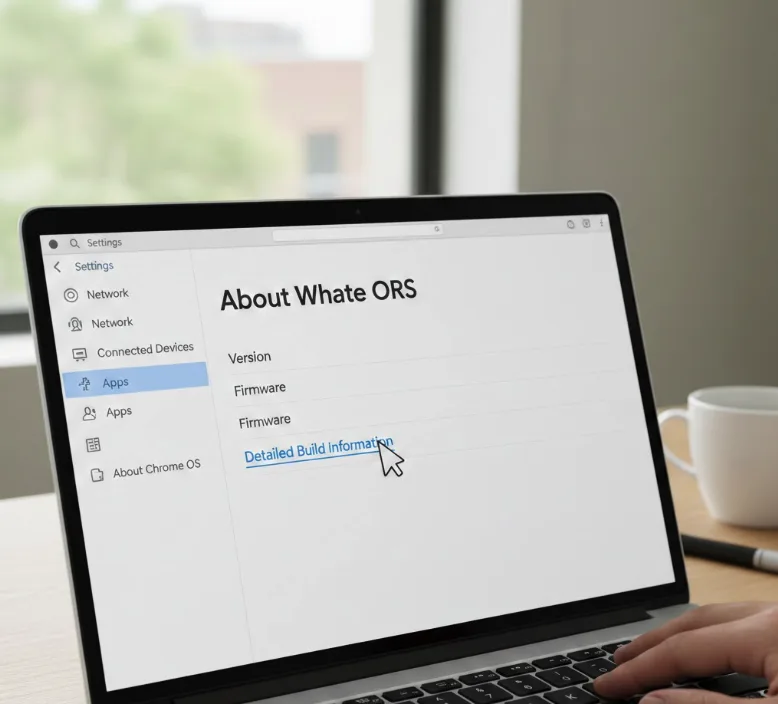
Open Settings on your Chromebook.
Scroll down and select About Chrome OS.
Click Detailed Build Information.
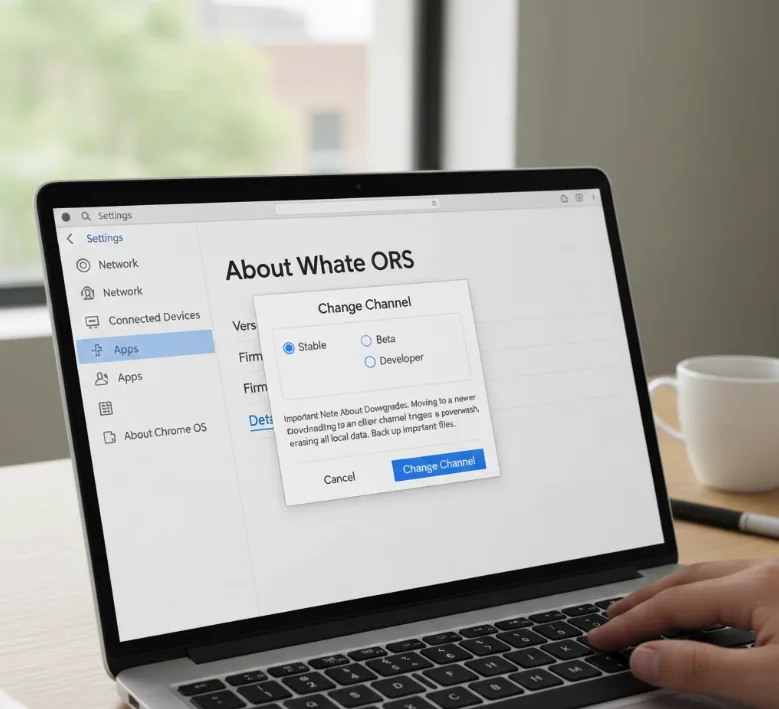
Important Note About Downgrades
Select Change Channel and pick your desired channel.
Moving to a newer channel preserves your data. Switching from Chrome OS 88 Stable to Chrome OS 90 Dev keeps everything intact.
Downgrading to an older channel triggers a powerwash. Going from Chrome OS 90 Dev back to Chrome OS 88 Stable erases all local data, Android apps, and Linux containers.
Back up important files before switching channels. Cloud storage protects against data loss during downgrades.
FAQs
Can I use Developer Mode and Dev Channel together?
Yes, you can enable Developer Mode while running the Dev Channel. However, this combination provides no additional benefits for most users and increases security risks unnecessarily.
Does the Dev Channel slow down my Chromebook?
The Dev Channel doesn’t inherently slow performance, but early feature builds may contain unoptimized code. You might experience occasional lag or battery drain from experimental features being tested.
Will switching to Dev Channel void my warranty?
No, switching to the Dev Channel doesn’t void your Chromebook warranty. It’s an officially supported option from Google, unlike Developer Mode which modifies system security settings.
How do I know which channel I’m currently using?
Open Settings, select About Chrome OS, and check the version information. The channel name appears next to your Chrome OS version number in the build details.
Can I switch back to Stable Channel without losing data?
No, downgrading from Dev or Beta to Stable Channel requires a powerwash. Your Chromebook will reset to factory settings, erasing all local files, apps, and configurations.
