


9to5 Google reports a new ChromeOS feature in the works but not everyone will get it. You’ll need one of the few LTE Chromebooks available because the feature turns your ChromeOS laptop into a giant hotspot. That’s still big news since Chromebooks need all the connectivity they can get. More importantly, it just makes sense for some people to use LTE Chromebooks as mobile hotspots.
Before I explain why let me share some background.
Before LTE Chromebooks and mobile hotspots
The year was 2006 and I had only been blogging for around 12 months. 5G wasn’t a thing back then. Nor was LTE or 4G, although plans for them were in the works. And 3G was only just gathering steam where I lived. So when I was out and about, I used an EVDO smartphone, running Windows Mobile, and it was my hotspot.
Boy, was I ahead of the curve. Everywhere I worked, people looked at my mobile office and wondered about the technologies I was using.
Sure, EVDO and its 1.5 Mbps connection (I had EVDO Rev. A for those that recall the standard) are laughable now. My phone acts as a hotspot and connects to a 5G network that routinely delivers speeds that are 100 times faster.
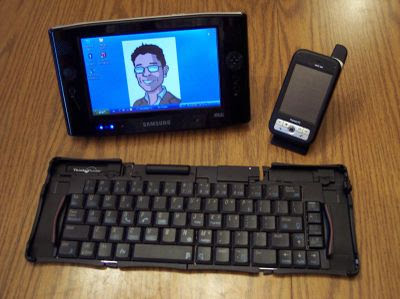
Oh, and there weren’t yet regular Chromebooks, let alone LTE Chromebooks at the time. My full-time computer was a $2,000 Samsung UMPC, or ultra-mobile PC. Yes, this image to the right represents my full-time office at the time.
The superb folding Bluetooth keyboard really made all the difference. The Samsung had a 7-inch 1024 x 600 resistive touch screen so typing really required a keyboard.
I used the phone as a hotspot even though I could have bought an EVDO USB-dongle for the computer. Why? Because I learned something back then and it still holds true to this day.
Pair a large battery with a mobile hotspot for best results
It’s better to use the device with the largest battery capacity, or with swappable batteries as a hotspot.
With a scant 3.5 hours of runtime on that little PC, adding the power draw of a mobile broadband radio wouldn’t be efficient. This is the same reason that I’ve purchased the cellular version of iPads over the Wi-Fi models. I’ve previously used a 4G iPad as a hotspot for Chromebook connectivity all day.
Going back to the new LTE Chromebooks as mobile hotspots feature then, my above mantra holds true. And while just about any 4G LTE or 5G phone can be a hotspot today, I’ve been in scenarios where using a Chromebook to share mobile broadband makes sense.
A perfect example is the weekly study group from my Computer Science classes a few years back.
We would often meet at a Starbucks where we would suck down free Wi-Fi faster than expensive coffee. Then, something happened as for several months the Wi-Fi was spotty and sporadic. I never found out why. So we shared a phone hotspot across a few Macs, a PC and my Chromebook. And nobody wanted to share because they’d be the one leaving with a nearly dead phone battery. If I had an LTE Chromebook that could have been a mobile hotspot, I would have volunteered more often.
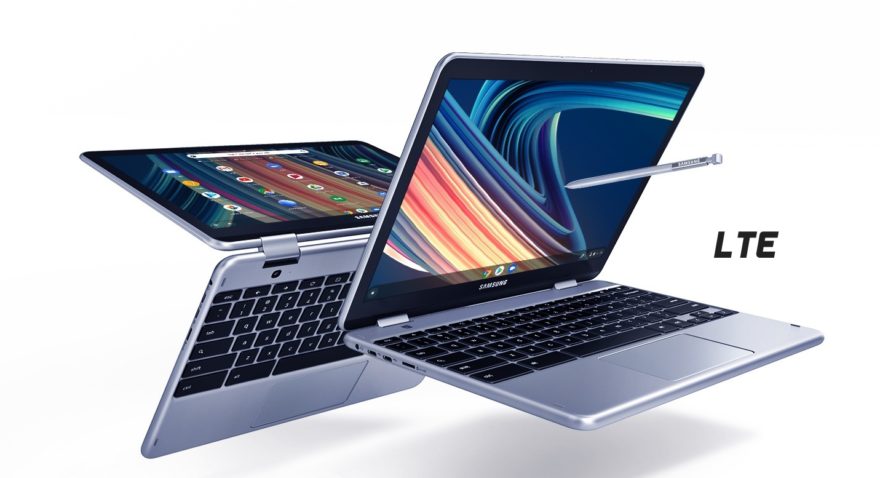
It’s better to use the device with the largest battery capacity, or with swappable batteries, as a hotspot.
My mantra since 2006
It’s one thing to have a Chromebook lose power but it’s another to have a truly mobile device, such as a phone, with an empty battery.
Think about it. A phone is many more things than a Chromebook. Mine is my car key and wallet, for example. It’s how my family can instantly reach me by voice or text. It’s how I can call 9-1-1 in an emergency. And so much more. I’d certainly live if my Chromebook battery died, so I wouldn’t mind using it as a mobile hotspot. Back in 2006, I had spare phone batteries because… wait for it… phone batteries were easily swappable back then.
Of course, I don’t have an LTE Chromebook these days.
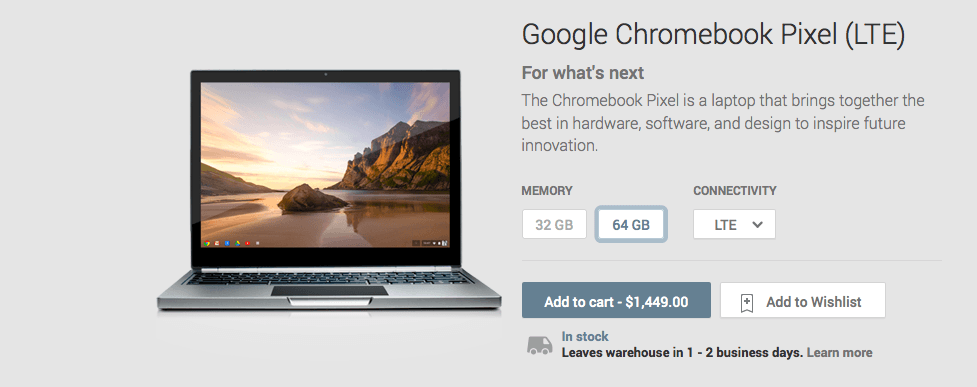
The last one I had was the Google Chromebook Pixel. I did test the Acer Chromebook Spint 513 with LTE last year and felt you’d be paying mainly for the mobile broadband. The most recent LTE Chromebook I’ve used is the HP Elite Dragonfly Chromebook review unit although I didn’t enable the LTE service. And at last check, there were only a handful of LTE Chromebooks available, although I may need to update that list. I expect we’ll see a few more options before year end.
I’ve heard from many readers over the years that they do want an LTE Chromebook. If you’re one of them, do you think you’d ever use it as a mobile hotspot?
