

Close Menu
    Facebook X (Twitter) Instagram
    • About
    • Privacy Policy
    • Write For Us
    • Newsletter
    • Contact
    Instagram
    About ChromebooksAbout Chromebooks
    • News
      • Stats
    • AI
    • How to
      • DevOps
      • IP Address
    • Apps
    • Business
    • Q&A
      • Opinion
    • Gaming
      • Google Games
    • Blog
    • Podcast
    • Contact
    About ChromebooksAbout Chromebooks
    News

    Wait, you can wirelessly transfer iPhone photos to the HP Elite Dragonfly Chromebook?

    Kevin TofelBy Kevin TofelAugust 8, 2022Updated:September 9, 2025No Comments3 Mins Read
    Share
    Facebook Twitter LinkedIn Pinterest

    How did I completely miss the HP QuickDrop app in my HP Elite Dragonfly Chromebook review? This is an app that’s been around for a while. It lets you wirelessly share photos and files from either an Android handset or an iPhone to an HP Windows PC. And it’s pre-installed on HP’s flagship ChromeOS laptop so I can transfer iPhone photos to the HP Elite Dragonfly Chromebook.

    I believe this is the first Chromebook to have HP QuickDrop support. And I hope that HP includes it with all of its Chromebooks in the future. I think of it as a less-featured version of Google’s Phone Hub but it’s still useful.

    Phone Hub can certainly do more: Quickly enabling the phone’s hotspot feature, showing phone notifications, and full text messaging support. That’s in addition to the wireless file and photo sharing HP QuickDrop adds.

    But I don’t use Phone Hub on my Chromebooks. Why? It only supports Android phones and I use an iPhone. Now, with HP QuickDrop and the HP Elite Dragonfly Chromebook, I at least get a little bit of data connectivity between phone and laptop.

    The HP QuickDrop setup process is simple: Just open the pre-installed app, which is a Progressive Web App, and follow the instructions. First, you scan the onscreen QR code to get the HP QuickDrop mobile app. I did this on my iPhone but there’s an Android version as well.
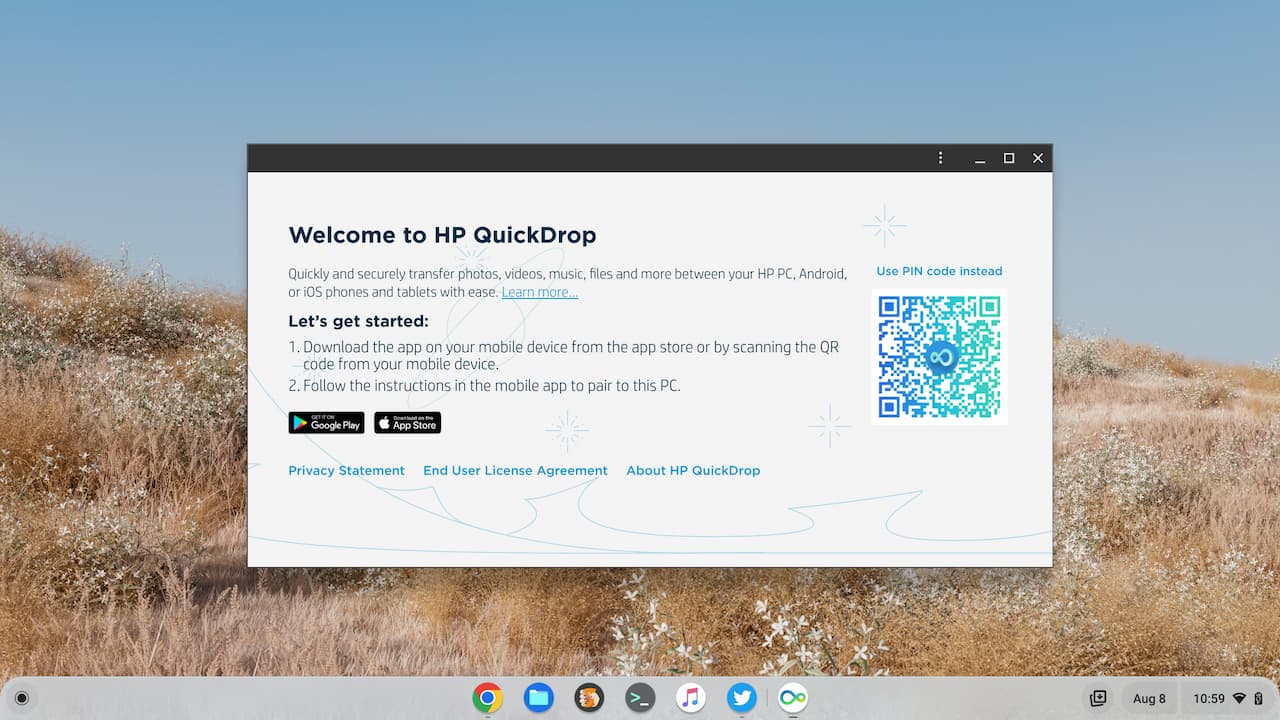
    HP QuickDrop setup

    Once the app is installed on your mobile phone, you pair your phone, and review permissions for data access: Files, photos, camera, etc… And that’s it.

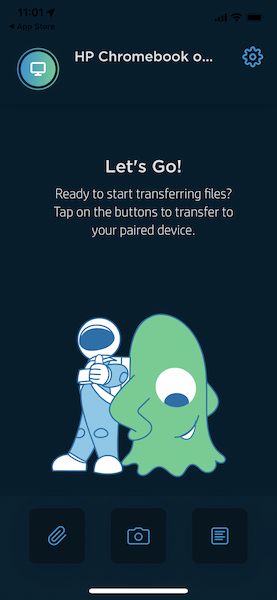
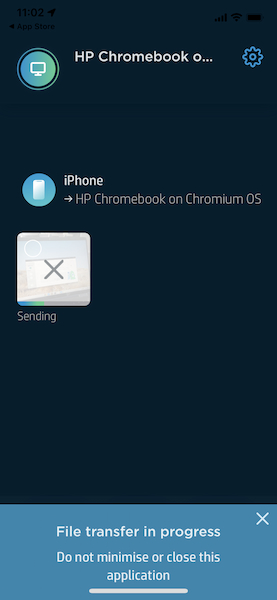
    You’re taken to a screen with three action buttons at the bottom to send a file, take a picture and send it, or create and send a text note. Below is the start screen and a screen capture of a photo transfer from my iPhone to the HP Elite Dragonfly Chromebook.
    This image has an empty alt attribute; its file name is HP-QuickDrop-mobile-start.jpg
    HP QuickDrop from iPhone to Elite Dragonfly Chromebook

    I tested all of the functions in HP QuickDrop and they worked flawlessly. Even the camera integration worked. I took the below picture with my iPhone in the HP QuickDrop app and then used the app to shoot it over to the Chromebook.

    How meta!
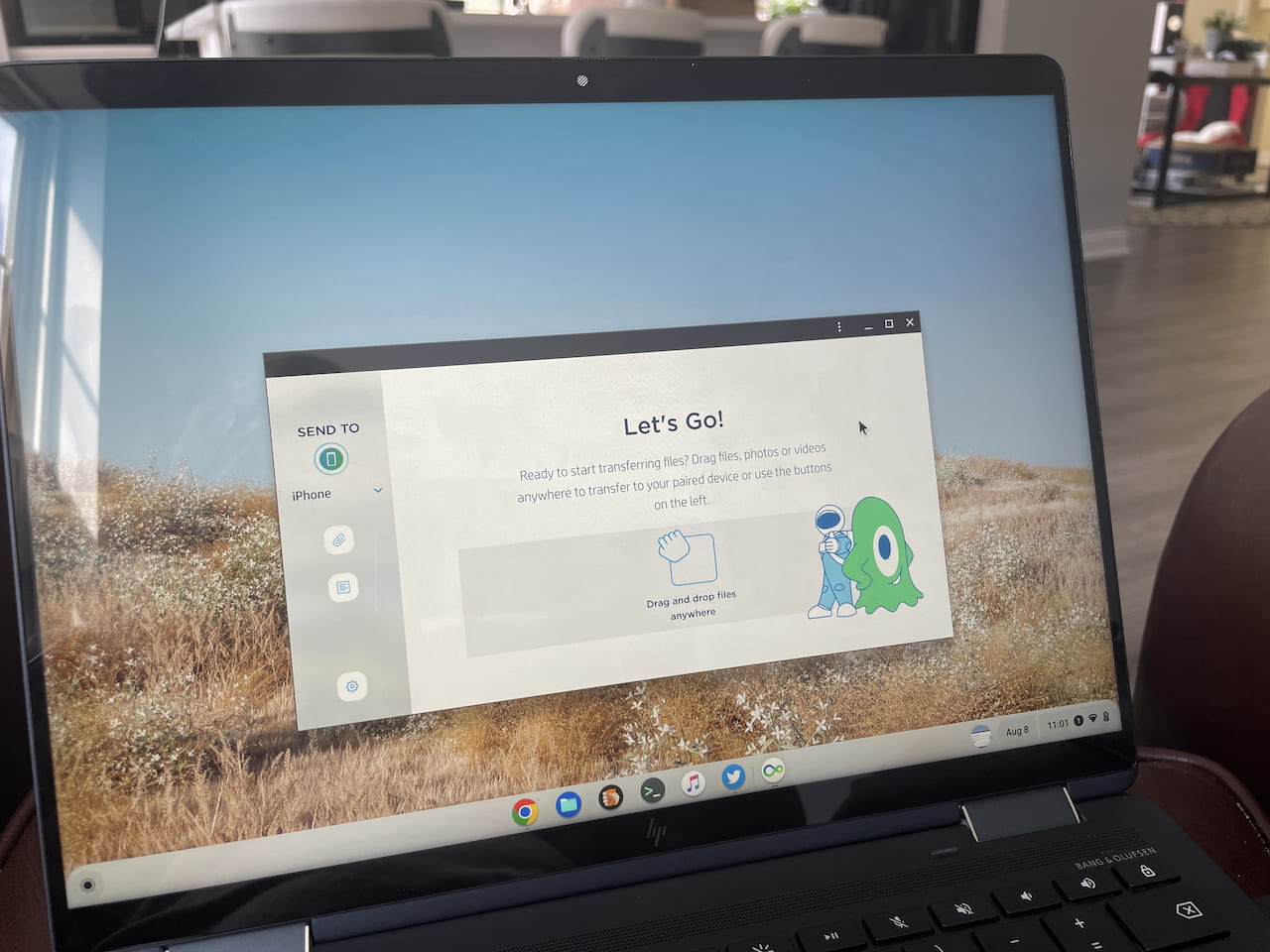
    HP QuickDrop app on the HP Elite Dragonfly Chromebook

    I like that the app shows a feed of your transfer activity between the phone and the Chromebook. Not only can you see a chronological list of activities, but you can see which device initiated the process.

    Here you can see the camera image I took with the iPhone, which I sent to the Chromebook. After that, I sent an image from the Chromebook over to the iPhone.
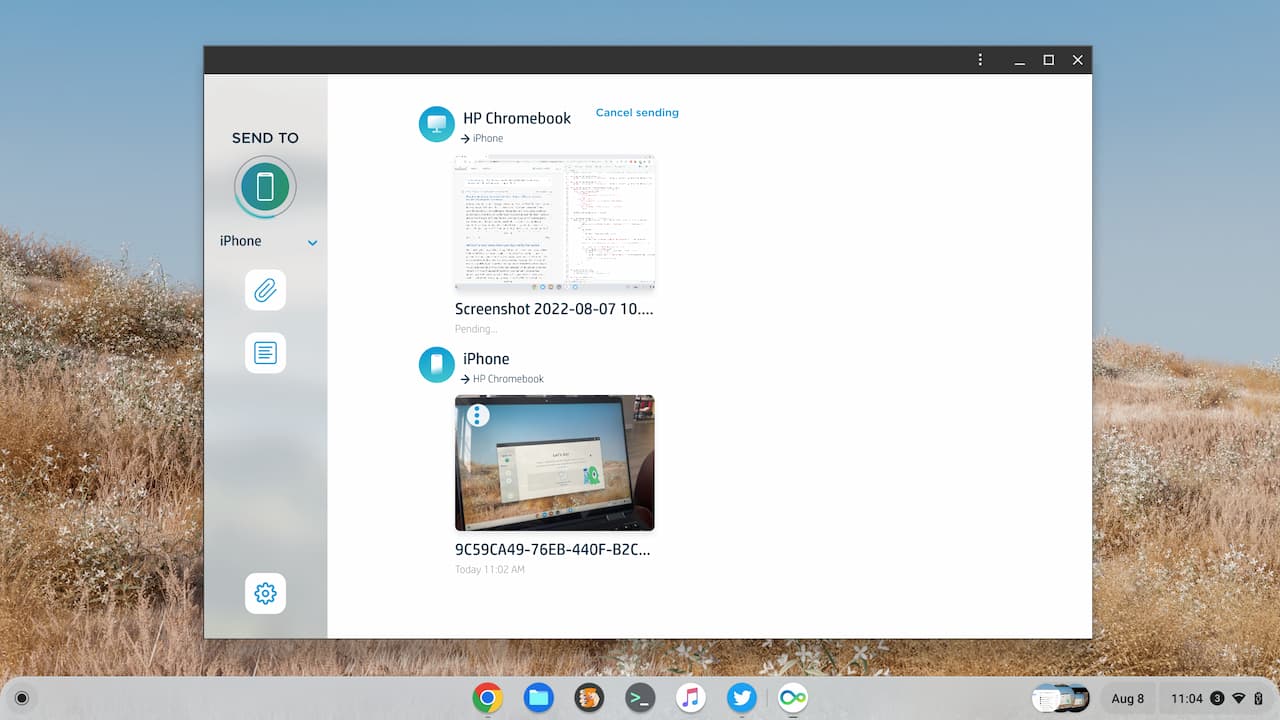
    Transfer iPhone photos feed

    Again, if you have an Android phone, the native Phone Hub is a much better option. HP QuickDrop provides a wireless phone transfer option to those of us who use Chromebooks with an iPhone. Or at least with this particular Chromebook, that is.

    Chrome OS Chromebooks ChromeOS HP Elite Dragonfly Chromebook HP QuickDrop Phone Hub
    Share. Facebook Twitter Pinterest LinkedIn Tumblr
    Kevin Tofel
    • Website

    After spending 15 years in IT at Fortune 100 companies, Kevin turned a hobby into a career and began covering mobile technology in 2003. He writes daily on the industry and has co-hosted the weekly MobileTechRoundup podcast since 2006. His writing has appeared in print (The New York Times, PC Magazine and PC World) and he has been featured on NBC News in Philadelphia.

    Related Posts

    Auto DraftStarbucks Partner Hours: Manual to Managing Work Schedules

    January 26, 2026

    Anon Vault For Private Cloud Storage

    January 23, 2026

    GitHub Copilot Statistics [2026]

    January 7, 2026

    Comments are closed.

    Best of AI

    VALL-E Statistics 2026

    January 28, 2026

    StarCoder Statistics And User Trends 2026

    January 27, 2026

    BLIP-2 Statistics 2026

    January 23, 2026

    AI mode Usage Statistics 2026

    January 22, 2026

    Code Llama Statistics 2026

    January 22, 2026
    Trending Stats

    Most searched keywords on Google

    January 27, 2026

    Ahrefs Search Engine Statistics 2026

    January 19, 2026

    Pay Per Click Advertising Statistics 2026

    January 16, 2026

    Google Ads Revenue 2025

    November 29, 2025

    Statistical Analysis Programs for Chromebook 2025

    November 22, 2025
    • About
    • Write For Us
    • Contact
    • Privacy Policy
    • Sitemap
    © 2026 About Chrome Books. All rights reserved.

    Type above and press Enter to search. Press Esc to cancel.