

Close Menu
    Facebook X (Twitter) Instagram
    • About
    • Privacy Policy
    • Write For Us
    • Newsletter
    • Contact
    Instagram
    About ChromebooksAbout Chromebooks
    • Linux
    • News
      • Stats
      • Reviews
    • AI
    • How to
      • DevOps
      • IP Address
    • Apps
    • Business
    • Q&A
      • Opinion
    • Gaming
      • Google Games
    • Blog
    • Podcast
    • Contact
    About ChromebooksAbout Chromebooks
    News

    Zoom PWA for Chromebook gains blur and virtual backgrounds

    Kevin TofelBy Kevin TofelApril 21, 2022Updated:August 28, 2025No Comments2 Mins Read

    I don’t know when it happened, but the Zoom PWA for Chromebook gained a new trick that brings it closer to a full desktop experience. Yup, you can now blur what’s behind you or use a virtual background in the Zoom web client.

    I haven’t been keeping up with the Zoom PWA after it arrived last June, as I’m more of a Google Meet guy.

    But one of our readers, Chris, clued me into the latest upgrade that brings these visual treats to Chrome OS.

    In fact, if you open up the Zoom PWA on your Chromebook and log in, you should see the new features highlighted:
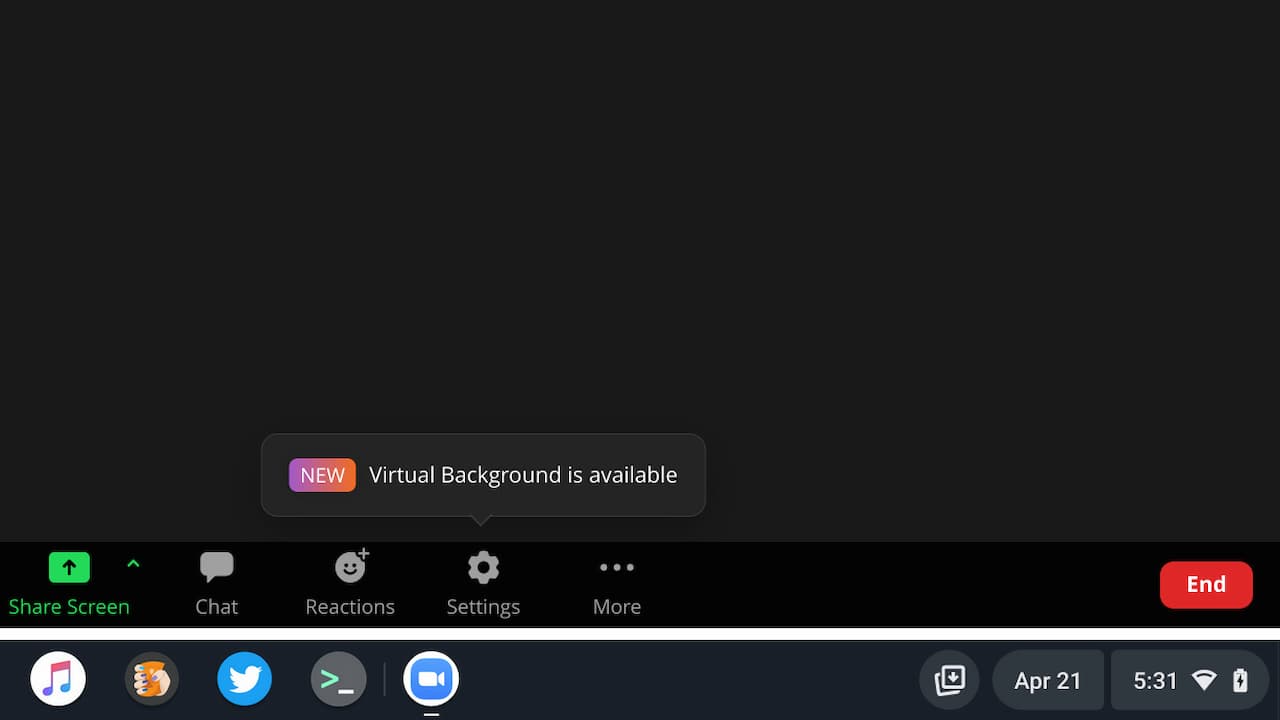
    Zoom PWA blur and virtual background feature on Chrome OS

    Just click that Settings button to choose either a blur or a magical place for you to “be” on your video chat. There are only a few virtual backgrounds, although there is an option to upload your own.

    Given that we’ve all been stuck mostly at home for the last two years, I suspect any recent photos will show the same room as you’d be in anyway.
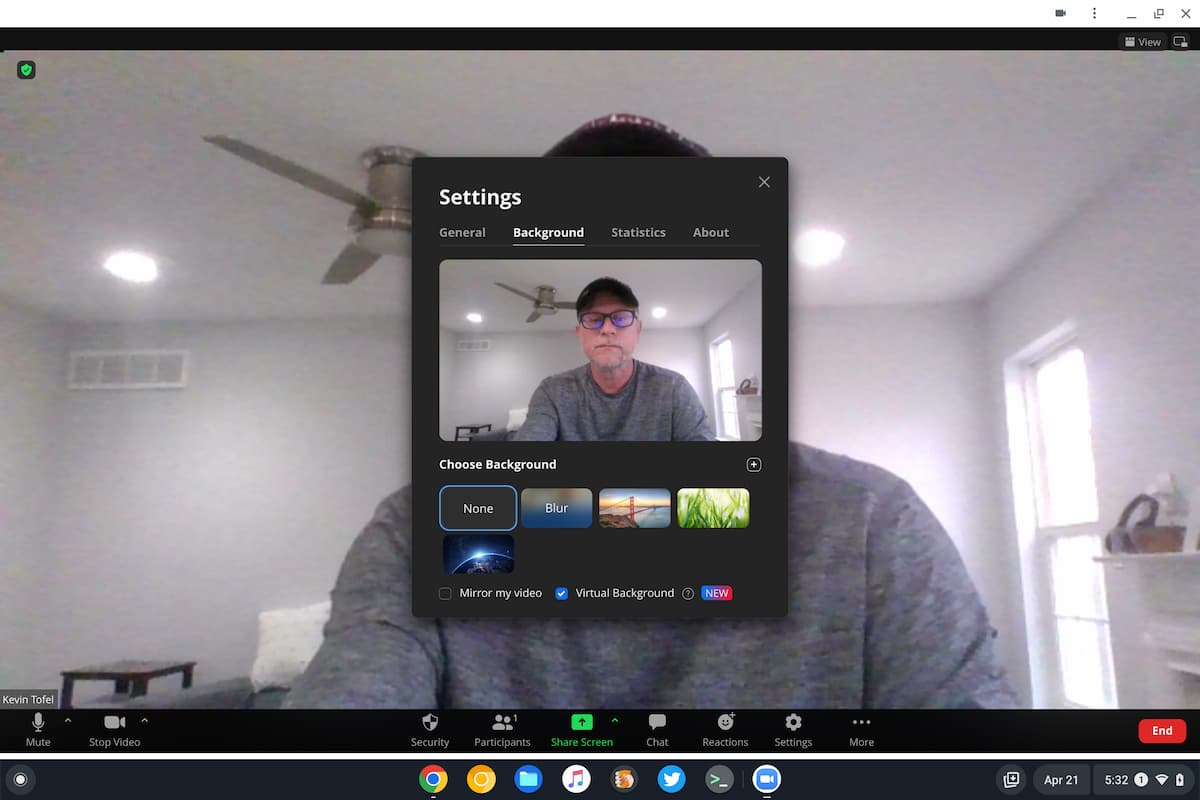
    Zoom PWA virtual background options

    Zoom does caution users that this feature could cause performance degradation on lower-powered hardware. If you have a budget Chromebook then, I’d still give it a try. You’ll want to keep an eye out for any additional audio or video lag on that Zoom call, though.

    Even on a higher-end device, don’t expect miracles here. With the Core i5 and 16 GB of memory in my daily driver, Zoom didn’t get the outline quite right during my testing. There’s a bit of gray blur as the progressive web app tries to filter out my background. Of course, the camera in my Chromebook is getting on in age. And it isn’t the highest quality sensor out there. So you may have better luck than I did.

    Since this is a PWA, there’s nothing to download if you already have the Zoom app for Chromebook installed. I didn’t need to update it or do anything special: I just clicked my Zoom app shortcut and saw the new feature.

    Kevin Tofel
    • Website

    After spending 15 years in IT at Fortune 100 companies, Kevin turned a hobby into a career and began covering mobile technology in 2003. He writes daily on the industry and has co-hosted the weekly MobileTechRoundup podcast since 2006. His writing has appeared in print (The New York Times, PC Magazine and PC World) and he has been featured on NBC News in Philadelphia.

    Best of AI

    Chub AI Explained

    May 6, 2026

    Stable Diffusion AI: Free Text To Image AI Generator

    May 5, 2026

    Imagen AI: The Best Photo Editing AI In 2026

    April 21, 2026

    Alphafold AI from Google Deepmind 2026

    April 21, 2026

    Agentic AI Pindrop Anonybit: The Future of Secure Identity Verification

    April 17, 2026
    Trending Stats

    Education Sector Chromebook Adoption Statistics 2026

    May 4, 2026

    ChromeOS Data Usage Patterns And Statistics 2026

    May 2, 2026

    Auto Update Expiration (AUE) In Chromebooks Statistics 2026

    May 2, 2026

    Chromebook Vs IPad Adoption In Schools Statistics 2026

    May 1, 2026

    ChromeOS Accessibility Feature Usage Statistics 2026

    April 28, 2026
    • About
    • Tech Guest Post
    • Contact
    • Privacy Policy
    • Sitemap
    © 2026 About Chrome Books. All rights reserved.

    Type above and press Enter to search. Press Esc to cancel.