

Close Menu
    Facebook X (Twitter) Instagram
    • About
    • Privacy Policy
    • Write For Us
    • Newsletter
    • Contact
    Instagram
    About ChromebooksAbout Chromebooks
    • Linux
    • News
      • Stats
      • Reviews
    • AI
    • How to
      • DevOps
      • IP Address
    • Apps
    • Business
    • Q&A
      • Opinion
    • Gaming
      • Google Games
    • Blog
    • Podcast
    • Contact
    About ChromebooksAbout Chromebooks
    News

    So long dual-booting Windows on a Chromebook: Project Campfire is deprecated

    Kevin TofelBy Kevin TofelMay 15, 2019Updated:September 21, 2025No Comments2 Mins Read

    Project Campfire turned up in the Chromium world this past August. The intent was to let a Chromebook boot not just into Chrome OS but directly into another operating system such as Linux or Windows. I thought the latter was a positive outcome since it would allow Chromebooks to natively run Windows desktop apps on a Chromebook, and add value to devices.

    Unfortunately, the project is shutting down.

    Spotted in code by Redditor u/crosfrog, there are comments and code removals that make it clear Project Campfire is being deprecated.
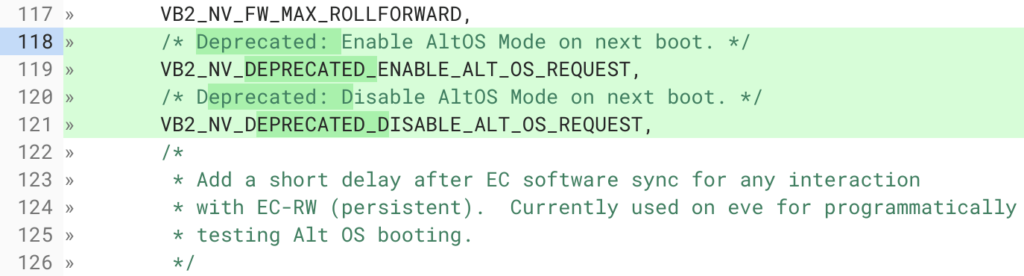
    The above screenshot is one of several examples where the Campfire code is essentially being disabled. While I wouldn’t expect Google to announce the closing of Project Campfire, since it never officially announced it in the first place, it’s evident that at least for now, Chromebooks aren’t going to natively boot into Windows.
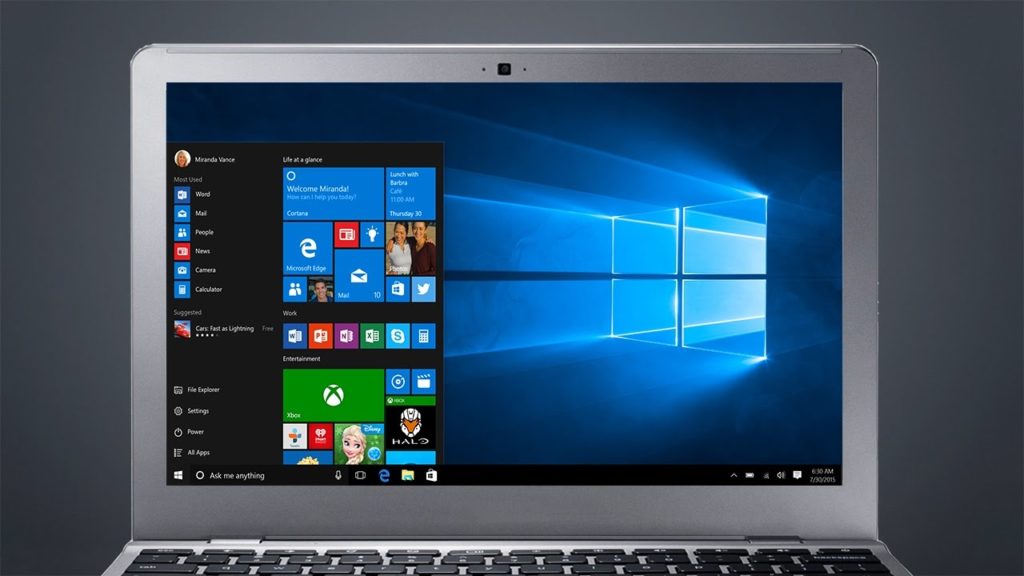
    I’m not completely surprised by this development, mainly because I’ve been watching for progress on Project Campfire. At first, there was plenty: new boot menu options, for example, and icons to select your operating system of choice. But all of that activity was between September and December of last year. Since then, I’ve essentially seen little to no tangible progress on Project Campfire.

    Like many of Google’s internal projects, not all of them see the light of day. Perhaps Google decided it wasn’t worth the effort to support booting into Windows on a Chromebook. After all, we knew it was going to require at least 40 GB of storage and even on a Chromebook with 64 GB of storage capacity, that was going to be a stretch.

    Regardless, it was an intriguing idea to be sure: Allowing Chrome OS users to use Windows apps for a one-off but key task that couldn’t be done on Chrome OS, in Android, or with a comparable Linux app.

    Kevin Tofel
    • Website

    After spending 15 years in IT at Fortune 100 companies, Kevin turned a hobby into a career and began covering mobile technology in 2003. He writes daily on the industry and has co-hosted the weekly MobileTechRoundup podcast since 2006. His writing has appeared in print (The New York Times, PC Magazine and PC World) and he has been featured on NBC News in Philadelphia.

    Best of AI

    Chub AI Explained

    May 6, 2026

    Stable Diffusion AI: Free Text To Image AI Generator

    May 5, 2026

    Imagen AI: The Best Photo Editing AI In 2026

    April 21, 2026

    Alphafold AI from Google Deepmind 2026

    April 21, 2026

    Agentic AI Pindrop Anonybit: The Future of Secure Identity Verification

    April 17, 2026
    Trending Stats

    Education Sector Chromebook Adoption Statistics 2026

    May 4, 2026

    ChromeOS Data Usage Patterns And Statistics 2026

    May 2, 2026

    Auto Update Expiration (AUE) In Chromebooks Statistics 2026

    May 2, 2026

    Chromebook Vs IPad Adoption In Schools Statistics 2026

    May 1, 2026

    ChromeOS Accessibility Feature Usage Statistics 2026

    April 28, 2026
    • About
    • Tech Guest Post
    • Contact
    • Privacy Policy
    • Sitemap
    © 2026 About Chrome Books. All rights reserved.

    Type above and press Enter to search. Press Esc to cancel.