

Close Menu
    Facebook X (Twitter) Instagram
    • About
    • Privacy Policy
    • Write For Us
    • Newsletter
    • Contact
    Instagram
    About ChromebooksAbout Chromebooks
    • Linux
    • News
      • Stats
      • Reviews
    • AI
    • How to
      • DevOps
      • IP Address
    • Apps
    • Business
    • Q&A
      • Opinion
    • Gaming
      • Google Games
    • Blog
    • Podcast
    • Contact
    About ChromebooksAbout Chromebooks
    News

    Click to call feature in Chrome OS 78: Tapping phone number links on Chromebook completes call on connected Android phone

    Kevin TofelBy Kevin TofelOctober 4, 2019No Comments2 Mins Read

    Earlier this year there were references to a “Click to call” feature for Chromebooks and it appears that Click to call will arrive in Chrome OS 78. Code changes targeted for the next Stable Channel version of Chrome OS show some of the user interface, particularly when you don’t have an Android phone connected to your Chromebook.
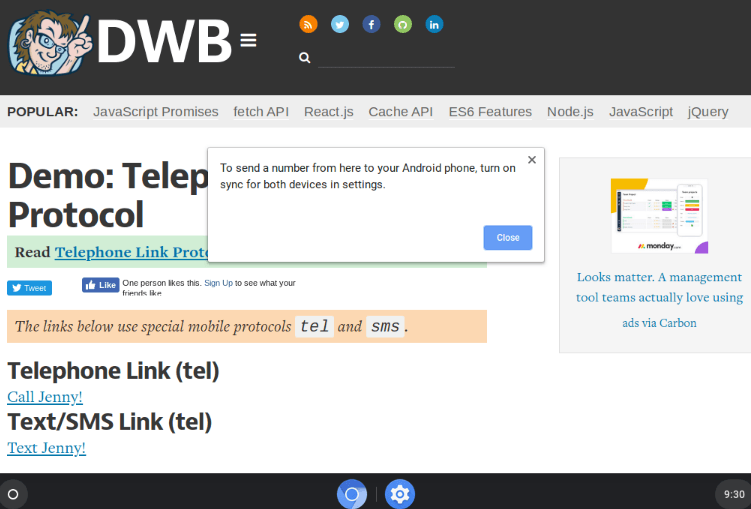
    With Click to call, you’ll be able to tap a phone number hyperlink on your Chromebook, which will automatically place the call on a supported Android phone.

    It looks to me like users may not have to do anything new on the Android side to enable this feature: If you’ve already connected an Android phone in the Chrome OS settings for Instant Tethering, for example, this could just work. I say “could” because the above error message indicates that both the Chromebook and Android phone must have synchronization settings enabled.

    Regardless of the implementation, I think most Chromebooks users will find Click to call very handy. Sure, there are third-party apps, services, and web extensions to place calls over the web in a similar fashion. And those can be just as handy. But sometimes, you need to place a phone call on an actual phone and walk away from the Chromebook.
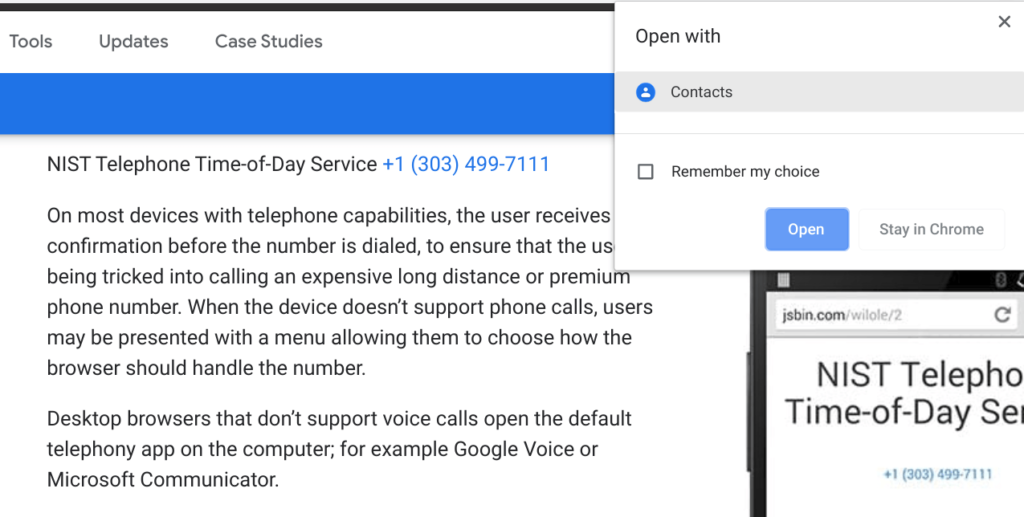
    By the way, if you click on a telephone link today, you get the above rather odd popup to use a Contacts app. It looks like the “plumbing” to do something with a hyperlinked phone number has been around for a while.

    Kevin Tofel
    • Website

    After spending 15 years in IT at Fortune 100 companies, Kevin turned a hobby into a career and began covering mobile technology in 2003. He writes daily on the industry and has co-hosted the weekly MobileTechRoundup podcast since 2006. His writing has appeared in print (The New York Times, PC Magazine and PC World) and he has been featured on NBC News in Philadelphia.

    Best of AI

    Turn Photos to Videos: A Product Marketing Playbook

    August 18, 2026

    DeepSeek Statistics 2026: Users, Token Share, Pricing and Benchmark Data

    August 15, 2026

    Cursor AI Statistics 2026

    August 14, 2026

    AI Hardware Market Share Statistics 2026

    August 12, 2026

    AI Startup Funding Statistics by Region Statistics 2026

    August 7, 2026
    Trending Stats

    Two-Factor Authentication Adoption Statistics 2026

    August 15, 2026

    Chromebook Detachable VS Clamshell Sales Statistics 2026

    August 13, 2026

    MacOS Version Distribution And Demographics Statistics 2026

    August 5, 2026

    Small Language Model Adoption Statistics 2026

    August 3, 2026

    Linux Distribution Popularity Statistics 2026

    August 3, 2026
    • About
    • Tech Guest Post
    • Contact
    • Privacy Policy
    • Sitemap
    © 2026 About Chrome Books. All rights reserved.

    Type above and press Enter to search. Press Esc to cancel.