


A Chromebook can build and publish a static website, and there is more than one way to get the files online. The real difference between hosting platforms is not price or branding.
It is how each one expects you to deploy. Some accept an HTML file, a folder or a ZIP straight through the browser.
Others want a Git repository, command-line tools, or both. If you have not enabled Linux on your Chromebook, browser-based uploads are the easier route. If you already use GitHub or you have set up web development on your Chromebook, automated deployment may suit you better.
The short version: Tiiny.host is the simplest way to publish an existing HTML file or ZIP without Git or a terminal.
Netlify and Vercel offer an easier path into more advanced workflows, while GitHub Pages is a practical option for projects already stored on GitHub.
Quick comparison of the seven platforms
| Platform | Best for | Browser upload | Git required | Command line required |
| Tiiny.host | Publishing an HTML file or ZIP quickly | Yes | No | No |
| Netlify | Simple uploads with room for a more advanced workflow | Yes | No | No |
| Vercel | Static sites and frontend framework projects | Yes | No | No |
| Cloudflare Pages | Direct uploads or Git deployments through Cloudflare | Yes | No | No |
| GitHub Pages | Projects already stored in GitHub repositories | Through GitHub | Yes | No |
| Firebase Hosting | Sites connected to other Firebase services | Through Cloud Shell | No | Usually |
| Neocities | Hand-coded personal and student websites | Yes | No | No |
“Git required” refers to the normal deployment workflow. Several platforms offer more than one publishing method.
How we selected the platforms?
These platforms were judged on how well they fit the way people actually work on a Chromebook, not on a lab test run under identical conditions.
For each one, the questions were the same. Can you publish entirely through Chrome, or do you need Linux, Git or a terminal?
Does it serve plain HTML, CSS and JavaScript without extra configuration? Is there a free entry plan, and does it support a custom domain and HTTPS? How easy is it to update a site after the first upload, and does the platform offer Git-based automatic deployment for people who want it?
We also looked at who each option suits, from students and beginners to experienced developers, and noted the restrictions that matter for personal or commercial projects. The list is ordered around Chromebook usability first, not around which company has the longest feature list.
1. Tiiny.host: Best for publishing a static site without Git
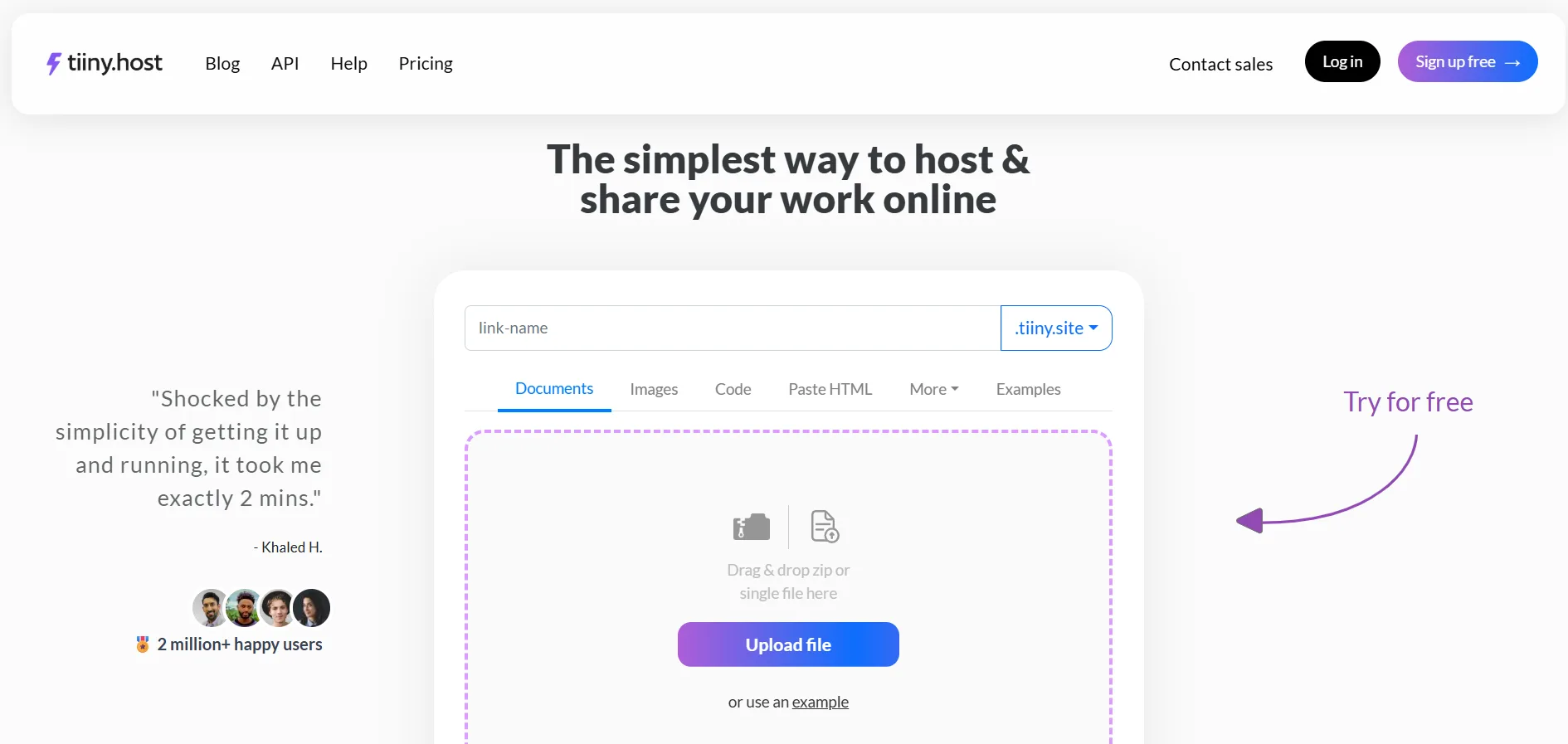
Tiiny.host provides straightforward static website hosting for Chromebook users who want to publish an HTML file or ZIP without configuring Git. You upload a single HTML file, or a ZIP that contains your site files, and it goes live.
The one rule to remember is that the ZIP must contain an index.html file. Everything happens in the browser, so there is no need for Linux, Git or command-line tools.
This works cleanly with the Chromebook Files app. Put the site files in one folder, right-click to compress the folder if you have more than a single page, and upload the ZIP. Tiiny.host generates a hosted link once the site is published. To update the site later, you upload the revised files.
Best suited to:
- HTML and CSS assignments and student projects
- Portfolios and landing pages
- Website prototypes
- Static sites exported from no-code or AI coding tools
- Anything you need to share quickly with a client, teacher or colleague
Tiiny.host is built around simple file publishing. Developers who need automated Git builds, complex deployment pipelines or server-side application hosting will be better served by a developer platform. For direct HTML file hosting and ZIP-based static sites, it is the least fussy option on this list.
2. Netlify: Best balance between simple uploads and developer features
Netlify Drop lets you publish a folder of HTML and other site files by dragging it into the browser. Git integration is available, but you do not need it for the first manual deployment. When you are ready, you can connect a repository so that updates deploy automatically.
Netlify also provides deploy previews, custom domains and SSL. The wider platform supports functions, forms and other features, though those go beyond basic static hosting.
Best suited to:
- Portfolios and documentation sites
- Static sites that may grow over time
- People who want to start with manual uploads and adopt Git later
- Teams that need preview links before publishing changes
Netlify has more settings and usage rules than a plain file host. Its free plan works on a monthly credit allowance, and a project can pause if that allowance runs out. Check the current free-plan limits before you commit a site you expect to stay online around the clock.
3. Vercel: Best for frontend projects and framework-based static sites
Vercel is best known for Git-based deployment and frontend frameworks, but you do not have to start there. Vercel Drop, at vercel.com/drop, lets you drag a file or folder into the browser with no Git, no CLI and no local setup.
It can deploy plain static files as well as projects built with frameworks such as Vite and Next.js. Git integration becomes useful once you want automatic deployments and a preview URL for every change.
Best suited to:
- Frontend developers
- Vite and statically exported framework projects
- Prototypes and personal projects already headed for a Git workflow
- Anyone who wants separate preview and production environments
For a basic one-page HTML site, the platform can be more than you need. Vercel’s free Hobby plan is intended for personal projects, so read the current plan terms before choosing it for commercial work.
4. Cloudflare Pages: Best for users already working with Cloudflare
Cloudflare Pages serves plain static HTML sites. You can deploy a folder or a ZIP through Direct Upload, or connect a GitHub or GitLab repository for automatic builds.
Every project gets a pages.dev address, and you can add a custom domain. The platform is most useful when your domain and DNS are already managed through Cloudflare.
One point is worth settling before you start, because it affects setup. A Direct Upload project cannot later be converted into a Git-integrated project, and a Git-integrated project cannot use dashboard drag-and-drop deployment.
If you want to switch between those two workflows, you have to create a new project. Cloudflare states this in its Direct Upload documentation, so decide which method you want at the outset.
Best suited to:
- Static sites for a domain already on Cloudflare
- Users who know whether they want manual or Git-based deployment
- Developers who want branch previews and GitHub or GitLab integration
5. GitHub Pages: Best for sites already stored on GitHub
GitHub Pages publishes HTML, CSS and JavaScript files from a GitHub repository. You can upload and edit files through the GitHub website, so a local Git installation is not always necessary.
More experienced users can update the repository with Git from the Chromebook Linux environment or from a browser-based coding environment such as GitHub Codespaces. GitHub Pages also supports Jekyll for sites built from Markdown and templates, and it handles custom domains and HTTPS.
Best suited to:
- Developer portfolios and project documentation
- Open-source projects
- Student work already stored on GitHub
- Anyone who wants hosting and version control in the same place
The workflow assumes some understanding of repositories and file structure, so it is a step up from a single upload box. GitHub Pages is not built for running server-side code, and GitHub applies site size, build and bandwidth limits.
Free accounts normally publish Pages sites from public repositories, which is worth knowing if your source needs to stay private.
6. Firebase Hosting: Best for projects using other Firebase services
Firebase Hosting serves static assets through a CDN with SSL enabled by default. It makes the most sense when the project also uses Firebase Authentication, Firestore or another Firebase product, since everything sits in one console.
The standard way to deploy is the Firebase CLI. On a Chromebook, you can install the CLI through the Linux development environment.
Google also offers Cloud Shell, a browser-based command line with the Firebase CLI already installed, which keeps the whole process inside Chrome.
Best suited to:
- Web apps that use Firebase services
- Developers who are comfortable with the command line
- Static single-page applications
- Projects that may later add authentication or stored data
Firebase is more than you need if the goal is to upload one HTML page. Initializing a project and running deployment commands takes more setup than a direct-upload platform, so the payoff comes when the site uses other Firebase services.
7. Neocities: Best for hand-coded personal websites
Neocities pairs static hosting with an HTML editor that runs in the browser. You can create and edit pages without installing a local code editor, and you can upload existing files through the browser as well.
The platform is built around personal, creative and independently made websites, which gives it a different feel from the developer platforms above. A command-line tool exists, but it is optional.
Best suited to:
- People learning HTML and CSS
- Student websites and personal homepages
- Small creative projects
- Chromebook users who want to write and publish code in one browser interface
There are a few limits to keep in mind. The free plan restricts some file types, and custom domains are part of the paid Supporter plan. It is also less suited to conventional business sites or modern team deployment workflows. Once a page is live, you can check the markup using Chrome’s built-in developer tools.
Which static hosting platform should you choose?
The right platform depends on what you already have and how you like to work:
- Choose Tiiny.host when you have an HTML file or ZIP and want the least complicated way to publish it.
- Choose Netlify when you want a direct upload now and the option of a more advanced workflow later.
- Choose Vercel for frontend framework projects and preview-based development.
- Choose Cloudflare Pages when your domain or workflow already runs through Cloudflare.
- Choose GitHub Pages when the site is already stored in a GitHub repository.
- Choose Firebase Hosting when the site connects to other Firebase services.
- Choose Neocities for learning HTML or running a hand-coded personal site.
For most Chromebook users publishing a first static website, a browser-upload platform avoids setup you do not need yet. Git-based and command-line platforms earn their place once version control, automatic builds or application services become part of the project.
FAQs
Can you host a website from a Chromebook?
Yes. A Chromebook can upload website files through Chrome, publish from a GitHub repository, or deploy through command-line tools in the Linux development environment.
Do I need to enable Linux to publish a static website?
No. Tiiny.host, Netlify Drop, Vercel Drop, Cloudflare Direct Upload and Neocities all publish through the browser. Linux is useful for platforms and workflows that depend on a command line, but it is not a requirement for getting a static site online.
Can I use a custom domain with static website hosting?
Most of the platforms in this list support custom domains, though availability can depend on the plan you choose. Check the platform’s current domain and SSL terms before you sign up.
Can a static website include JavaScript?
Yes. Static hosting platforms serve client-side JavaScript alongside HTML, CSS, images and other browser assets. What they cannot do is run traditional server-side code, unless the platform provides a separate function or backend service.
Is free static hosting suitable for a business website?
It can be, for a small brochure site, portfolio or landing page. Before you rely on a free plan for an important business site, check the restrictions on commercial use, bandwidth, custom domains, support and usage limits.
