

Close Menu
    Facebook X (Twitter) Instagram
    • About
    • Privacy Policy
    • Write For Us
    • Newsletter
    • Contact
    Instagram
    About ChromebooksAbout Chromebooks
    • Linux
    • News
      • Stats
      • Reviews
    • AI
    • How to
      • DevOps
      • IP Address
    • Apps
    • Business
    • Q&A
      • Opinion
    • Gaming
      • Google Games
    • Blog
    • Podcast
    • Contact
    About ChromebooksAbout Chromebooks
    News

    Setting up a Chromebook for web development? You’ll want to read this guide

    Kevin TofelBy Kevin TofelOctober 22, 2019Updated:September 13, 2025No Comments2 Mins Read

    While I’ve noted many times that I code on my Pixel Slate and my newer Acer Chromebook Spin 13 with 16 GB of memory, all of my coding is on the back-end. Meaning, I typically use Java or Python, along with some APIs and cloud services, to build small apps and complete homework for my Computer Science classes at the local community college.

    It hasn’t taken me long to create a setup workflow in this case: Enable Linux in Chrome OS, download and install my preferred development environments, connect them to GitHub and go.
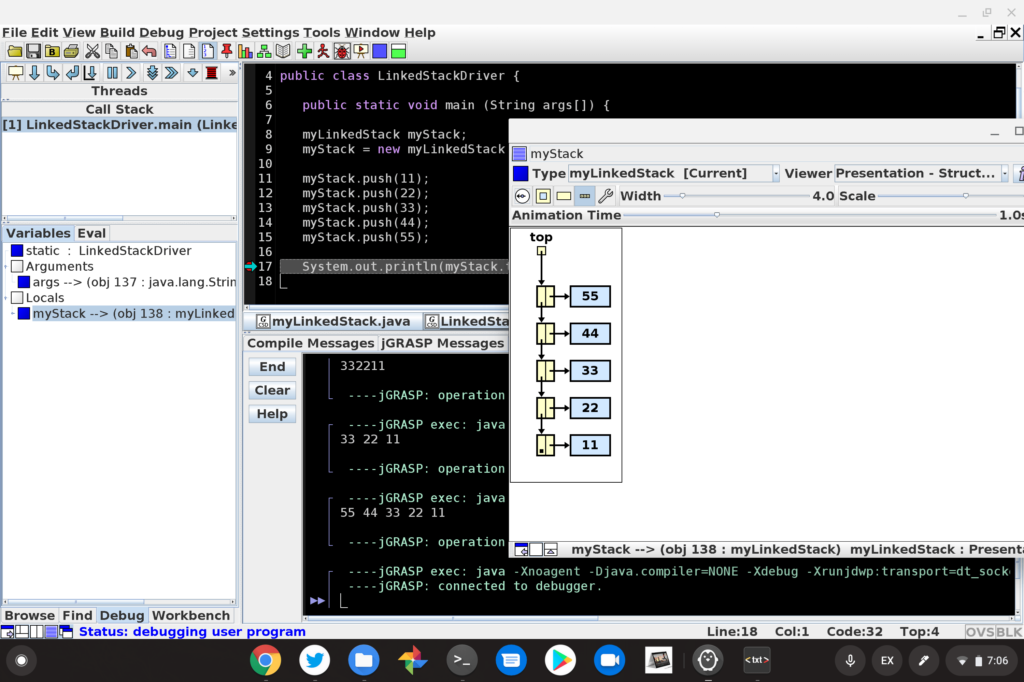
    Implementing a linked list stack in Java on the Pixel Slate – yay!

    Setting up the same devices for full-stack web development though? I’ve never done that.

    Luckily, John Stamp has. He’s a full-stack developer and he recently outlined his entire setup process for web development on a $200 Chromebook. It works well, or well enough, and the same process can be followed on just about any other Chromebook that supports Linux.

    From reading the detailed process, which of course, could vary depending on the tools you may want to use, I learned a bunch. Clearly, there are more steps in John’s setup than mine, simply because there are more moving parts.

    For instance, after enabling Linux on his Chromebook, John installs NodeJs, NPM, and XAMPP, all of which allow him to create web-based and stand-alone apps using JavaScript and PHP. Those tools are in addition to adding the Nautilus file manager and Atom code editor, both of which are useful for both devs and non-developers alike.
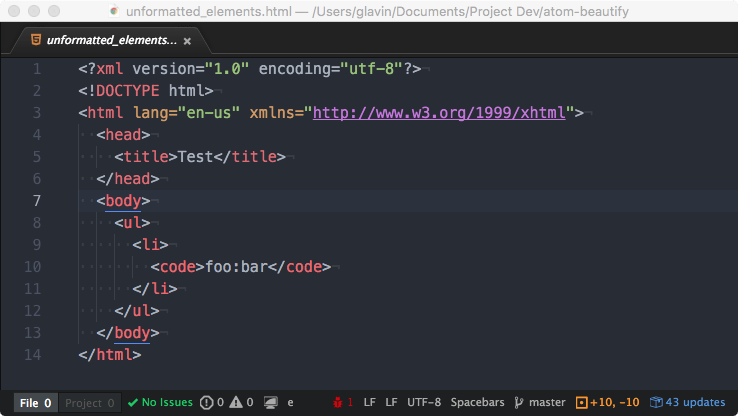
    Along the way throughout the process, John shares little tips and tricks that are specific to using a Chromebook and even provides fixes for some of the most common issues you may encounter, such as using an IP address to connect to the Linux container and display errors when trying to run a local webserver.

    Clearly, John put a ton of time and effort into this setup process, so if you want to take the plunge and do web development on your Chromebook using Linux, I highly recommend carefully reading his guide.

    Kevin Tofel
    • Website

    After spending 15 years in IT at Fortune 100 companies, Kevin turned a hobby into a career and began covering mobile technology in 2003. He writes daily on the industry and has co-hosted the weekly MobileTechRoundup podcast since 2006. His writing has appeared in print (The New York Times, PC Magazine and PC World) and he has been featured on NBC News in Philadelphia.

    Best of AI

    What Does Adobe Firefly AI Do?

    June 16, 2026

    Is Joyland AI Safe For Kids?

    June 12, 2026

    LMArena AI: Chatbot Ranking Platform 2026

    May 27, 2026

    Will AI Take Over the World

    May 25, 2026

    AI21 Jurassic Statistics 2026: Model Size, Usage and AI Performance Trends

    May 19, 2026
    Trending Stats

    Chromebook Storage Usage Statistics 2026: Device Storage Consumption Trends

    June 18, 2026

    Conversational AI Market Statistics 2026: Chatbot Usage And Enterprise Deployment

    June 17, 2026

    Chromebook Gaming Usage Statistics 2026: Player Engagement And Usage Reports

    June 17, 2026

    Chromebook Battery Degradation Statistics 2026: Lifecycle Performance Testing Data

    June 15, 2026

    Chromebook Touchscreen vs Non-Touchscreen Usage Statistics 2026: Device Interaction and Form Factor Data

    June 11, 2026
    • About
    • Tech Guest Post
    • Contact
    • Privacy Policy
    • Sitemap
    © 2026 About Chrome Books. All rights reserved.

    Type above and press Enter to search. Press Esc to cancel.